



1.创建工程
登入https://start.spring.io/,选择如下:
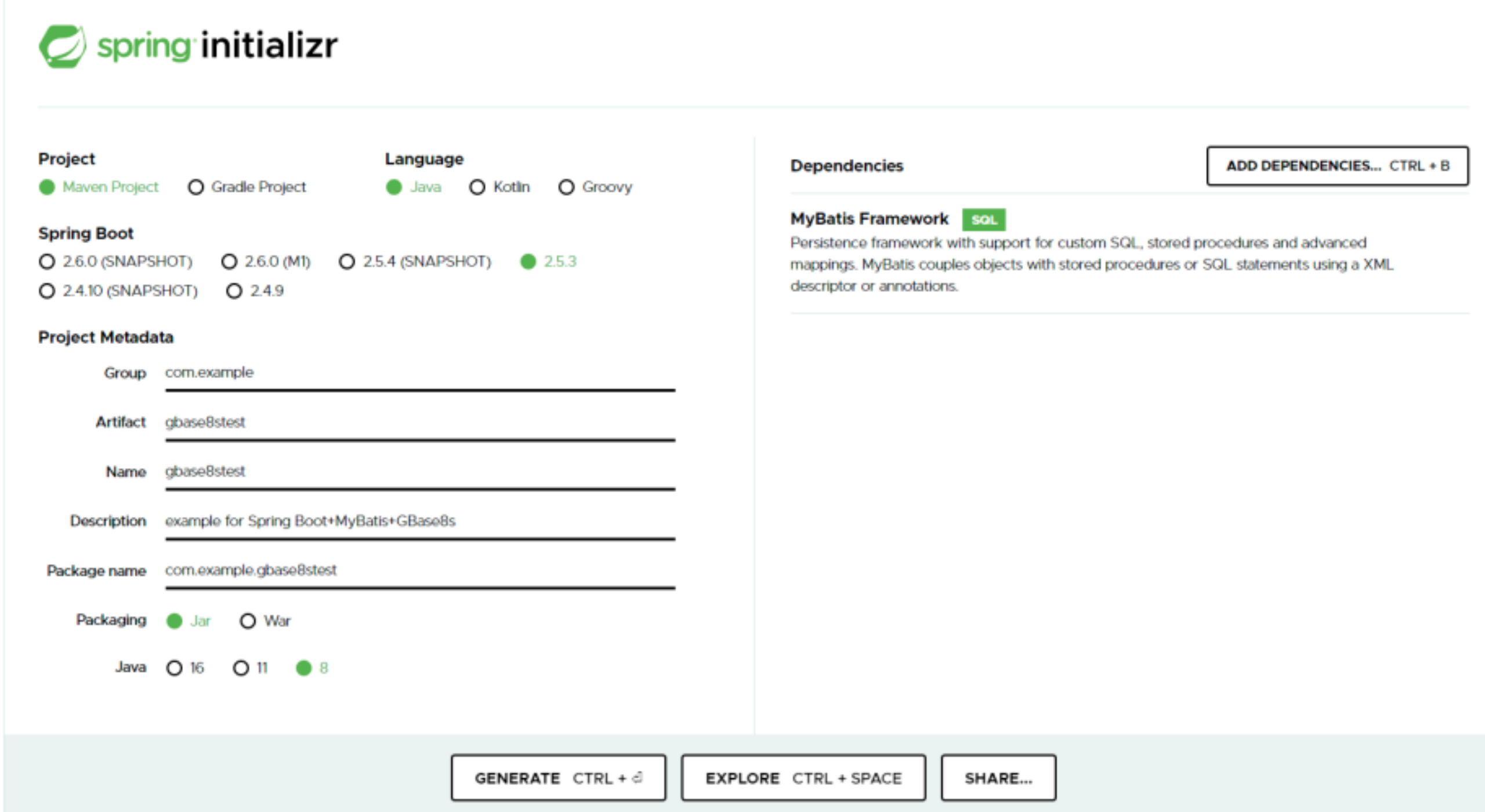
然后点击GENERATE按钮。
点击后,浏览器会下载如下压缩包:
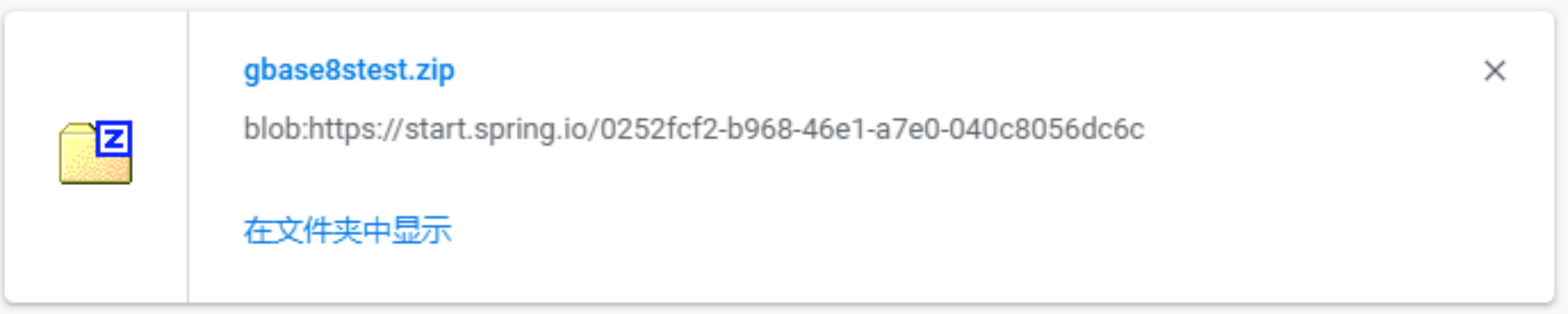
将压缩包解压后,使用eclipse的import功能导入工程,如下图所示:
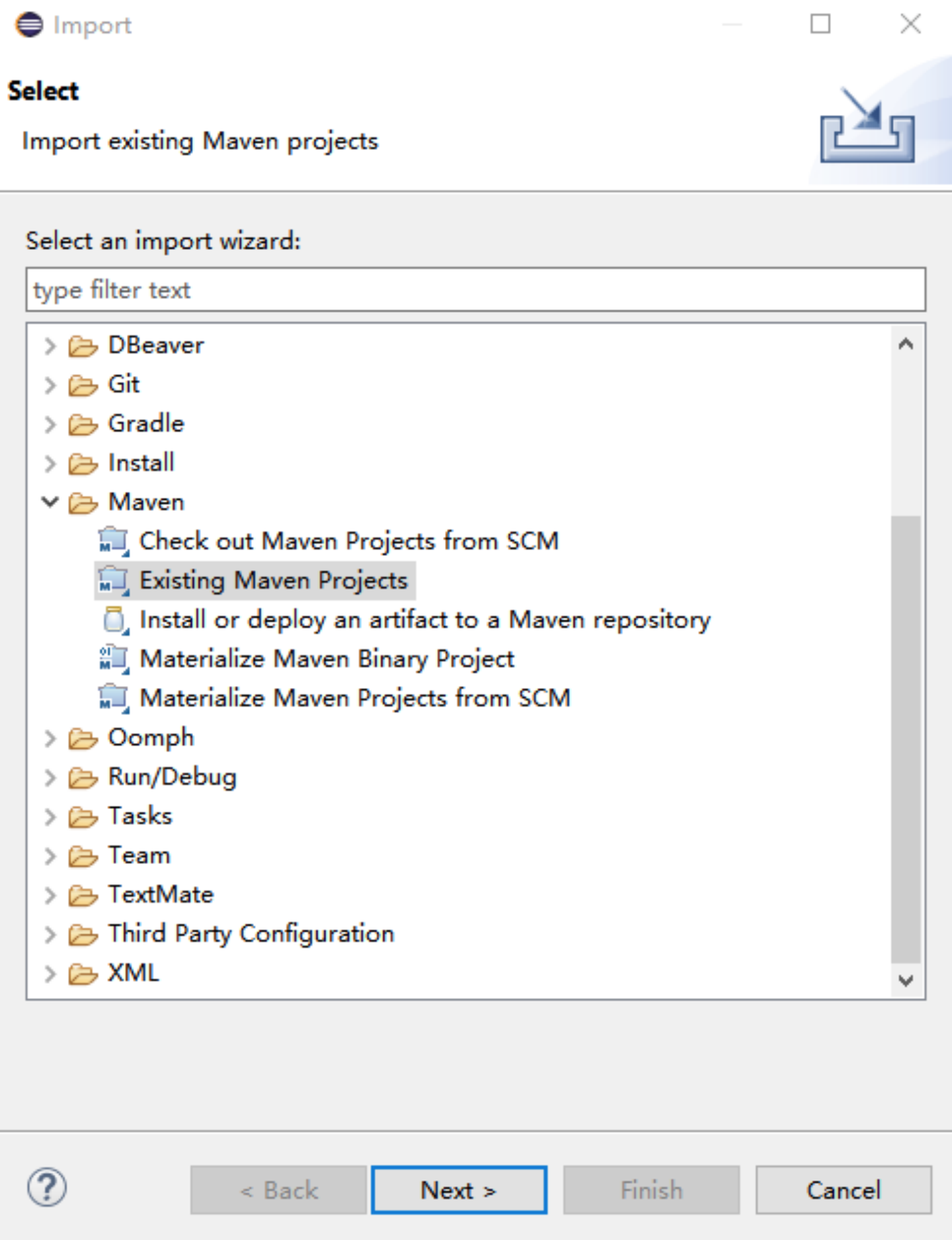
点击next导入成功。
2.添加依赖
在pom.xml中添加如下内容:
E:\jar\gbasedbtjdbc_3.3.0_2_36477d.jar为GBase8s的jdbc包在本地的存放路径。
3.配置数据源
在application.properties中配置如下配置项:
spring.datasource.driverClassName=com.gbasedbt.jdbc.Driver
spring.datasource.url=jdbc:gbasedbt-sqli://localhost:12345/test:gbasedbtserver=ol_gbasedbt1210
spring.datasource.username=gbasedbt
spring.datasource.password=GBase123!
4.创建表
在数据库test中创建city表
create table city (id integer primary key , name varchar(20), state varchar(20), country varchar(20));
5.创建类
创建City实体类
public class City implements Serializable {
private static final long serialVersionUID = 1L;

private Long id;

private String name;

private String state;

private String country;

public Long getId() {
	return this.id;
}

public void setId(Long id) {
	this.id = id;
}

public String getName() {
	return this.name;
}

public void setName(String name) {
	this.name = name;
}

public String getState() {
	return this.state;
}

public void setState(String state) {
	this.state = state;
}

public String getCountry() {
	return this.country;
}

public void setCountry(String country) {
	this.country = country;
}

@Override
public String toString() {
	return getId() + "," + getName() + "," + getState() + "," + getCountry();
}
}
创建CityDao类
@Component
public class CityDao {
private final SqlSession sqlSession;

public CityDao(SqlSession sqlSession) {
	this.sqlSession = sqlSession;
}

public City selectCityById(long id) {
	return this.sqlSession.selectOne("selectCityById", id);
}
}
创建CityMapper接口
@Mapper
public interface CityMapper {
@Select("select id, name, state, country from city where state = #{state}")
City findByState(@Param("state") String state);
}
修改Gbase8stestApplication类,内容如下
@SpringBootApplication
public class Gbase8stestApplication implements CommandLineRunner {
private final CityDao cityDao;
public static void main(String[] args) {
	SpringApplication.run(Gbase8stestApplication.class, args);
}

public Gbase8stestApplication(CityDao cityDao) {
	this.cityDao = cityDao;
}

@Override
public void run(String... args) {
	System.out.println(this.cityDao.selectCityById(1));
}
}
6.创建xml文件
创建CityMapper.xml
创建mybatis-configure.xml
7.测试
在GBase8s中执行如下SQL语句:
insert into test:city (id, name, state, country) values (1, ‘San Francisco’, ‘CA’, ‘US’);
启动Gbase8stestApplication类,输出结果如下:
. ____ _ __ _ _
/\ / ’ __ _ () __ __ _ \ \ \
( ( )__ | '_ | '| | ’ / ` | \ \ \
\/ )| |)| | | | | || (| | ) ) ) )
’ || .__|| ||| |__, | / / / /
=|_|======|/=////
:: Spring Boot :: (v2.5.3)
2021-08-20 18:03:51.702 DEBUG 34544 — [ main] s.m.x.mapper.CityMapper.selectCityById : > Preparing: select id, name, state, country from city where id = ?
2021-08-20 18:03:51.866 DEBUG 34544 — [ main] s.m.x.mapper.CityMapper.selectCityById : > Parameters: 1(Long)
2021-08-20 18:03:51.977 TRACE 34544 — [ main] s.m.x.mapper.CityMapper.selectCityById : < Columns: id, name, state, country
2021-08-20 18:03:51.977 TRACE 34544 — [ main] s.m.x.mapper.CityMapper.selectCityById : < Row: 1, San Francisco, CA, US
2021-08-20 18:03:51.983 DEBUG 34544 — [ main] s.m.x.mapper.CityMapper.selectCityById : <== Total: 1
1,San Francisco,CA,US
从结果中可以看到查询到的结果。
