



工具美眉在上一篇 「Pytest」工具美眉之初学hooks (四) 中实现了一个好用的功能,可以统计每个case的执行耗时,并给超过一定时间的case打上slow的标签。这是通过在本地的conftest.py中重写了一系列hooks方法实现的,但那始终是一个本地的插件,怎么可以把它改成一个公共的插件,可以上传到github,然后分享给全世界的测试同学用呢?这样的话,大家就都可以通过pip install来安装这个好用的插件啦!
首先,我们可以创建一个project,这个project的名称就是插件的名字,一般以pytest-开头,我准备起一个插件名字叫pytest-jennifer-plugin。
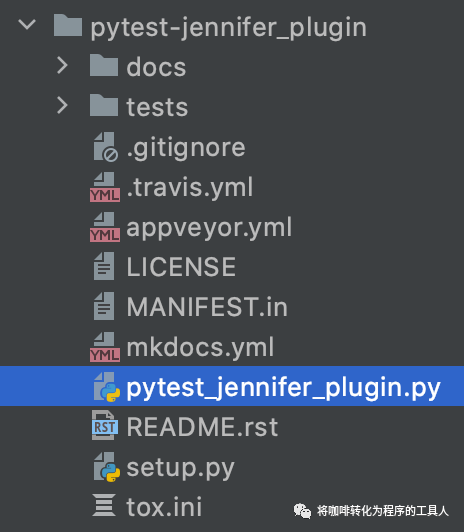
接下来如果需要通过pip install安装,那必须定义一下安装包的相关细节,于是需要定一个setup.py,内容如下:
setup(name='pytest-jennifer_plugin',version='0.0.1',author='jennifer',author_email='jiadajia@126.com',license='proprietary',url='https://github.com/jennifer-admin/pytest-learning',description='this is a simple plugin to collect run t',long_description=read('README.rst'),py_modules=['pytest_jennifer_plugin'],python_requires='>=3.5',install_requires=['pytest>=3.5.0'],classifiers=['Framework :: Pytest','Intended Audience :: Developers','Topic :: Software Development :: Testing','Programming Language :: Python','Programming Language :: Python :: 3','Programming Language :: Python :: 3.5','Programming Language :: Python :: 3.6','Programming Language :: Python :: 3.7','Programming Language :: Python :: 3.8',],entry_points={'pytest11': ['jennifer_plugin = pytest_jennifer_plugin',],},)
setup.py中会定义此项目中有哪些模块需要被加入到pythonpath,在这个过程中可以通过定义py_modules把测试项目过滤掉。setup.py中可以定义需要的第三方依赖,例如install_requires,使用安装命令可以同时安装这些第三方依赖等等。这样安装完成之后,本机上的其它python项目,也都能用到这个项目的模块。
pytest_jennifer_plugin.py文件中为插件的具体实现,这个插件提供了一个命令行参数 --slow,如果为Y时,则会统计每个case的执行耗时,并给超过一定时间的case打上slow的标签。
# -*- coding: utf-8 -*-from collections import defaultdictimport pytestdurations = defaultdict(dict)slow = 3.0#定义一个插件的命令行参数--slow,默认是Ndef pytest_addoption(parser):parser.addoption("--slow",action="store",default="N",help="'Default 'No' for slow, option: Y or N")def pytest_configure(config):durations.update(config.cache.get("cache/case_duration", defaultdict(dict)))def pytest_runtest_logreport(report):durations[report.nodeid][report.when] = report.duration@pytest.mark.tryfirstdef pytest_collection_modifyitems( session, config, items):#当命令行参数--slow == Y 时,统计运行耗时,判断是否需要加上slow标签if config.getoption("--slow") == "Y":for item in items:duration = sum(durations[item.nodeid].values())if duration > slow:item.add_marker(pytest.mark.slow)def pytest_sessionfinish(session):session.config.cache.set("cache/case_duration", durations)
在本地安装插件,进入插件所在目录,执行命令
pip install .
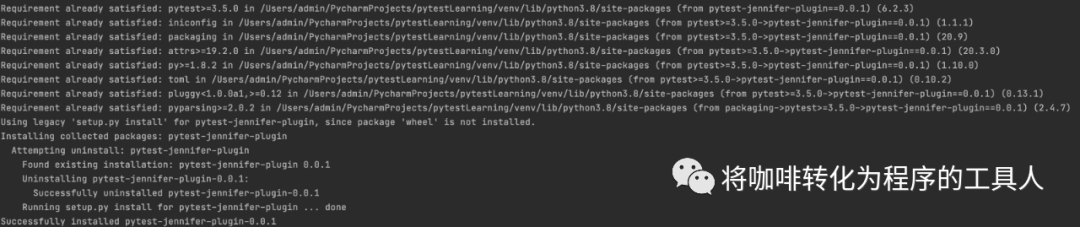
安装完成后,在cmd输入 pip3 show pytest_jennifer_plugin就可以看到前面setup.py里面的描述内容:
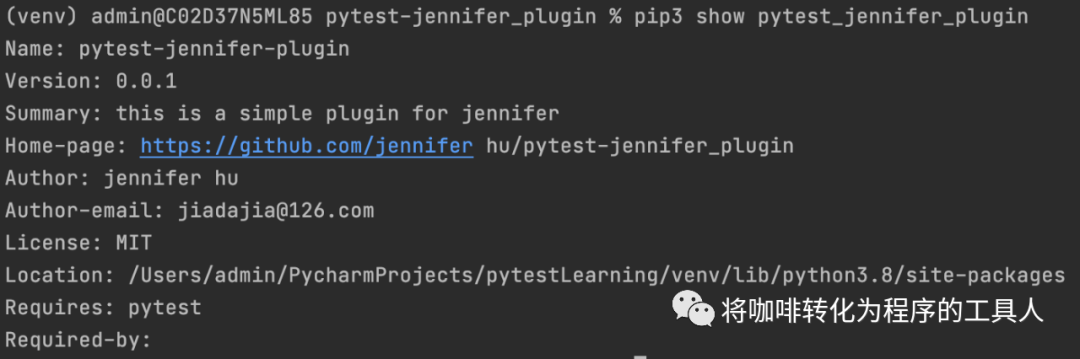
这样一来,其他的测试小伙伴都可以通过如下命令,安装我实现的插件了。
pip3 install git+https://github.com/jennifer-admin/pytest-learning.git
在site-packages下可以看到已经安装完成的插件
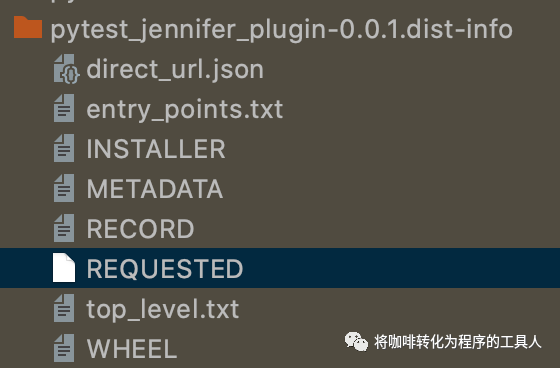
运行一下这个插件看看,加上了--slow=Y 说明需要统计慢case,且给慢case打上slow标签,再加上-m slow,则会只运行慢case。
#test_slow.pyimport timedef test_case1():time.sleep(2)passdef test_case2():time.sleep(5)passdef test_case3():time.sleep(4)pass
pytest test_slow.py --slow=Y -m slow

以后大家都可以通过这种方式去开发好用的pytest插件,然后分享给更多的人~~
今天的分享就到这里,如果这篇文章对你有帮助,记得点赞和分享哦👍
