



在spring boot项目中,使用freeMarker作为模板时候,启动报如下错误:

请点击此处输入图片描述

请点击此处输入图片描述


Error creating bean with name 'freeMarkerConfigurer' defined in class path resource [org/springframework/boot/autoconfigure/freemarker/FreeMarkerAutoConfiguration$FreeMarkerWebConfiguration.class]: Invocation of init method failed; nested exception is java.lang.NoSuchFieldError: DEFAULT_INCOMPATIBLE_IMPROVEMENTS
度娘发现都是说jar包版本过低,需要升级freemaker的版本。可是我已经是比较高的版本。看来问题不是出在这里。然后使用谷歌搜索,发现:

 【凯哥推荐电商学习教程:又一个大型电商项目-项目二:宜立方商城(共计14天)】
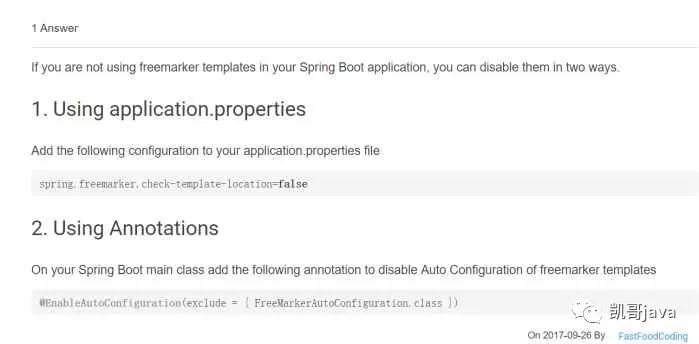
解决方案有两个:
1:在配置文件中,设置:spring.freemarker.check-template-location=false
可是我并不是使用freemaker做页面处理的。所以这种解决方案pass掉。
2:在自动注解中过滤到freemakerConfiguration这个类就可以。
具体解决:在你的spring boot启动类中添加:@EnableAutoConfiguration(exclude = { FreeMarkerAutoConfiguration.class })
即可。这样就过滤掉了。
重启启动项目,正常访问了。
总结:
这个问题主要是因为spring boot的@EnableAutoConfiguration注解引起的。
