



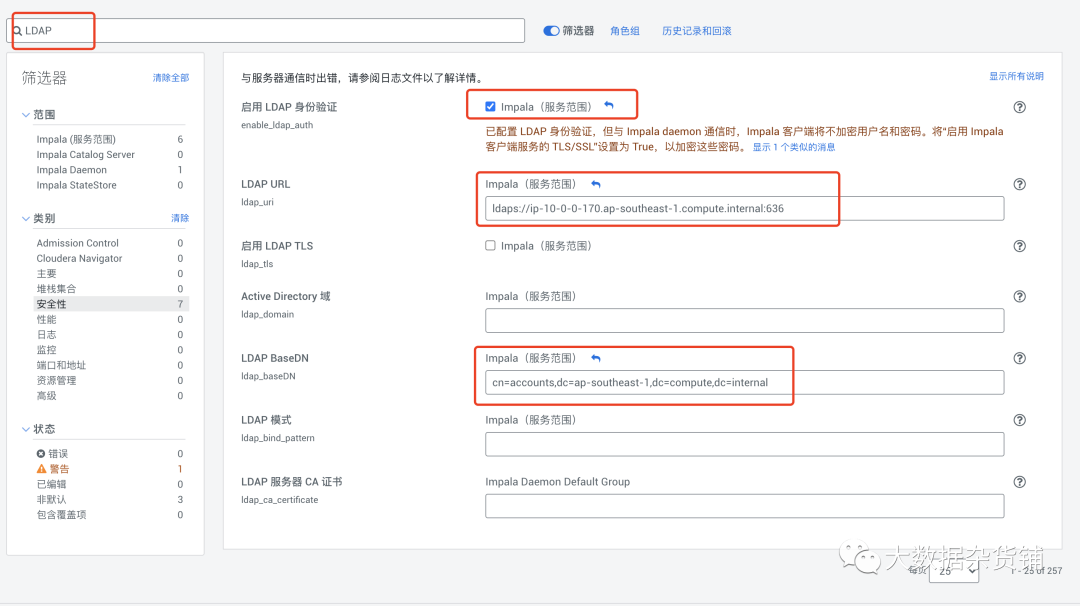
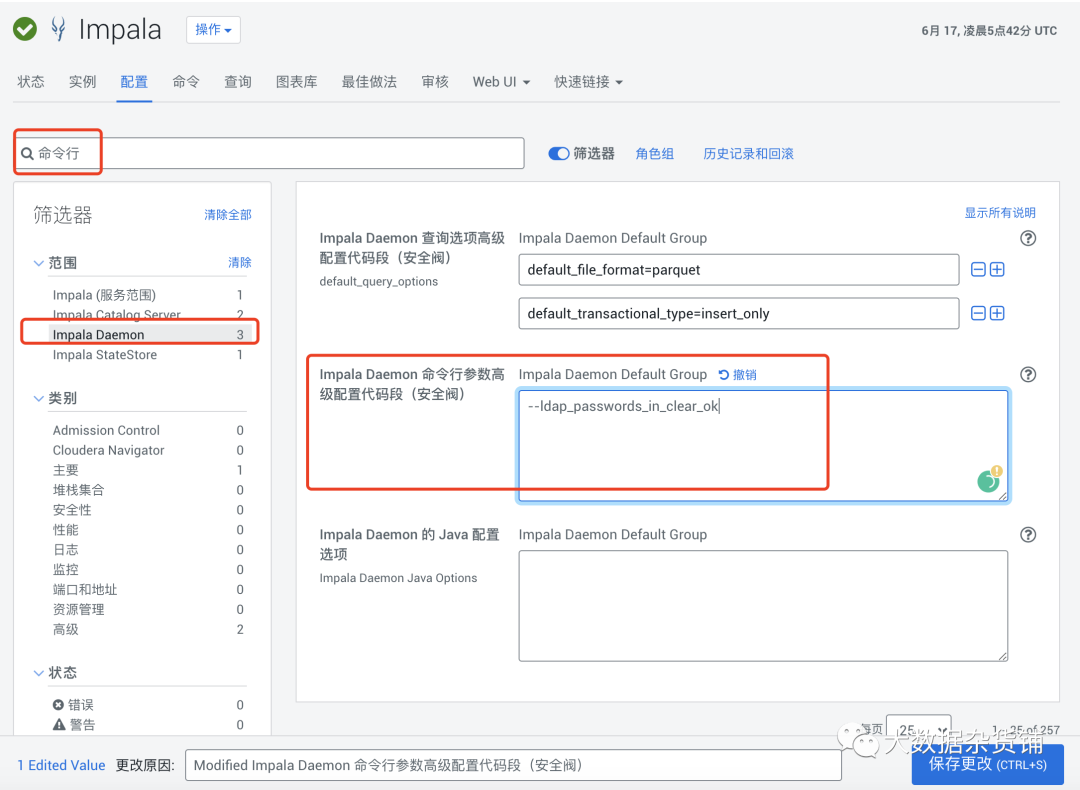
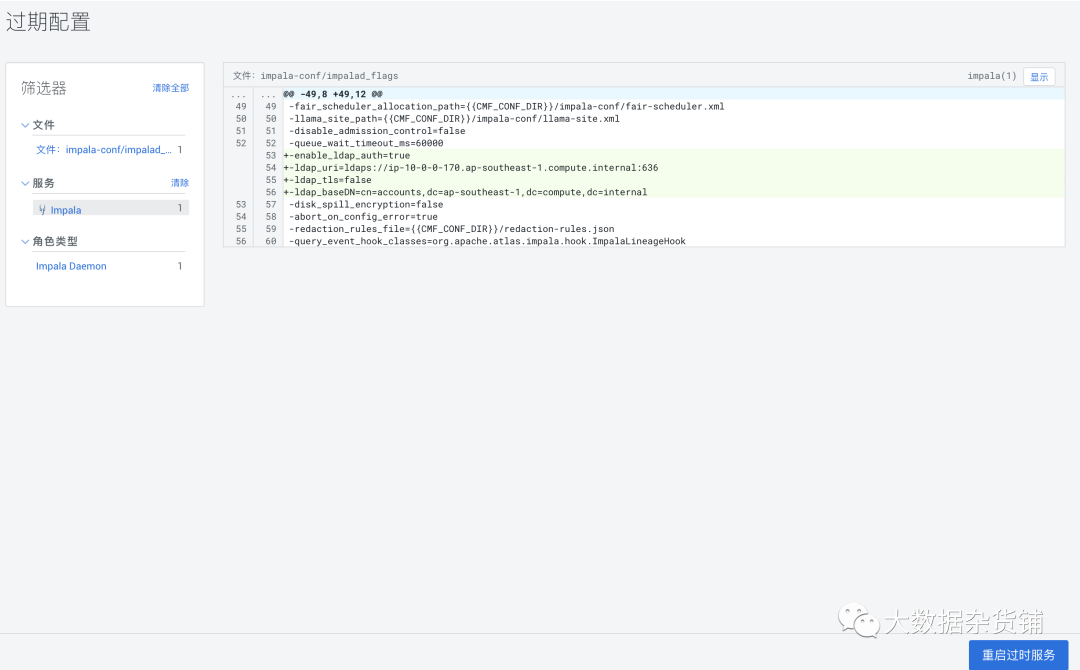
[root@ip-10-0-0-214 cloudera-scm-server]# impala-shell -i ip-10-0-0-214.ap-southeast-1.compute.internal -l -u superuser --auth_creds_ok_in_clearStarting Impala Shell using LDAP-based authenticationLDAP password for superuser:Error connecting: TTransportException, TSocket read 0 bytesKerberos ticket found in the credentials cache, retrying the connection with a secure transport.Opened TCP connection to ip-10-0-0-214.ap-southeast-1.compute.internal:21000Connected to ip-10-0-0-214.ap-southeast-1.compute.internal:21000Server version: impalad version 3.4.0-SNAPSHOT RELEASE (build 9d706887f48ea336865d9cb7ddb266999668eb6e)***********************************************************************************Welcome to the Impala shell.(Impala Shell v3.4.0-SNAPSHOT (9d70688) built on Wed May 20 19:05:43 UTC 2020)Run the PROFILE command after a query has finished to see a comprehensive summaryof all the performance and diagnostic information that Impala gathered for thatquery. Be warned, it can be very long!***********************************************************************************LDAP authentication is enabled, but the connection to Impala is not secured by TLS.ALL PASSWORDS WILL BE SENT IN THE CLEAR TO IMPALA.[ip-10-0-0-214.ap-southeast-1.compute.internal:21000] default>
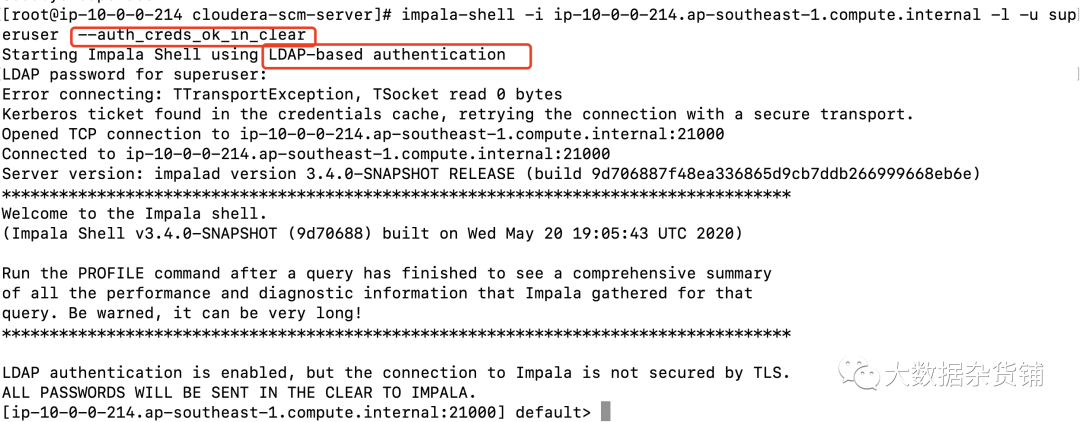
[root@ip-10-0-0-214 cloudera-scm-server]# impala-shell -i ip-10-0-0-214.ap-southeast-1.compute.internal -l -u superuserLDAP credentials may not be sent over insecure connections. Enable SSL or set --auth_creds_ok_in_clear

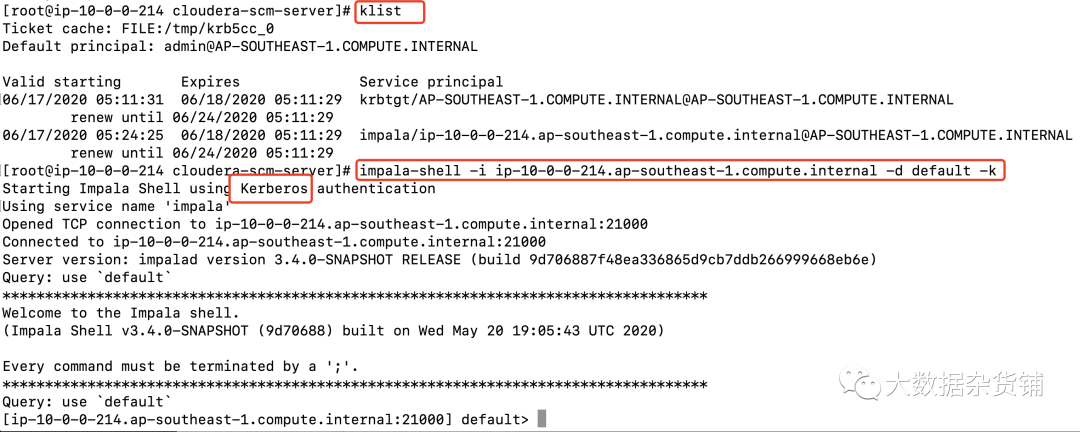
impala-shell -i ip-10-0-0-214.ap-southeast-1.compute.internal -d default -k[root@ip-10-0-0-214 cloudera-scm-server]# klistTicket cache: FILE:/tmp/krb5cc_0Default principal: admin@AP-SOUTHEAST-1.COMPUTE.INTERNALValid starting Expires Service principal06/17/2020 05:11:31 06/18/2020 05:11:29 krbtgt/AP-SOUTHEAST-1.COMPUTE.INTERNAL@AP-SOUTHEAST-1.COMPUTE.INTERNALrenew until 06/24/2020 05:11:2906/17/2020 05:24:25 06/18/2020 05:11:29 impala/ip-10-0-0-214.ap-southeast-1.compute.internal@AP-SOUTHEAST-1.COMPUTE.INTERNALrenew until 06/24/2020 05:11:29[root@ip-10-0-0-214 cloudera-scm-server]# impala-shell -i ip-10-0-0-214.ap-southeast-1.compute.internal -d default -kStarting Impala Shell using Kerberos authenticationUsing service name 'impala'Opened TCP connection to ip-10-0-0-214.ap-southeast-1.compute.internal:21000Connected to ip-10-0-0-214.ap-southeast-1.compute.internal:21000Server version: impalad version 3.4.0-SNAPSHOT RELEASE (build 9d706887f48ea336865d9cb7ddb266999668eb6e)Query: use `default`***********************************************************************************Welcome to the Impala shell.(Impala Shell v3.4.0-SNAPSHOT (9d70688) built on Wed May 20 19:05:43 UTC 2020)Every command must be terminated by a ';'.***********************************************************************************Query: use `default`[ip-10-0-0-214.ap-southeast-1.compute.internal:21000] default>
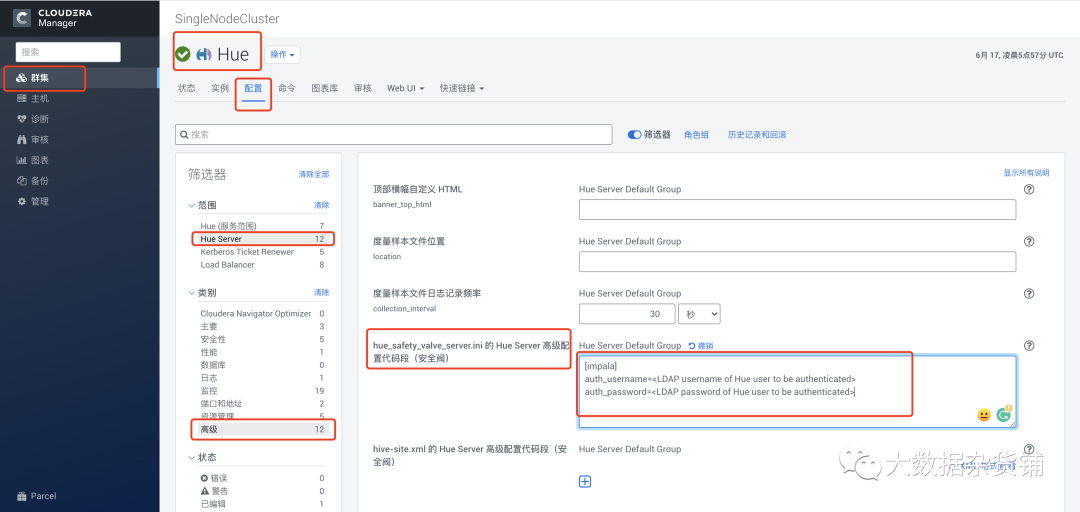
[impala]auth_username=<LDAP username of Hue user to be authenticated>auth_password=<LDAP password of Hue user to be authenticated>
文章转载自大数据杂货铺,如果涉嫌侵权,请发送邮件至:contact@modb.pro进行举报,并提供相关证据,一经查实,墨天轮将立刻删除相关内容。
