暂无图片
暂无图片
暂无图片
暂无图片
暂无图片

OpenStack Machines High Availability组件:Masakari

运维扫盲人 2021-06-25
3438
第一部分 api、engine部署(controller)

一、创建database

    CREATE DATABASE masakari CHARACTER SET utf8;
    GRANT ALL PRIVILEGES ON masakari.* TO 'masakari'@'localhost'  IDENTIFIED BY 'MASAKARI_DBPASS';
    GRANT ALL PRIVILEGES ON masakari.* TO 'masakari'@'%'  IDENTIFIED BY 'MASAKARI_DBPASS';

    二、创建用户并添加admin role

      openstack user create --password-prompt masakari
      openstack role add --project service --user masakari admin

      三、创建service

        openstack service create --name masakari --description "masakari high availability" instance-ha

        四、创建endpoint

          openstack endpoint create --region RegionOne masakari public http://controller:15868/v1/%\(tenant_id\)s
          openstack endpoint create --region RegionOne masakari internal http://controller:15868/v1/%\(tenant_id\)s
          openstack endpoint create --region RegionOne masakari admin http://controller:15868/v1/%\(tenant_id\)s
            openstack endpoint list --service masakari
            +----------------------------------+-----------+--------------+--------------+---------+-----------+------------------------------------------+
            | ID | Region | Service Name | Service Type | Enabled | Interface | URL |
            +----------------------------------+-----------+--------------+--------------+---------+-----------+------------------------------------------+
            | 613dee6e4cb447b3afc050254ea967dc | RegionOne | masakari | instance-ha | True | internal | http://controller:15868/v1/%(tenant_id)s |
            | 9c0eff44efa642af802fc55a250904ee | RegionOne | masakari | instance-ha | True | public | http://controller:15868/v1/%(tenant_id)s |
            | c66270e961774eccbfdf154a2490fd74 | RegionOne | masakari | instance-ha | True | admin | http://controller:15868/v1/%(tenant_id)s |
            +----------------------------------+-----------+--------------+--------------+---------+-----------+------------------------------------------+

            五、配置服务

            5.1 clone 程序包

               git clone https://opendev.org/openstack/masakari.git

              5.2 准备配置文件

                wget https://docs.openstack.org/masakari/latest/_downloads/a0fad818054d3abe3fd8a70e90d08166/masakari.conf.sample
                  cp -p masakari.conf.sample /etc/masakari/masakari.conf
                  cp -a root/masakari/etc/masakari/api-paste.ini etc/masakari/
                  chown masakari:masakari etc/masakari/*
                    root@controller-01:~# cat etc/masakari/masakari.conf | egrep -v "^$|^#"
                    [DEFAULT]
                    transport_url = rabbit://openstack:RABBIT_PASS@controller:5672/
                    graceful_shutdown_timeout = 5
                    os_privileged_user_tenant = service
                    os_privileged_user_password = MASAKARI
                    os_privileged_user_auth_url = http://controller:5000
                    os_privileged_user_name = masakari
                    logging_exception_prefix = %(color)s%(asctime)s.%(msecs)03d TRACE %(name)s [01;35m%(instance)s[00m
                    logging_debug_format_suffix = [00;33mfrom (pid=%(process)d) %(funcName)s %(pathname)s:%(lineno)d[00m
                    logging_default_format_string = %(asctime)s.%(msecs)03d %(color)s%(levelname)s %(name)s [[00;36m-%(color)s] [01;35m%(instance)s%(color)s%(message)s[00m
                    logging_context_format_string = %(asctime)s.%(msecs)03d %(color)s%(levelname)s %(name)s [[01;36m%(request_id)s [00;36m%(project_name)s %(user_name)s%(color)s] [01;35m%(instance)s%(color)s%(message)s[00m
                    use_syslog = False
                    debug = False
                    masakari_api_workers = 2
                    use_ssl = false
                    log_file = var/log/masakari/masakari-api.log
                    [cors]
                    [database]
                    connection = mysql+pymysql://masakari:MASAKARI_DBPASS@controller/masakari?charset=utf8
                    [healthcheck]
                    [host_failure]
                    [instance_failure]
                    process_all_instances = true
                    [keystone_authtoken]
                    www_authenticate_uri = http://controller:5000/
                    auth_url = http://controller:5000/
                    auth_version = 3
                    service_token_roles = service
                    memcached_servers = localhost:11211
                    project_domain_name = Default
                    project_name = service
                    user_domain_name = Default
                    auth_type = password
                    username = masakari
                    password = MASAKARI
                    service_token_roles_required = True
                    [osapi_v1]
                    [oslo_messaging_amqp]
                    ssl = false
                    [oslo_messaging_kafka]
                    [oslo_messaging_notifications]
                    driver = log
                    [oslo_messaging_rabbit]
                    ssl = false
                    [oslo_middleware]
                    [oslo_policy]
                    [oslo_versionedobjects]
                    [ssl]
                    [taskflow]
                    connection = mysql+pymysql://masakari:MASAKARI_DBPASS@controller/masakari?charset=utf8
                    [wsgi]
                    TIPs:为了测试实例自动恢复必须设置该选项,确保kill进程时触发HA,instance_failure.process_all_instances = true。

                    5.3 安装服务

                      cd root/masakari/
                      git init
                      python3 setup.py install

                      5.4 同步数据库

                        masakari-manage db sync

                        TIPs:遇见的坑(由于opendev.org的网络原因,glone一直超时,本案例中采用下载zip包的方式)

                          #报错1:
                          2021-03-03 07:52:48.156 TRACE masakari [01;35m[00mmigrate.exceptions.InvalidRepositoryError: usr/local/lib/python3.6/dist-packages/masakari/db/sqlalchemy/migrate_repo
                          #解决方案:
                          cp -a /root/masakari/masakari/db/sqlalchemy/migrate_repo/* /usr/local/lib/python3.6/dist-packages/masakari/db/sqlalchemy/migrate_repo
                            #报错2:
                            Invalid input received: No module named 'sqlalchemy_utils'
                            #解决方案:
                            pip3 install sqlalchemy_utils
                              MariaDB [masakari]> show tables;
                              +--------------------+
                              | Tables_in_masakari |
                              +--------------------+
                              | alembic_version |
                              | atomdetails |
                              | failover_segments |
                              | flowdetails |
                              | hosts |
                              | logbooks |
                              | migrate_version |
                              | notifications |
                              +--------------------+

                              5.5 启动服务

                              5.5.1 添加服务用户

                                useradd -r -d/var/lib/masakari -c "Masakari instance-ha" -m -s sbin/nologin masakari
                                mkdir -pv etc/masakari
                                mkdir -pv var/log/masakari
                                chown masakari:masakari -R var/log/masakari
                                chown masakari:masakari -R etc/masakari

                                5.5.2 添加system文件

                                  cat > lib/systemd/system/masakari-api.service <<EOF
                                  [Unit]
                                  Description=Masakari Api


                                  [Service]
                                  Type=simple
                                  User=masakari
                                  Group=masakari
                                  ExecStart=/usr/local/bin/masakari-api
                                  [Install]
                                  WantedBy=multi-user.target
                                  EOF


                                  cat > lib/systemd/system/masakari-engine.service << EOF
                                  [Unit]
                                  Description=Masakari engine
                                  [Service]
                                  Type=simple
                                  User=masakari
                                  Group=masakari
                                  ExecStart=/usr/local/bin/masakari-engine
                                  [Install]
                                  WantedBy=multi-user.target
                                  EOF

                                  5.5.3 启动masakari-api、masakari-engine

                                    systemctl enable masakari-engine.service
                                    systemctl enable masakari-api.service
                                    systemctl start masakari-engine.service
                                    systemctl start masakari-api.service
                                      root@controller-01:~# masakari-status upgrade check
                                      +------------------------+
                                      | Upgrade Check Results |
                                      +------------------------+
                                      | Check: Sample Check |
                                      | Result: Success |
                                      | Details: Sample detail |
                                      +------------------------+

                                      第二部分 python-masakariclient部署(controller)

                                        https://docs.openstack.org/python-masakariclient/latest/
                                          cd ~/
                                          git clone https://github.com/openstack/python-masakariclient -b stable/stein
                                          cd python-masakariclient
                                          sudo python3 setup.py install
                                          #或者
                                          pip3 install python-masakariclient
                                            root@controller-01:~# openstack segment list
                                            'segments'
                                            root@controller-01:~# openstack notification list
                                            'notifications'

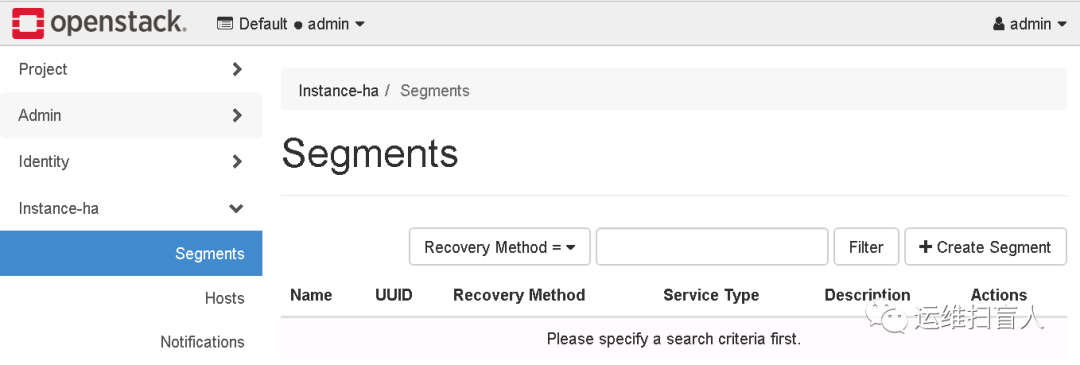
                                            第三部分 Masakari-dashboard部署(controller)

                                              https://opendev.org/openstack/masakari-dashboard
                                                git clone https://github.com/openstack/masakari-dashboard -b stable/stein
                                                cd masakari-dashboard/
                                                python3 setup.py install
                                                cp masakaridashboard/local/enabled/_50_masakaridashboard.py usr/share/openstack-dashboard/openstack_dashboard/enabled/
                                                cp masakaridashboard/local/local_settings.d/_50_masakari.py usr/share/openstack-dashboard/openstack_dashboard/local/local_settings.d/
                                                cp masakaridashboard/conf/masakari_policy.json /usr/share/openstack-dashboard/openstack_dashboard/conf/
                                                cd /usr/share/openstack-dashboard
                                                python3 manage.py collectstatic
                                                python3 manage.py compress
                                                systemctl restart apache2

                                                第四部分 Masakari-monitors部署(compute)

                                                  https://opendev.org/openstack/masakari-monitors
                                                  https://docs.openstack.org/masakari-monitors/latest/

                                                  1.1 获取源码

                                                    git clone https://github.com/openstack/masakari-monitors.git
                                                    cd masakari-monitors/
                                                    python3 setup.py install

                                                    1.2 生成配置文件

                                                      pip3 install 'tox==3.5.1'
                                                        root@compute-02:~/masakari-monitors# which tox
                                                        /usr/local/bin/tox
                                                        root@compute-02:~/masakari-monitors# usr/local/bin/tox -egenconfig
                                                        genconfig create: root/masakari-monitors/.tox/genconfig
                                                        genconfig installdeps: -chttps://releases.openstack.org/constraints/upper/master, -r/root/masakari-monitors/requirements.txt, -r/root/masakari-monitors/test-requirements.txt
                                                        genconfig develop-inst: root/masakari-monitors
                                                        genconfig installed: appdirs==1.4.4,attrs==20.3.0,automaton==2.3.0,certifi==2020.12.5,cffi==1.14.5,chardet==4.0.0,cliff==3.7.0,cmd2==1.5.0,colorama==0.4.4,coverage==5.5,cryptography==3.4.6,ddt==1.4.1,debtcollector==2.2.0,decorator==4.4.2,dnspython==1.16.0,dogpile.cache==1.1.2,entrypoints==0.3,eventlet==0.30.1,extras==1.0.0,fasteners==0.14.1,fixtures==3.0.0,flake8==3.7.9,future==0.18.2,greenlet==1.0.0,hacking==3.0.1,idna==2.10,importlib-metadata==3.7.0,importlib-resources==5.1.1,iso8601==0.1.14,Jinja2==2.11.3,jmespath==0.10.0,jsonpatch==1.30,jsonpointer==2.0,keystoneauth1==4.3.1,linecache2==1.0.0,lxml==4.6.2,MarkupSafe==1.1.1,-e git+https://github.com/openstack/masakari-monitors.git@6dfc7fc148cd446b50ecb09f5490273cb8c7217e#egg=masakari_monitors,mccabe==0.6.1,monotonic==1.5,msgpack==1.0.2,munch==2.5.0,netaddr==0.8.0,netifaces==0.10.9,openstacksdk==0.54.0,os-service-types==1.7.0,os-testr==2.0.0,oslo.cache==2.7.0,oslo.concurrency==4.4.0,oslo.config==8.5.0,oslo.context==3.2.0,oslo.i18n==5.0.1,oslo.log==4.4.0,oslo.middleware==4.1.1,oslo.privsep==2.4.0,oslo.serialization==4.1.0,oslo.service==2.5.0,oslo.utils==4.8.0,oslotest==4.4.1,packaging==20.9,Paste==3.5.0,PasteDeploy==2.1.1,pbr==5.5.1,pkg-resources==0.0.0,prettytable==0.7.2,pycodestyle==2.5.0,pycparser==2.20,pyflakes==2.1.1,pyinotify==0.9.6,pyparsing==2.4.7,pyperclip==1.8.2,python-dateutil==2.8.1,python-mimeparse==1.6.0,python-subunit==1.4.0,pytz==2021.1,PyYAML==5.4.1,repoze.lru==0.7,requests==2.25.1,requestsexceptions==1.4.0,rfc3986==1.4.0,Routes==2.5.1,six==1.15.0,statsd==3.3.0,stestr==3.1.0,stevedore==3.3.0,testrepository==0.0.20,testscenarios==0.5.0,testtools==2.4.0,traceback2==1.4.0,typing-extensions==3.7.4.3,unittest2==1.1.0,urllib3==1.26.3,voluptuous==0.12.1,wcwidth==0.2.5,WebOb==1.8.7,wrapt==1.12.1,yappi==1.3.2,zipp==3.4.0
                                                        genconfig run-test-pre: PYTHONHASHSEED='1312231833'
                                                        genconfig runtests: commands[0] | oslo-config-generator --config-file=etc/masakarimonitors/masakarimonitors-config-generator.conf
                                                        ______________________________________________ summary _______________________________________________
                                                        genconfig: commands succeeded
                                                        congratulations :)

                                                        1.3 添加服务用户

                                                          useradd -r -d var/lib/masakarimonitors -c "Masakari instance-ha" -m -s sbin/nologin masakarimonitors
                                                          mkdir -pv etc/masakarimonitors
                                                          mkdir -pv var/log/masakarimonitors
                                                          chown masakarimonitors:masakarimonitors -R etc/masakarimonitors
                                                          chown masakarimonitors:masakarimonitors -R var/log/masakarimonitors


                                                          cp -a etc/masakarimonitors/masakarimonitors.conf.sample /etc/masakarimonitors/masakarimonitors.conf
                                                          cp -a etc/masakarimonitors/process_list.yaml.sample etc/masakarimonitors/process_list.yaml
                                                          cp -a etc/masakarimonitors/hostmonitor.conf.sample  /etc/masakarimonitors/hostmonitor.conf
                                                          cp -a etc/masakarimonitors/proc.list.sample  /etc/masakarimonitors/proc.list

                                                          1.4 添加服务system文件

                                                            cat > lib/systemd/system/masakari-hostmonitor.service << EOF
                                                            [Unit]
                                                            Description=Masakari Hostmonitor
                                                            [Service]
                                                            Type=simple
                                                            User=masakarimonitors
                                                            Group=masakarimonitors
                                                            ExecStart=/usr/local/bin/masakari-hostmonitor
                                                            [Install]
                                                            WantedBy=multi-user.target
                                                            EOF


                                                            cat > lib/systemd/system/masakari-instancemonitor.service << EOF
                                                            [Unit]
                                                            Description=Masakari Instancemonitor
                                                            [Service]
                                                            Type=simple
                                                            User=masakarimonitors
                                                            Group=masakarimonitors
                                                            ExecStart=/usr/local/bin/masakari-instancemonitor
                                                            [Install]
                                                            WantedBy=multi-user.target
                                                            EOF


                                                            cat > lib/systemd/system/masakari-processmonitor.service << EOF
                                                            [Unit]
                                                            Description=Masakari Processmonitor
                                                            [Service]
                                                            Type=simple
                                                            User=masakarimonitors
                                                            Group=masakarimonitors
                                                            ExecStart=/usr/local/bin/masakari-processmonitor
                                                            [Install]
                                                            WantedBy=multi-user.target
                                                            EOF

                                                            1.5 编辑配置文件

                                                            • hostmonitor.conf

                                                              root@compute-02:/etc/masakarimonitors# cat hostmonitor.conf | egrep -v "^$|^#"
                                                              MONITOR_INTERVAL=60
                                                              NOTICE_TIMEOUT=10
                                                              NOTICE_RETRY_COUNT=12
                                                              NOTICE_RETRY_INTERVAL=10
                                                              STONITH_WAIT=30
                                                              STONITH_TYPE=ssh
                                                              MAX_CHILD_PROCESS=3
                                                              TCPDUMP_TIMEOUT=10
                                                              IPMI_TIMEOUT=5
                                                              IPMI_RETRY_MAX=3
                                                              IPMI_RETRY_INTERVAL=10
                                                              HA_CONF="/etc/corosync/corosync.conf"
                                                              LOG_LEVEL="debug"
                                                              DOMAIN="Default"
                                                              ADMIN_USER="admin"
                                                              ADMIN_PASS="admin"
                                                              PROJECT="demo"
                                                              REGION="RegionOne"
                                                              AUTH_URL="http://127.0.0.1:5000/"
                                                              IGNORE_RESOURCE_GROUP_NAME_PATTERN="stonith"
                                                              • masakarimonitors.conf

                                                                root@compute-02:/etc/masakarimonitors# cat masakarimonitors.conf | egrep -v "^$|^#"
                                                                [DEFAULT]
                                                                hostname = compute-02
                                                                log_dir = var/log/masakarimonitors
                                                                [api]
                                                                www_authenticate_uri = http://controller:5000
                                                                auth_url = http://controller:5000
                                                                memcached_servers = controller:11211
                                                                auth_type = password
                                                                project_domain_name = default
                                                                user_domain_name = default
                                                                project_name = service
                                                                username = masakari
                                                                password = MASAKARI
                                                                [callback]
                                                                [cors]
                                                                [healthcheck]
                                                                [host]
                                                                monitoring_driver = default
                                                                monitoring_interval = 120
                                                                disable_ipmi_check =false
                                                                restrict_to_remotes = True
                                                                corosync_multicast_interfaces = ens4
                                                                corosync_multicast_ports = 5405
                                                                [introspectiveinstancemonitor]
                                                                [libvirt]
                                                                [oslo_middleware]
                                                                [process]
                                                                process_list_path = etc/masakarimonitors/process_list.yaml
                                                                • process_list.yaml

                                                                  root@compute-02:/etc/masakarimonitors# cat process_list.yaml | egrep -v "^$|^#"
                                                                  -
                                                                  # libvirt-bin
                                                                  process_name: usr/sbin/libvirtd
                                                                  start_command: systemctl start libvirt-bin
                                                                  pre_start_command:
                                                                  post_start_command:
                                                                  restart_command: systemctl restart libvirt-bin
                                                                  pre_restart_command:
                                                                  post_restart_command:
                                                                  run_as_root: True
                                                                  -
                                                                  # nova-compute
                                                                  #process_name: usr/local/bin/nova-compute
                                                                  process_name: usr/bin/nova-compute
                                                                  start_command: systemctl start nova-compute
                                                                  pre_start_command:
                                                                  post_start_command:
                                                                  restart_command: systemctl restart nova-compute
                                                                  pre_restart_command:
                                                                  post_restart_command:
                                                                  run_as_root: True
                                                                  -
                                                                  # instancemonitor
                                                                  process_name: usr/bin/python3 /usr/local/bin/masakari-instancemonitor
                                                                  start_command: systemctl start masakari-instancemonitor
                                                                  pre_start_command:
                                                                  post_start_command:
                                                                  restart_command: systemctl restart masakari-instancemonitor
                                                                  pre_restart_command:
                                                                  post_restart_command:
                                                                  run_as_root: True
                                                                  -
                                                                  # hostmonitor
                                                                  process_name: /usr/bin/python3 /usr/local/bin/masakari-hostmonitor
                                                                  start_command: systemctl start masakari-hostmonitor
                                                                  pre_start_command:
                                                                  post_start_command:
                                                                  restart_command: systemctl restart masakari-hostmonitor
                                                                  pre_restart_command:
                                                                  post_restart_command:
                                                                  run_as_root: True
                                                                  -
                                                                  # sshd
                                                                  process_name: /usr/sbin/sshd
                                                                  start_command: systemctl start ssh
                                                                  pre_start_command:
                                                                  post_start_command:
                                                                  restart_command: systemctl restart ssh
                                                                  pre_restart_command:
                                                                  post_restart_command:
                                                                  run_as_root: True
                                                                  • proc.list

                                                                    root@compute-02:/etc/masakarimonitors# cat proc.list | egrep -v "^$|^#"
                                                                    01,/usr/sbin/libvirtd,sudo service libvirt-bin start,sudo service libvirt-bin start,,,,
                                                                    02,/usr/bin/python3 /usr/local/bin/masakari-instancemonitor,sudo service masakari-instancemonitor start,sudo service masakari-instancemonitor start,,,,

                                                                    1.6 pacemaker安装部署

                                                                    TIPs:Masakari依赖于pacemaker,所以需要提前安装好pacemaker相关服务,配置好集群。Pacemaker是OpenStack官方推荐的资源管理工具,群集基础架构利用Coresync提供的信息和成员管理功能来检测和恢复云端资源级别的故障,达到集群高可用性。Corosync在云端环境中提供集群通讯,主要负责为控制节点提供传递心跳信息的作用。否者会有如下报错:

                                                                      11009 ERROR masakarimonitors.hostmonitor.host_handler.handle_host [-] Neither pacemaker nor pacemaker-remote is running.
                                                                      11009 WARNING masakarimonitors.hostmonitor.host_handler.handle_host [-] hostmonitor skips monitoring hosts.

                                                                      1.6.1 安装程序包

                                                                      • 控制节点

                                                                        root@controller-01:~# apt install -y lvm2 cifs-utils quota psmisc
                                                                        root@controller-01:~# apt install -y pcs pacemaker corosync fence-agents resource-agents crmsh
                                                                        • 计算节点

                                                                          root@compute-01:~# apt install -y pacemaker-remote pcs fence-agents resource-agents
                                                                          root@compute-02:~# apt install -y pacemaker-remote pcs fence-agents resource-agents
                                                                          • 启动服务(全部节点)

                                                                            systemctl enable pcsd.service
                                                                            systemctl start pcsd.service

                                                                            1.6.2 创建pcs集群

                                                                            • 设置集群用户密码

                                                                              root@controller-01:~# echo hacluster:HACLUSTER|chpasswd
                                                                              root@compute-02:~# echo hacluster:HACLUSTER|chpasswd


                                                                              root@controller-01:~# pcs cluster auth controller-01 compute-01 compute-02
                                                                              Username: hacluster
                                                                              Password:
                                                                              controller-01: Authorized
                                                                              compute-01: Authorized
                                                                              compute-02: Authorized
                                                                              • 启动集群

                                                                                root@controller-01:~# pcs cluster setup --start --name my-openstack-hacluster controller-01 --force
                                                                                Destroying cluster on nodes: controller-01...
                                                                                controller-01: Stopping Cluster (pacemaker)...
                                                                                controller-01: Successfully destroyed cluster


                                                                                Sending 'pacemaker_remote authkey' to 'controller-01'
                                                                                controller-01: successful distribution of the file 'pacemaker_remote authkey'
                                                                                Sending cluster config files to the nodes...
                                                                                controller-01: Succeeded


                                                                                Starting cluster on nodes: controller-01...
                                                                                controller-01: Starting Cluster...


                                                                                Synchronizing pcsd certificates on nodes controller-01...
                                                                                controller-01: Success
                                                                                Restarting pcsd on the nodes in order to reload the certificates...
                                                                                controller-01: Success
                                                                                  root@controller-01:~# pcs cluster enable --all
                                                                                  controller-01: Cluster Enabled
                                                                                  • 查看pcs集群状态

                                                                                    root@controller-01:~# pcs cluster status
                                                                                    Cluster Status:
                                                                                    Stack: corosync
                                                                                    Current DC: controller-01 (version 1.1.18-2b07d5c5a9) - partition with quorum
                                                                                    Last updated: Fri Mar 5 02:00:12 2021
                                                                                    Last change: Fri Mar 5 01:59:03 2021 by hacluster via crmd on controller-01
                                                                                    1 node configured
                                                                                    0 resources configured


                                                                                    PCSD Status:
                                                                                    controller-01: Online

                                                                                    1.6.3 验证Corosync状态

                                                                                      root@controller-01:~# corosync-cfgtool -s
                                                                                      Printing ring status.
                                                                                      Local node ID 1
                                                                                      RING ID 0
                                                                                      id = 172.17.61.21
                                                                                      status = ring 0 active with no faults
                                                                                        root@controller-01:~# corosync-cmapctl| grep members
                                                                                        runtime.totem.pg.mrp.srp.members.1.config_version (u64) = 0
                                                                                        runtime.totem.pg.mrp.srp.members.1.ip (str) = r(0) ip(172.17.61.21)
                                                                                        runtime.totem.pg.mrp.srp.members.1.join_count (u32) = 1
                                                                                        runtime.totem.pg.mrp.srp.members.1.status (str) = joined
                                                                                          root@controller-01:~# pcs status corosync


                                                                                          Membership information
                                                                                          ----------------------
                                                                                          Nodeid Votes Name
                                                                                          1 1 controller-01 (local)

                                                                                          1.6.4 验证配置的正确性

                                                                                            root@controller-01:~# crm_verify -L -V
                                                                                            error: unpack_resources: Resource start-up disabled since no STONITH resources have been defined
                                                                                            error: unpack_resources: Either configure some or disable STONITH with the stonith-enabled option
                                                                                            error: unpack_resources: NOTE: Clusters with shared data need STONITH to ensure data integrity
                                                                                            Errors found during check: config not valid
                                                                                              root@controller-01:~# pcs property set stonith-enabled=false
                                                                                              root@controller-01:~# crm_verify -L -V
                                                                                              #无输出表示配置正确
                                                                                              root@controller-01:~# pcs property set no-quorum-policy=ignore
                                                                                              #忽略仲裁

                                                                                              1.6.5 添加pacemaker-remote 节点

                                                                                                root@controller-01:~# pcs cluster node add-remote compute-01
                                                                                                Sending remote node configuration files to 'compute-01'
                                                                                                compute-01: successful distribution of the file 'pacemaker_remote authkey'
                                                                                                Requesting start of service pacemaker_remote on 'compute-01'
                                                                                                compute-01: successful run of 'pacemaker_remote enable'
                                                                                                compute-01: successful run of 'pacemaker_remote start'
                                                                                                root@controller-01:~# pcs cluster node add-remote compute-02
                                                                                                Sending remote node configuration files to 'compute-02'
                                                                                                compute-02: successful distribution of the file 'pacemaker_remote authkey'
                                                                                                Requesting start of service pacemaker_remote on 'compute-02'
                                                                                                compute-02: successful run of 'pacemaker_remote enable'
                                                                                                compute-02: successful run of 'pacemaker_remote start'

                                                                                                TIPs:在添加compute节点为集群的pacemaker时,由于pcs cluster auth时自动创建了集群,会报错,需要在每个conpute节点执行集群摧毁操作,此外必须保证compute节点pacemaker_remote.service服务为active(running)状态;

                                                                                                  pcs cluster destroy
                                                                                                    root@controller-01:~# pcs status 
                                                                                                    Cluster name: my-openstack-hacluster
                                                                                                    Stack: corosync
                                                                                                    Current DC: controller-01 (version 1.1.18-2b07d5c5a9) - partition with quorum
                                                                                                    Last updated: Sun Mar 7 02:49:42 2021
                                                                                                    Last change: Sun Mar 7 02:49:11 2021 by root via cibadmin on controller-01


                                                                                                    3 nodes configured
                                                                                                    8 resources configured


                                                                                                    Online: [ controller-01 ]
                                                                                                    RemoteOnline: [ compute-01 compute-02 ]


                                                                                                    Full list of resources:


                                                                                                     compute-01  (ocf::pacemaker:remote):  Started controller-01
                                                                                                     compute-02  (ocf::pacemaker:remote):  Started controller-01


                                                                                                    Daemon Status:
                                                                                                    corosync: active/enabled
                                                                                                    pacemaker: active/enabled
                                                                                                    pcsd: active/enabled

                                                                                                    1.6.6 设置集群节点属性

                                                                                                      #标注节点属性
                                                                                                      root@controller-01:~# pcs property set --node controller-01 node_role=controller
                                                                                                      root@controller-01:~# pcs property set --node compute-02 node_role=compute
                                                                                                      root@controller-01:~# pcs property set --node compute-01 node_role=compute
                                                                                                      #创建VIP资源
                                                                                                      root@controller-01:~# pcs resource create HA_VIP ocf:heartbeat:IPaddr ip=172.17.61.28 cidr_netmask=24 nic=ens4 op monitor interval=30s
                                                                                                      #强制绑定VIP到控制节点
                                                                                                      root@controller-01:~# pcs constraint location HA_VIP rule resource-discovery=exclusive score=0 node_role eq controller --force
                                                                                                      root@controller-01:~# pcs resource
                                                                                                       compute-02  (ocf::pacemaker:remote):  Started controller-01
                                                                                                      HA_VIP (ocf::heartbeat:IPaddr): Started controller-01
                                                                                                      compute-01 (ocf::pacemaker:remote): Started controller-01
                                                                                                      #创建haproxy资源
                                                                                                      root@controller-01:~# pcs resource create lb-haproxy systemd:haproxy --clone
                                                                                                      root@controller-01:~# pcs resource 
                                                                                                      compute-02 (ocf::pacemaker:remote): Started controller-01
                                                                                                      HA_VIP (ocf::heartbeat:IPaddr): Started controller-01
                                                                                                      Clone Set: lb-haproxy-clone [lb-haproxy]
                                                                                                      Started: [ controller-01 ]
                                                                                                      Stopped: [ compute-02 ]
                                                                                                      #绑定haproxy到控制节点
                                                                                                      root@controller-01:~# pcs constraint location lb-haproxy-clone rule resource-discovery=exclusive score=0 node_role eq controller --force
                                                                                                      root@controller-01:~# pcs resource
                                                                                                      compute-02 (ocf::pacemaker:remote): Started controller-01
                                                                                                      HA_VIP (ocf::heartbeat:IPaddr): Started controller-01
                                                                                                      Clone Set: lb-haproxy-clone [lb-haproxy]
                                                                                                      Started: [ controller-01 ]
                                                                                                      Stopped: [ compute-01 compute-02 ]
                                                                                                      compute-01 (ocf::pacemaker:remote): Started controller-01
                                                                                                      #将HA_VIP与haproxy资源关联,设置启动顺序
                                                                                                      root@controller-01:~# pcs constraint colocation add lb-haproxy-clone with HA_VIP
                                                                                                      root@controller-01:~# pcs constraint order start HA_VIP then lb-haproxy-clone kind=Optional
                                                                                                      Adding HA_VIP lb-haproxy-clone (kind: Optional) (Options: first-action=start then-action=start)
                                                                                                        root@controller-01:~# pcs status 
                                                                                                        Cluster name: my-openstack-hacluster
                                                                                                        Stack: corosync
                                                                                                        Current DC: controller-01 (version 1.1.18-2b07d5c5a9) - partition with quorum
                                                                                                        Last updated: Sun Mar 7 02:49:42 2021
                                                                                                        Last change: Sun Mar 7 02:49:11 2021 by root via cibadmin on controller-01


                                                                                                        3 nodes configured
                                                                                                        8 resources configured


                                                                                                        Online: [ controller-01 ]
                                                                                                        RemoteOnline: [ compute-01 compute-02 ]


                                                                                                        Full list of resources:


                                                                                                        compute-02 (ocf::pacemaker:remote): Started controller-01
                                                                                                        HA_VIP (ocf::heartbeat:IPaddr): Started controller-01
                                                                                                        Clone Set: lb-haproxy-clone [lb-haproxy]
                                                                                                        Started: [ controller-01 ]
                                                                                                        Stopped: [ compute-01 compute-02 ]
                                                                                                         compute-01  (ocf::pacemaker:remote):  Started controller-01


                                                                                                        Daemon Status:
                                                                                                        corosync: active/enabled
                                                                                                        pacemaker: active/enabled
                                                                                                        pcsd: active/enabled

                                                                                                        1.6.7 配置基于IPMI的stonith

                                                                                                          root@controller-01:~# pcs property set stonith-enabled=true
                                                                                                          root@controller-01:~# pcs stonith create ipmi-fence-compute-02 fence_ipmilan lanplus='true' pcmk_host_list='compute-02'pcmk_host_check='static-list' pcmk_off_action=off pcmk_reboot_action=off ipaddr='172.17.61.26' ipport=15205 login='root' passwd='123' lanplus=true power_wait=4 op monitor interval=60s
                                                                                                          root@controller-01:~# pcs stonith create ipmi-fence-compute-01 fence_ipmilan lanplus='true' pcmk_host_list='compute-02'pcmk_host_check='static-list' pcmk_off_action=off pcmk_reboot_action=off ipaddr='172.17.61.22' ipport=15205 login='root' passwd='123' lanplus=true power_wait=4 op monitor interval=60
                                                                                                            root@controller-01:~# pcs status 
                                                                                                            Cluster name: my-openstack-hacluster
                                                                                                            Stack: corosync
                                                                                                            Current DC: controller-01 (version 1.1.18-2b07d5c5a9) - partition with quorum
                                                                                                            Last updated: Sun Mar 7 02:55:40 2021
                                                                                                            Last change: Sun Mar 7 02:55:37 2021 by root via cibadmin on controller-01


                                                                                                            3 nodes configured
                                                                                                            9 resources configured


                                                                                                            Online: [ controller-01 ]
                                                                                                            RemoteOnline: [ compute-01 compute-02 ]


                                                                                                            Full list of resources:


                                                                                                             compute-01  (ocf::pacemaker:remote):  Started controller-01
                                                                                                            compute-02 (ocf::pacemaker:remote): Started controller-01
                                                                                                            HA_VIP (ocf::heartbeat:IPaddr): Started controller-01
                                                                                                            Clone Set: lb-haproxy-clone [lb-haproxy]
                                                                                                            Started: [ controller-01 ]
                                                                                                            Stopped: [ compute-01 compute-02 ]
                                                                                                             ipmi-fence-compute-02  (stonith:fence_ipmilan):  Stopped
                                                                                                             ipmi-fence-compute-01  (stonith:fence_ipmilan):  Stopped


                                                                                                            Failed Actions:
                                                                                                            * ipmi-fence-compute-02_start_0 on controller-01 'unknown error' (1): call=23, status=Error, exitreason='',
                                                                                                            last-rc-change='Sun Mar 7 02:25:55 2021', queued=0ms, exec=1219ms
                                                                                                            * ipmi-fence-compute-01_start_0 on controller-01 'unknown error' (1): call=33status=Error, exitreason='',
                                                                                                            last-rc-change='Sun Mar 7 02:55:37 2021', queued=0ms, exec=1201ms


                                                                                                            Daemon Status:
                                                                                                            corosync: active/enabled
                                                                                                            pacemaker: active/enabled
                                                                                                            pcsd: active/enabled

                                                                                                            TIPs:

                                                                                                            1. STONITH 是Shoot-The-Other-Node-In-The-Head 的首字母缩写,该工具可保护数据,以防其被恶意节点或并行访问破坏导致数据冲突。

                                                                                                            2. 如果某个节点没有反应,并不代表没有数据访问。能够100% 确定数据安全的唯一方法是使用 SNOITH 隔离该节点,这样我们才能确定在允许从另一个节点访问数据前,该节点已确实离线。

                                                                                                            3. SNOITH 还可在无法停止集群的服务时起作用。在这种情况下,集群使用STONITH 强制使整个节点离线,以便在其他位置安全地启动该服务。

                                                                                                            4. 对于要故障转移到另一个计算主机的guest虚拟机,它必须使用某种类型的共享存储,该共享存储可以是ceph,nfs,glusterfs等。因此,必须考虑当计算节点已丢失(并未宕机),管理网络不可达,但是计算节点的业务网络正常,存储网络仍可以继续访问共享存储的情况。在这种情况下,正常的Masakari-monitor服务发现故障计算节点后通知立刻masakari-api服务。然后触发masakari-engine通过nova发起该客户虚拟机的故障转移。假设nova确认计算节点已失联,它将尝试将其疏散到其他正常的节点上。此时原计算节点上依然会存在旧客户虚拟机,此时会有两个客户虚拟机都试图写入相同的后端共享存储,这可能会导致数据的损坏。

                                                                                                            5. 解决方案是在pacemaker/corosync集群中启用stonith。当群集检测到某个节点已失联时,它会运行一个stonith插件来关闭计算节点。Masakari推荐使用IPMI的方式去关闭计算节点。这样避免了后端同样的存储资源双写的问题。

                                                                                                            1.7 启动服务

                                                                                                              echo "masakarimonitors    ALL=(ALL)   NOPASSWD: ALL" >> /etc/sudoers
                                                                                                                root@compute-02:/etc/masakarimonitors# systemctl enable masakari-hostmonitor
                                                                                                                root@compute-02:/etc/masakarimonitors# systemctl enable masakari-instancemonitor
                                                                                                                root@compute-02:/etc/masakarimonitors# systemctl enable masakari-processmonitor
                                                                                                                root@compute-02:/etc/masakarimonitors# systemctl start masakari-hostmonitor
                                                                                                                root@compute-02:/etc/masakarimonitors# systemctl start masakari-instancemonitor
                                                                                                                root@compute-02:/etc/masakarimonitors# systemctl start masakari-processmonitor
                                                                                                                  2021-03-07 03:20:34.435 963 INFO masakarimonitors.hostmonitor.host_handler.handle_host [-] Works on pacemaker-remote.
                                                                                                                  2021-03-07 03:20:34.676 963 INFO masakarimonitors.hostmonitor.host_handler.handle_host [-] 'compute-01' is 'online'.
                                                                                                                  2021-03-07 11:21:45.679 956 INFO masakarimonitors.hostmonitor.host_handler.handle_host [-] Works on pacemaker-remote.
                                                                                                                  2021-03-07 11:21:45.921 956 INFO masakarimonitors.hostmonitor.host_handler.handle_host [-] 'compute-02' is 'online'.

                                                                                                                  第五部分 测试HA

                                                                                                                  1.1 创建segment

                                                                                                                    openstack segment create --description "My first segment" my-segment auto compute

                                                                                                                      openstack segment list
                                                                                                                      +--------------------------------------+------------+------------------+--------------+-----------------+
                                                                                                                      | uuid | name | description | service_type | recovery_method |
                                                                                                                      +--------------------------------------+------------+------------------+--------------+-----------------+
                                                                                                                      | 0702498b-a6ac-424a-9d63-f6215d22afbb | my-segment | My first segment | compute | auto |
                                                                                                                      +--------------------------------------+------------+------------------+--------------+-----------------+

                                                                                                                      1.2 将compute node添加至segment

                                                                                                                      在Masakari中,计算节点被分组为故障转移segment。如果发生故障,客户将被移动到同一segment内的其他节点上。选择哪个计算节点来容纳撤离的客人,取决于该段的恢复方法。

                                                                                                                      Masakari主机的恢复方法有多种:

                                                                                                                      • auto:Nova选择新的计算主机,用于疏散在失败的计算主机上运行的实例

                                                                                                                      • reserved_host:segment中配置的其中一个保留主机将用于疏散在失败的计算主机上运行的实例

                                                                                                                      • auto_priority:首先它会尝试'自动'恢复方法,如果它失败了,那么它会尝试使用'reserved_host'恢复方法。

                                                                                                                      • rh_priority:它与'auto_priority'恢复方法完全相反。

                                                                                                                        openstack segment host create compute-02 compute ssh 0702498b-a6ac-424a-9d63-f6215d22afbb
                                                                                                                        openstack segment host create compute-01 compute ssh 0702498b-a6ac-424a-9d63-f6215d22afbb
                                                                                                                          openstack segment host list 0702498b-a6ac-424a-9d63-f6215d22afbb
                                                                                                                          +--------------------------------------+------------+---------+--------------------+----------+----------------+--------------------------------------+
                                                                                                                          | uuid | name | type | control_attributes | reserved | on_maintenance | failover_segment_id |
                                                                                                                          +--------------------------------------+------------+---------+--------------------+----------+----------------+--------------------------------------+
                                                                                                                          | 077ad9d3-c12a-467a-a0cc-b7ff534f0aae | compute-01 | compute | ssh              | False    | False          | 0702498b-a6ac-424a-9d63-f6215d22afbb |
                                                                                                                          | 52bbccb6-1351-47b3-8980-cefc5caa9b06 | compute-02 | compute | ssh | False | False | 0702498b-a6ac-424a-9d63-f6215d22afbb |
                                                                                                                          +--------------------------------------+------------+---------+--------------------+----------+----------------+--------------------------------------+

                                                                                                                          1.2 instance实例恢复

                                                                                                                            2021-03-06 13:24:52.129 INFO masakari.compute.nova [[01;36mreq-7599b57e-590a-4fa4-a723-10e3ee50cb90 [00;36mservice None] [01;35mCall get server command for instance 49e26755-d39b-480c-abe7-24e28c4e8c83[00m
                                                                                                                            2021-03-06 13:24:53.896 INFO masakari.compute.nova [[01;36mreq-87e9e73b-c682-4693-9cf8-5fc75928fdfd [00;36mservice None] [01;35mCall stop server command for instance 49e26755-d39b-480c-abe7-24e28c4e8c83[00m
                                                                                                                            2021-03-06 13:24:54.878 INFO masakari.compute.nova [[01;36mreq-fe4e961b-f251-4b9c-9533-a4a1cd9b8535 [00;36mservice None] [01;35mCall get server command for instance 49e26755-d39b-480c-abe7-24e28c4e8c83[00m
                                                                                                                            2021-03-06 13:24:56.349 INFO masakari.compute.nova [[01;36mreq-5ebe4e1b-587a-4ae1-8422-077c84c3ae23 [00;36mservice None] [01;35mCall get server command for instance 49e26755-d39b-480c-abe7-24e28c4e8c83[00m
                                                                                                                            2021-03-06 13:24:57.444 INFO masakari.compute.nova [[01;36mreq-59ddc421-aa33-4bbc-a38e-f9c9eb212dad [00;36mservice None] [01;35mCall start server command for instance 49e26755-d39b-480c-abe7-24e28c4e8c83[00m
                                                                                                                              root@compute-02:~# virsh list;pkill -9 qemu;for TIME in {1..5};do virsh list;sleep 5;done
                                                                                                                              Id Name State
                                                                                                                              -----------------------------------
                                                                                                                              6 instance-00000003 running


                                                                                                                              Id Name State
                                                                                                                              -----------------------------------
                                                                                                                              6 instance-00000003 running


                                                                                                                              Id Name State
                                                                                                                              --------------------


                                                                                                                              Id Name State
                                                                                                                              --------------------


                                                                                                                              Id Name State
                                                                                                                              -----------------------------------
                                                                                                                              7 instance-00000003 running


                                                                                                                              Id Name State
                                                                                                                              -----------------------------------
                                                                                                                              7 instance-00000003 running
                                                                                                                              TIPs:
                                                                                                                              • Masakari很容易擅长检测到故意关机,如果检测到的是正常的实例生命周期活动就不会触发实例HA,因此,为了测试masakari,需要以无序的方式关闭进程;

                                                                                                                              • 实例监视器发现guest虚拟机发生故障并通知masakari api服务; 请注意,实例监视器不会启动guest虚拟机本身,而是由masakari-engine负责启动恢复虚拟机。



                                                                                                                              文章转载自运维扫盲人,如果涉嫌侵权,请发送邮件至:contact@modb.pro进行举报,并提供相关证据,一经查实,墨天轮将立刻删除相关内容。

                                                                                                                              评论