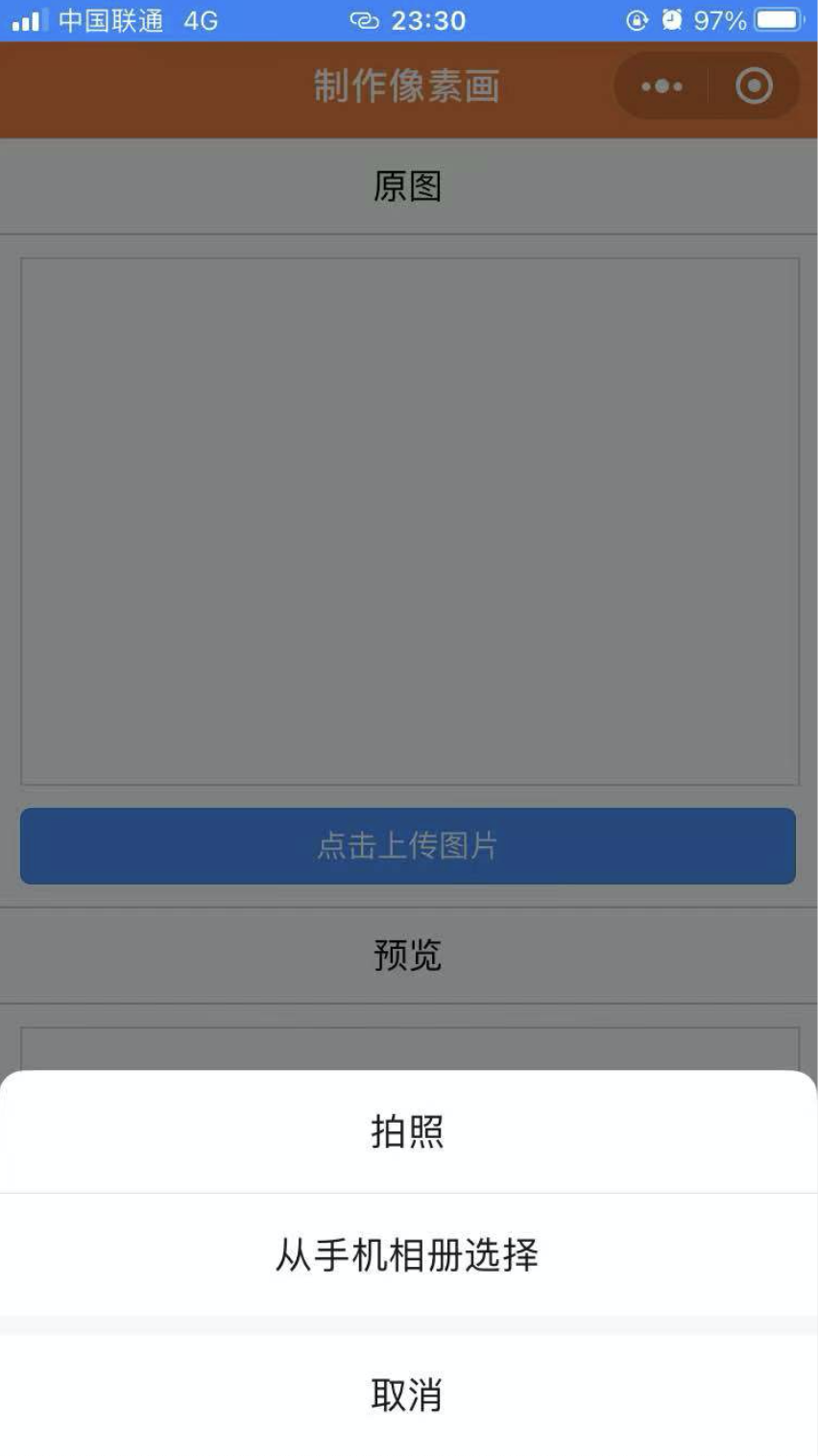
最近给自己的微信小程序上了一个制作像素画的功能。页面很简单,截图如下:就是点击上传图片按钮,可以拍照或者从相册获取图片,之后制作成乐高像素画。
自己上传的图片也仅能自己看到,且在服务器也只是临时保存。但就这个功能,却在审核时遭遇了大麻烦。每次我找客服申诉,客服反馈没有有问题,但重新提交审核,反馈的结果都是同一原因。

最终只好硬着头皮来解决这个问题。
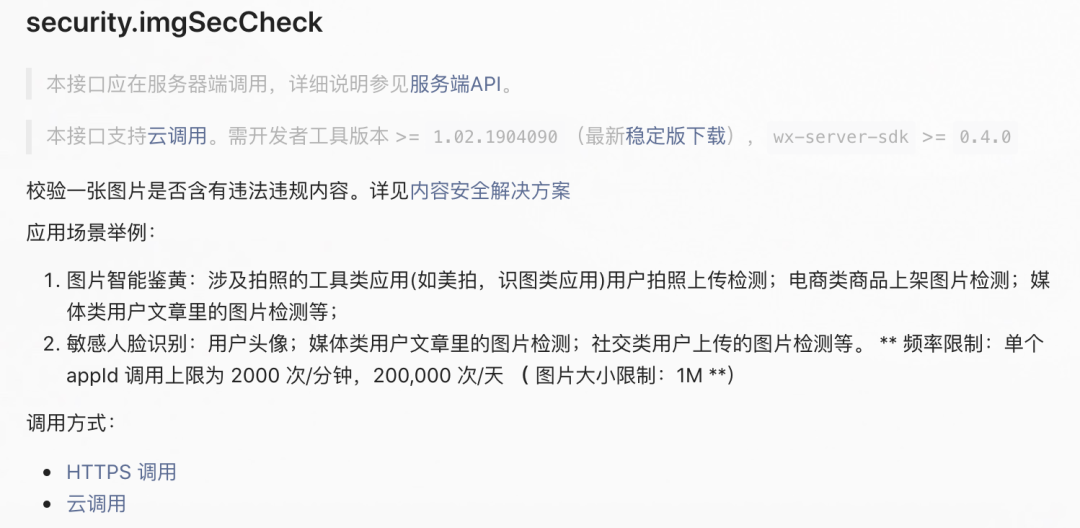
这段原因说明的意思就是,我需要为上传的内容做审核,并且给出了可以调用微信提供的内容安全API。打开参考接口链接:
security.imgSecCheck
可以用来校验一张图片是否有违法违规内容,并且提供了 HTTPS 调用和云调用方式。
其中:
https 调用方式需要后端的支持,生成请求地址需要的 accessToken 云调用是小程序·云开发提供的在云函数中调用微信开放接口的能力,需要在云函数中通过 wx-server-sdk
使用。不需要自己开发后端功能。
为了方便,我尝试使用云调用的方式。
云调用实现图片内容安全审核
开通云开发
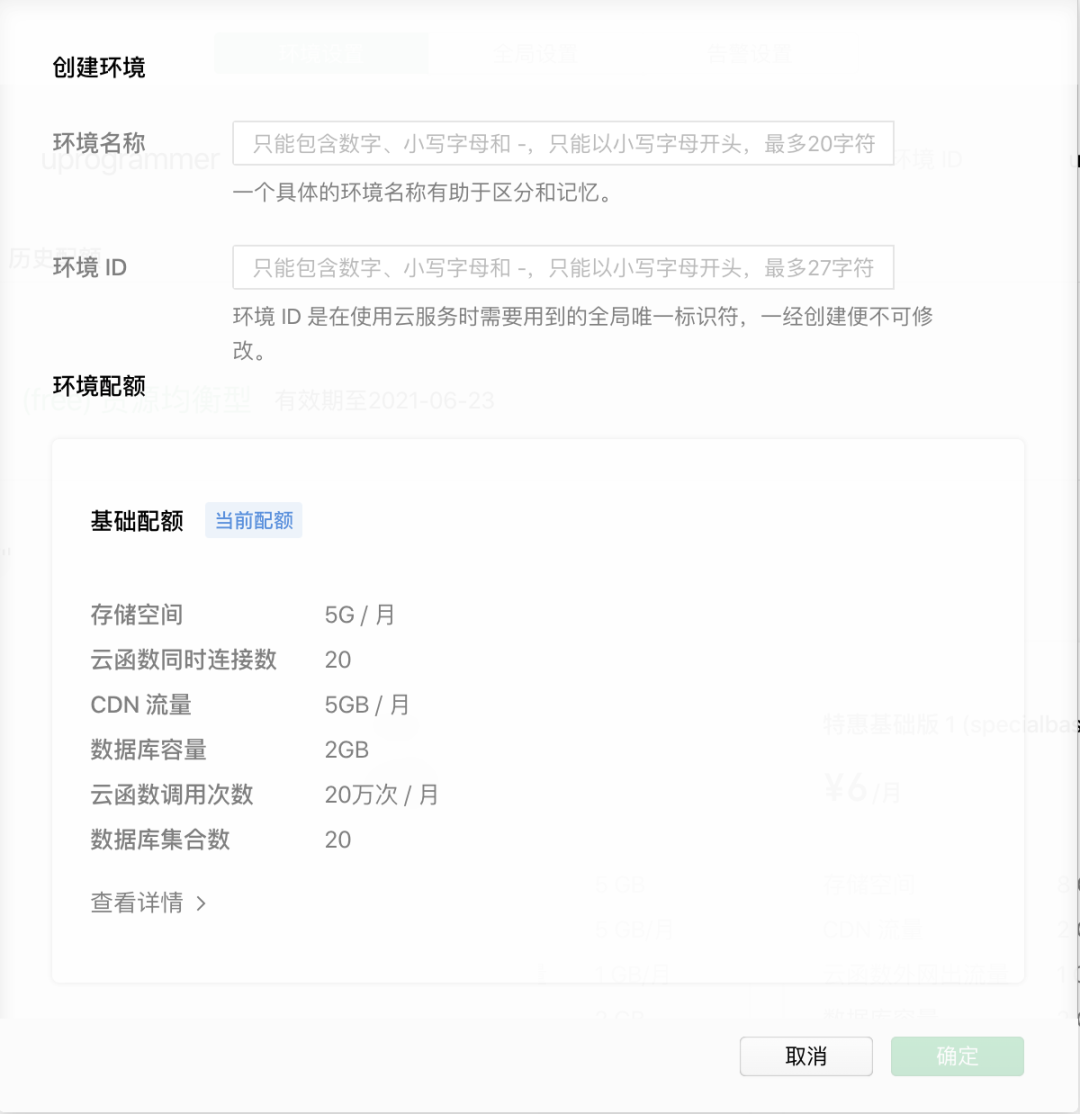
在微信开发者工具中打开自己的小程序工程,点击“云开发”菜单进去,如果之前没开通,需按照提示填写云开发环境名称。
创建云函数
在 app.js
的同级目录下创建 functions 目录,用于放置云函数。并在 project.config.json
中配置 "cloudfunctionRoot": "functions/"
。
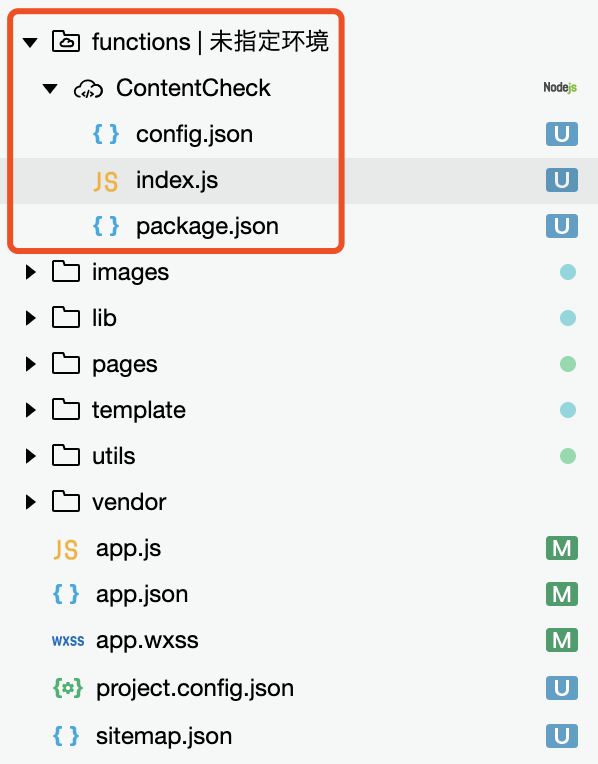
右键点击 functions
目录,如上图,我创建了名为 ContentCheck
的云函数。
在 config.json
中加入对 security.imgSecCheck
和 security.msgSecCheck
的声明权限。内容如下:
{
  "permissions": {
    "openapi": [
      "security.msgSecCheck",
      "security.imgSecCheck"
    ]
  }
}
添加 index.js
,内容如下:
// 云函数入口文件
const cloud = require('wx-server-sdk')

cloud.init()

// 云函数入口函数
exports.main = async (event, context) => {
  try {
    let imageR = false;
    //  检查图像内容是否违规
    if (event.img) {
      imageR = await cloud.openapi.security.imgSecCheck({
        media: {
          header: {
            'Content-Type': 'application/octet-stream'
          },
          contentType: 'image/png',
          value: Buffer.from(event.img)
        }
      })
    }
    return {
      imageR
    };
  } catch (e) {
    return e
  }
}
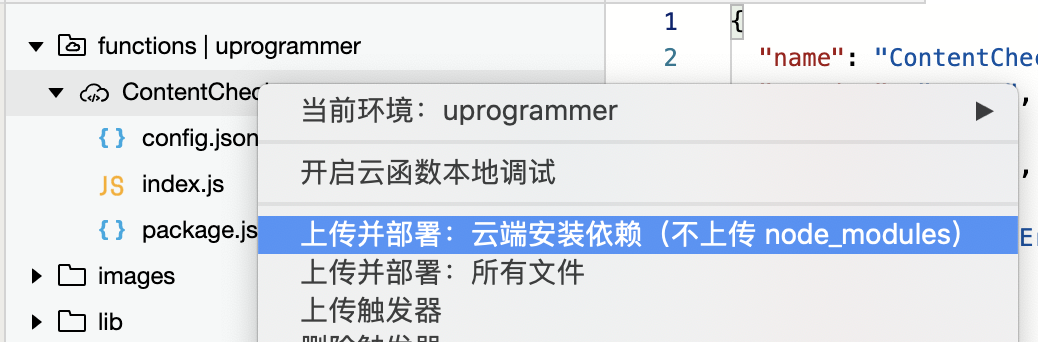
编写完成后,右键点击 ContentCheck
,选择"上传并部署:云端安装依赖(不上传 node_modules)"。
调用云函数
在 app.js
中初始化云环境,内容如下:
App({
  onLaunch: function () {
    wx.cloud.init({
      env: "uprogrammer", // 创建云环境时的ID
      traceUser: true
    })
    ...
  },
})
检查图片是否违规
wx.cloud.callFunction({
  name: 'ContentCheck',
  data: {
    img: res.data
  },
  success(res) {
    console.log(res.result)
    if (res.result.errCode == 87014) {
      // 图片内容违法违规
      wx.showToast({
        title: '图片存在敏感信息',
        icon: 'error',
      })
    } else {
      // 图片内容正常,继续处理
      console.log(`start uploading`)
      ...
    }
  },
  fail: err => {
    console.log(`ContentCheck: ${err}`)
    ...
  }
})
解决 security.imgSecCheck 的 data exceed max size 问题
开发完功能后,在微信开发工具中测试一番风顺,但是到真机上调试时,总是报 data exceed max size
。官方说明图片大小不能超过 1M,而我的真实测试结果是 80k 的图片也一样报错。通过搜索众多相关的文章,目前的解决方案在实际运行中暂时没有遇到该问题。
解决思路是:我们先对要上传的图片进行压缩(图片的最长边调整为150px),之后再调用云函数对压缩后的图片进行内容检查。
以下是关键代码,请详细阅读注释。不要过分关注代码缩进😄
// 1. 选择图片
chooseImage: function () {
  let that = this;
  wx.chooseImage({
    count: 1,
    sizeType: ['original', 'compressed'],
    sourceType: ['album', 'camera'],
    success(res) {
      // tempFilePath可以作为img标签的src属性显示图片
      const tempFilePaths = res.tempFilePaths
   // 2. 获取图片的长宽
      wx.getImageInfo({
        src: tempFilePaths[0],
      }).then(res => {
        console.log(`width: ${res.width}, height: ${res.height}`);
        let picW = res.width;
        let picH = res.height;
        // page 中定义了一个 id 为 hidden 的画布,用于支持实现获取到压缩的图片。
        // 由于项目中并不需要展示该 canvas。我是通过 css 将其固定在屏幕范围之外。
        const ctx = wx.createCanvasContext("hidden", that);
    // 最长边为 150
        let destWidth = 150;
        let destHeight = parseInt(picH / picW * 150)

        if(picW < picH) {
          destHeight = 150
          destWidth = parseInt(picW / picH * 150)
        }
        console.log(`destWidth: ${destWidth}, destHeight: ${destHeight}`)
        // 3. 将图片绘制到 canvas 上
        ctx.drawImage(tempFilePaths[0], 0, 0, destWidth, destHeight)
        // 4. 将 canvas 的内容保存成文件,注意第一个参数必须为 true
        ctx.draw(true, function() {
          wx.canvasToTempFilePath({
            x: 0,
            y: 0,
            width: destWidth,
            height: destHeight,
            destWidth,
            destHeight,
            canvasId: 'hidden',
            success: res => {
              console.log(`result: ${res.tempFilePath}`)
              // 5. 通过路径读取文件为 buffer
              wx.getFileSystemManager().readFile({
                filePath: res.tempFilePath,
                success: res => {
                  console.log(`getFileSystemManager readFile sucess`)
                  // 6. 调用内容审核云函数
                  wx.cloud.callFunction({
                    name: 'ContentCheck',
                    data: {
                      img: res.data
                    },
                    success(res) {
                      console.log(res.result)
                      if (res.result.errCode == 87014) {
                        wx.showToast({
                          title: '图片存在敏感信息',
                          icon: 'error',
                        })
                      }
                    },
                    fail: err => {
                      console.log(`ContentCheck: ${err}`)
                      ...
                    }
                  })
                },
                fail: err => {
                  console.log('getFileSystemManager readFile fail')
                  ...
                }
              })
            },
          }, that)
        });
      })
    }
  })
}
总结
本文介绍了通过云调用在微信小程序实现图片内容安全审核的过程,以及遇到 data exceed max size
错误的解决方案。希望能对您有帮助。
我是阿燃,欢迎关注可燃人物。