



点击上方蓝字,获得更多精彩内容
在实际开发中,几乎不需要手动创建 Selector 对象,在第一次访问一个 Response 对象的 selector 属性时,Response 对象内部会以自身为参数自动创建 Selector 对象,并将该 Selector 对象缓存,以便下次使用。Scrapy 源码中的相关实现如下:
class TextResponse(Response):_DEFAULT_ENCODING = 'ascii'_cached_decoded_json = _NONEdef __init__(self, *args, **kwargs):...self._cached_selector = Nonesuper().__init__(*args, **kwargs)@propertydef selector(self):from scrapy.selector import Selectorif self._cached_selector is None:self._cached_selector = Selector(self)return self._cached_selector...
参考文件:
https://github.com/scrapy/scrapy/blob/5e9cc3298be4ca1146d68098899365b334706db8/scrapy/http/response/text.py
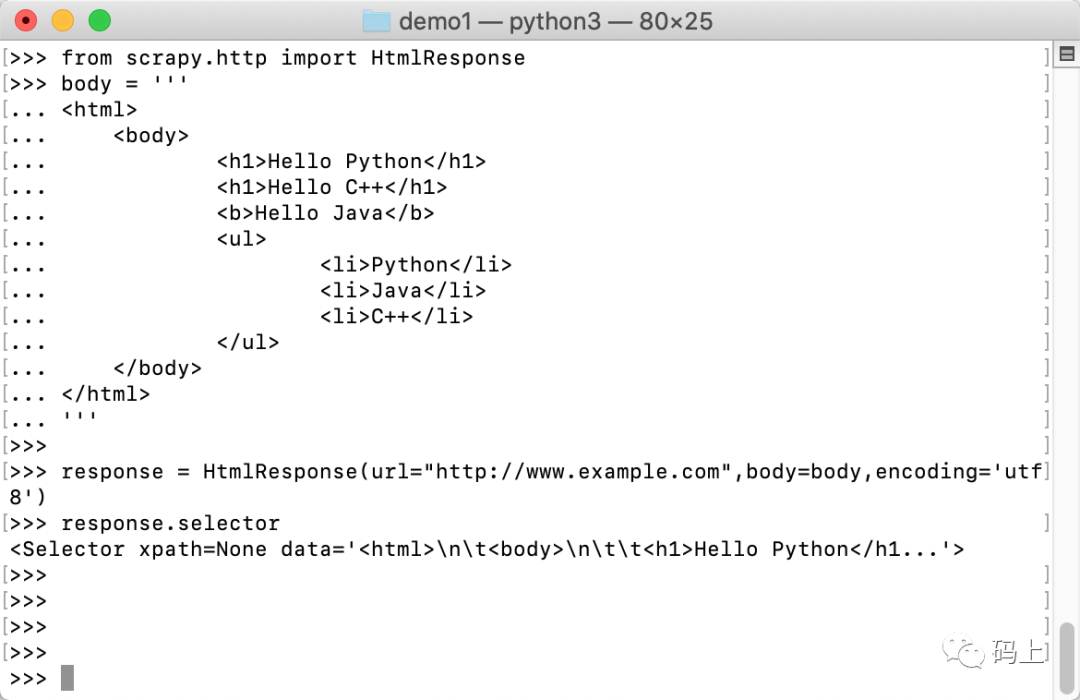
通常,我们直接使用 Response 对象内置的 Selector 对象即可。
>>> from scrapy.http import HtmlResponse>>> body = '''... <html>... <body>... <h1>Hello Python</h1>... <h1>Hello C++</h1>... <b>Hello Java</b>... <ul>... <li>Python</li>... <li>Java</li>... <li>C++</li>... </ul>... </body>... </html>... '''>>>>>> response = HtmlResponse(url="http://www.example.com",body=body,encoding='utf8')>>> response.selector<Selector xpath=None data='<html>\n\t<body>\n\t\t<h1>Hello Python</h1...'>
class TextResponse(Response):...def xpath(self, query, **kwargs):return self.selector.xpath(query, **kwargs)def css(self, query):return self.selector.css(query)...
参考文件:
https://github.com/scrapy/scrapy/blob/5e9cc3298be4ca1146d68098899365b334706db8/scrapy/http/response/text.py
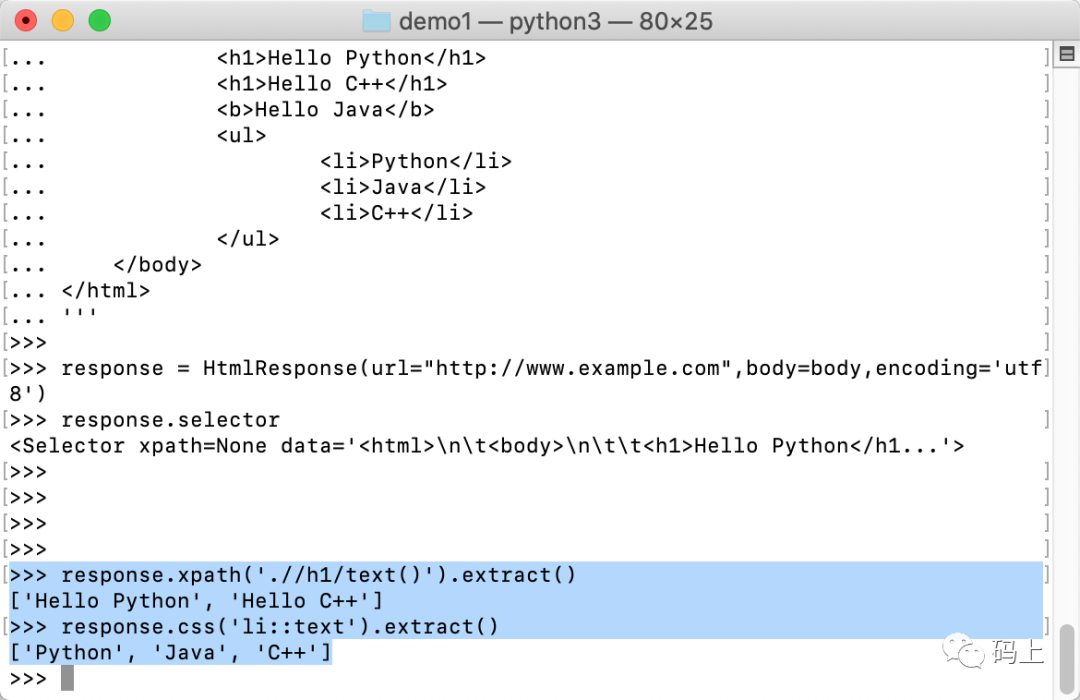
使用这两个快捷方式可使代码更加简洁:
>>> response.xpath('.//h1/text()').extract()['Hello Python', 'Hello C++']>>> response.css('li::text').extract()['Python', 'Java', 'C++']
内容参考:
Scrapy官方文档、《精通Scrapy网络爬虫》、百度。

END

这里“阅读原文”,查看github中的代码
文章转载自嘉乐Ae小课堂,如果涉嫌侵权,请发送邮件至:contact@modb.pro进行举报,并提供相关证据,一经查实,墨天轮将立刻删除相关内容。
