




生产环境中Hive Impala Hue等组件经常需要集成openldap,方便管理用户,本文主要介绍这三个常用组件的集成。之前写过一篇文章,为Ranger集成OpenLDAP认证,后续会有更多的组件需要集成openldap。
配置Hive集成ldap
添加相关配置,保存并重启

用ldap用户hive登录,可以登录成功
[root@cdh1 ~]# beelineSLF4J: Class path contains multiple SLF4J bindings.SLF4J: Found binding in [jar:file:/opt/cloudera/parcels/CDH-7.1.3-1.cdh7.1.3.p0.4992530/jars/log4j-slf4j-impl-2.10.0.jar!/org/slf4j/impl/StaticLoggerBinder.class]SLF4J: Found binding in [jar:file:/opt/cloudera/parcels/CDH-7.1.3-1.cdh7.1.3.p0.4992530/jars/slf4j-log4j12-1.7.30.jar!/org/slf4j/impl/StaticLoggerBinder.class]SLF4J: See http://www.slf4j.org/codes.html#multiple_bindings for an explanation.SLF4J: Actual binding is of type [org.apache.logging.slf4j.Log4jLoggerFactory]ERROR StatusLogger No log4j2 configuration file found. Using default configuration: logging only errors to the console. Set system property 'log4j2.debug' to show Log4j2 internal initialization logging.WARNING: Use "yarn jar" to launch YARN applications.SLF4J: Class path contains multiple SLF4J bindings.SLF4J: Found binding in [jar:file:/opt/cloudera/parcels/CDH-7.1.3-1.cdh7.1.3.p0.4992530/jars/log4j-slf4j-impl-2.10.0.jar!/org/slf4j/impl/StaticLoggerBinder.class]SLF4J: Found binding in [jar:file:/opt/cloudera/parcels/CDH-7.1.3-1.cdh7.1.3.p0.4992530/jars/slf4j-log4j12-1.7.30.jar!/org/slf4j/impl/StaticLoggerBinder.class]SLF4J: See http://www.slf4j.org/codes.html#multiple_bindings for an explanation.SLF4J: Actual binding is of type [org.apache.logging.slf4j.Log4jLoggerFactory]Connecting to jdbc:hive2://cdh1.macro.com:2181,cdh2.macro.com:2181,cdh3.macro.com:2181/default;serviceDiscoveryMode=zooKeeper;zooKeeperNamespace=hiveserver2Enter username for jdbc:hive2://cdh1.macro.com:2181,cdh2.macro.com:2181,cdh3.macro.com:2181/default: hiveEnter password for jdbc:hive2://cdh1.macro.com:2181,cdh2.macro.com:2181,cdh3.macro.com:2181/default: ******20/09/22 12:11:36 [main-EventThread]: ERROR imps.EnsembleTracker: Invalid config event received: {server.1=cdh3.macro.com:3181:4181:participant, version=0, server.3=cdh1.macro.com:3181:4181:participant, server.2=cdh2.macro.com:3181:4181:participant}20/09/22 12:11:36 [main-EventThread]: ERROR imps.EnsembleTracker: Invalid config event received: {server.1=cdh3.macro.com:3181:4181:participant, version=0, server.3=cdh1.macro.com:3181:4181:participant, server.2=cdh2.macro.com:3181:4181:participant}20/09/22 12:11:36 [main]: INFO jdbc.HiveConnection: Connected to cdh1.macro.com:10000Connected to: Apache Hive (version 3.1.3000.7.1.3.0-100)Driver: Hive JDBC (version 3.1.3000.7.1.3.0-100)Transaction isolation: TRANSACTION_REPEATABLE_READBeeline version 3.1.3000.7.1.3.0-100 by Apache Hive0: jdbc:hive2://cdh1.macro.com:2181,cdh2.macr>
配置Impala集成ldap
进入Impala配置界面,添加相关配置
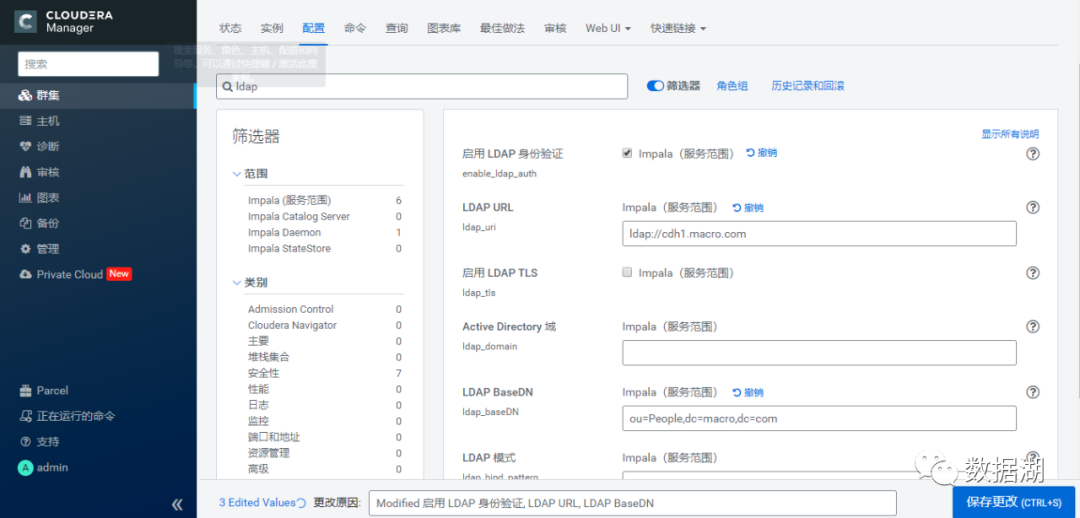
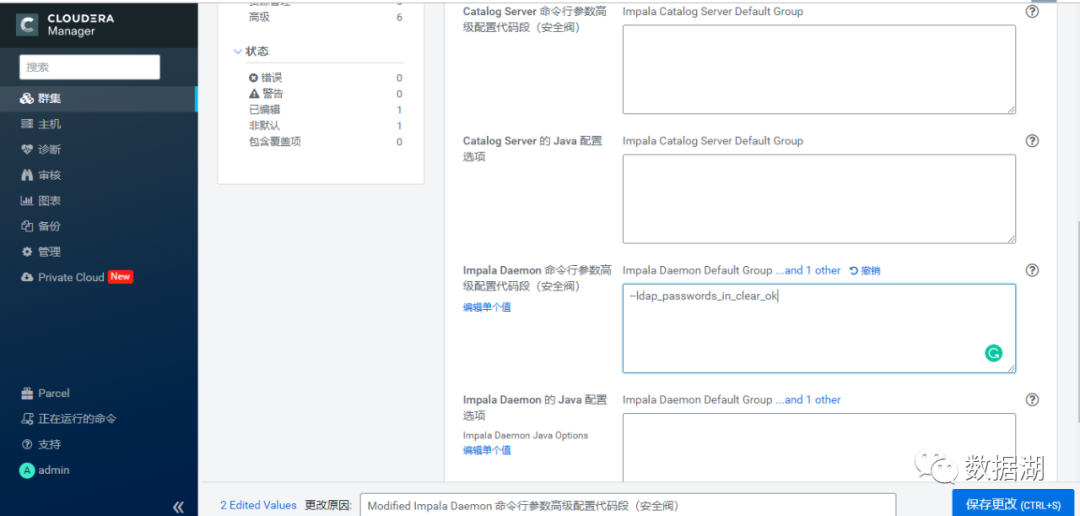
使用ldap认证登录impala-shell,错误密码登录报错
[root@cdh2 yum.repos.d]# impala-shell -l -u hive --auth_creds_ok_in_clearStarting Impala Shell using LDAP-based authenticationLDAP password for hive:Error connecting: TTransportException, TSocket read 0 bytes***********************************************************************************Welcome to the Impala shell.(Impala Shell v3.4.0-SNAPSHOT (2540278) built on Wed Aug 5 11:07:32 UTC 2020)After running a query, type SUMMARY to see a summary of where time was spent.***********************************************************************************LDAP authentication is enabled, but the connection to Impala is not secured by TLS.ALL PASSWORDS WILL BE SENT IN THE CLEAR TO IMPALA.[Not connected] >
正确密码登录成功,且可使用
[root@cdh2 yum.repos.d]# impala-shell -l -u hive --auth_creds_ok_in_clearStarting Impala Shell using LDAP-based authenticationLDAP password for hive:Opened TCP connection to cdh2.macro.com:21000Connected to cdh2.macro.com:21000Server version: impalad version 3.4.0-SNAPSHOT RELEASE (build 25402784335c39cc24076d71dab7a3ccbd562094)***********************************************************************************Welcome to the Impala shell.(Impala Shell v3.4.0-SNAPSHOT (2540278) built on Wed Aug 5 11:07:32 UTC 2020)To see a summary of a query's progress that updates in real-time, run 'setLIVE_PROGRESS=1;'.***********************************************************************************LDAP authentication is enabled, but the connection to Impala is not secured by TLS.ALL PASSWORDS WILL BE SENT IN THE CLEAR TO IMPALA.[cdh2.macro.com:21000] default> show tables;Query: show tables+------------------------------+| name |+------------------------------+| fire || kylin_account || kylin_cal_dt || kylin_category_groupings || kylin_country || kylin_sales || managed_us_delay_flights_tbl || people || sum_tmp || test || test_table || us_delay_flights_tbl |+------------------------------+Fetched 12 row(s) in 0.44s
配置Hue集成ldap
进入Hue配置界面,修改相关配置
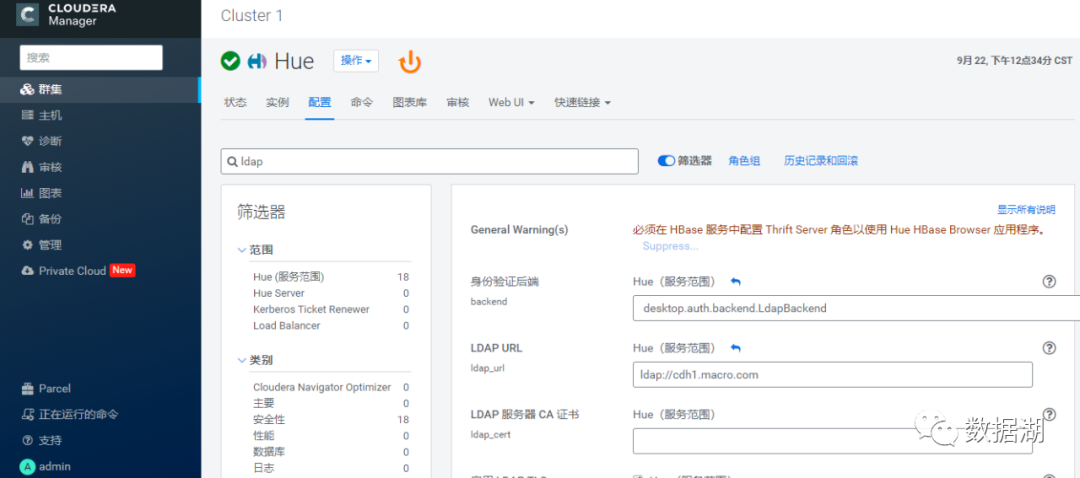
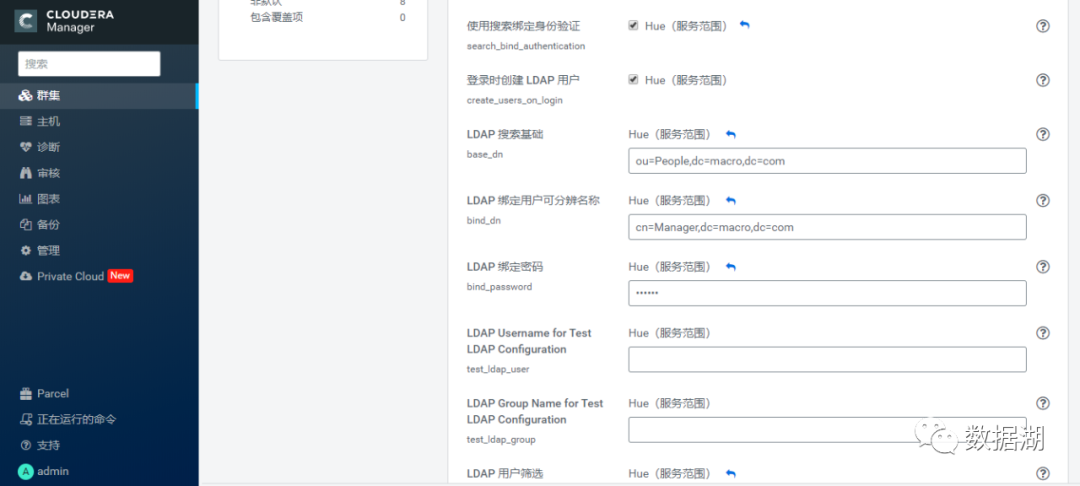
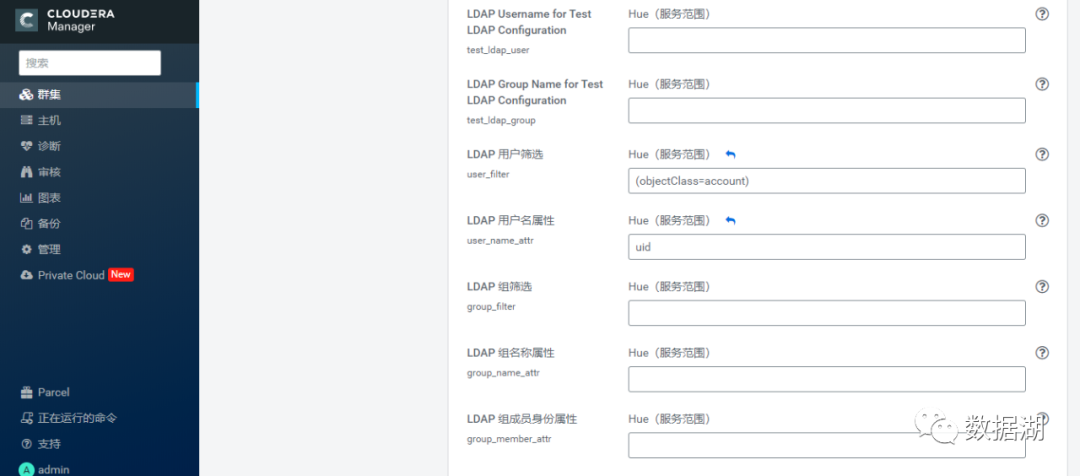
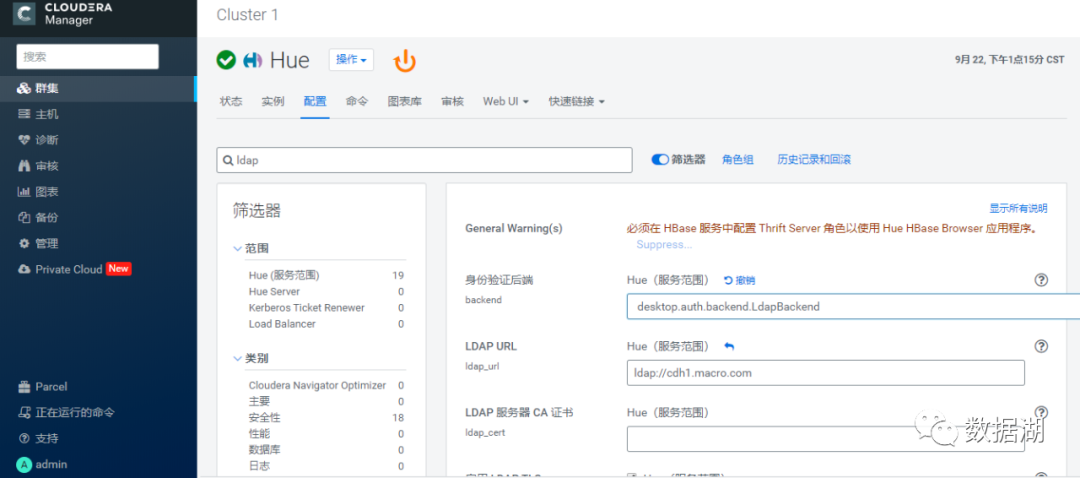
重启之前将身份验证后端修改为desktop.auth.backend.AllowFirstUserDjangoBackend
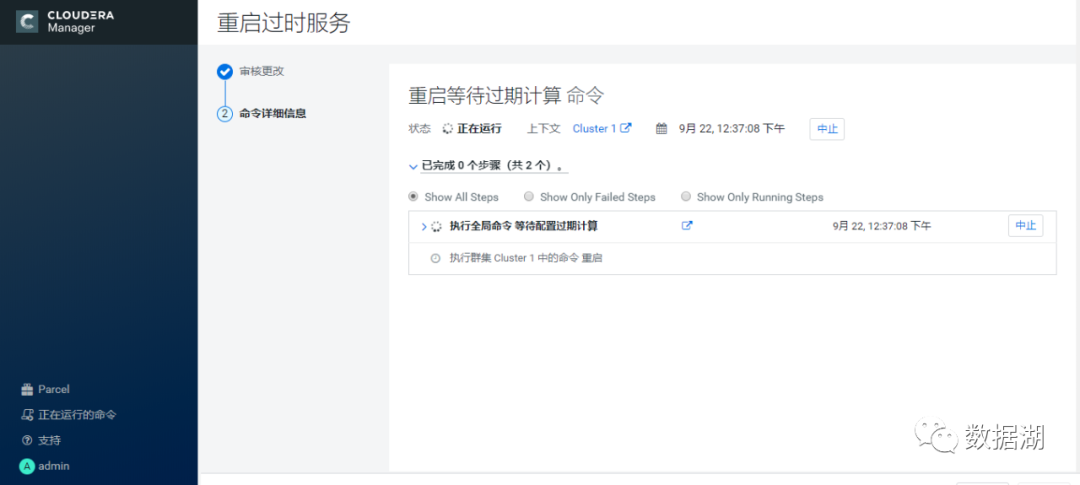
重启相关服务
在Openldap中添加hive用户与impala用户
使用管理员用户登录Hue,添加ldap用户
添加已有的ldap用户hive
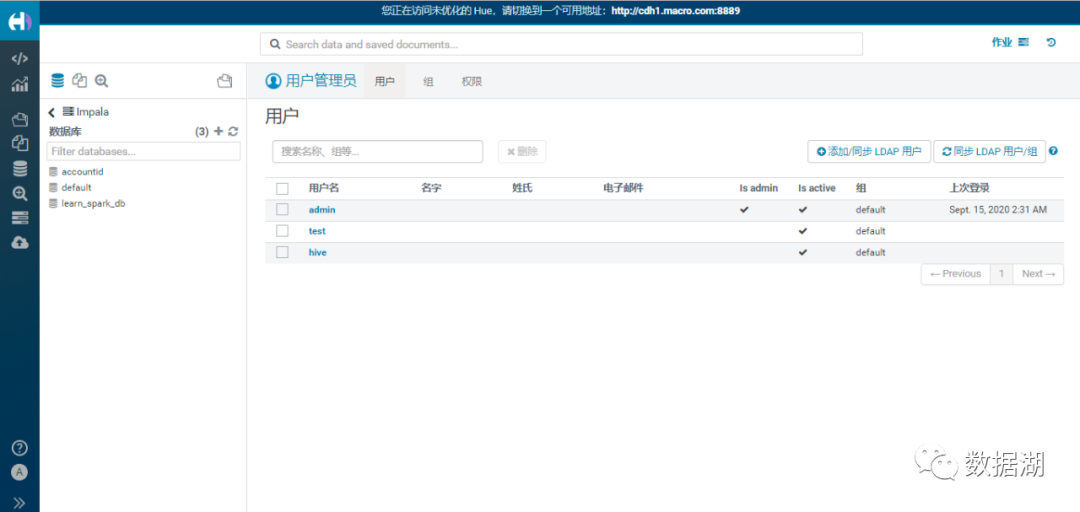
添加组hive
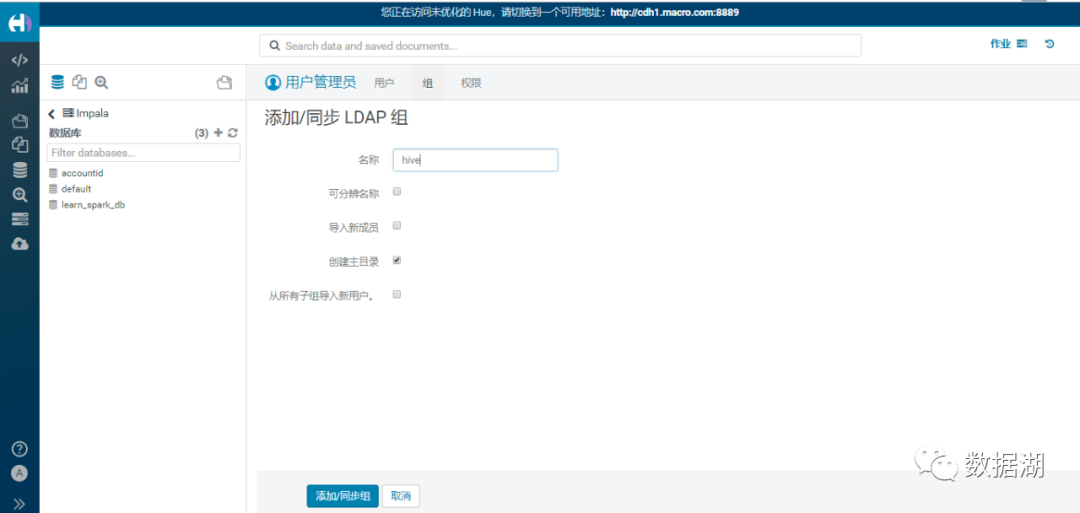
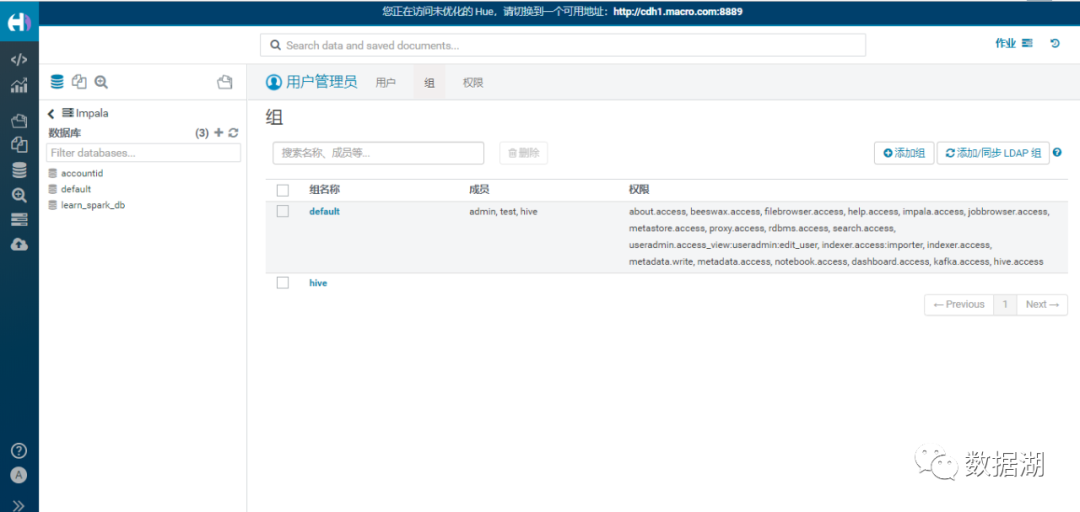
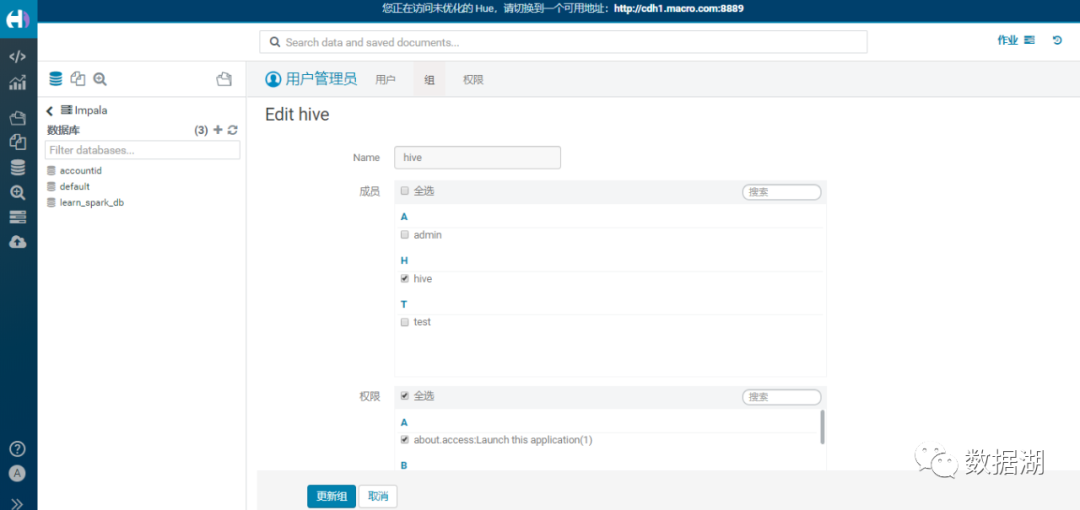
将hive用户同步到hive组
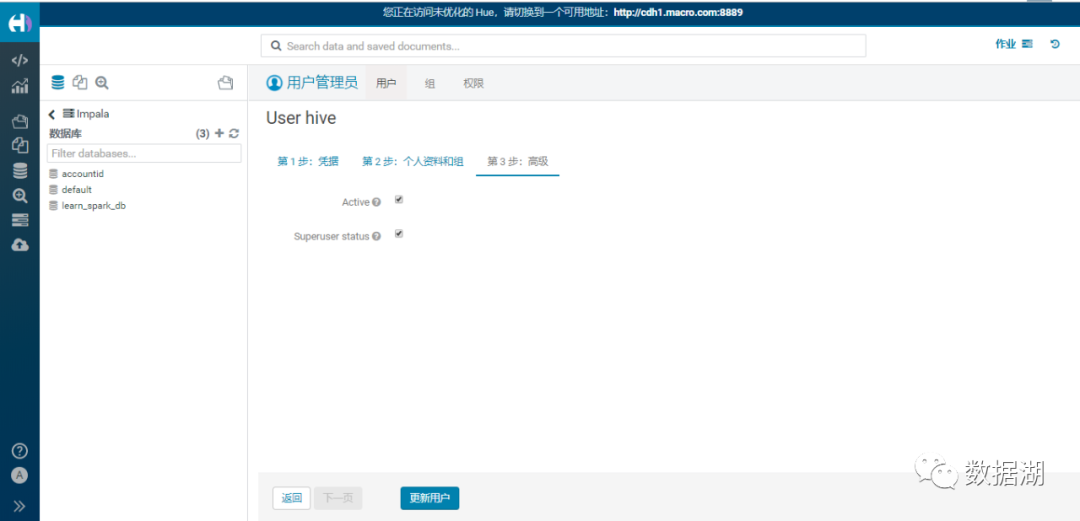
设置Hive为Hue的管理员
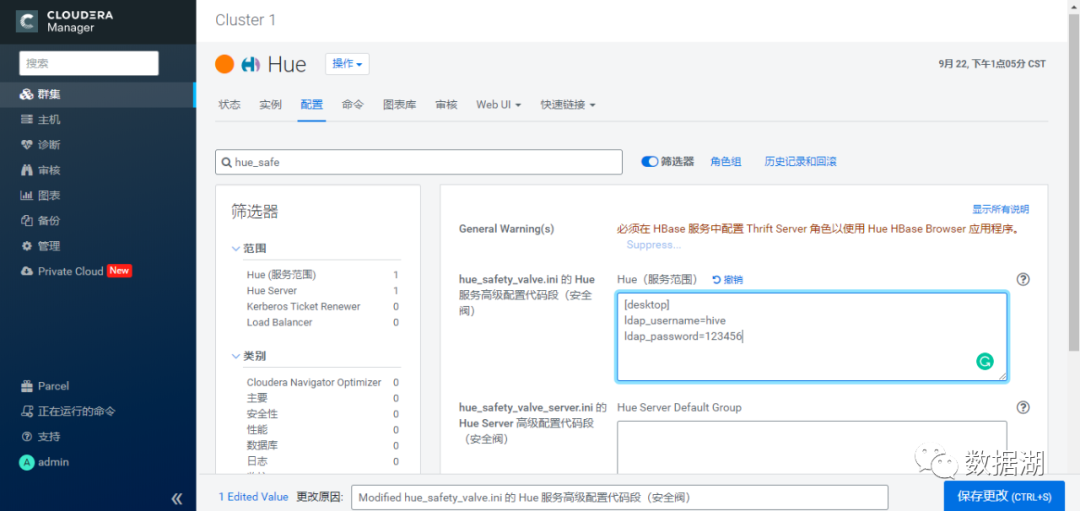
修改配置huesafetyvalve.ini 的 Hue 服务高级配置代码段(安全阀)
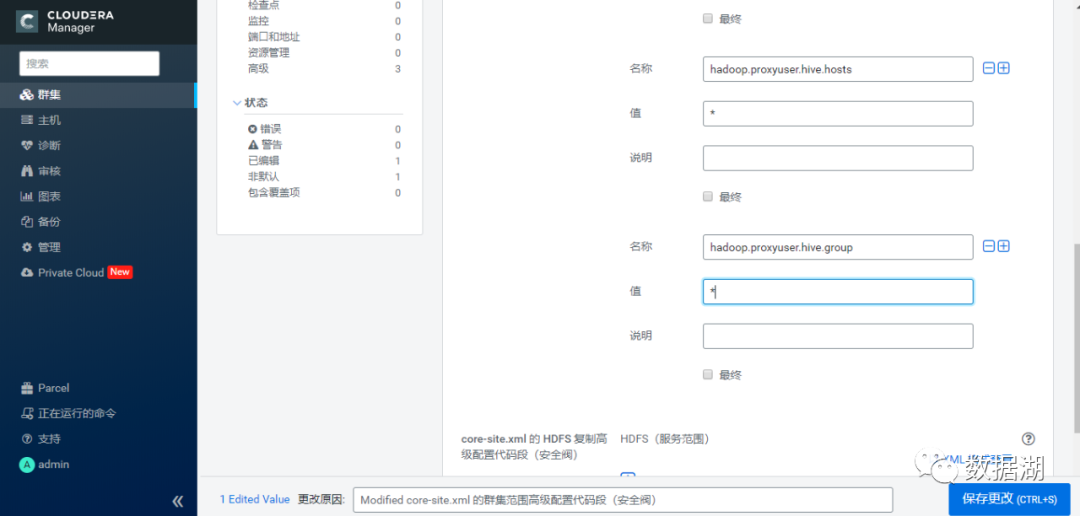
修改HDFS配置
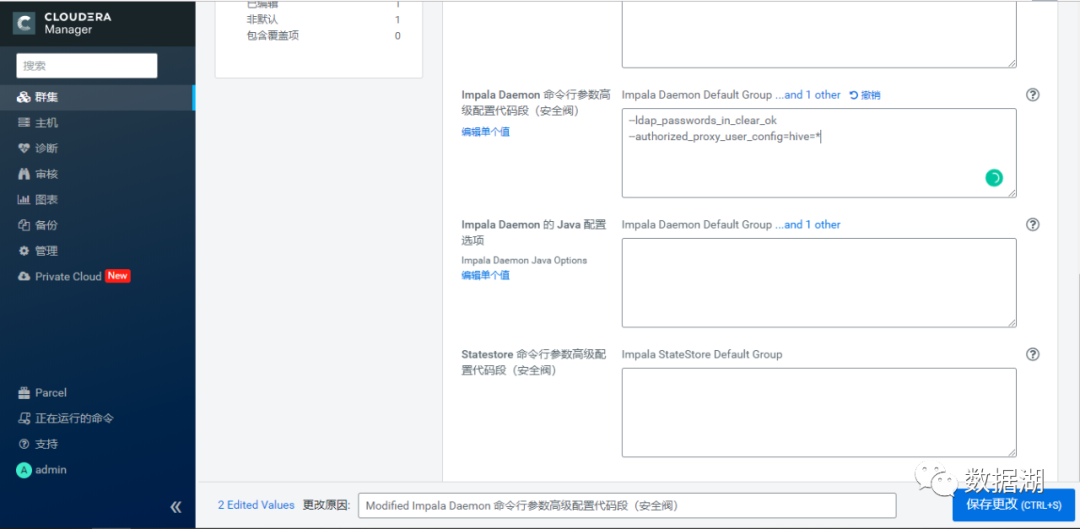
Impala添加配置
--authorizedproxyuser_config=hive=*
将Hue的身份验证后端改为desktop.auth.bakend.LdapBackend,然后重启相关服务
使用非ldap用户不可登录
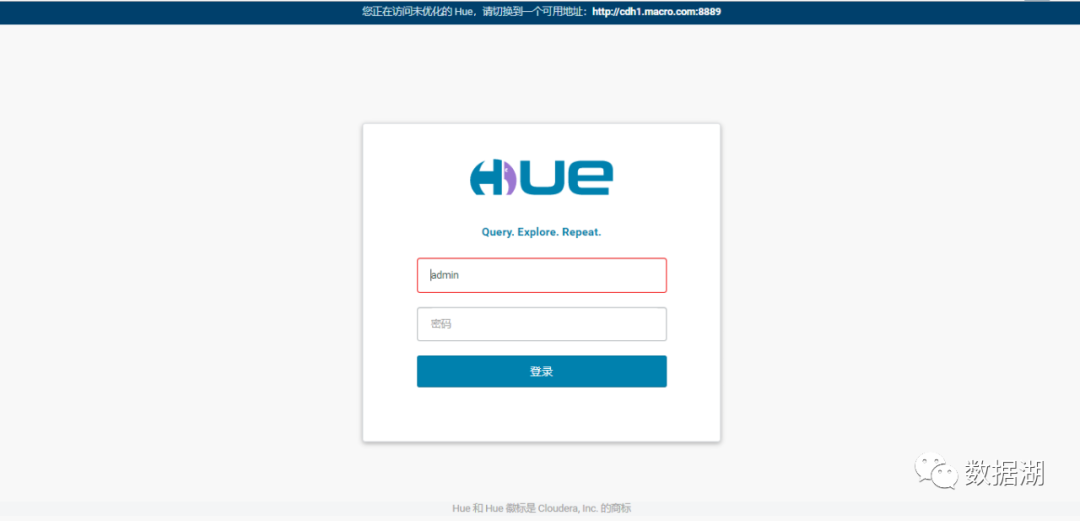
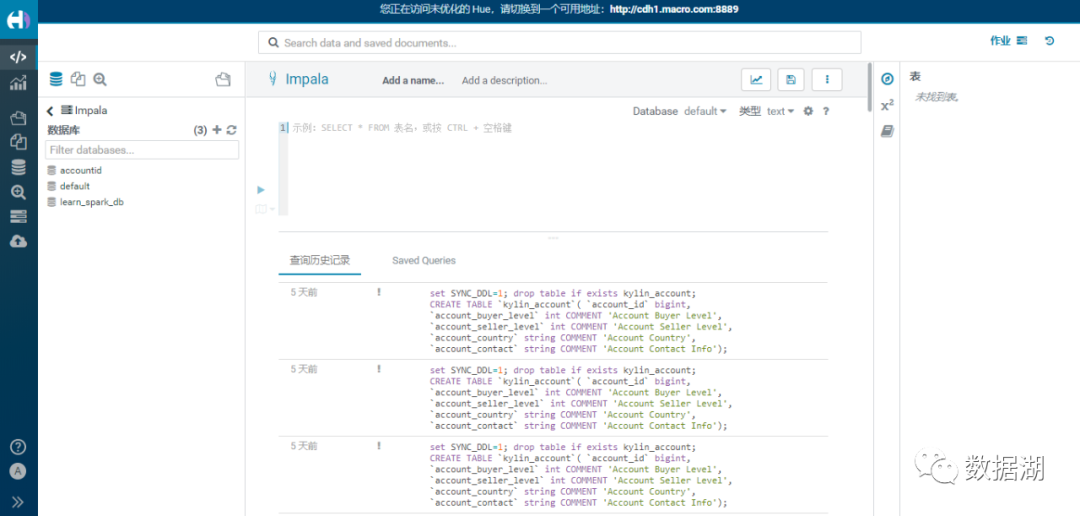
再次登录,使用hive用户登录
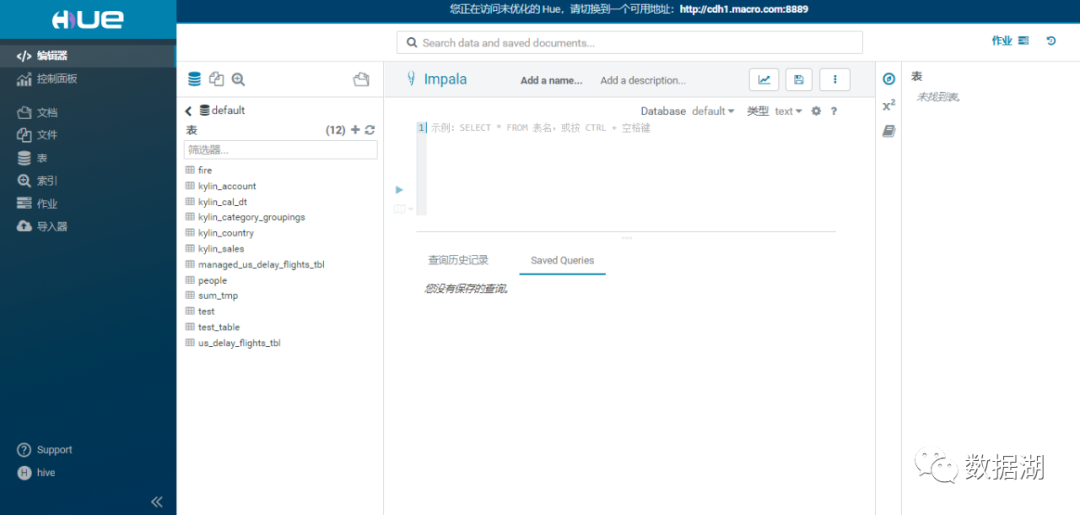
到此hive.impala和hue集成openldap完成
文章转载自数据湖,如果涉嫌侵权,请发送邮件至:contact@modb.pro进行举报,并提供相关证据,一经查实,墨天轮将立刻删除相关内容。
