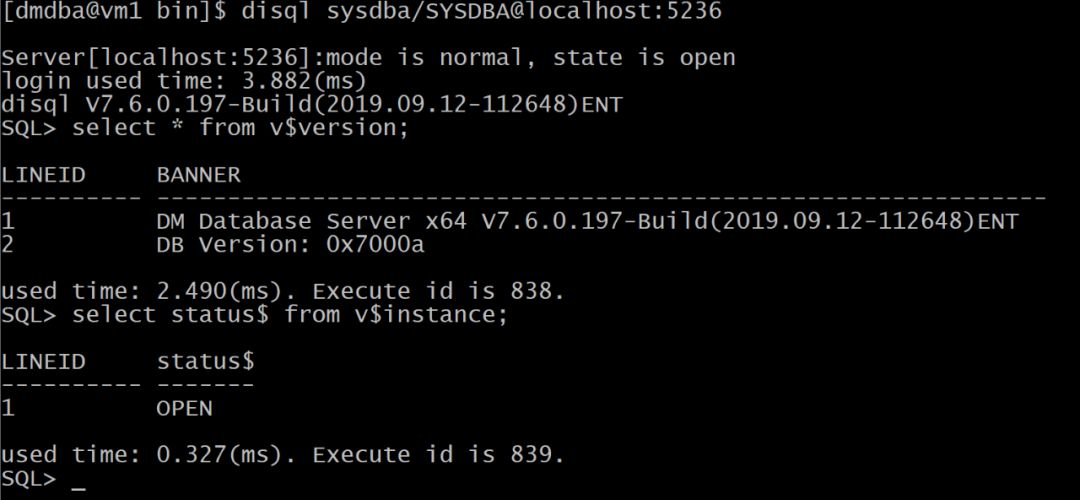
1. 配置安装环境
1.1. 系统环境检查
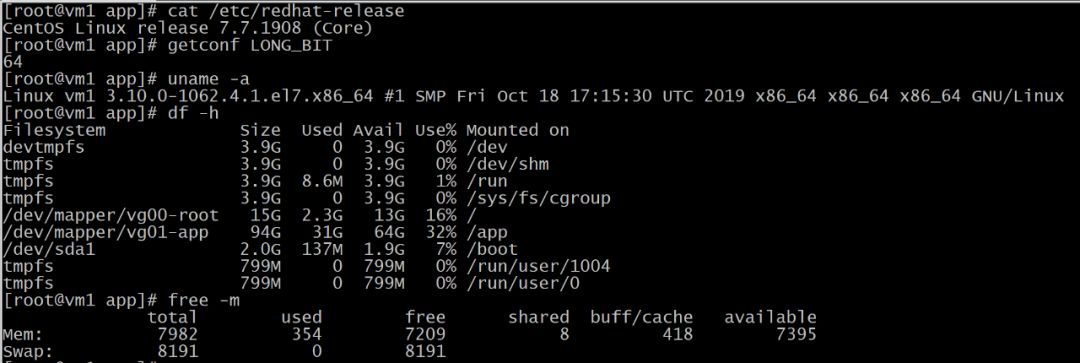
1.2. 创建组和用户

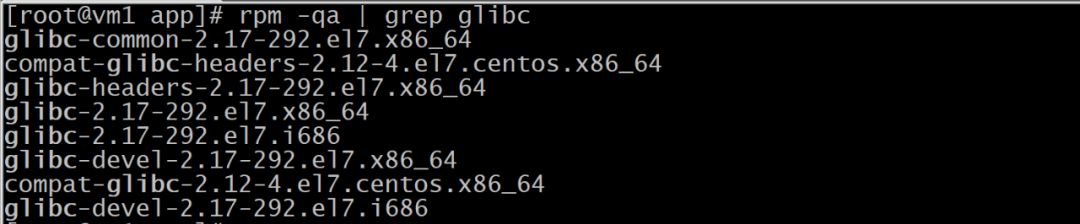
1.3. 检查依赖包
1.4. 创建目录

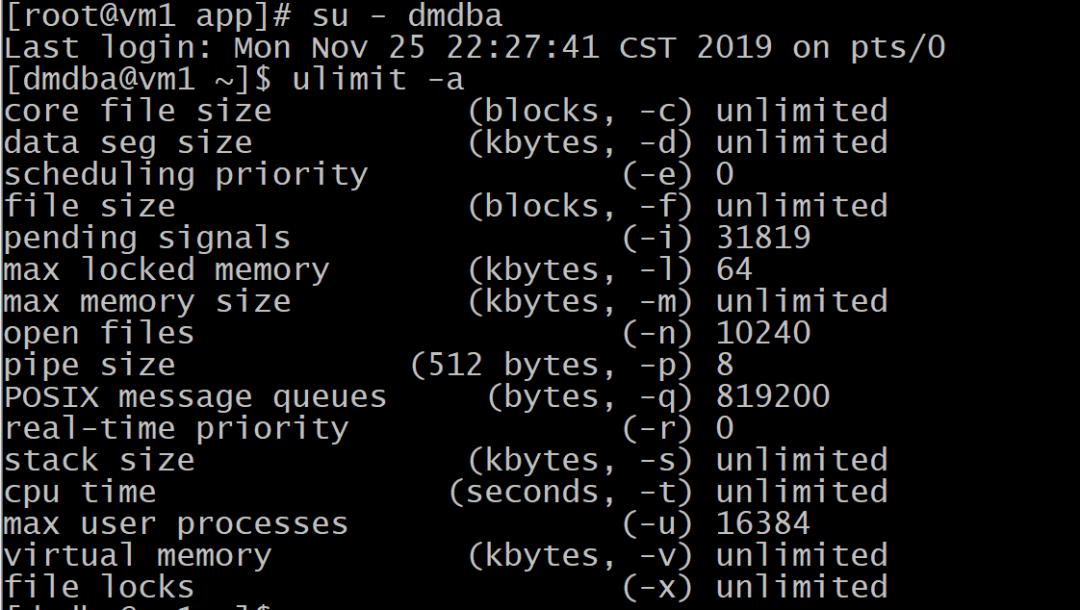
1.5. 检查资源限制
1.6. 上传介质
2. 命令安装方式
2.1. 执行安装程序
[root@vm1 app]# su - dmdba
Last login: Mon Nov 25 22:36:32 CST 2019 on pts/0
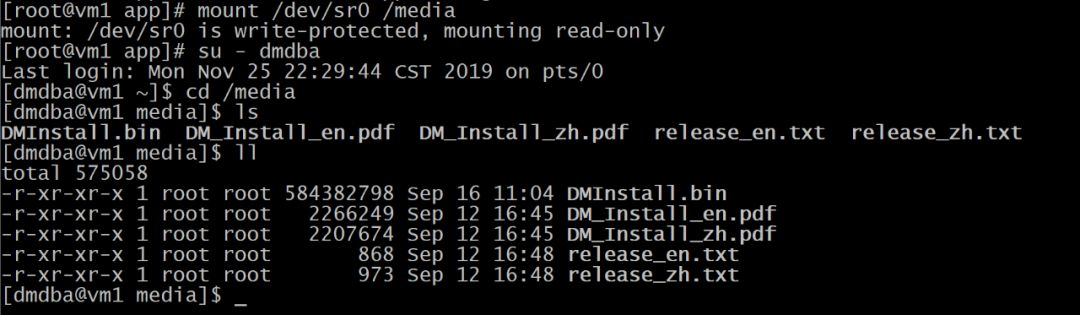
[dmdba@vm1 ~]$ cd media
[dmdba@vm1 media]$ ls
DMInstall.bin DM_Install_en.pdf DM_Install_zh.pdf release_en.txt release_zh.txt
[dmdba@vm1 media]$ ./DMInstall.bin -i
Please select the installer's language (E/e:English C/c:Chinese) [E/e]:
Extract install files.........
Welcome to DM DBMS Installer
Whether to input the path of Key File? (Y/y:Yes N/n:No) [Y/y]:
Please Input the Path of the Key File [dm.key]:
Please input the path of key file!
Whether to input the path of Key File? (Y/y:Yes N/n:No) [Y/y]:n
Whether to Set The TimeZone? (Y/y:Yes N/n:No) [Y/y]:
TimeZone:
[ 1]: GTM-12=West Date Line
[ 2]: GTM-11=Samoa
[ 3]: GTM-10=Hawaii
[ 4]: GTM-09=Alaska
[ 5]: GTM-08=Pacific(America and Canada)
[ 6]: GTM-07=Arizona
[ 7]: GTM-06=Central(America and Canada)
[ 8]: GTM-05=East(America and Canada)
[ 9]: GTM-04=Atlantic(America and Canada)
[10]: GTM-03=Brasilia
[11]: GTM-02=Middle Atlantic
[12]: GTM-01=Azores
[13]: GTM=Greenwich Mean Time
[14]: GTM+01=Sarajevo
[15]: GTM+02=Cairo
[16]: GTM+03=Moscow
[17]: GTM+04=AbuDhabi
[18]: GTM+05=Islamabad
[19]: GTM+06=Dakar
[20]: GTM+07=BangKok,Hanoi
[21]: GTM+08=China
[22]: GTM+09=Seoul
[23]: GTM+10=Guam
[24]: GTM+11=Solomon
[25]: GTM+12=Fiji
[26]: GTM+13=Nukualofa
[27]: GTM+14=Kiribati
Please Select the TimeZone [21]:21
Installation Type:
1 Typical
2 Server
3 Client
4 Custom
Please Input the number of the Installation Type [1 Typical]:1
Require Space: 957M
Please Input the install path [/home/dmdba/dmdbms]:/app/dameng
Available Space:63G
Please Confirm the install path(/app/dameng)? (Y/y:Yes N/n:No) [Y/y]:y
Pre-Installation Summary
Installation Location: app/dameng
Require Space: 957M
Available Space: 63G
Version Information:
Expire Date:
Installation Type: Typical
Confirm to Install? (Y/y:Yes N/n:No):y
2019-11-25 23:21:51
[INFO] Installing DM DBMS...
2019-11-25 23:21:52
[INFO] Installing BASE Module...
2019-11-25 23:21:53
[INFO] Installing SERVER Module...
2019-11-25 23:21:53
[INFO] Installing CLIENT Module...
2019-11-25 23:21:54
[INFO] Installing DRIVERS Module...
2019-11-25 23:21:54
[INFO] Installing MANUAL Module...
2019-11-25 23:21:54
[INFO] Installing SERVICE Module...
2019-11-25 23:21:55
[INFO] Move ant log file to log directory.
2019-11-25 23:21:56
[INFO] Installed DM DBMS completely.
Please execute the commands by root:
/app/dameng/script/root/root_installer.sh
End
2.2. root注册服务
[root@vm1 system]# cd tmp/media
[root@vm1 media]# ls
DMInstall.bin DM_Install_en.pdf DM_Install_zh.pdf release_en.txt release_zh.txt
[root@vm1 media]# app/dameng/script/root/root_installer.sh
Move app/dameng/bin/dm_svc.conf to etc
Modify the files' mode of DM Server
Create the DmAPService service
Created symlink from etc/systemd/system/multi-user.target.wants/DmAPService.service to usr/lib/systemd/system/DmAPService.service.
Finished to create the service (DmAPService)
Start the DmAPService service
2.3. 配置环境变量
[dmdba@vm1 bin]$ cat ~/.bash_profile
# .bash_profile
# Get the aliases and functions
if [ -f ~/.bashrc ]; then
. ~/.bashrc
fi
# User specific environment and startup programs
PATH=$PATH:$HOME/.local/bin:$HOME/bin
export PATH
export LD_LIBRARY_PATH="$LD_LIBRARY_PATH:/app/dameng/bin"
export DM_HOME="/app/dameng"
export PATH=/app/dameng/bin:/app/dameng/tool:$PATH
2.4. 初始化数据库
[dmdba@vm1 ~]$ dminit
initdb V7.6.0.197-Build(2019.09.12-112648)ENT
db version: 0x7000a
file dm.key not found, use default license!
License will expire on 2020-09-12
input system dir: app/dameng/data
input db name: dameng
input port num: 5236
input page size(4, 8, 16, 32): 8
input extent size(16, 32): 16
input sec priv mode(0, 1): 0
input time zone(-12:59,+14:00): +8:00
string case sensitive? ([Y]es, [N]o): n
which charset to use? (0[GB18030], 1[UTF-8], 2[EUC-KR]): 1
length in char? ([Y]es, [N]o): y
enable database encrypt? ([Y]es, [N]o): n
page check mode? (0/1/2): 0
input elog path: app/dameng/data/dameng
auto_overwrite mode? (0/1/2): 2
log file path: /app/dameng/data/dameng/dameng01.log
log file path: /app/dameng/data/dameng/dameng02.log
write to dir [/app/dameng/data/dameng].
create dm database success. 2019-11-25 23:34:36
2.5.ROOT注册服务
[root@vm1 root]# ./dm_service_installer.sh -h
Usage: dm_service_installer.sh -t service_type [-p service_name_postfix] [-i ini_file] [-d dcr_ini_file] [-m open|mount] [-y dependent_service]
or dm_service_installer.sh [-s service_file_path]
or dm_service_installer.sh -h
-t Service Type, include: dmimon,dmap,dmserver,dmwatch,dmrww,dmwmon,dmwatcher,dmmonitor,dmcss,dmcssm,dmasmsvr.
-p Service Name Postfix, is invalid for dmimon,dmap.
-i The path of the ini file, is invalid for dmimon,dmap.
-d The path of dmdcr.ini, is valid for dmserver only, select.
-m Set the start modeof the server, include:open or mount, is valid for dmserver only, select.
-y Set the dependent service, this parameter is valid for dmserver,dmasmsvr in systemd service environment.
-s The path of the service script file, if set this parameter and ignore other parameter but -y.
-h Help
[root@vm1 root]# ./dm_service_installer.sh -t dmserver -i /app/dameng/data/dameng/dm.ini -p DMSERVER
Created symlink from /etc/systemd/system/multi-user.target.wants/DmServiceDMSERVER.service to /usr/lib/systemd/system/DmServiceDMSERVER.service.
Finished to create the service (DmServiceDMSERVER)
2.6.启动实例
[dmdba@vm1 bin]$ ps -ef | grep dmserver
dmdba 31328 26409 0 23:42 pts/0 00:00:00 grep --color=auto dmserver
[dmdba@vm1 bin]$ ./DmServiceDMSERVER start
Starting DmServiceDMSERVER: [ OK ]
2.7.连接实例确认状态