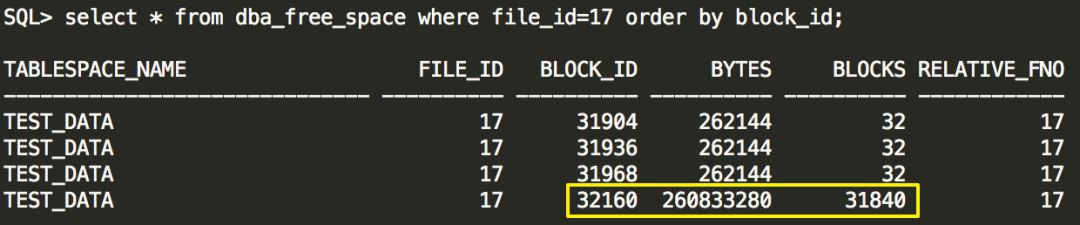
监控表空间使用率及空间剩余量是数据库日常维护的重要内容。有时候在系统运行很长一段时间后,我们再去查询表空间使用情况,发现相同的查询语句执行时间会变长。
这是因为我们在查询表空间使用情况的时候,需要从dba_free_space视图中获取剩余空间大小,如果该视图中对象过多,就会造成查询缓慢的现象。
那么dba_free_space视图中都是哪些对象呢?为什么会过多呢?
DBA_FREE_SPACE describes the free extents in all tablespaces in the database.
这个视图记录了表空间中空闲的区,如果一个表空间里的free状态的extent不连续,那么在dba_free_space中会有多条记录对应同一个表空间,当然也会有extent连续但是没有合并起来的情况出现。
当用户drop对象时,可以从dba_free_space视图里看到相关对象extent信息。被drop掉的对象都存放在recyclebin中,如果recyclebin里有大量被drop的对象,并且这些对象都曾被分配了大量的extent,就会出现查询dba_free_space缓慢的问题。
这里有个问题,用户drop对象到recyclebin,跟dba_free_space有什么关系?
ORACLE官方是这样说的
In release 10g, the view dba_free_space is modified to access sys.recyclebin$ also.Large number of entries in sys.recyclebin$ can slow down the select on dba_free_space. This is a normal behavior.
其实我们查询dba_free_space视图,也访问了sys.recyclebin$。
为什么要访问sys.recyclebin$呢?
因为用户drop对象不使用purge选项时,对象被扔到recyclebin(其实还在原来的表空间里,只是系统给他改名了),而此时ORACLE不会更新数据文件头extent map(以减少ORACLE对extent map的争用),所以通过访问sys.recyclebin$来获取extent信息。
SQL> select text from dba_views where view_name='DBA_FREE_SPACE';
TEXT --------------------------------------------------------------------------- select ts.name, fi.file#, f.block#, f.length * ts.blocksize, f.length, f.file# from sys.ts$ ts, sys.fet$ f, sys.file$ fi where ts.ts# = f.ts# and f.ts# = fi.ts# and f.file# = fi.relfile# and ts.bitmapped = 0 union all select *+ ordered use_nl(f) use_nl(fi) */ ts.name, fi.file#, f.ktfbfebno, f.ktfbfeblks * ts.blocksize, f.ktfbfeblks, f.ktfbfefno from sys.ts$ ts, sys.x$ktfbfe f, sys.file$ fi where ts.ts# = f.ktfbfetsn and f.ktfbfetsn = fi.ts# and f.ktfbfefno = fi.relfile# and ts.bitmapped <> 0 and ts.online$ in (1,4) and ts.contents$ = 0 union all select *+ ordered use_nl(u) use_nl(fi) */ ts.name, fi.file#, u.ktfbuebno, u.ktfbueblks * ts.blocksize, u.ktfbueblks, u.ktfbuefno from sys.recyclebin$ rb, sys.ts$ ts, sys.x$ktfbue u, sys.file$ fi where ts.ts# = u.ktfbuesegtsn and u.ktfbuesegtsn = fi.ts# and u.ktfbuesegfno = fi.relfile# and u.ktfbuesegtsn = rb.ts# and u.ktfbuesegfno = rb.file# and u.ktfbuesegbno = rb.block# and ts.bitmapped <> 0 and ts.online$ in (1,4) and ts.contents$ = 0 union all select ts.name, fi.file#, u.block#, u.length * ts.blocksize, u.length, u.file# from sys.ts$ ts, sys.uet$ u, sys.file$ fi, sys.recyclebin$ rb where ts.ts# = u.ts# and u.ts# = fi.ts# and u.segfile# = fi.relfile# and u.ts# = rb.ts# and u.segfile# = rb.file# and u.segblock# = rb.block# and ts.bitmapped = 0 |
测试recyclebin与dba_free_space内在关系
1、新建两张表 test1 & test2

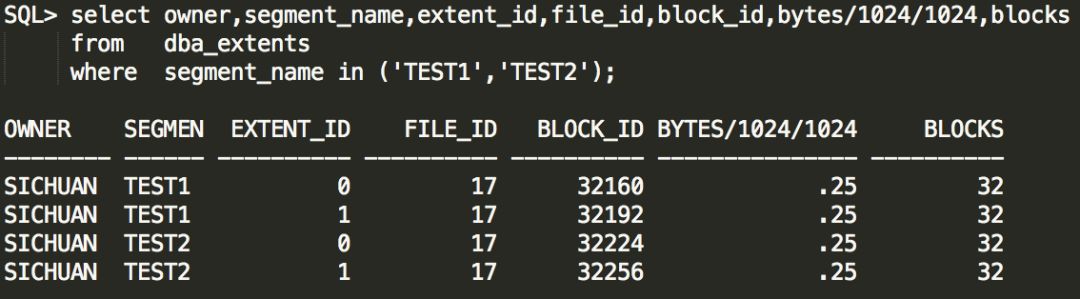
2、查看两张表extent分配情况,test1是block#32160~block#32192,test2是block#32224~block#32256,都是分配了32个数据块。且test2的extent与test1的extent是连续分配的。
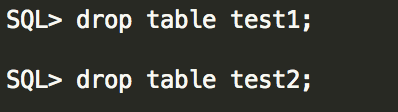
3、Drop两张表
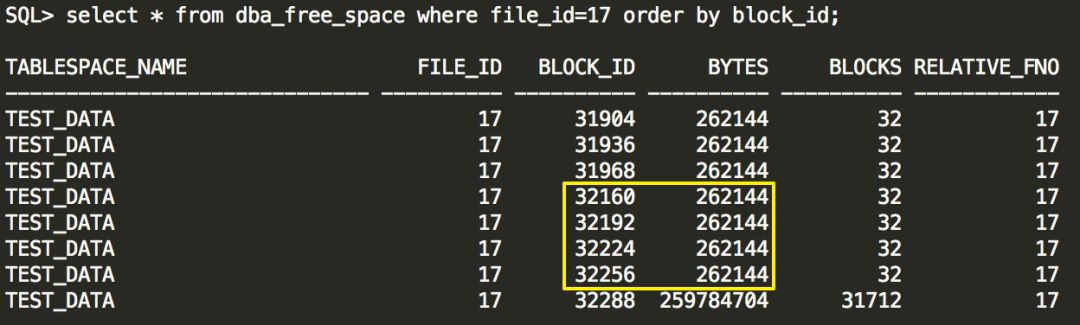
4、当drop掉两张表之后,可以在dba_free_space视图里看到test1的两个extent是连续的,test2的两个extent也是连续的,都没有合并。这些extents都保持原样出现在dba_free_space中,于是就增加了该视图的条目。
5、我们尝试 purge recyclebin
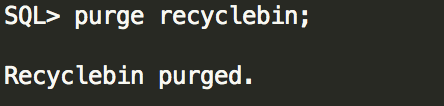
6、再到dba_free_space视图中查看purge recyclebin之后的情况,之前test1和test2总共4个extents,128个块,与起始块号为32288的extent合并了,最后一行blocks从31712增加到现在的31840,成为一个新的extent。同时dba_free_space里的条目也减少了。