在Oracle中,对表执行COMMENT(注释)操作需要什么权限?
Oracle的COMMENT语句可以给一个列、表、视图或快照添加一个最多2K字节的注释。注释被存储在数据字典中,并且可以通过数据字典视图DBA_COL_COMMENTS(列的注释)和DBA_TAB_COMMENTS(表的注释)查看COMMENTS列。COMMENT语句的语法:
1COMMENT ON TABLE tb | COLUMN tb.cols IS 'text';
其中,tb是表的名字,cols是表中列的名字,text是注释的文本。可以用设置注释为空串('')的办法从数据库中删除一个注释,例如:
1COMMENT ON TABLE employees IS '';
2COMMENT ON TABLE HR.employees IS 'Employee Information';
3COMMENT ON COLUMN HR.employees.FIRST_NAME IS 'Employee FIRST_NAME';
对于SYS用户下的表,只有拥有ALTER权限的普通用户才可以对其进行COMMENT操作。对于普通用户下的表,拥有“COMMENT ANY TABLE”或ALTER权限的普通用户都可以执行COMMENT操作。示例如下:
  1SYS@test18c> create table t as select * from dual;
  2
  3Table created.
  4
  5SYS@test18c> create user lhr33 identified by lhr;
  6
  7User created.
  8
  9SYS@test18c> grant create session to lhr33;
 10
 11Grant succeeded.
 12
 13SYS@test18c> GRANT SELECT ON sys.t to lhr33;
 14
 15Grant succeeded.
 16
 17SYS@test18c> conn lhr33/lhr
 18Connected.
 19LHR33@test18c>
 20LHR33@test18c> select * from sys.t;
 21
 22DU
 23--
 24X
 25
 26LHR33@test18c> comment on column sys.t.dummy is 'aa';
 27comment on column sys.t.dummy is 'aa'
 28                      *
 29ERROR at line 1:
 30ORA-01031: insufficient privileges
 31
 32
 33LHR33@test18c> comment on table sys.t is 'aa';
 34comment on table sys.t is 'aa'
 35                     *
 36ERROR at line 1:
 37ORA-01031: insufficient privileges
 38
 39
 40LHR33@test18c> conn / as sysdba
 41Connected.
 42SYS@test18c> grant alter on sys.t to lhr33;
 43
 44Grant succeeded.
 45
 46SYS@test18c> conn lhr33/lhr
 47Connected.
 48
 49LHR33@test18c>
 50LHR33@test18c> comment on table sys.t is 'aa';
 51
 52Comment created.
 53
 54LHR33@test18c> comment on column sys.t.dummy is 'aa';
 55
 56Comment created.
 57
 58LHR33@test18c> conn / as sysdba
 59Connected.
 60SYS@test18c> revoke alter on sys.t  from lhr33;
 61
 62Revoke succeeded.
 63
 64SYS@test18c> conn lhr33/lhr
 65Connected.
 66LHR33@test18c> comment on column sys.t.dummy is 'aa';
 67comment on column sys.t.dummy is 'aa'
 68                      *
 69ERROR at line 1:
 70ORA-01031: insufficient privileges
 71
 72
 73LHR33@test18c> conn / as sysdba
 74Connected.
 75SYS@test18c> grant COMMENT ANY TABLE   to lhr33;
 76
 77Grant succeeded.
 78
 79SYS@test18c> conn lhr33/lhr
 80Connected.
 81LHR33@test18c> comment on column sys.t.dummy is 'aa';
 82comment on column sys.t.dummy is 'aa'
 83                      *
 84ERROR at line 1:
 85ORA-01031: insufficient privileges
 86
 87
 88LHR33@test18c> comment on table sys.t is 'aa';
 89comment on table sys.t is 'aa'
 90                     *
 91ERROR at line 1:
 92ORA-01031: insufficient privileges
 93
 94
 95LHR33@test18c> conn / as sysdba
 96Connected.
 97SYS@test18c> grant alter on sys.t to lhr33;
 98
 99Grant succeeded.
100
101SYS@test18c> conn lhr33/lhr
102Connected.
103LHR33@test18c> comment on table sys.t is 'aa';
104
105Comment created.
对于普通用户下的表,拥有“COMMENT ANY TABLE”或ALTER权限的用户都可以执行COMMENT操作:
 1LHR33@test18c> conn lhr/lhr
 2Connected.
 3LHR@test18c> create table bb as select * from dual;
 4
 5Table created.
 6
 7LHR@test18c> conn lhr33/lhr
 8Connected.
 9LHR33@test18c>  comment on table lhr.bb is 'bb';
10
11Comment created.
12
13LHR33@test18c> select * from lhr.bb;
14select * from lhr.bb
15                  *
16ERROR at line 1:
17ORA-01031: insufficient privileges
18
19
20LHR33@test18c> conn / as sysdba
21Connected.
22SYS@test18c> revoke COMMENT ANY TABLE from lhr33;
23
24Revoke succeeded.
25
26SYS@test18c> conn lhr33/lhr
27Connected.
28LHR33@test18c>  comment on table lhr.bb is 'bb';
29 comment on table lhr.bb is 'bb'
30                      *
31ERROR at line 1:
32ORA-00942: table or view does not exist
33
34
35LHR33@test18c> conn / as sysdba
36Connected.
37SYS@test18c> grant select on lhr.bb to lhr33;
38
39Grant succeeded.
40
41SYS@test18c> conn lhr33/lhr
42Connected.
43LHR33@test18c>  comment on table lhr.bb is 'bb';
44 comment on table lhr.bb is 'bb'
45                      *
46ERROR at line 1:
47ORA-01031: insufficient privileges
48
49LHR33@test18c> conn lhr/lhr
50Connected.
51LHR@test18c> grant alter on lhr.bb to lhr33;
52
53Grant succeeded.
54
55LHR@test18c> conn lhr33/lhr
56Connected.
57LHR33@test18c>  comment on table lhr.bb is 'bb';
58
59Comment created.
视图DBA_COL_COMMENTS和DBA_TAB_COMMENTS在做开发时非常实用,举例如下:
 1create table SCOTT.G_PROD_USER_CONF
 2(
 3  func_type     VARCHAR2(20) not null,
 4  func_sub_type VARCHAR2(20) not null,
 5  userid        VARCHAR2(20) not null,
 6  username      VARCHAR2(50) not null,
 7  sendtype      VARCHAR2(20) not null,
 8  email_address VARCHAR2(500)
 9);
10-- Add comments to the table
11comment on table SCOTT.G_PROD_USER_CONF is '系统功能人员配置';
12-- Add comments to the columns
13comment on column SCOTT.G_PROD_USER_CONF.func_type  is '功能类型 ';
14comment on column SCOTT.G_PROD_USER_CONF.func_sub_type  is '功能子类型 1=收件人 2=抄送人 3=密送人 4=发件人';
15comment on column SCOTT.G_PROD_USER_CONF.userid is '员工工号';
16comment on column SCOTT.G_PROD_USER_CONF.username is '员工姓名';
17comment on column SCOTT.G_PROD_USER_CONF.sendtype is '发送类型1:短信2:邮件3:通知公告';
18comment on column SCOTT.G_PROD_USER_CONF.email_address is '电子邮箱';
19-- Grant/Revoke object privileges
20grant select, insert, update, delete, references, alter, index on SCOTT.G_PROD_USER_CONF to PUBLIC;
通过视图可以查询出一些有用的SQL语句:
 1SELECT * FROM DBA_TAB_COMMENTS D WHERE D.TABLE_NAME = 'G_PROD_USER_CONF';
 2SELECT 'A.' || D.COLUMN_NAME || ',',
 3       '--' || D.COMMENTS,
 4       'P_' || DTC.COLUMN_NAME || ' ' || DTC.DATA_TYPE || ',',
 5       'P_' || DTC.COLUMN_NAME || ' ' || DTC.DATA_TYPE || ',' || ' --' ||
 6       D.COMMENTS 入参,
 7       'A.' || D.COLUMN_NAME || ' ' || D.COLUMN_NAME || ',' || '--' ||
 8       D.COMMENTS 查询,
 9       'P_' || D.COLUMN_NAME || ',' || '--' || D.COMMENTS 插入,
10       'A.' || D.COLUMN_NAME || '=' || 'P_' || DTC.COLUMN_NAME || ', --' ||
11       D.COMMENTS 更新,
12       D.COLUMN_NAME || ', --' || D.COMMENTS,
13       D.COMMENTS,
14       DECODE(DTC.DATA_TYPE, 'DATE', 'DATE', '') DATA_TYPE,
15       '--' || D.COMMENTS || CHR(10) ||
16       ' v_sql := v_sql || fun_sqlparam(p_' || D.COLUMN_NAME ||
17       ', '' and A.' || D.COLUMN_NAME || (CASE
18         WHEN DTC.DATA_TYPE = 'VARCHAR2' THEN
19          Q'[ = ''{0}'' '); ]'
20           ELSE
21            Q'[ = {0} ');]'
22       END) WHERE条件
23  FROM DBA_COL_COMMENTS D, DBA_TAB_COLS DTC
24 WHERE D.TABLE_NAME = DTC.TABLE_NAME
25   AND D.COLUMN_NAME = DTC.COLUMN_NAME
26   AND D.OWNER = DTC.OWNER
27   AND D.TABLE_NAME = 'G_PROD_USER_CONF'
28   AND D.OWNER = 'SCOTT'
29 ORDER BY DTC.COLUMN_ID;
返回结果,只列举部分:


& 说明:
有关COMMENT的更多内容可以参考我的BLOG:http://blog.itpub.net/26736162/viewspace-2642615/
本文选自《Oracle程序员面试笔试宝典》,作者:李华荣。

---------------优质麦课------------
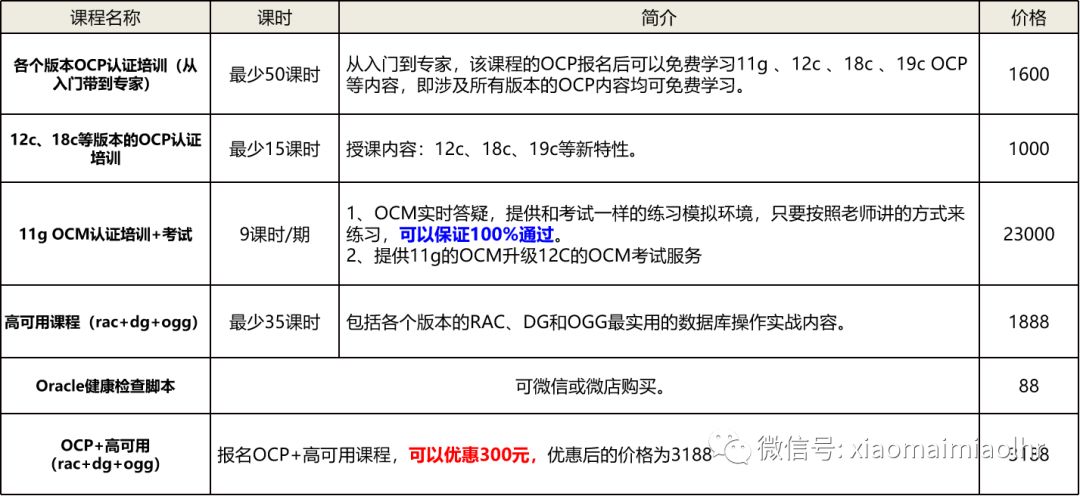
详细内容可以添加麦老师微信或QQ私聊。
● 本文作者:小麦苗,只专注于数据库的技术,更注重技术的运用
● 作者博客地址:http://blog.itpub.net/26736162/abstract/1/
● 本系列题目来源于作者的学习笔记,部分整理自网络,若有侵权或不当之处还请谅解
● 版权所有,欢迎分享本文,转载请保留出处
● QQ:646634621 QQ群:618766405
● 提供OCP、OCM和高可用部分最实用的技能培训
● 题目解答若有不当之处,还望各位朋友批评指正,共同进步
长按下图识别二维码或微信扫描下图二维码来关注小麦苗的微信公众号:xiaomaimiaolhr,学习最实用的数据库技术。