



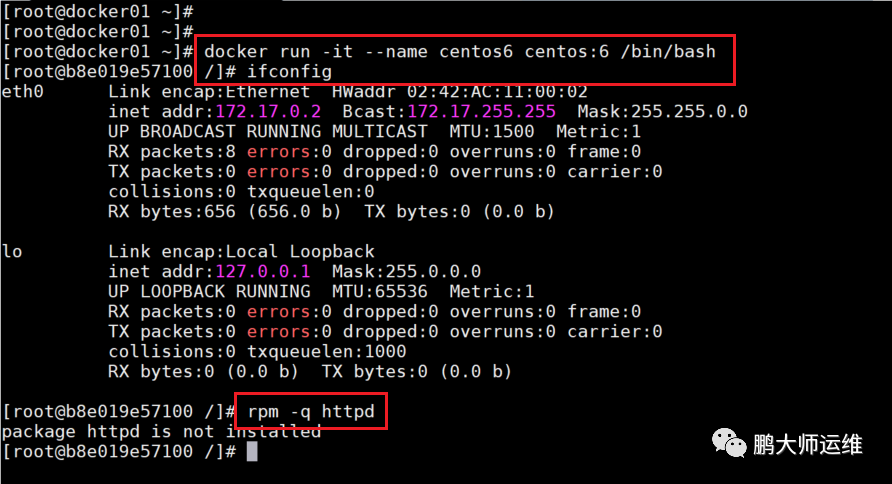
构建lamp环境
1.运行centos6系统,并查看是否有httpd安装包
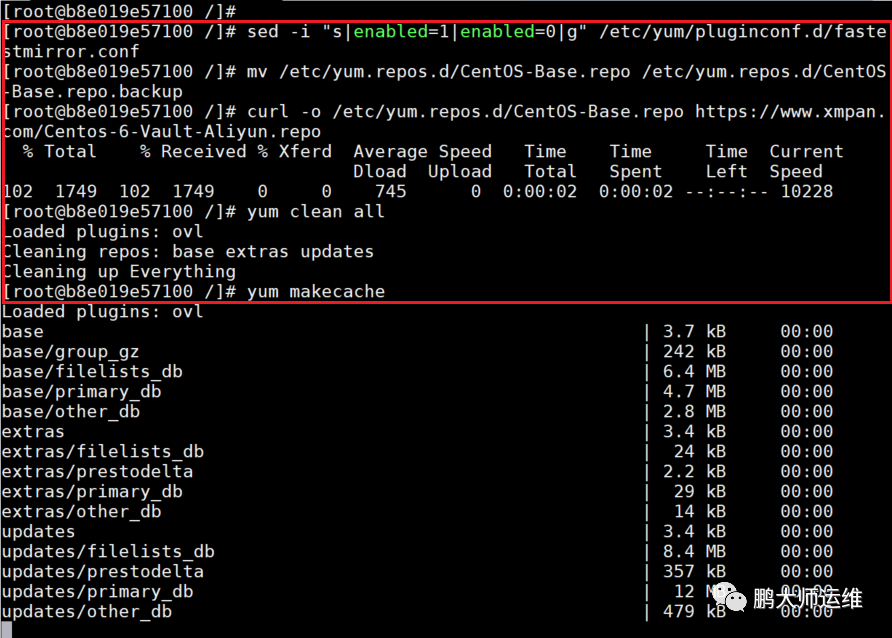
2.配置centos6yum源,并修复centos6中yum源的方法
sed -i "s|enabled=1|enabled=0|g" etc/yum/pluginconf.d/fastestmirror.conf
mv etc/yum.repos.d/CentOS-Base.repo etc/yum.repos.d/CentOS-Base.repo.backup
curl -o /etc/yum.repos.d/CentOS-Base.repo https://www.xmpan.com/Centos-6-Vault-Aliyun.repo
yum clean all
yum makecache
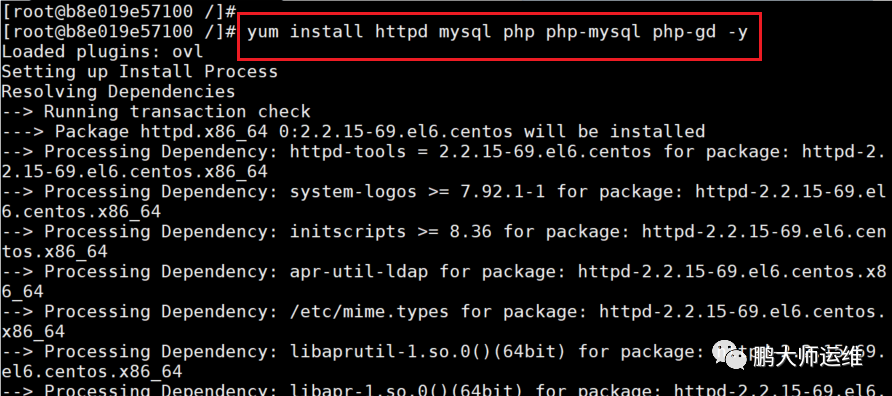
3.安装mysql、httpd、php
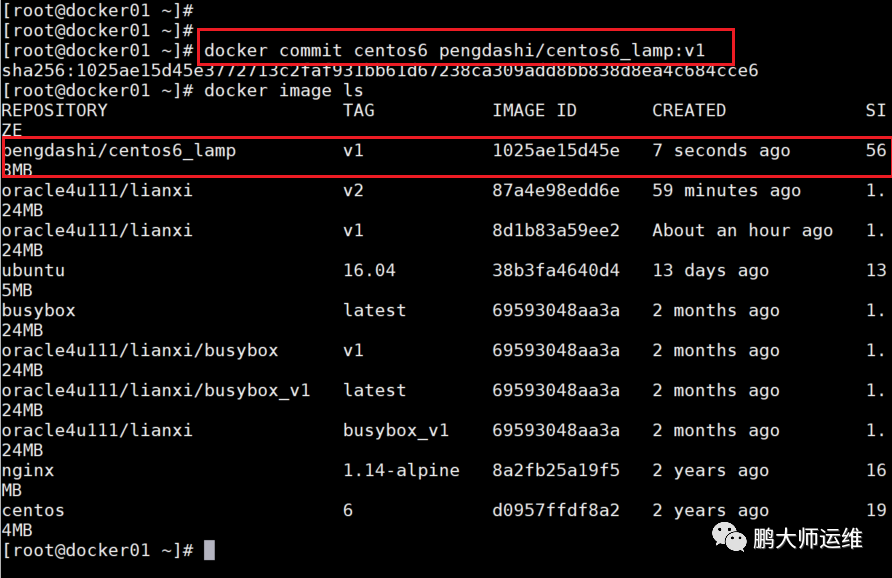
4.在新窗口提交正在运行中的centos6镜像
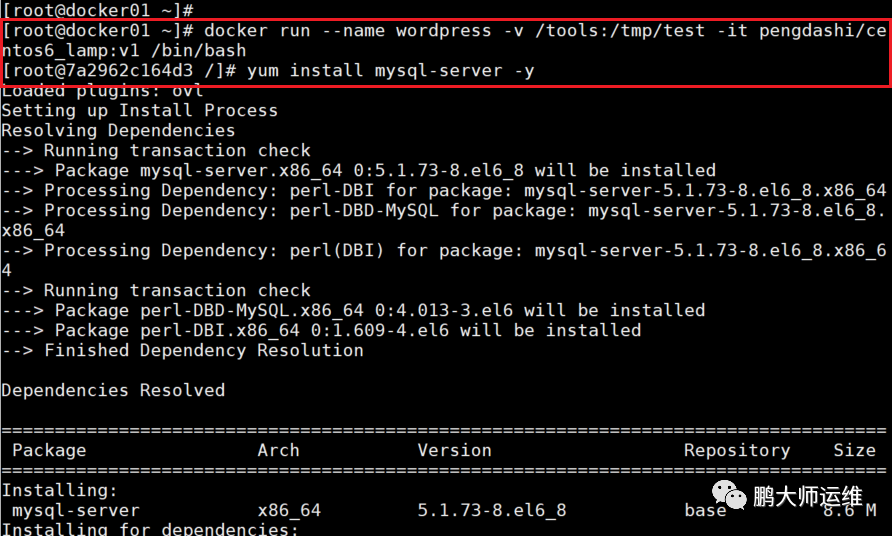
5.运行刚提交的镜像,并命名容器为wordpress,在容器里安装mysql-server
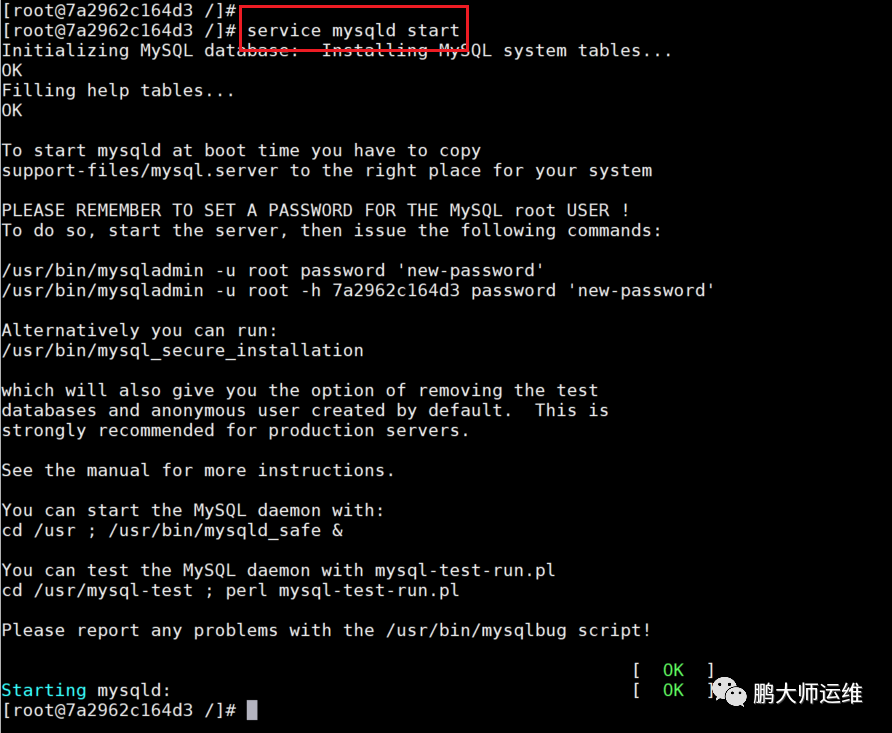
6.启动mysql服务
7.启动httpd服务并设置开机自启动
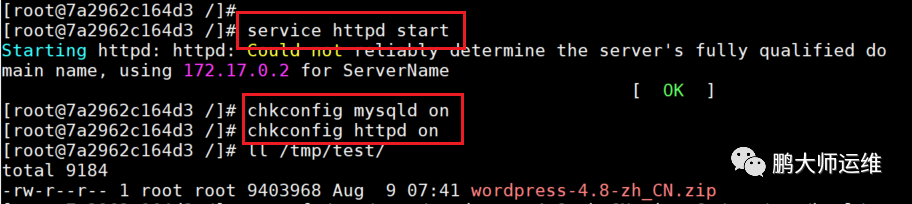
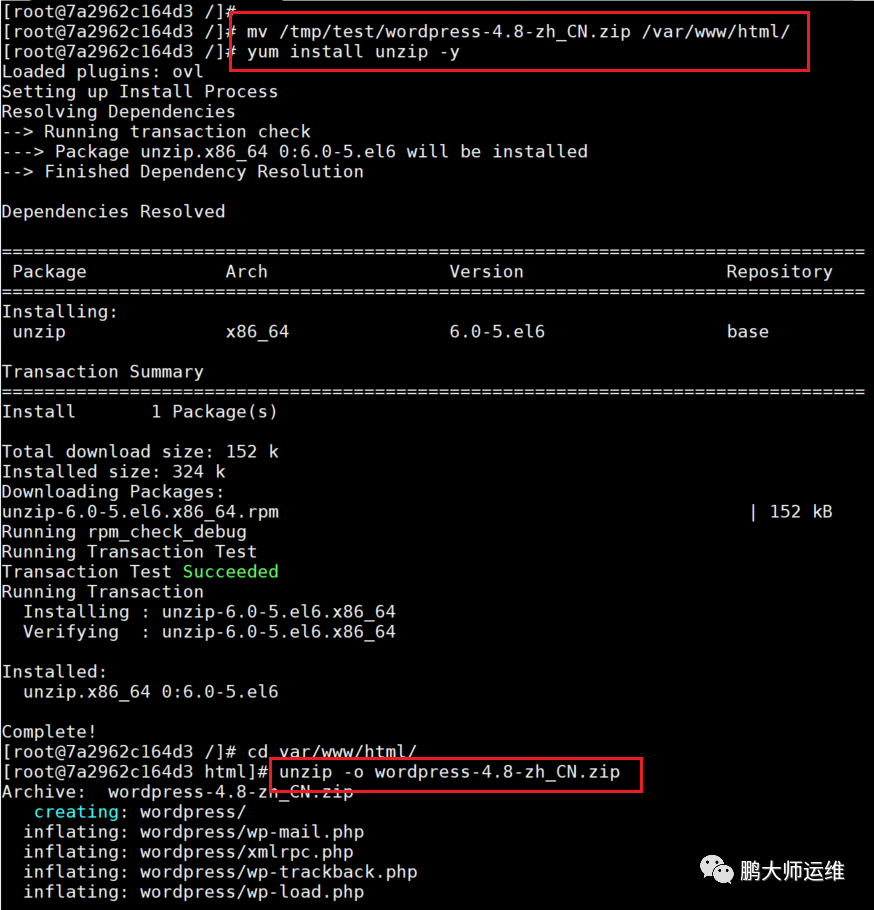
8.移动wordpress安装包到html下,并解压
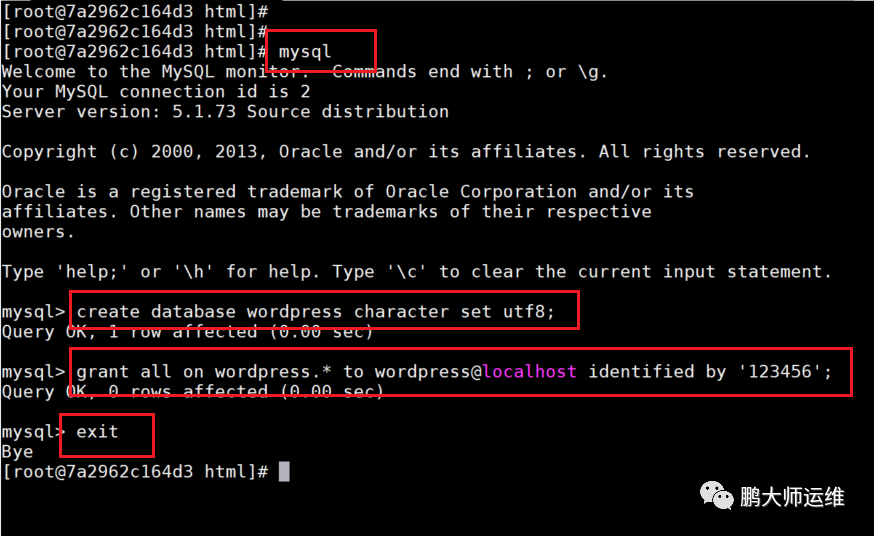
9.运行mysql并创建数据库与用户,并授权
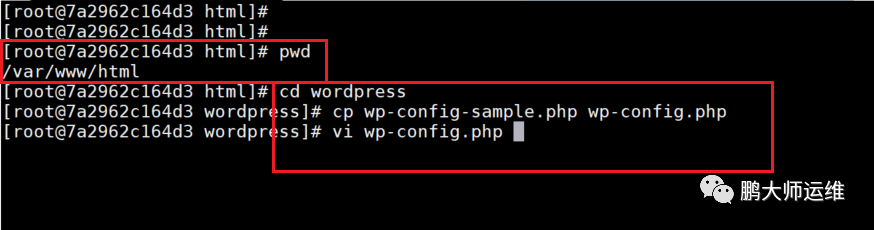
10.编辑php文件
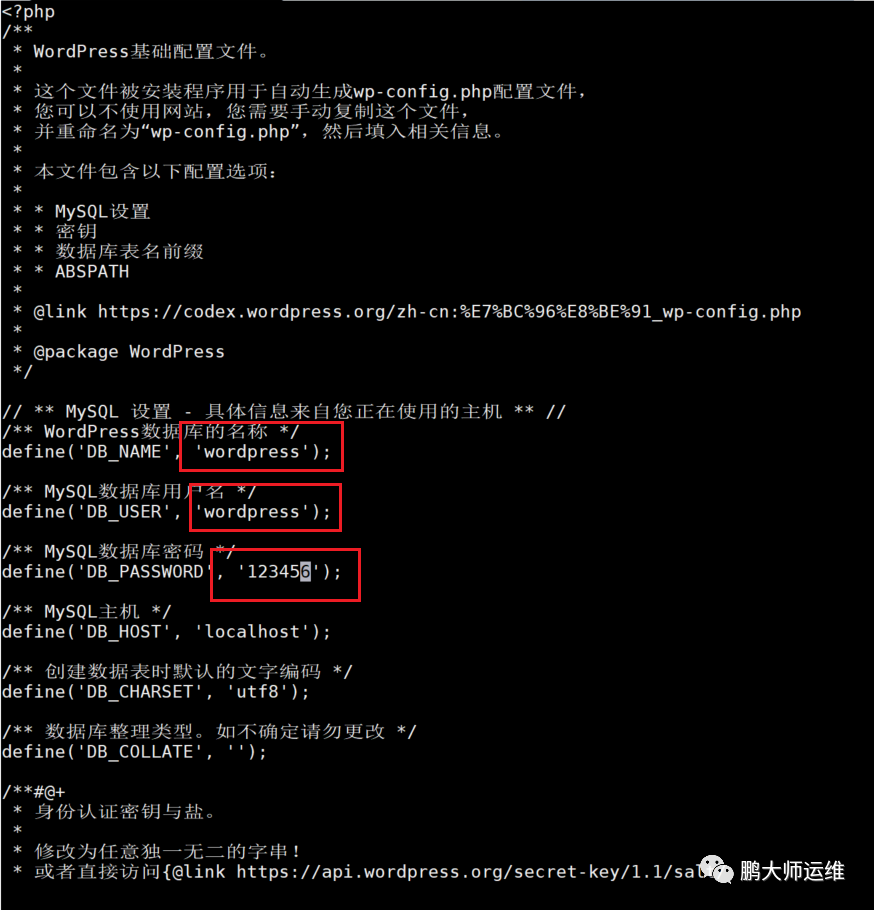
11.设置数据库名称及密码等
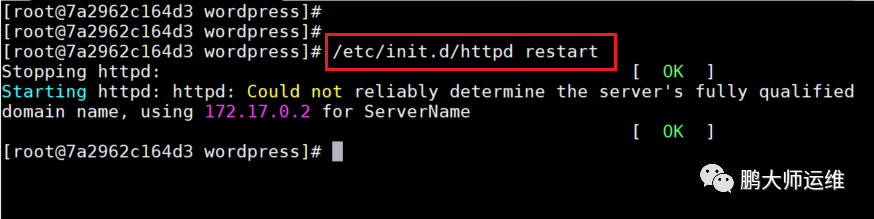
12.重启httpd服务
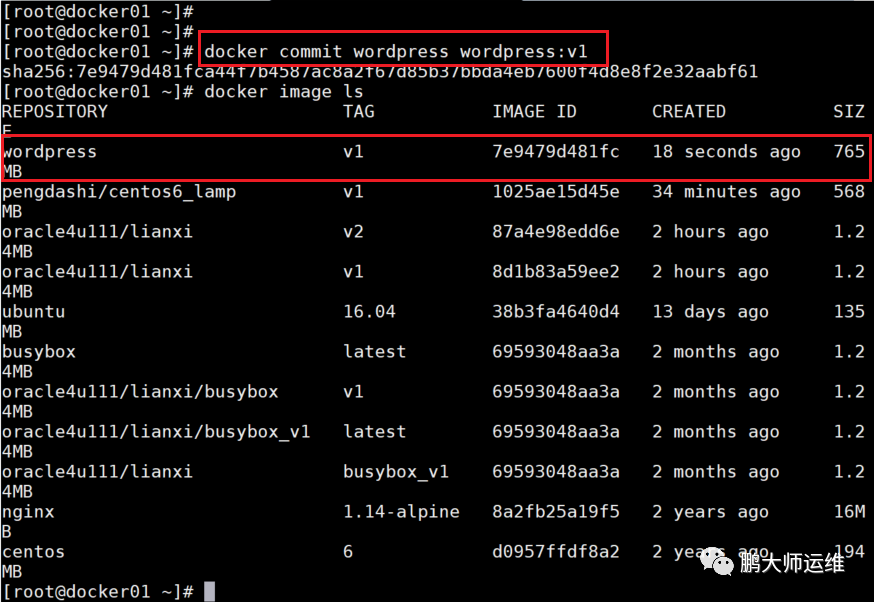
13.在新的窗口提交正在运行的容器
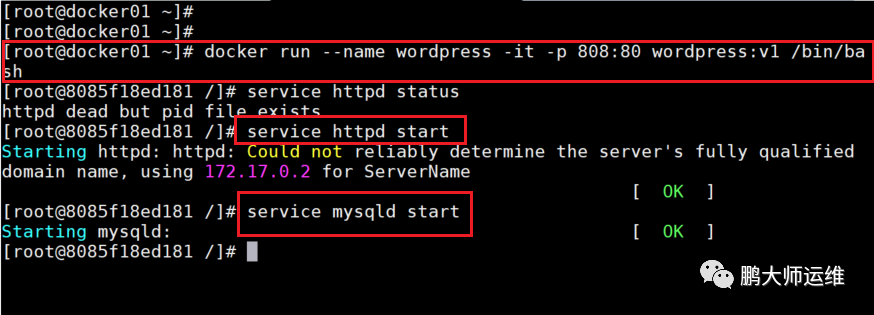
14.运行容器,开放808端口
15.在网页登录查看
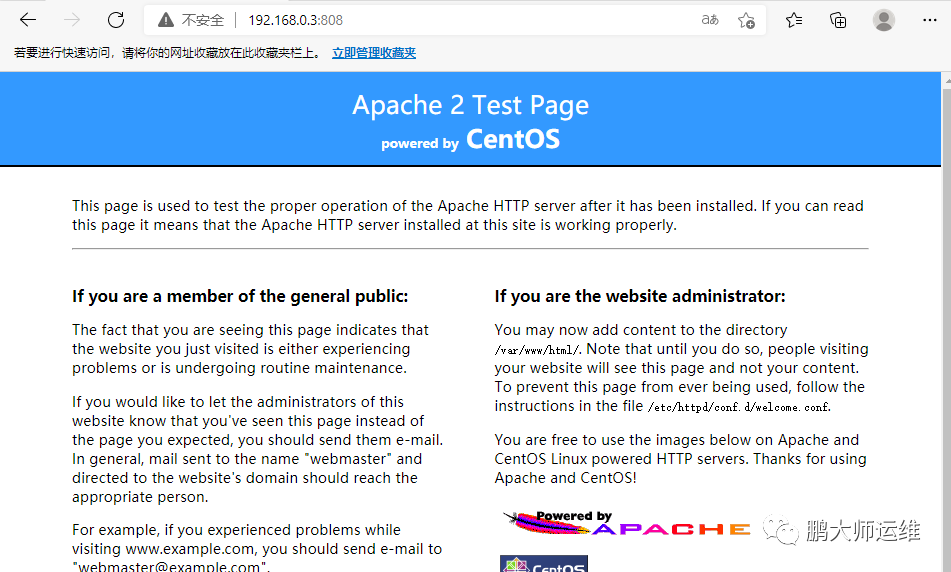
16.进入到PHP页面进行配置
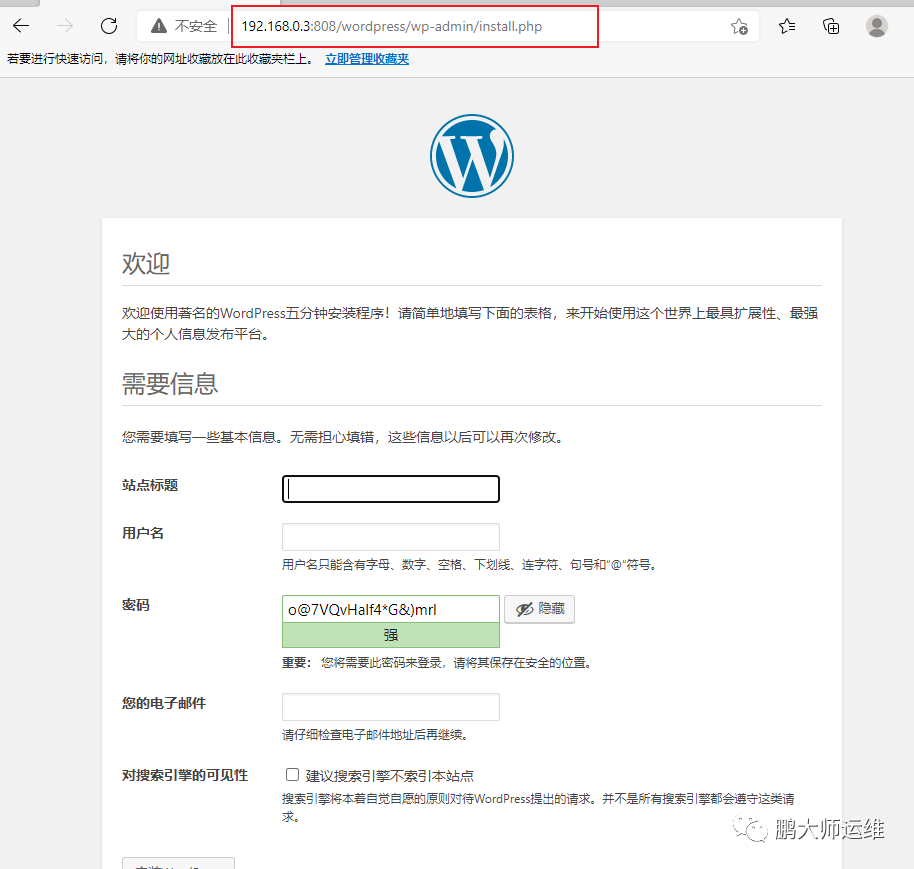
17.安装wordpress
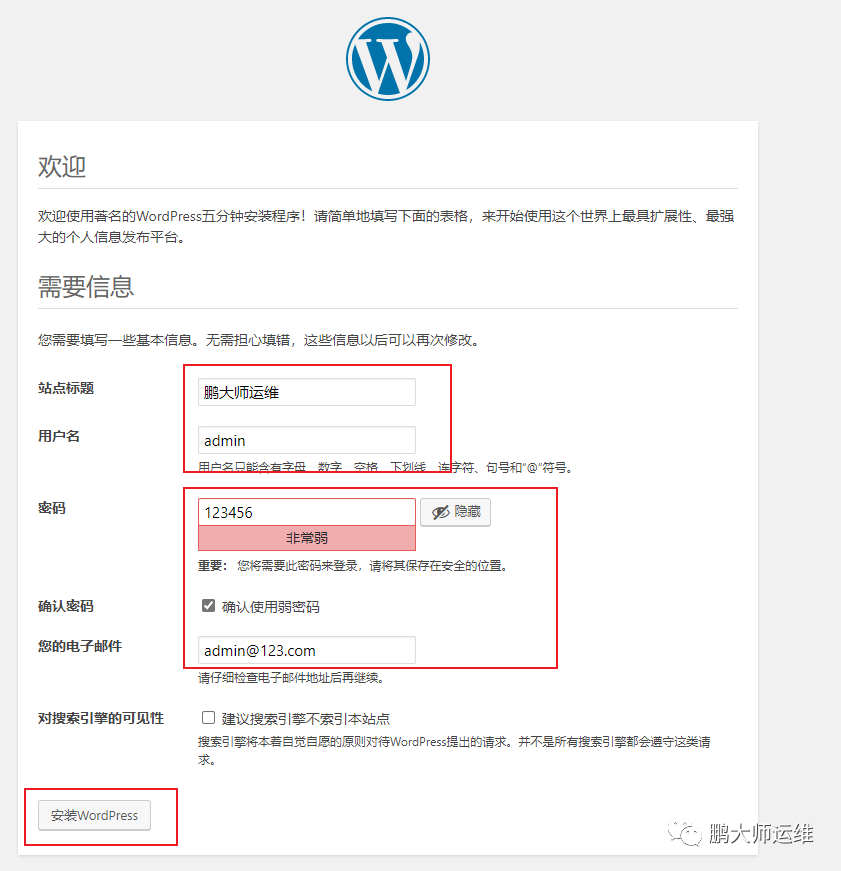
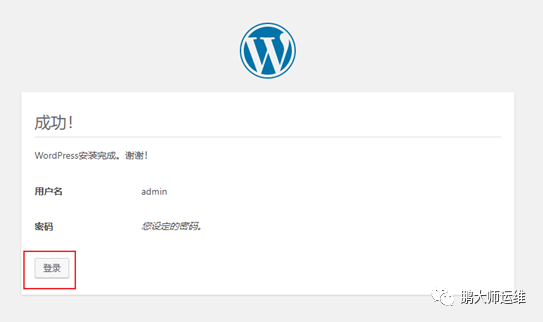
18.登录
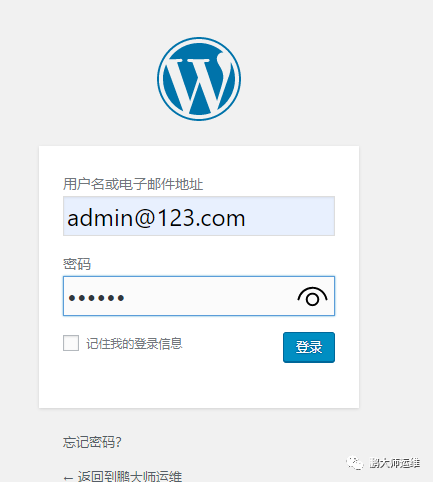
19.输入用户名密码
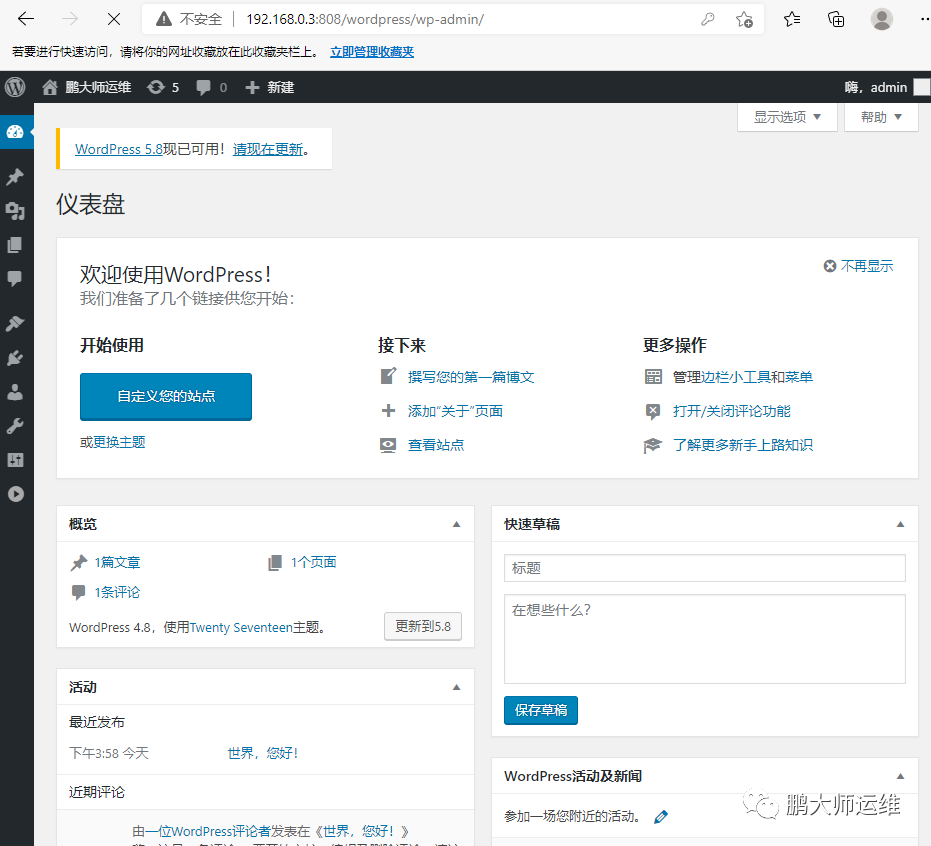
20.测试页面如下
注:回复以下文字,获取centos镜像资源
回复“centos7”,获得centos7镜像
回复“win7”,获得Windows7镜像
回复“win2016”,获得Windows server 2016镜像
回复“vsphere”,获取vsphere6.7环境资源
回复“DM”,获取DM数据库镜像
回复“tomcat”,获取Tomcat安装包
回复“nginx”,获取nginx安装包
回复“mysql”,获取MySQL安装包
回复"freenas",获取freenas安装包
回复"docker",获取docker文件
回复"猕猴桃",订购眉县猕猴桃
