



群里有网友提问Linux中,Oracle数据库某用户的密码中包含特殊字符,无法使用sqlplus连接数据库。多次尝试,报错如下:
ERROR:
ORA-01017: invalid username/password; logon denied

Enter user-name:
ERROR:
ORA-12154: TNS:could not resolve the connect identifier specified
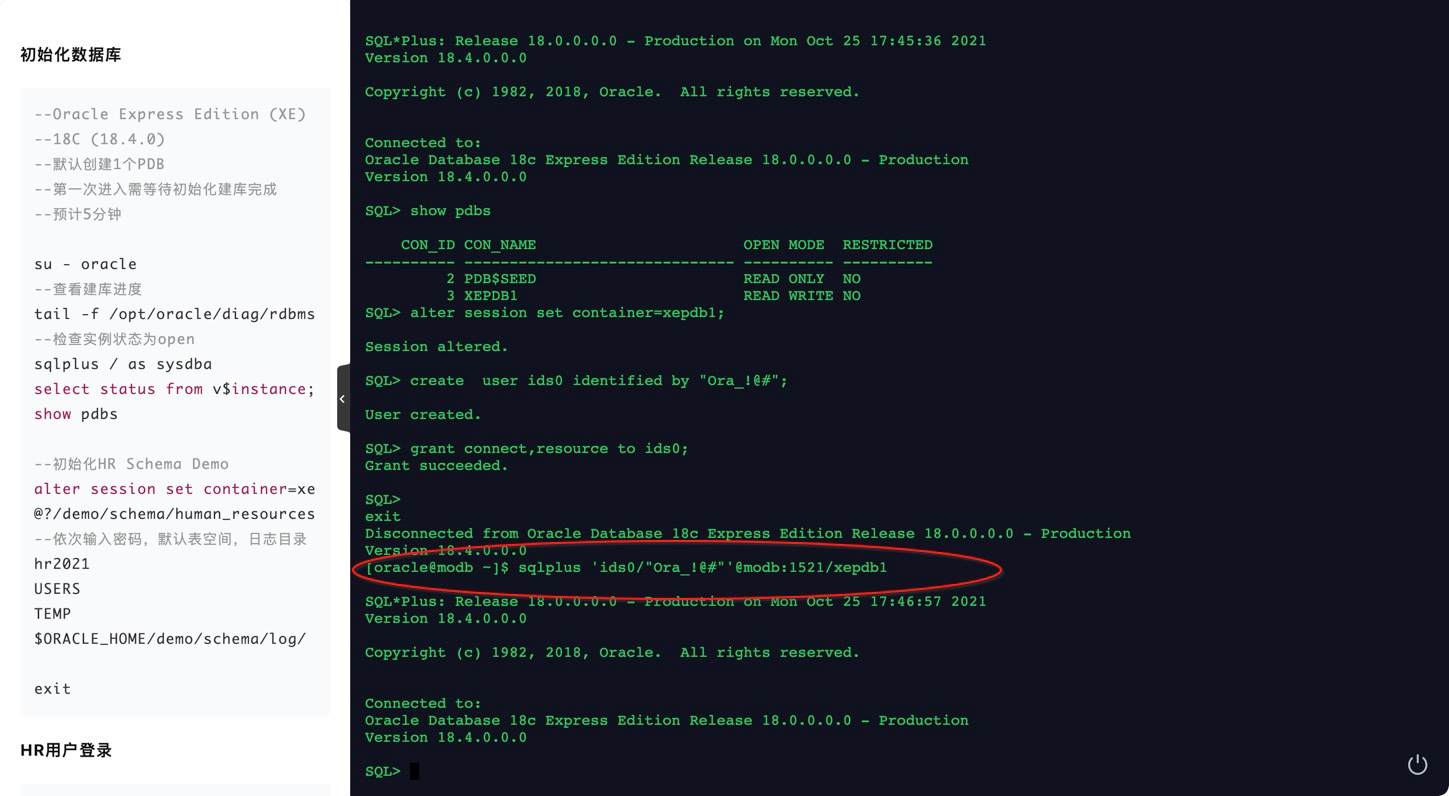
第一时间通过浏览器连接墨天轮Oracle在线实训平台进行了测试验证:
[oracle@modb ~]$ sqlplus / as sysdba

SQL*Plus: Release 18.0.0.0.0 - Production on Mon Oct 25 17:45:36 2021
Version 18.4.0.0.0

Copyright (c) 1982, 2018, Oracle.  All rights reserved.


Connected to:
Oracle Database 18c Express Edition Release 18.0.0.0.0 - Production
Version 18.4.0.0.0

SQL> show pdbs

    CON_ID CON_NAME                       OPEN MODE  RESTRICTED
---------- ------------------------------ ---------- ----------
         2 PDB$SEED                       READ ONLY  NO
         3 XEPDB1                         READ WRITE NO
SQL> alter session set container=xepdb1;

Session altered.

SQL> create  user ids0 identified by "Ora_!@#";

User created.

SQL> grant connect,resource to ids0;
Grant succeeded.

SQL>
exit
Disconnected from Oracle Database 18c Express Edition Release 18.0.0.0.0 - Production
Version 18.4.0.0.0
[oracle@modb ~]$ sqlplus 'ids0/"Ora_!@#"'@modb:1521/xepdb1

SQL*Plus: Release 18.0.0.0.0 - Production on Mon Oct 25 17:46:57 2021
Version 18.4.0.0.0

Copyright (c) 1982, 2018, Oracle.  All rights reserved.


Connected to:
Oracle Database 18c Express Edition Release 18.0.0.0.0 - Production
Version 18.4.0.0.0

SQL>
也就是通过单引号将用户密码包起来,用双引号把密码包起来,就可以正常连接数据库啦。
现在1分钱即可领取90天的Oracle在线实验环境,手边多个环境,随时测试验证,欢迎体验:
https://www.modb.pro/marketlist?type=1
「喜欢这篇文章,您的关注和赞赏是给作者最好的鼓励」
关注作者
【版权声明】本文为墨天轮用户原创内容,转载时必须标注文章的来源(墨天轮),文章链接,文章作者等基本信息,否则作者和墨天轮有权追究责任。如果您发现墨天轮中有涉嫌抄袭或者侵权的内容,欢迎发送邮件至:contact@modb.pro进行举报,并提供相关证据,一经查实,墨天轮将立刻删除相关内容。
