



本文通过实例来演示怎么通过 Flink CDC 结合 Doris 的 Flink Connector 实现从 MySQL 数据库中监听数据并实时入库到 Doris 数仓对应的表中。
1.什么是CDC
1.1 CDC的应用场景
数据同步:用于备份,容灾; 数据分发:一个数据源分发给多个下游系统; 数据采集:面向数据仓库 数据湖的 ETL 数据集成,是非常重要的数据源。
基于查询的 CDC: 离线调度查询作业,批处理。把一张表同步到其他系统,每次通过查询去获取表中最新的数据; 无法保障数据一致性,查的过程中有可能数据已经发生了多次变更; 不保障实时性,基于离线调度存在天然的延迟。 基于日志的 CDC: 实时消费日志,流处理,例如 MySQL 的 binlog 日志完整记录了数据库中的变更,可以把 binlog 文件当作流的数据源; 保障数据一致性,因为 binlog 文件包含了所有历史变更明细; 保障实时性,因为类似 binlog 的日志文件是可以流式消费的,提供的是实时数据。
2.Flink CDC
mysq binlog日志处理流程,例如 Canal 监听 binlog 把日志写入到 Kafka 中。而 Apache Flink 实时消费 Kakfa 的数据实现 MySQL 数据的同步或其他内容等。拆分来说整体上可以分为以下几个阶段。
MySQL 开启 binlog Canal 同步 binlog 数据写入到 Kafka Flink 读取 Kakfa 中的 binlog 数据进行相关的业务处理。
2.1 Flink Connector Mysql CDC 2.0 特性
并发读取,全量数据的读取性能可以水平扩展; 全程无锁,不对线上业务产生锁的风险; 断点续传,支持全量阶段的 checkpoint。
MySQL CDC 2.0 用时 13 分钟; MySQL CDC 1.4 用时 89 分钟; 读取性能提升 6.8 倍。
3.什么是Doris Flink Connector
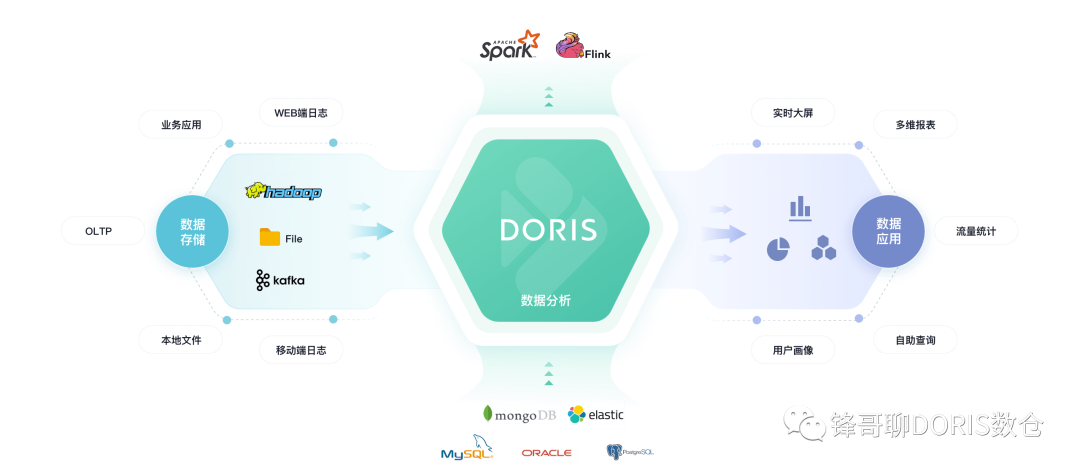
sink.batch.size:每多少条写入一次,默认100条 sink.batch.interval :每个多少秒写入一下,默认1秒
enable_http_server_v2=true,同时因为是通过 fe http rest api 获取 be 列表,这俩需要配置的用户有 admin 权限。
4. 用法示例
注意: 这里因为Doris 的Flink Connector 是基于Scala 2.12.x版本进行开发的,所有你在使用Flink 的时候请选择对应scala 2.12的版本, 如果你使用上面地址下载了相应的jar,请忽略下面的编译内容部分
apache/incubator-doris:build-env-1.2下进行编译,因为 1.3 下面的JDK 版本是 11,会存在编译问题。
sh build.sh
output/目录下生成文件
doris-flink-1.0.0-SNAPSHOT.jar。将此文件复制到
Flink的
ClassPath中即可使用
Flink-Doris-Connector。例如,
Local模式运行的
Flink,将此文件放入
jars/文件夹下。
Yarn集群模式运行的
Flink,则将此文件放入预部署包中。
<properties><scala.version>2.12</scala.version><flink.version>1.11.2</flink.version><libthrift.version>0.9.3</libthrift.version><arrow.version>0.15.1</arrow.version><project.build.sourceEncoding>UTF-8</project.build.sourceEncoding><doris.home>${basedir}/../../</doris.home><doris.thirdparty>${basedir}/../../thirdparty</doris.thirdparty></properties>
flink.version改成和你 Flink 集群版本一致,重新编辑即可
4.2 配置Flink
Mysql 8.x Apache Flink :1.13.3 Apache Doris :0.14.13.1
4.2.1 安装Flink

# wget https://dlcdn.apache.org/flink/flink-1.13.3/flink-1.13.3-bin-scala_2.12.tgz # tar zxvf flink-1.13.3-bin-scala_2.12.tgz # cd flink-1.13.3 # wget https://repo1.maven.org/maven2/com/ververica/flink-connector-mysql-cdc/2.0.2/flink-connector-mysql-cdc-2.0.2.jar -P ./lib/ # wget https://github.com/hf200012/hf200012.github.io/raw/main/lib/doris-flink-1.0-SNAPSHOT.jar -P ./lib/
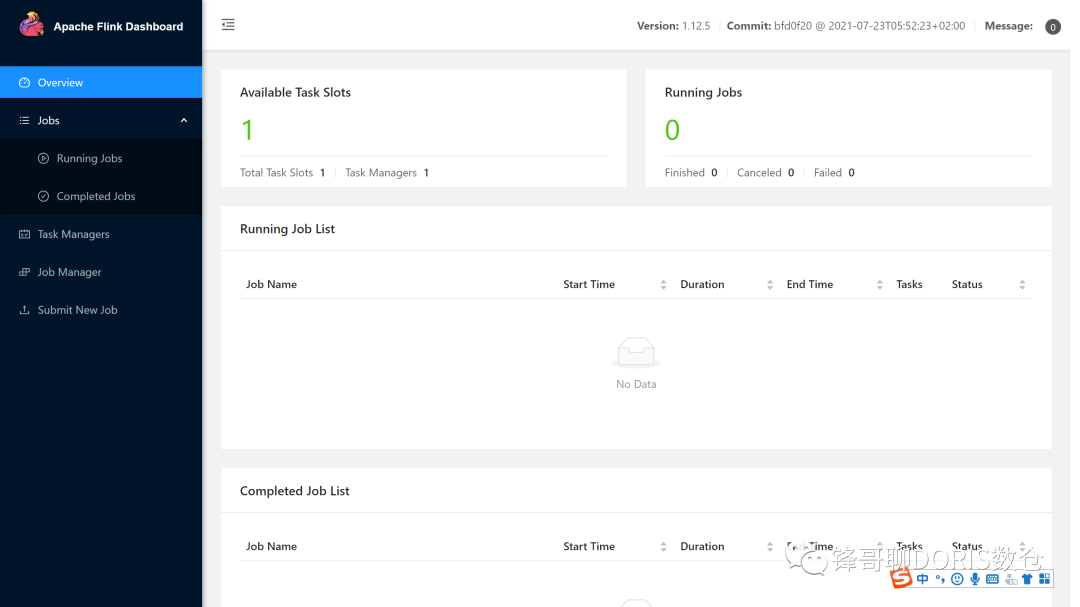
4.2.2 启动Flink
# bin/start-cluster.shStarting cluster.Starting standalonesession daemon on host doris01.Starting taskexecutor daemon on host doris01.
4.3 安装Apache Doris
4. 4 安装配置 MySQL
log_bin=mysql_binbinlog-format=Rowserver-id=1
systemctl restart mysqld
CREATE TABLE `test_cdc` (`id` int NOT NULL AUTO_INCREMENT,`name` varchar(255) DEFAULT NULL,PRIMARY KEY (`id`)) ENGINE=InnoDB
4.5 创建doris表
CREATE TABLE `doris_test` (`id` int NULL COMMENT "",`name` varchar(100) NULL COMMENT "") ENGINE=OLAPUNIQUE KEY(`id`)COMMENT "OLAP"DISTRIBUTED BY HASH(`id`) BUCKETS 1PROPERTIES ("replication_num" = "3","in_memory" = "false","storage_format" = "V2");
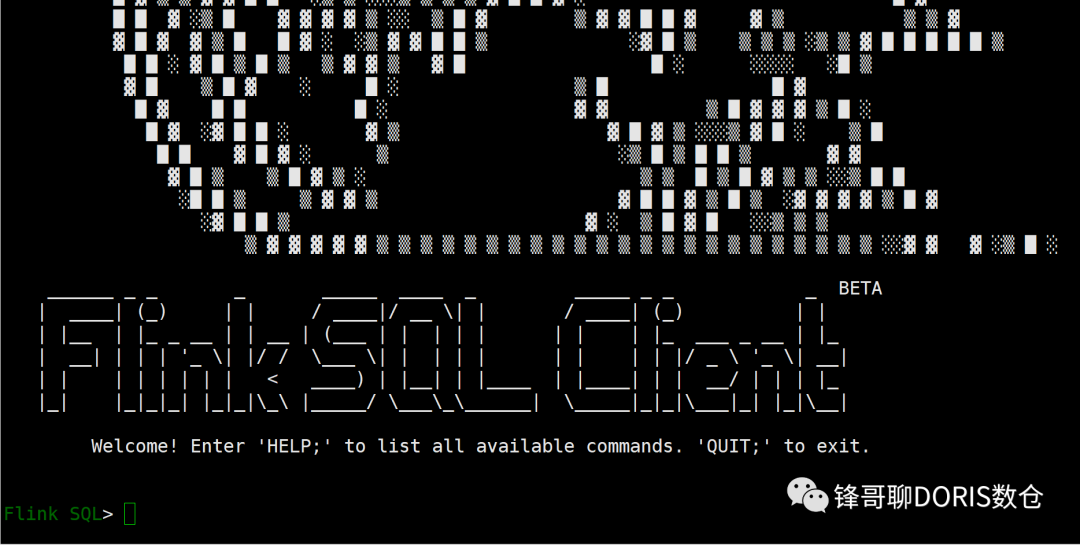
4.6 启动 Flink Sql Client
./bin/sql-client.sh embedded> set execution.result-mode=tableau;
4.6.1 创建 Flink CDC Mysql 映射表
CREATE TABLE test_flink_cdc (id INT,name STRING,primary key(id) NOT ENFORCED) WITH ('connector' = 'mysql-cdc','hostname' = 'localhost','port' = '3306','username' = 'root','password' = 'password','database-name' = 'demo','table-name' = 'test_cdc');
执行查询创建的Mysql映射表,显示正常
select * from test_flink_cdc;

4.6.2 创建Flink Doris Table 映射表
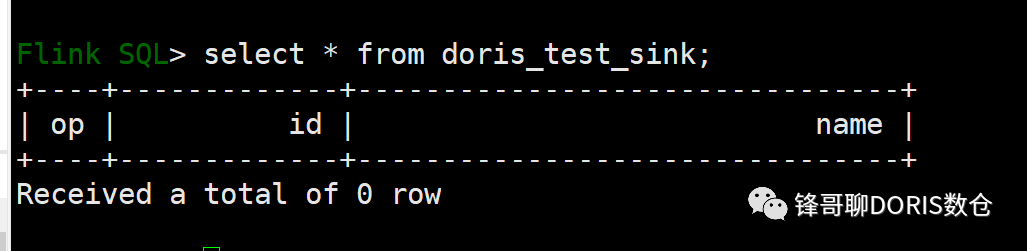
CREATE TABLE doris_test_sink (id INT,name STRING)WITH ('connector' = 'doris','fenodes' = 'localhost:8030','table.identifier' = 'db_audit.doris_test','sink.batch.size' = '2','sink.batch.interval'='1','username' = 'root','password' = '')
select * from doris_test_sink;
INSERT INTO doris_test_sink select id,name from test_flink_cdc

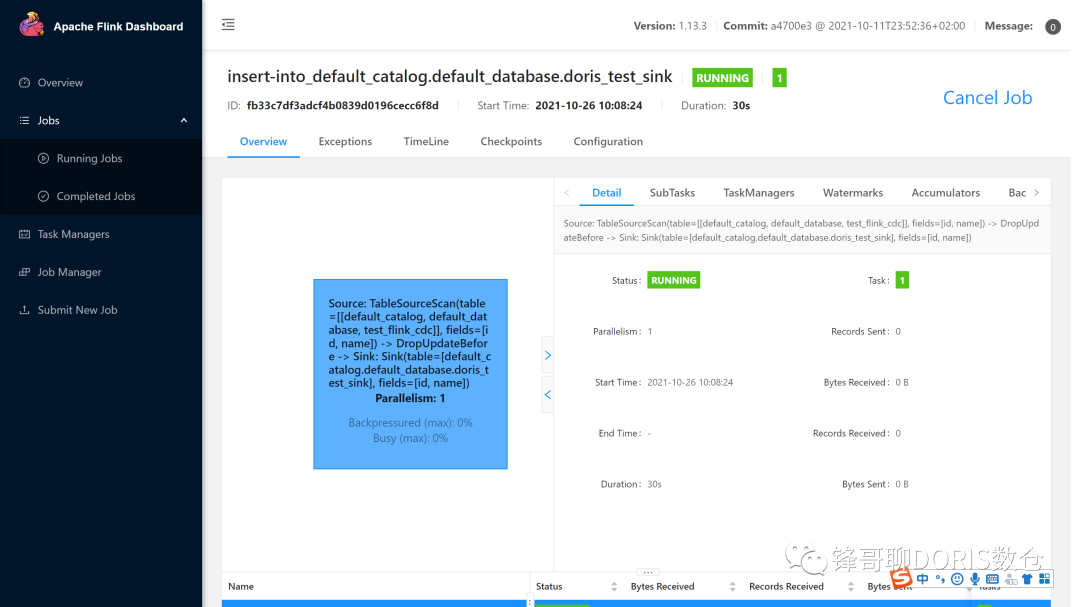
4.6.3 向Mysql表中插入数据
INSERT INTO test_cdc VALUES (123, 'this is a update');INSERT INTO test_cdc VALUES (1212, '测试flink CDC');INSERT INTO test_cdc VALUES (1234, '这是测试');INSERT INTO test_cdc VALUES (11233, 'zhangfeng_1');INSERT INTO test_cdc VALUES (21233, 'zhangfeng_2');INSERT INTO test_cdc VALUES (31233, 'zhangfeng_3');INSERT INTO test_cdc VALUES (41233, 'zhangfeng_4');INSERT INTO test_cdc VALUES (51233, 'zhangfeng_5');INSERT INTO test_cdc VALUES (61233, 'zhangfeng_6');INSERT INTO test_cdc VALUES (71233, 'zhangfeng_7');INSERT INTO test_cdc VALUES (81233, 'zhangfeng_8');INSERT INTO test_cdc VALUES (91233, 'zhangfeng_9');
4.6.4 观察Doris表的数据
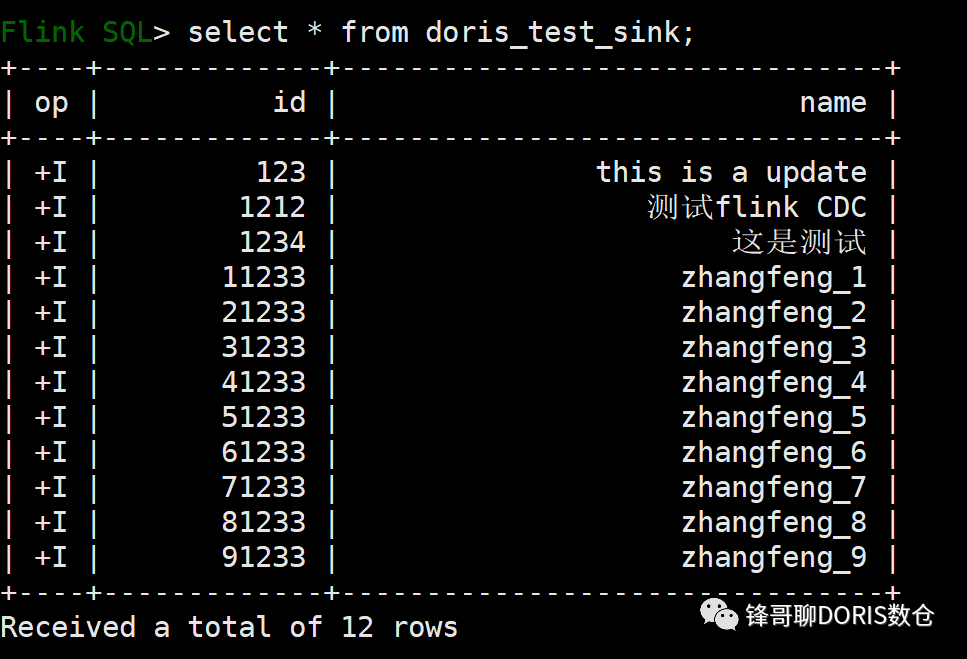
4.6.5 修改Mysql的数据

update test_cdc set name='这个是验证修改的操作' where id =123
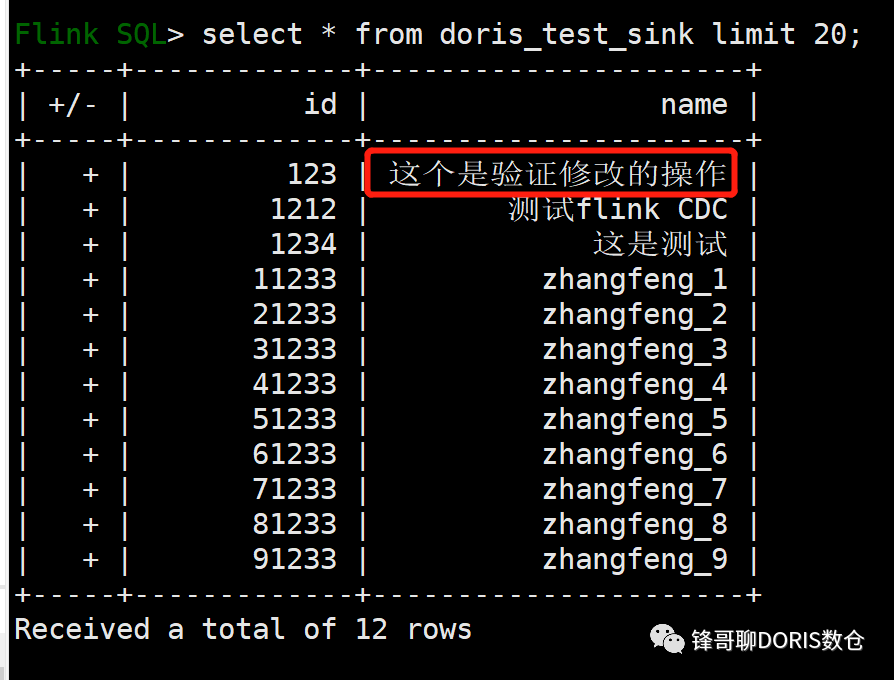
4.6.6 删除数据操作
从NoSQL到Lakehouse,Apache Doris的13年技术演进之路
应用实践| 新东方在线教育实时数仓的落地实践
欢迎扫码关注:

Apache Doris(incubating)官方公众号
Apache Doris官方网站:
http://doris.incubator.apache.org
Apache Doris Github:
https://github.com/apache/incubator-doris
Apache Doris 开发者邮件组:
dev@doris.apache.org

文章转载自ApacheDoris,如果涉嫌侵权,请发送邮件至:contact@modb.pro进行举报,并提供相关证据,一经查实,墨天轮将立刻删除相关内容。
