



第一步:
访问:http://github.global.ssl.fastly.net.ipaddress.com/#ipinfo 获取cdn和ip域名:
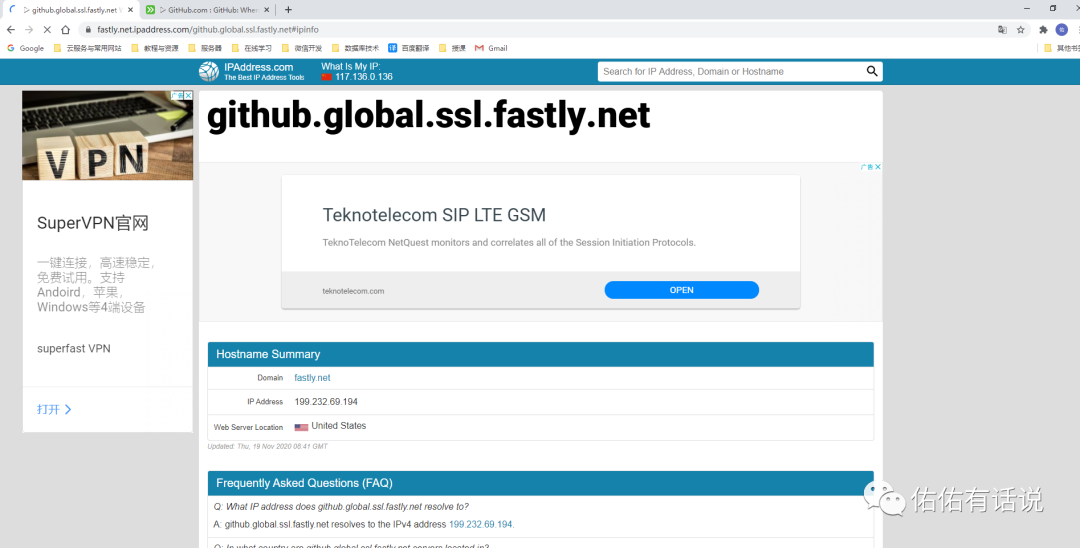
得到:199.232.69.194 https://github.global.ssl.fastly.net
第二步:
访问:https://github.com.ipaddress.com/#ipinfo 获取cdn和ip:
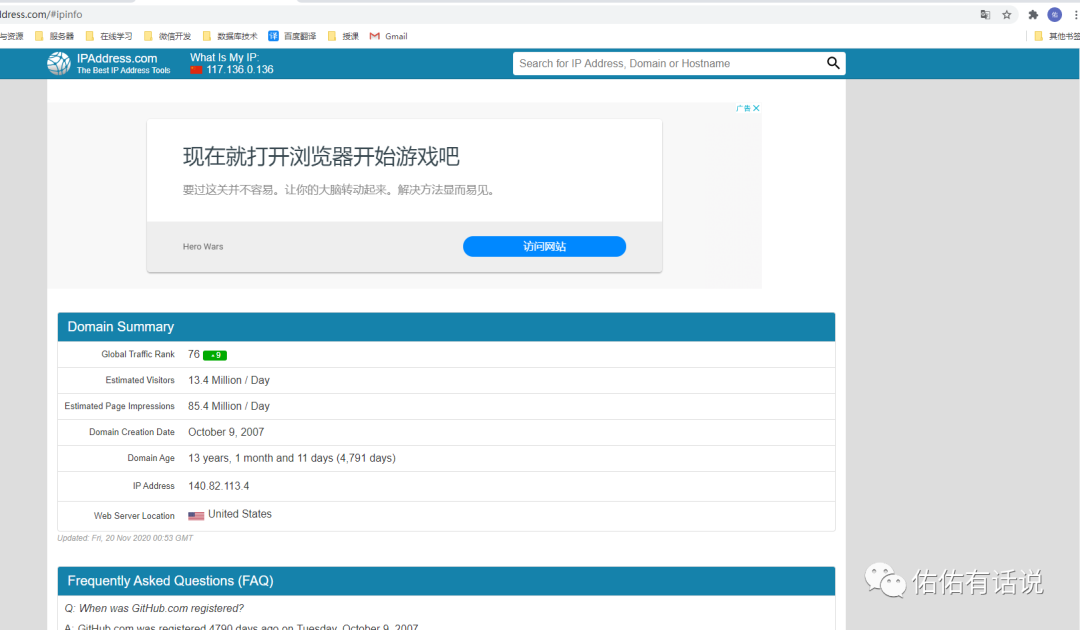
得到:140.82.113.4 http://github.com
第三步:
修改 host 文件映射上面查找到的 IP
windows系统:
1、修改C:\Windows\System32\drivers\etc\hosts文件的权限,指定可写入:右击->hosts->属性->安全->编辑->点击Users->在Users的权限“写入”后面打勾。如下:
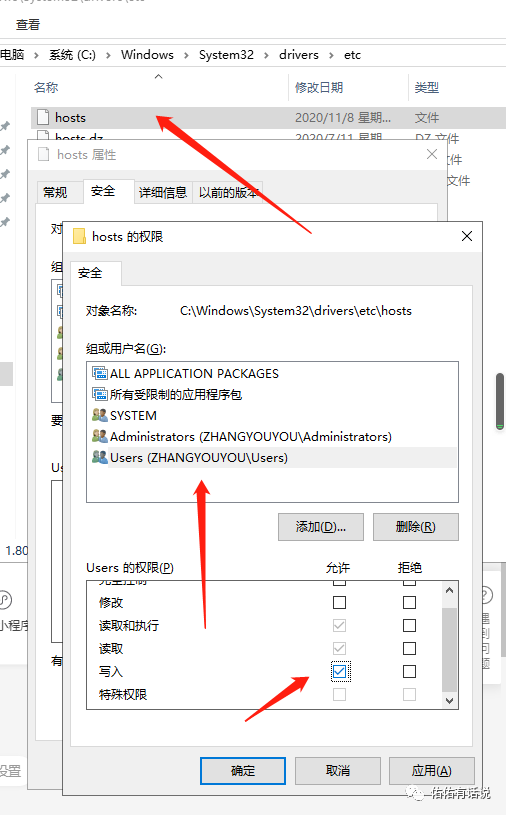
然后点击确定。
2、右键hosts->打开方式->选定记事本(我用的是notepad++)
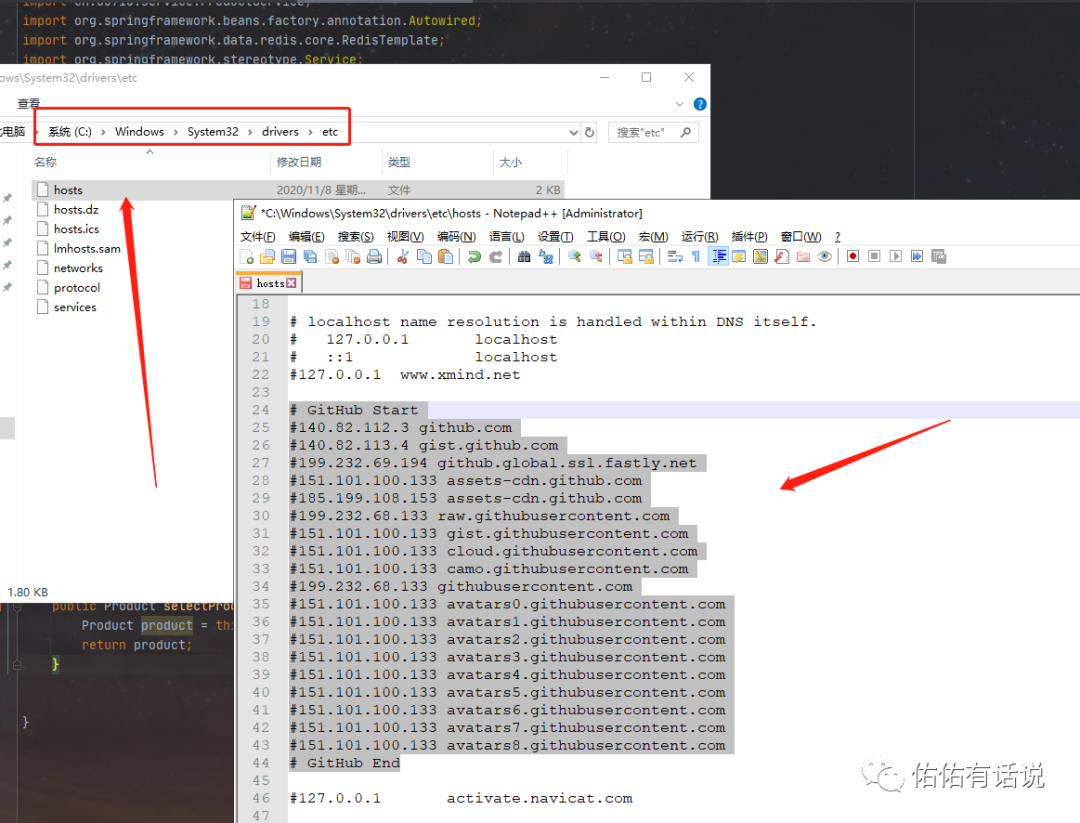
第四步:
在文件里添加下面信封里的内容:
# GitHub Start#140.82.112.3 github.com#140.82.113.4 gist.github.com#199.232.69.194 github.global.ssl.fastly.net#151.101.100.133 assets-cdn.github.com#185.199.108.153 assets-cdn.github.com#199.232.68.133 raw.githubusercontent.com#151.101.100.133 gist.githubusercontent.com#151.101.100.133 cloud.githubusercontent.com#151.101.100.133 camo.githubusercontent.com#199.232.68.133 githubusercontent.com#151.101.100.133 avatars0.githubusercontent.com#151.101.100.133 avatars1.githubusercontent.com#151.101.100.133 avatars2.githubusercontent.com#151.101.100.133 avatars3.githubusercontent.com#151.101.100.133 avatars4.githubusercontent.com#151.101.100.133 avatars5.githubusercontent.com#151.101.100.133 avatars6.githubusercontent.com#151.101.100.133 avatars7.githubusercontent.com#151.101.100.133 avatars8.githubusercontent.com# GitHub End
点击下方标题,直接看往期精选文章
扫描二维码
获取更多精彩
佑佑有话说

文章转载自佑佑有话说,如果涉嫌侵权,请发送邮件至:contact@modb.pro进行举报,并提供相关证据,一经查实,墨天轮将立刻删除相关内容。
