暂无图片
暂无图片
暂无图片
暂无图片
暂无图片

JoltT(一)shift

NIFI实战 2020-12-13
687

shift

shift is a kind of JOLT transform that specifies where "data" from the input JSON should be placed in the output JSON, aka how the input JSON/data should be shifted around to make the output JSON/data.At a base level, a single Shiftr "command" is a mapping from an input path to an output path,similar to the "mv" command in Unix, "mv var/data/mysql/data media/backup/mysql".

In Shiftr, the input path is a JSON tree structure, and the output path is flattened "dot notation" path notation.The idea is that you can start with a copy of your JSON input data and modify it into a Shiftr spec bysupplying a "dot notation" output path for each piece of data that you care about.

个人解读

shift是JOLT一种处理数据的类型,该类型的功能就如shift单词含义一样转移,通过配置映射关系,生成目标json数据并设值。

这个设计和linux的mv命令相似,例如如下命令:

mv /var/data/mysql/data /media/backup/mysql

把mysql某一个路径的数据,转移到某某路径下。

我们编写Jolt Specification注意一下,input json要是json结构体数据,output json是目标数据的扁平化坐标采用点记法。

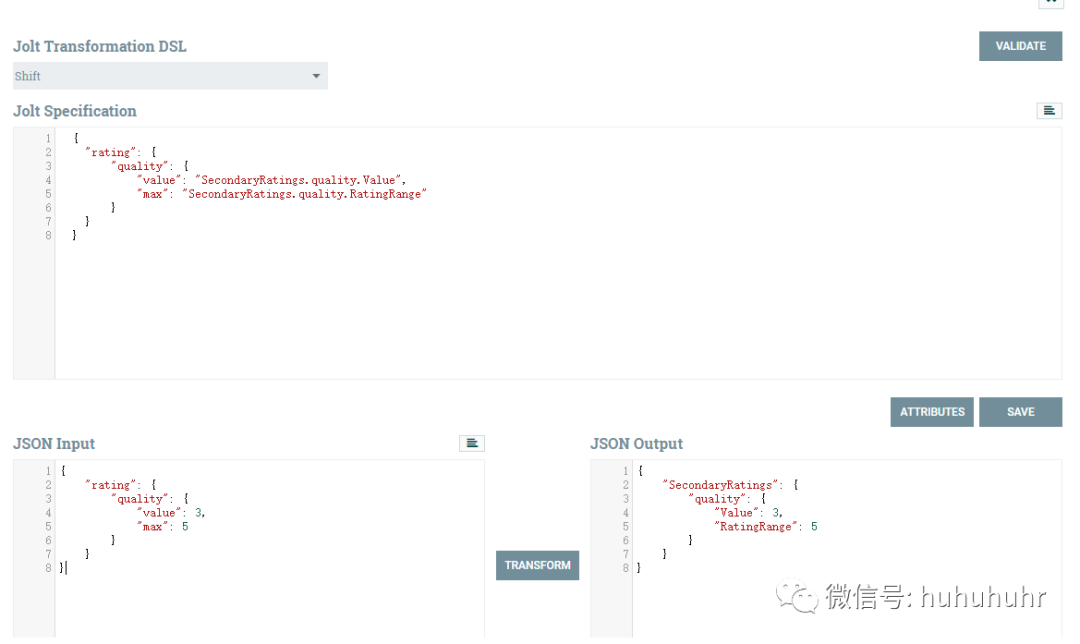
举例一:字段映射

input json

    {
    "rating":{
    "quality":{
    "value":3,
    "max":5
    }
    }
    }

    Jolt Specification

      {
      "rating":{
              "quality":{
                "value":"SecondaryRatings.quality.Value",
                   "max":"SecondaryRatings.quality.RatingRange"
      }
      }
      }

      把原来数据结构中3写到新数据结构,新结构点记坐标"SecondaryRatings.quality.Value"

      // copy 5 to "SecondaryRatings.quality.RatingRange"

      output json

        {
        "SecondaryRatings":{
        "quality":{
        "Value":3,
        "RatingRange":5
        }
        }
        }

        今天这个学习给我打开了nifi使用的一扇新的大门

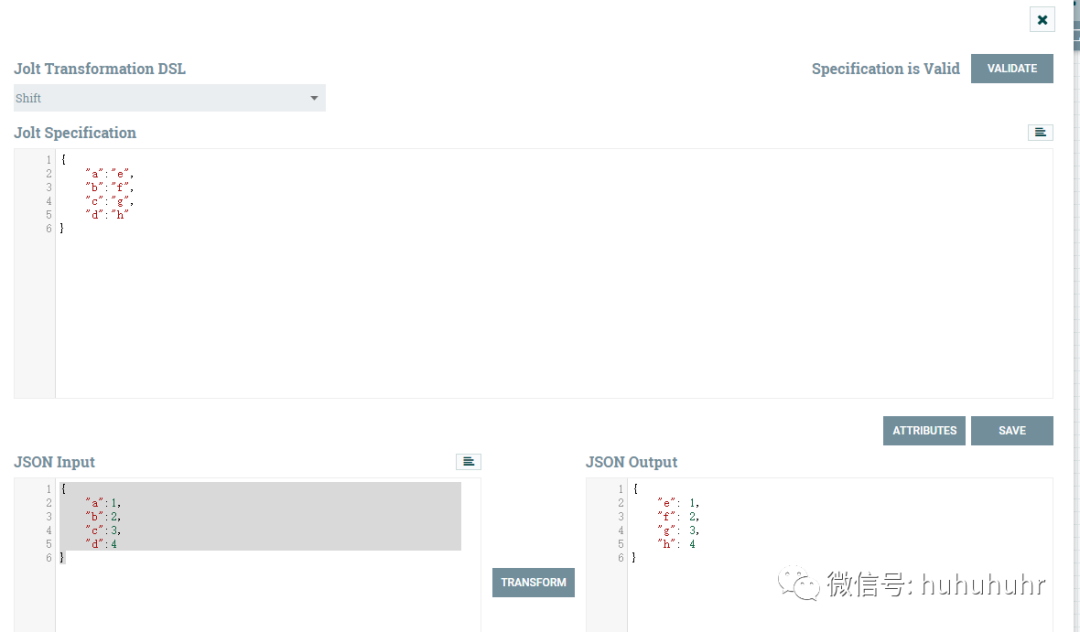
        假如原表字段a,b,c,d映射到目标表e,f,g,h原有项目我可能在sql那边去处理,但是如果下游一些数据的字段要换一换怎么办?

        写一个Jolt Specification这个映射轻松达到我的字段映射目的

          {
          "a":"e",
          "b":"f",
          "c":"g",
          "d":"h"
          }

          shift的厉害之处,难道只局限在字段映射或者定向修改数据,当然不是,shift最厉害在于其通配符。

          举例二:字段映射

          input json

            {
            "rating": {
            "primary": {
            "value": 3,
            "max": 5
                  },
            "quality": {
            "value": 3,
            "max": 5
                    },
            "sharpness": {
            "value": 7,
            "max": 10
            }
            }
            }

            Jolt Specification

               {
              "rating": {
              "primary": {
              "value": "Rating",
              "max": "RatingRange"
                   },
              "*": {
              "value": "SecondaryRatings.&1.Value",
              "max": "SecondaryRatings.&1.Range",
              "$": "SecondaryRatings.&1.Id"
                      }
                  }
              }

              output json

                {
                "Rating": 3,
                "RatingRange": 5,
                "SecondaryRatings": {
                "quality": {
                "Id": "quality",
                "Value": 3,
                "Range": 5
                },
                "sharpness": {
                "Id": "sharpness",
                "Value": 7,
                "Range": 10
                }
                }
                }

                分析Jolt Specification

                   {
                  "rating": {
                  "primary": {
                  原来json数据的rating.primay.value=Ratingoutput -> "Rating" : 3
                         "value""Rating",
                  "max": "RatingRange"//原来json数据的rating.primay.max=RatingRange
                  },
                  "*": {// match input data like "rating.[anything-other-than-primary]"
                  "value": "SecondaryRatings.&1.Value",// the data at "rating.*.value" goes to "SecondaryRatings.*.Value"
                  "max": "SecondaryRatings.&1.Range",// the data at "rating.*.max" goes to "SecondaryRatings.*.Range"
                  "$": "SecondaryRatings.&1.Id"// Special operator $ means, use the value of the input key itself as the data
                          }
                  }
                  }
                  通配符
                  含义
                  *

                  同层级key模糊匹配,除了已经明确能直接匹配到的结构key。

                  例如:上面的json数据结构中,与primary同层级有quality和sharpness,因为Jolt Specification已经出现了primary,则*可模糊匹配该层级除了primary的其他key

                  $

                  use the value of the input key itself as the data

                  使用输入key本身的值作为数据。

                  例如"$": "SecondaryRatings.&1.Id"

                  因为$上一层是*,代表qualitysharpness。

                  由于$代表输入key本身,所以Id只会是quality或者sharpness,新json数据结构由SecondaryRatings.&1.Id这个决定。

                  @和$类似,$作用原json的key,@作用原json的value
                  &/&1/&2

                  &和&1效果一致

                  &1代表当前json层级的上一层级key

                  &2代表当前json层级的上两层级key

                  &n当向上没有层级表示,默认是root

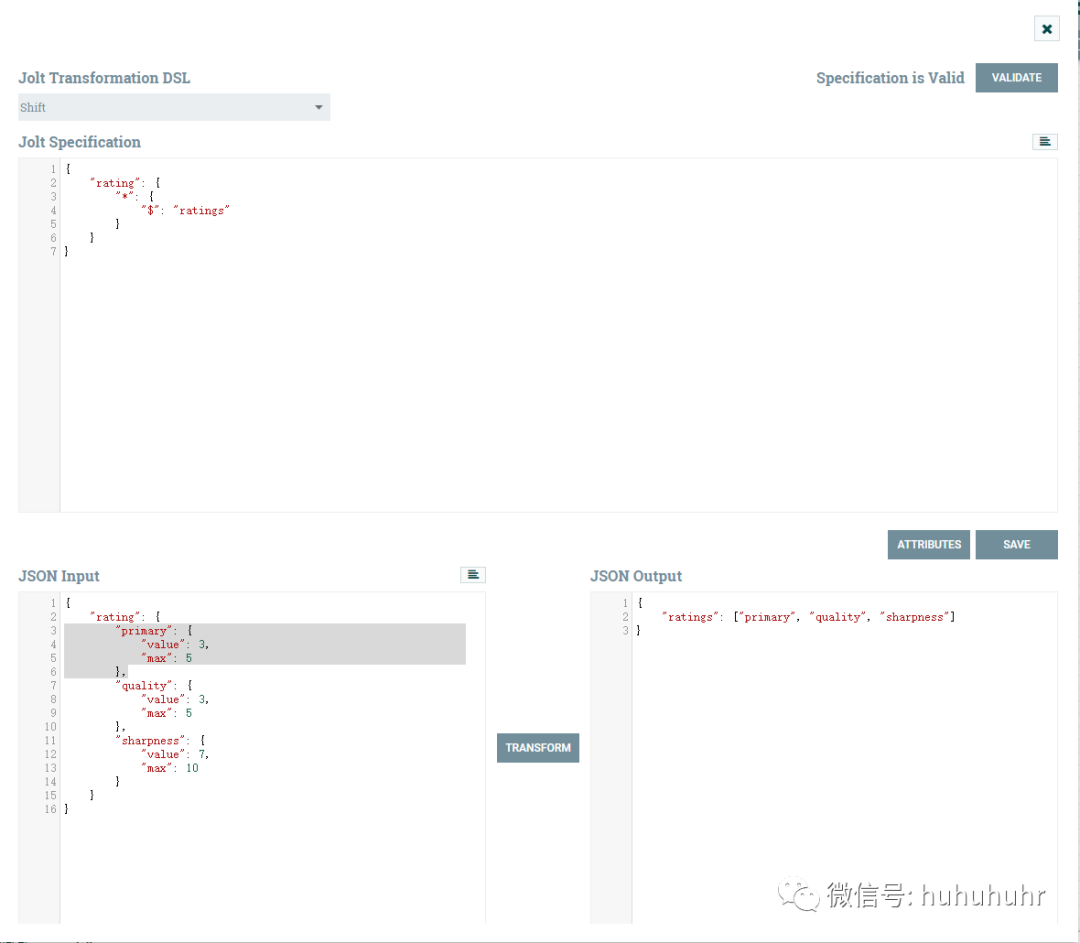
                  例三:a list of the input keys

                  input json

                    {
                    "rating":{
                    "primary":{
                    "value":3,
                    "max":5
                    },
                    "quality":{
                    "value":3,
                    "max":5
                    },
                    "sharpness":{
                    "value":7,
                    "max":10
                    }
                    }
                    }

                    Jolt Specification

                      {
                      "rating":{
                      "*":{
                      "$":"ratings"
                      }
                      }
                      }

                      output json

                        {
                        "ratings": ["primary", "quality", "sharpness"]
                        }

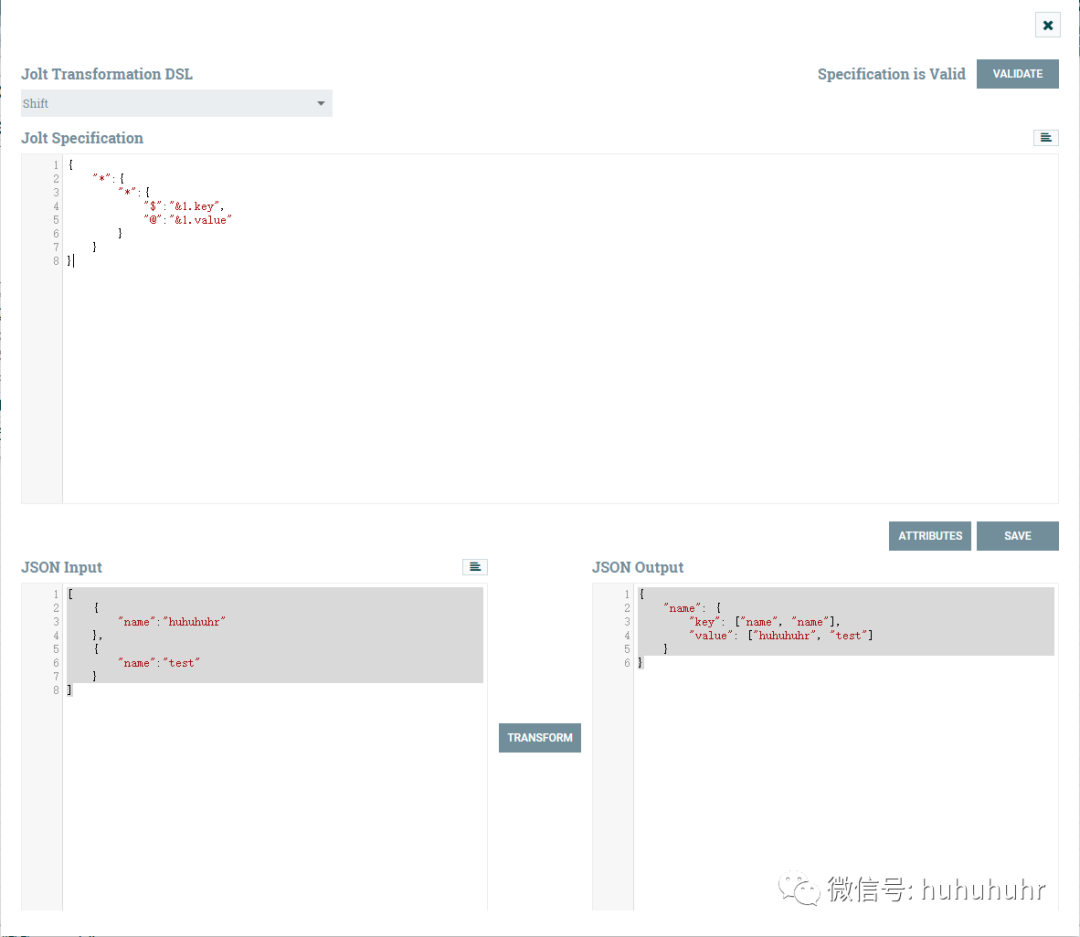
                        例四:put both the input value and the input key somewhere in the output JSON

                        input json

                          [
                          {
                          "name":"huhuhuhr"
                          },
                          {
                          "name":"test"
                          }
                          ]

                          Jolt Specification

                            {
                            "*":{
                            "*":{
                            "$":"&1.key",
                            "@":"&1.value"
                            }
                            }
                            }

                            output json

                              {
                              "name": {
                              "key": ["name", "name"],
                              "value": ["huhuhuhr", "test"]
                              }
                              }

                              例五:put both the input value and the input key somewhere in the output JSON

                              input json

                                {
                                "foo":"place.to.put.value"
                                }

                                Jolt Specification

                                   {
                                  "foo": {
                                  "$": "place.to.put.key",
                                  "@": "place.to.put.value"
                                  }
                                  }

                                  output json

                                    {
                                    "place": {
                                    "to": {
                                    "put": {
                                    "key": "foo",
                                    "value": "place.to.put.value"
                                    }
                                    }
                                    }
                                    }

                                    例六:Handling Arrays in the input JSON

                                    input json

                                       {
                                      "Photos": ["AAA.jpg", "BBB.jpg"]
                                      }

                                      Jolt Specification

                                        {
                                        "Photos":{
                                        "0":"photo-&-url",
                                        "1":"photo-&-url",
                                        "2":"photo-&-url"
                                        }
                                        }

                                        output json

                                          {
                                          "photo-1-url":"BBB.jpg",
                                          "photo-0-url":"AAA.jpg"
                                          }

                                          例七:Handling Arrays in the output JSON

                                          input json

                                            {
                                                "photo-0-id""1",
                                            "photo-0-url": "http://bob.com/0001/327704/photo1.jpg",
                                            "photo-1-id": "2",
                                            "photo-1-url": "http://bob.com/0001/327704/photo2.jpg",
                                                "photo-2-id""3",
                                            "photo-2-url": "http://bob.com/0001/327704/photo3.jpg"
                                            }

                                            Jolt Specification

                                              {
                                              "photo-*-id": "Photos[&(0,1)].Id",
                                              "photo-*-url": "Photos[&(0,1)].Url"
                                              }

                                              output json

                                                {
                                                "Photos": [{
                                                "Id": "1",
                                                "Url": "http://bob.com/0001/327704/photo1.jpg"
                                                }, {
                                                "Id": "2",
                                                "Url": "http://bob.com/0001/327704/photo2.jpg"
                                                }, {
                                                "Id": "3",
                                                "Url": "http://bob.com/0001/327704/photo3.jpg"
                                                }]
                                                }

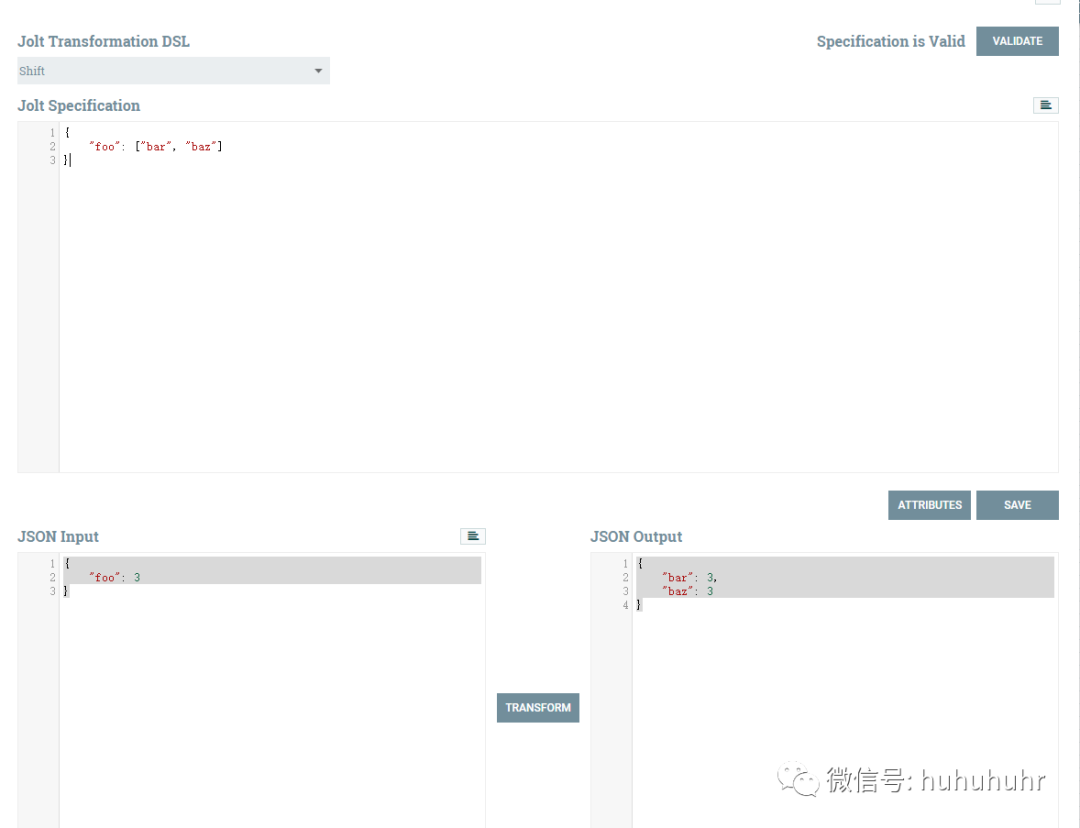
                                                例八:JSON arrays in the spec file

                                                input json

                                                  {
                                                  "foo": 3
                                                  }

                                                  Jolt Specification

                                                    {
                                                    "foo": ["bar", "baz"]
                                                    }

                                                    output json

                                                      {
                                                      "bar": 3,
                                                      "baz": 3
                                                      }

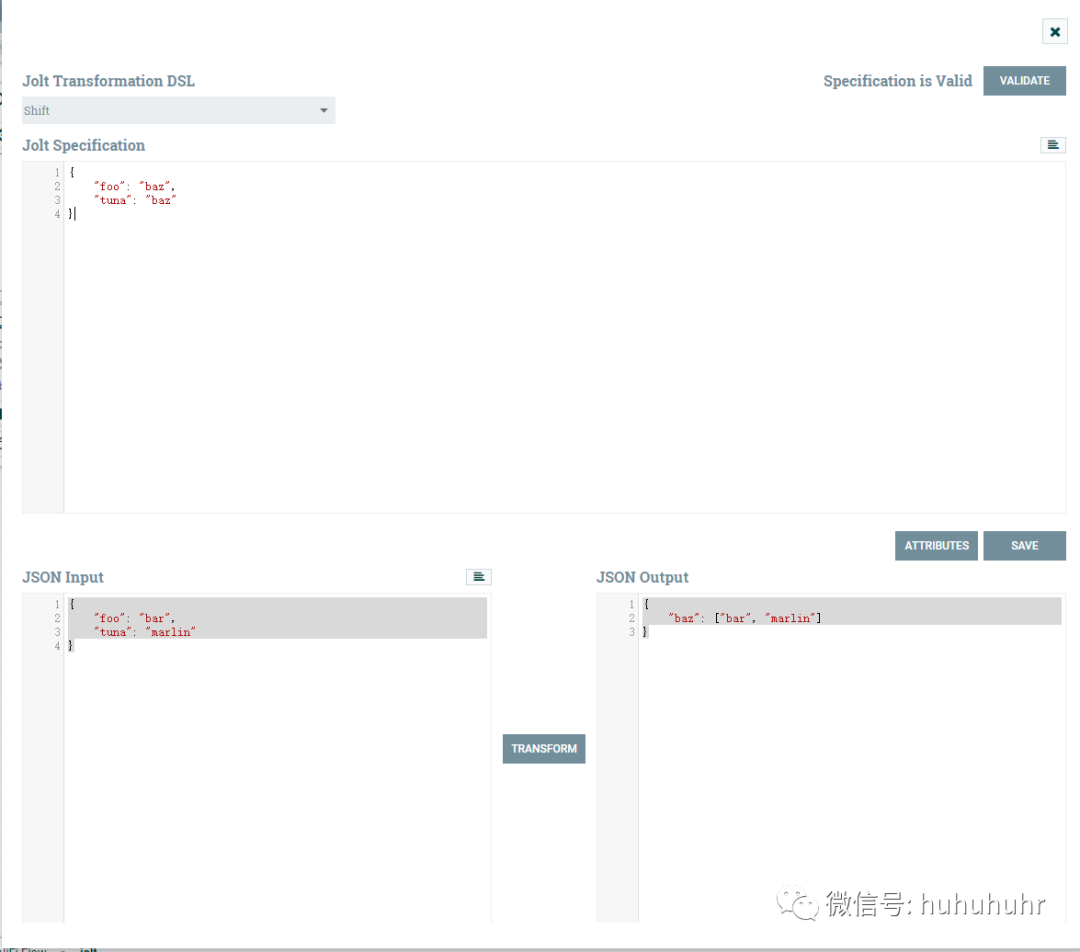
                                                      例九:Implicit Array creation in the output JSON

                                                      input json

                                                        {
                                                        "foo": "bar",
                                                        "tuna": "marlin"
                                                        }

                                                        Jolt Specification

                                                          {
                                                          "foo": "baz",
                                                          "tuna": "baz"
                                                          }

                                                          output json

                                                            {
                                                            "baz": ["bar", "marlin"]
                                                            }

                                                            例十:json生成array

                                                            input json

                                                              [
                                                              {
                                                              "id":"1",
                                                              "url":"http://bob.com/0001/327704/photo1.jpg"
                                                              },
                                                              {
                                                              "id":"2",
                                                              "url":"http://bob.com/0001/327704/photo2.jpg"
                                                              },
                                                              {
                                                              "id":"3",
                                                              "url":"http://bob.com/0001/327704/photo3.jpg"
                                                              }
                                                              ]

                                                              Jolt Specification

                                                                {
                                                                "*": {
                                                                "id": "Photos.&",
                                                                "url": "Photos.&"
                                                                }
                                                                }

                                                                output json

                                                                  {
                                                                  "Photos": {
                                                                  "id": ["1", "2", "3"],
                                                                  "url": ["http://bob.com/0001/327704/photo1.jpg",
                                                                  "http://bob.com/0001/327704/photo2.jpg",
                                                                  "http://bob.com/0001/327704/photo3.jpg"]
                                                                  }
                                                                  }

                                                                  例十一:json映射

                                                                  input json

                                                                    [
                                                                    {
                                                                    "id":"1",
                                                                    "url":"http://bob.com/0001/327704/photo1.jpg"
                                                                    },
                                                                    {
                                                                    "id":"2",
                                                                    "url":"http://bob.com/0001/327704/photo2.jpg"
                                                                    },
                                                                    {
                                                                    "id":"3",
                                                                    "url":"http://bob.com/0001/327704/photo3.jpg"
                                                                    }
                                                                    ]

                                                                    Jolt Specification

                                                                      {
                                                                      "*": {
                                                                      "id": "Photos.&1.&",
                                                                      "url": "Photos.&1.&"
                                                                      }
                                                                      }

                                                                      output json

                                                                        {
                                                                        "Photos": {
                                                                        "0": {
                                                                        "id": "1",
                                                                        "url": "http://bob.com/0001/327704/photo1.jpg"
                                                                        },
                                                                        "1": {
                                                                        "id": "2",
                                                                        "url": "http://bob.com/0001/327704/photo2.jpg"
                                                                        },
                                                                        "2": {
                                                                        "id": "3",
                                                                        "url": "http://bob.com/0001/327704/photo3.jpg"
                                                                        }
                                                                        }
                                                                        }


                                                                        文章转载自NIFI实战,如果涉嫌侵权,请发送邮件至:contact@modb.pro进行举报,并提供相关证据,一经查实,墨天轮将立刻删除相关内容。

                                                                        评论