



第一篇:mysql5.7升级到mysql8.0.26
| 10.1.1.45 | 主 |
| 10.1.1.46 | 从 |
| 10.1.1.47 | 从 |
下载版本:
wget https://dev.mysql.com/get/Downloads/MySQL-8.0/mysql-8.0.26-linux-glibc2.12-x86_64.tar.xz
Mysql8.0还是提供了很多方便,不像之前一样5.6升级5.7那样需要mysql_upgrade操作。现在可以通过mysql shell进行确认。
先修改从库,一个个实例修改:
# 进入原5.7 mysql命令行 正确关闭数据库
root@localhost:mysql_10120.sock [(none)]>select version();+------------+| version() |+------------+| 5.7.33-log |+------------+1 row in set (0.00 sec)root@localhost:mysql_10120.sock [(none)]>show variables like 'innodb_fast_shutdown';+----------------------+-------+| Variable_name | Value |+----------------------+-------+| innodb_fast_shutdown | 1 |+----------------------+-------+1 row in set (0.00 sec)
确保数据都刷到硬盘上,更改成0
root@localhost:mysql_10120.sock [(none)]>set global innodb_fast_shutdown=0;Query OK, 0 rows affected (0.00 sec)#关闭实例root@localhost:mysql_10120.sock [(none)]>shutdown;Query OK, 0 rows affected (0.00 sec)#退出root@localhost:mysql_10120.sock [(none)]>exitBye
利用8.0的脚本启动该实例
启动前注意清理部分8.0不存在的配置 和增加mysqlx的一些配置:
#增加部分:mysqlx_socket = /tmp/mysqlx_10120.sockmysqlx_port = 20120#删除部分innodb_undo_logs=128innodb_large_prefix=1show_compatibility_56=on
启动实例
root@db-1-47:~# /usr/local/mysql8/bin/mysqld_safe --defaults-file=/data/mysql_root/data/10120/my.cnf --user=mysql &[1] 16386root@db-1-47:~# mysqld_safe Adding '/usr/lib/libtcmalloc.so' to LD_PRELOAD for mysqld2021-07-29T09:49:45.754570Z mysqld_safe Logging to '/data/mysql_root/data/10120/error.log'.2021-07-29T09:49:45.790913Z mysqld_safe Starting mysqld daemon with databases from /data/mysql_root/data/10120
进入实例目录,查看errorlog,升级需要一定的时间,可以跟踪errorlog查看进度,如果有异常也会暴露出来。一般是配置的错误,修正后重新启动一次就行了。
验证:
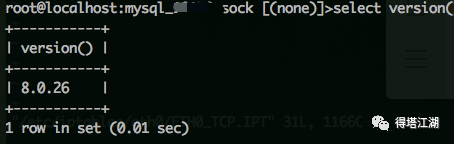
root@localhost:mysql_10120.sock [(none)]>select version();+-----------+| version() |+-----------+| 8.0.26 |+-----------+1 row in set (0.00 sec)root@localhost:mysql_10120.sock [(none)]>show global variables like '%port%';+--------------------------+-------+| Variable_name | Value |+--------------------------+-------+| admin_port | 33062 || large_files_support | ON || mysqlx_port | 20120 || mysqlx_port_open_timeout | 0 || port | 10120 || report_host | || report_password | || report_port | 10120 || report_user | || require_secure_transport | OFF |+--------------------------+-------+10 rows in set (0.02 sec)root@localhost:mysql_10120.sock [(none)]>show global variables like '%socket%';+-----------------------------------------+------------------------+| Variable_name | Value |+-----------------------------------------+------------------------+| mysqlx_socket | /tmp/mysqlx_10120.sock || performance_schema_max_socket_classes | 10 || performance_schema_max_socket_instances | -1 || socket | /tmp/mysql_10120.sock |+-----------------------------------------+------------------------+4 rows in set (0.01 sec)#查看主从复制:root@localhost:mysql_10120.sock [(none)]>show slave status \G*************************** 1. row ***************************Slave_IO_State: Waiting for source to send eventMaster_Host: 10.20.23.45Master_User: myrepMaster_Port: 10120Connect_Retry: 60Master_Log_File: binlog.001041Read_Master_Log_Pos: 854601841Relay_Log_File: relay.003153Relay_Log_Pos: 407Relay_Master_Log_File: binlog.001041Slave_IO_Running: YesSlave_SQL_Running: YesReplicate_Do_DB:Replicate_Ignore_DB:Replicate_Do_Table:
其它依次升级即可
文章转载自得塔江湖,如果涉嫌侵权,请发送邮件至:contact@modb.pro进行举报,并提供相关证据,一经查实,墨天轮将立刻删除相关内容。
