



1 前言
哈喽,大家好,我是知道。
大家都知道,抖音对上传的视频是会查重的,重复率过高的,分配的流量会较少,但是对音频查重没那么严格,可以提取热门视频的音频。网上提供的方法都会说只用三行代码,就可以将视频转音频。正常只需要安装ffmpeg和moviepy,但是通常都不正常。
pip install ffmpeg moviepy
2 安装
ffmpeg正常安装,如果电脑里已经安装过相关依赖库,有可能会报错:
ERROR: Cannot uninstall 'imageio'. It is a distutils installed project and thus we cannot accurately determine which files belong to it which would lead to only a partial uninstall. 可以不卸载,先忽略已安装的版本,直接安装imageio:
pip3 install --ignore-installed imageio
再安装MoviePy
pip3 install MoviePy
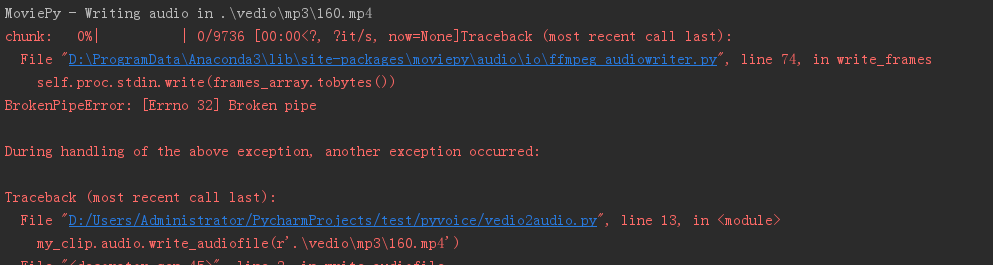
路径中最好不要带中文,ffmpeg对中文支持没那么好,可能会报错:

全部改成中文后,还可能报错:
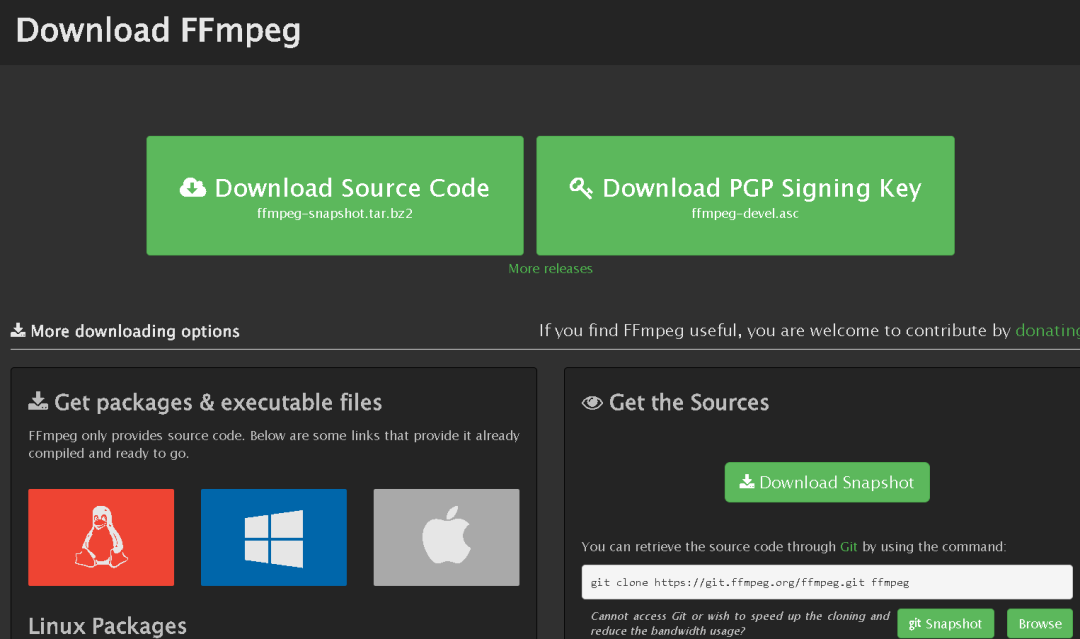
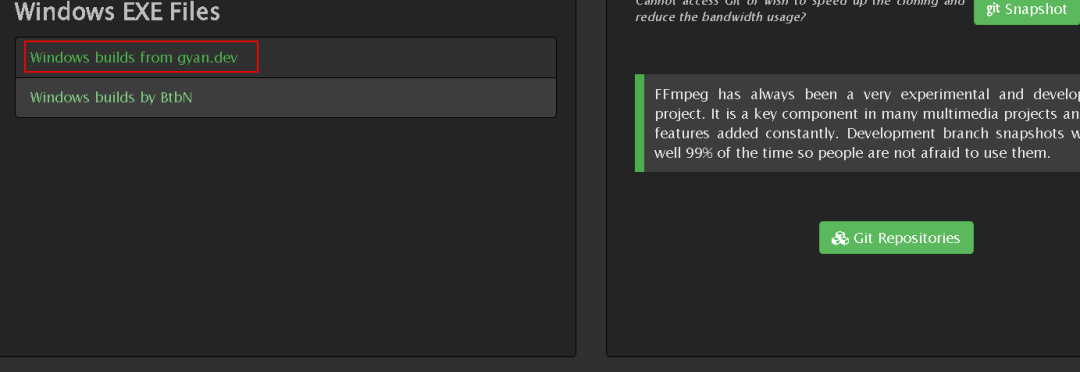
选择大前天发布的版本:2022-09-07-git-e4c1272711 ffmpeg-git-essentials.7z
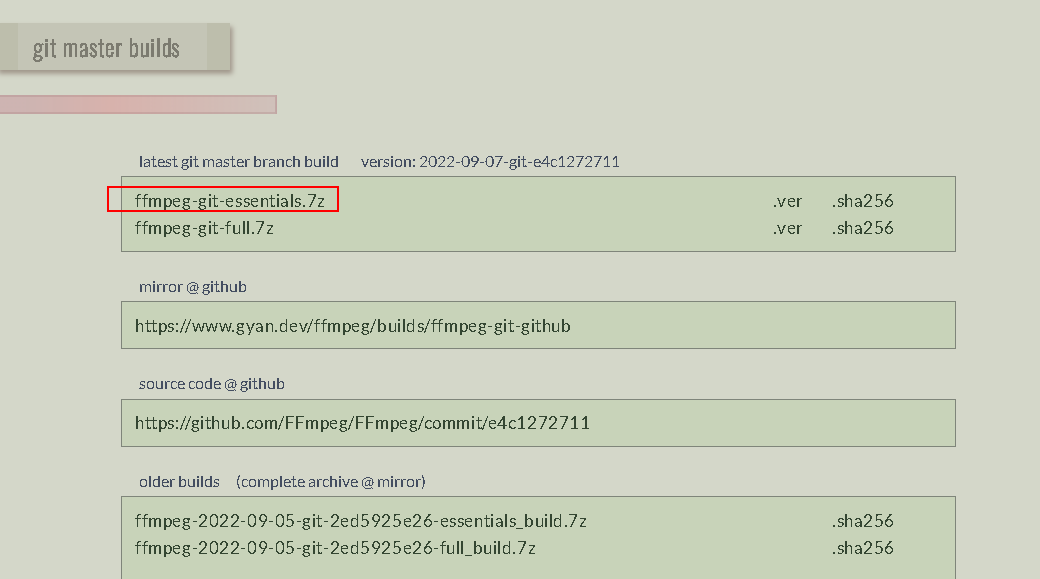
下载后文件结构如下:
└─ffmpeg-5.0-essentials_build
│ LICENSE
│ README.txt
├─bin
│ ffmpeg.exe
│ ffplay.exe
│ ffprobe.exe
├─doc
│ bootstrap.min.css
│ default.css
│ developer.html
│ faq.html
│ fate.html
│ ffmpeg-all.html
│ ffmpeg-bitstream-filters.html
│ ffmpeg-codecs.html
│ ffmpeg-devices.html
│ ffmpeg-filters.html
│ ffmpeg-formats.html
│ ffmpeg-protocols.html
│ ffmpeg-resampler.html
│ ffmpeg-scaler.html
│ ffmpeg-utils.html
│ ffmpeg.html
│ ffplay-all.html
│ ffplay.html
│ ffprobe-all.html
│ ffprobe.html
│ general.html
│ git-howto.html
│ libavcodec.html
│ libavdevice.html
│ libavfilter.html
│ libavformat.html
│ libavutil.html
│ libswresample.html
│ libswscale.html
│ mailing-list-faq.html
│ nut.html
│ platform.html
│ style.min.css
└─presets
libvpx-1080p.ffpreset
libvpx-1080p50_60.ffpreset
libvpx-360p.ffpreset
libvpx-720p.ffpreset
libvpx-720p50_60.ffpreset
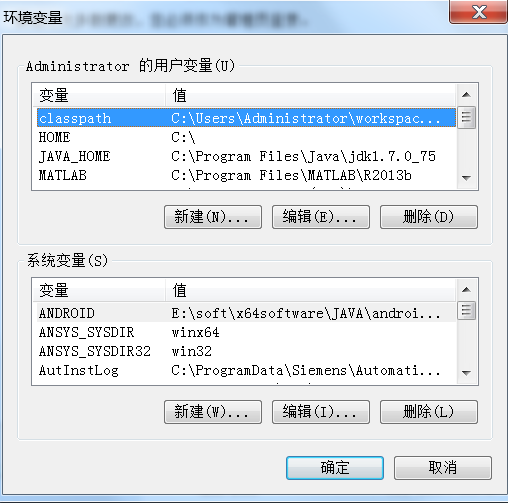
bin目录下的ffmpeg.exe可执行文件不需要执行,直接执行会闪退,只需要把bin目录加在环境变量中就行。在path环境变量后面添加分号“;”,添加“E:\soft\1soft\ffmpeg-2022-09-07-git-e4c1272711-essentials_build\bin”。
测试FFMPEG 利用下面的命令提取视频中的音频:
ffmpeg -i 160.mp4 160.mp3
单个视频转换成功,说明安装成功。
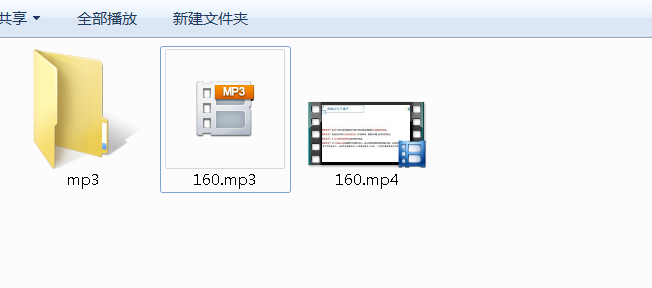
再次使用MoviePy转音频,发现可以成功转换。
def extract_audio(video__path, audio_path):
    my_clip = AudioFileClip(video__path)
    my_clip.write_audiofile(audio_path)
    return my_clip
3 递归处理
递归查文件夹下的所有文件,并返回路径、文件类型和文件名:
def list_file(path):
    file_list=[]
    for root, dirs, files in os.walk(path, True):
        for eachfile in files:
            file_path = os.path.join(root,eachfile)
            file_name, file_type = os.path.splitext(eachfile)
            file_class = FileClass(file_path,file_name,file_type)
            file_list.append(file_class)
            print(file_class.__dict__)
    return file_list
4 结论
正常安装环境和第三方库后,确实只需要三行代码,但是安装过程可能更麻烦,纸上得来终觉浅,因为有些坑纸上不一定会提到,多动手总没错。
PS:Python都知道技术交流群(技术交流、摸鱼、白嫖课程为主)又不定时开放了,感兴趣的朋友,可以在下方公号内回复:666,即可进入。
老规矩,道友们还记得么,右下角的 “在看” 点一下,如果感觉文章内容不错的话,记得分享朋友圈让更多的人知道!
