作者:马顺华
从事运维管理工作多年,目前就职于某科技有限公司,熟悉运维自动化、OceanBase部署运维、MySQL 运维以及各种云平台技术和产品。并已获得OceanBase认证OBCA、OBCP 证书、OpenGauss社区认证结业证书。OceanBase & 墨天轮第二、三、四、五届技术征文大赛,多次获得 一、二、三 等奖,时常在墨天轮发布原创技术文章,并多次被首页推荐。

Nginx 是美国 Nginx 公司的一款轻量级 Web 服务器/反向代理服务器及电子邮件(IMAP/POP3)代理服务器。nginx 存在安全漏洞,该漏洞源于一个离一错误在该漏洞允许远程攻击者可利用该漏洞在目标系统上执行任意代码。受影响版本:0.6.18-1.20.0
厂商补丁:
目前厂商已发布升级补丁以修复漏洞,补丁获取链接:
https://www.nginx.com/blog/updating-nginx-dns-resolver-vulnerability-cve-2021-23017/
1、背景
因为一些原因,比如说 nginx发现漏洞、应用一些新的模块等等,想对 Nginx 的版本进行更新,最简单的做法就是停止当前的Nginx服务,然后开启新的Nginx服务。但是这样会导致在一段时间内,用户是无法访问服务器。
为了解决这个问题,我们就需要用到Nginx服务器提供的平滑升级功能。这个也是Nginx的一大特点,使用这种方式,就可以使 Nginx 在 7*24 小时不间断的提供服务了。
2、需求
Nginx 的版本最开始使用的是 Nginx-1.18.0 , 由于服务升级,需要将 Nginx 的版本升级到 Nginx-1.24.0 ,要求 Nginx 不能中断提供服务。
下载 Nginx 新安装包 make 完成升级
3、nginx 版本升级
3.1、环境说明
当前是 CentOS7 服务器。
[root@qzzb-kcdsj-nginx-01 ~]# cat /etc/redhat-release
CentOS Linux release 7.6.1810 (Core)
[root@qzzb-kcdsj-nginx-01 ~]#
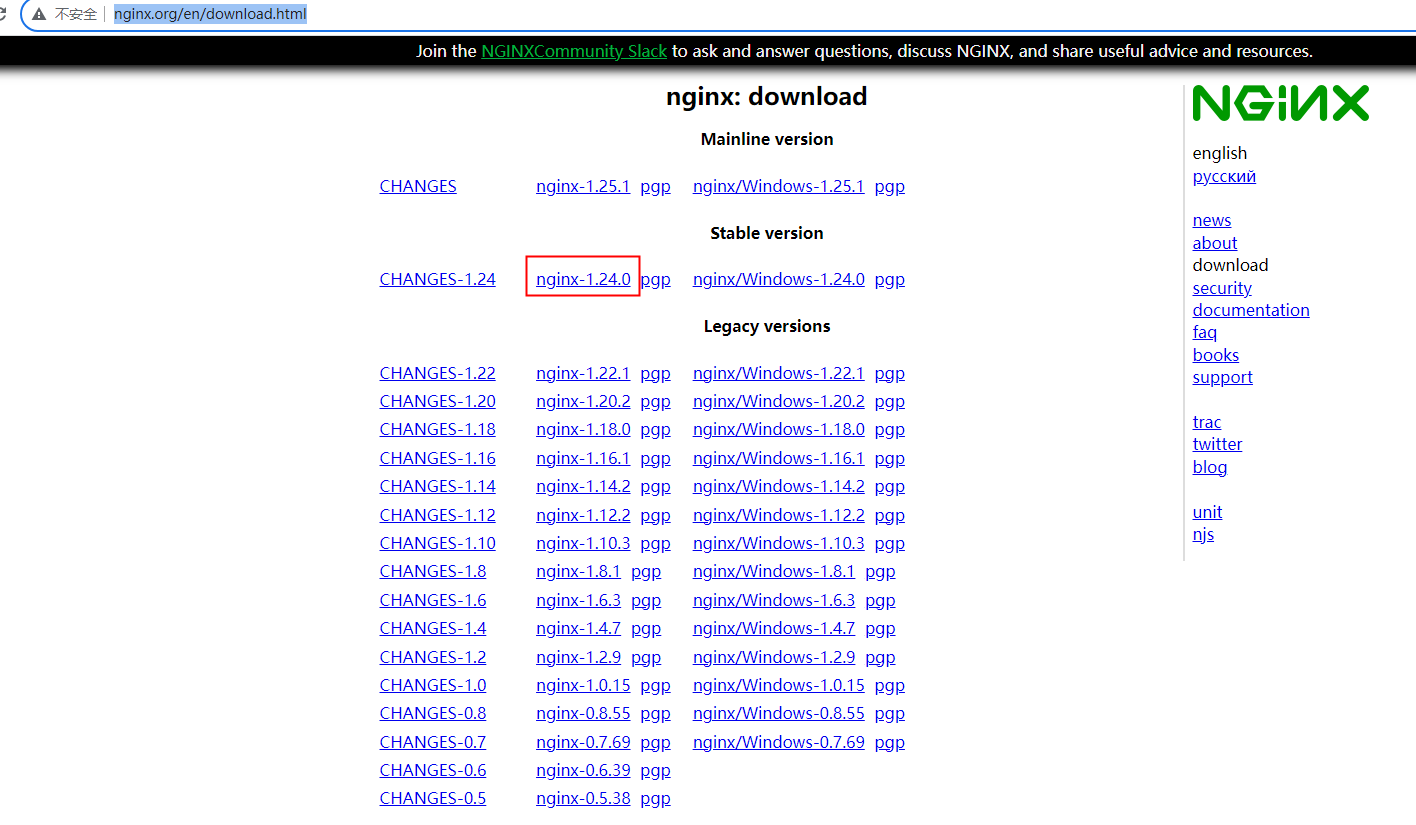
下载nginx
点击进入 nginx 下载页面
http://nginx.org/en/download.html
3.2、环境准备
1)已安装的 Nginx 版本信息
nginx -V
[root@qzzb-kcdsj-nginx-01 ~]# nginx -v
nginx version: nginx/1.18.0

或者
/usr/local/nginx/sbin/nginx -V
[root@qzzb-kcdsj-nginx-01 opt]# /usr/local/nginx/sbin/nginx -V
nginx version: nginx/1.18.0
built by gcc 4.8.5 20150623 (Red Hat 4.8.5-44) (GCC)
configure arguments:

可以看出当前版本为 1.18.0,如下图所示:
在这里插入图片描述
2)下载当前最新版本 nginx-1.24.0,并通过Xftp上传至服务器,然后执行解压命令。
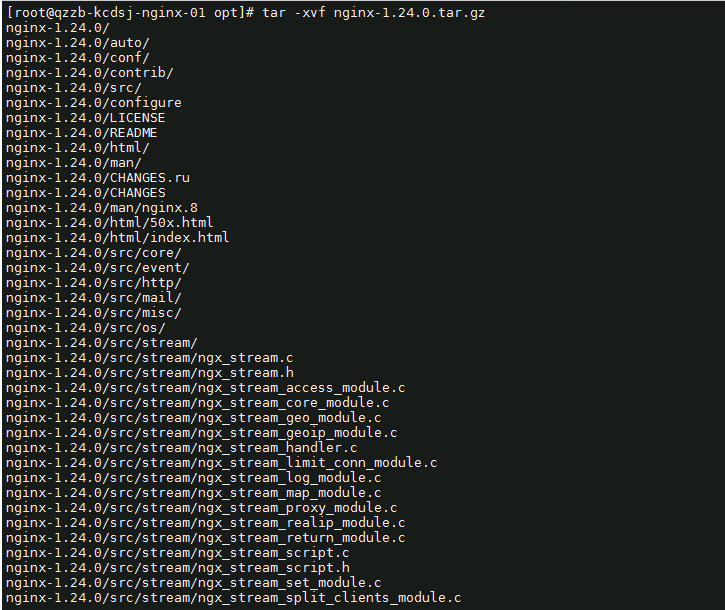
[root@qzzb-kcdsj-nginx-01 opt]# tar -xvf nginx-1.24.0.tar.gz
nginx-1.24.0/
nginx-1.24.0/auto/
nginx-1.24.0/conf/
nginx-1.24.0/contrib/
nginx-1.24.0/src/
nginx-1.24.0/configure
nginx-1.24.0/LICENSE
nginx-1.24.0/README
nginx-1.24.0/html/
nginx-1.24.0/man/
nginx-1.24.0/CHANGES.ru
nginx-1.24.0/CHANGES
nginx-1.24.0/man/nginx.8
nginx-1.24.0/html/50x.html
nginx-1.24.0/html/index.html
nginx-1.24.0/src/core/
nginx-1.24.0/src/event/
nginx-1.24.0/src/http/
nginx-1.24.0/src/mail/
nginx-1.24.0/src/misc/
nginx-1.24.0/src/os/
nginx-1.24.0/src/stream/
nginx-1.24.0/src/stream/ngx_stream.c
如下图所示:
3)解压后,对最新版 nginx 进行配置
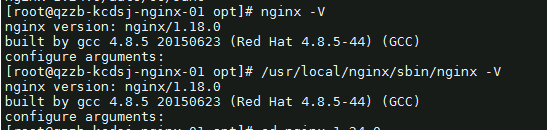
(1)查看现有版本(老版本)nginx 的 configure 配置信息
[root@qzzb-kcdsj-nginx-01 opt]# nginx -V
nginx version: nginx/1.18.0
built by gcc 4.8.5 20150623 (Red Hat 4.8.5-44) (GCC)
configure arguments:
[root@qzzb-kcdsj-nginx-01 opt]# /usr/local/nginx/sbin/nginx -V
nginx version: nginx/1.18.0
built by gcc 4.8.5 20150623 (Red Hat 4.8.5-44) (GCC)
configure arguments:
(2)然后,再对新版 nginx 进行配置。
[root@qzzb-kcdsj-nginx-01 nginx-1.24.0]# ./configure  --prefix=/usr/local/nginx
checking for OS
 + Linux 3.10.0-957.el7.x86_64 x86_64
checking for C compiler ... found
 + using GNU C compiler
 + gcc version: 4.8.5 20150623 (Red Hat 4.8.5-44) (GCC)
checking for gcc -pipe switch ... found
checking for -Wl,-E switch ... found
checking for gcc builtin atomic operations ... found
checking for C99 variadic macros ... found
checking for gcc variadic macros ... found
checking for gcc builtin 64 bit byteswap ... found
checking for unistd.h ... found
checking for inttypes.h ... found
checking for limits.h ... found
checking for sys/filio.h ... not found
checking for sys/param.h ... found
checking for sys/mount.h ... found
checking for sys/statvfs.h ... found
checking for crypt.h ... found
checking for Linux specific features
checking for epoll ... found
checking for EPOLLRDHUP ... found
checking for EPOLLEXCLUSIVE ... not found
checking for eventfd() ... found
checking for O_PATH ... found
checking for sendfile() ... found
checking for sendfile64() ... found
checking for sys/prctl.h ... found
checking for prctl(PR_SET_DUMPABLE) ... found
checking for prctl(PR_SET_KEEPCAPS) ... found
checking for capabilities ... found
checking for crypt_r() ... found
checking for sys/vfs.h ... found
checking for UDP_SEGMENT ... not found
checking for nobody group ... found
checking for poll() ... found
checking for /dev/poll ... not found
checking for kqueue ... not found
checking for crypt() ... not found
checking for crypt() in libcrypt ... found
checking for F_READAHEAD ... not found
如下图所示:

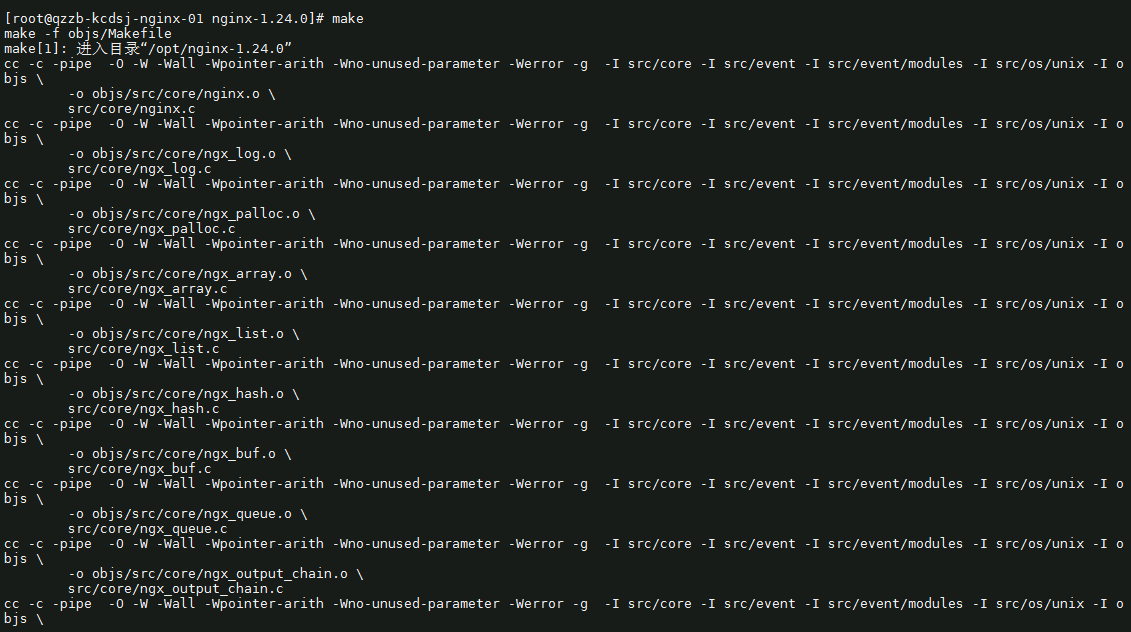
4)接着,进行 make
[root@qzzb-kcdsj-nginx-01 nginx-1.24.0]# make
make -f objs/Makefile
make[1]: 进入目录“/opt/nginx-1.24.0”
进行编译,切记千万不要输入 make install
5)这样,最新版本nginx的目录下会多出来一个objs目录,
如下图所示:
[root@qzzb-kcdsj-nginx-01 nginx-1.24.0]# ls
auto  CHANGES  CHANGES.ru  conf  configure  contrib  html  LICENSE  Makefile  man  objs  README  src
[root@qzzb-kcdsj-nginx-01 nginx-1.24.0]# cd objs/
[root@qzzb-kcdsj-nginx-01 objs]# ls
autoconf.err  Makefile  nginx  nginx.8  ngx_auto_config.h  ngx_auto_headers.h  ngx_modules.c  ngx_modules.o  src

6)对老版本 sbin 目录下的 nginx 进行备份:
[root@qzzb-kcdsj-nginx-01 nginx-1.24.0]# mv /usr/local/nginx/sbin/nginx   /usr/local/nginx/sbin/nginx.old
[root@qzzb-kcdsj-nginx-01 nginx-1.24.0]# ls
如下图所示:

7)将编译好的 objs 目录下的 nginx 文件,复制到 /usr/local/nginx/sbin 目录。
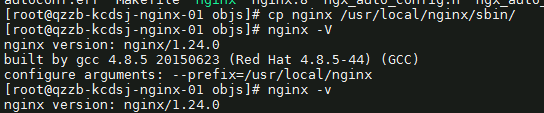
[root@qzzb-kcdsj-nginx-01 objs]# cp nginx /usr/local/nginx/sbin/
[root@qzzb-kcdsj-nginx-01 objs]# nginx -V
nginx version: nginx/1.24.0
built by gcc 4.8.5 20150623 (Red Hat 4.8.5-44) (GCC)
configure arguments: --prefix=/usr/local/nginx
[root@qzzb-kcdsj-nginx-01 objs]# nginx -v
nginx version: nginx/1.24.0
如下图所示: