



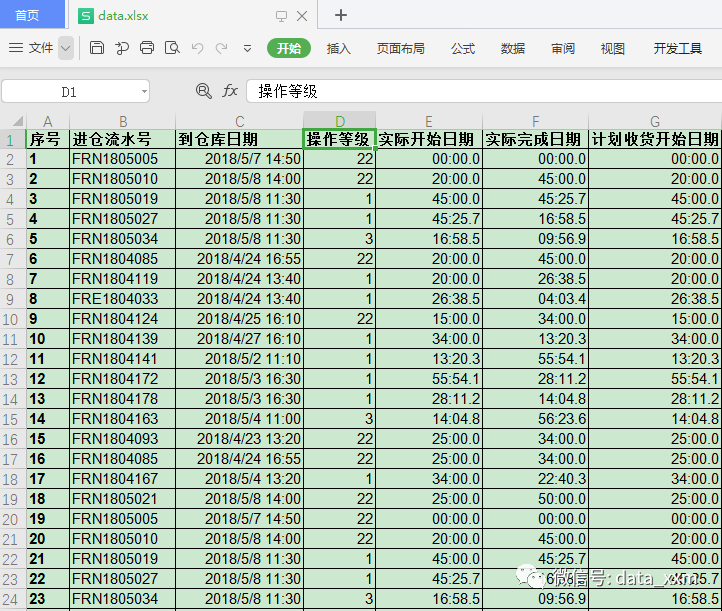
有一个excel表格:
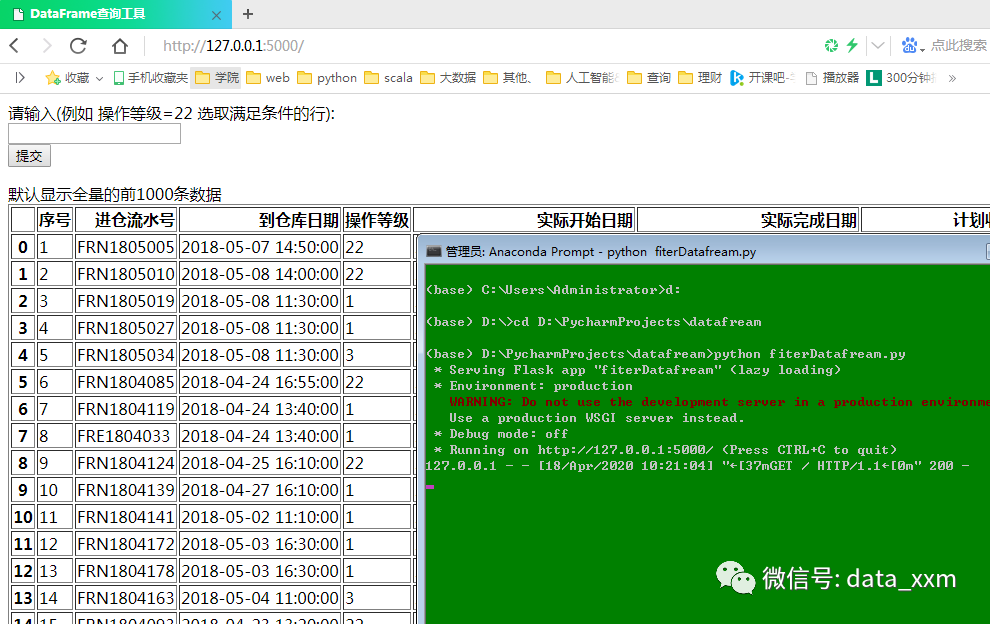
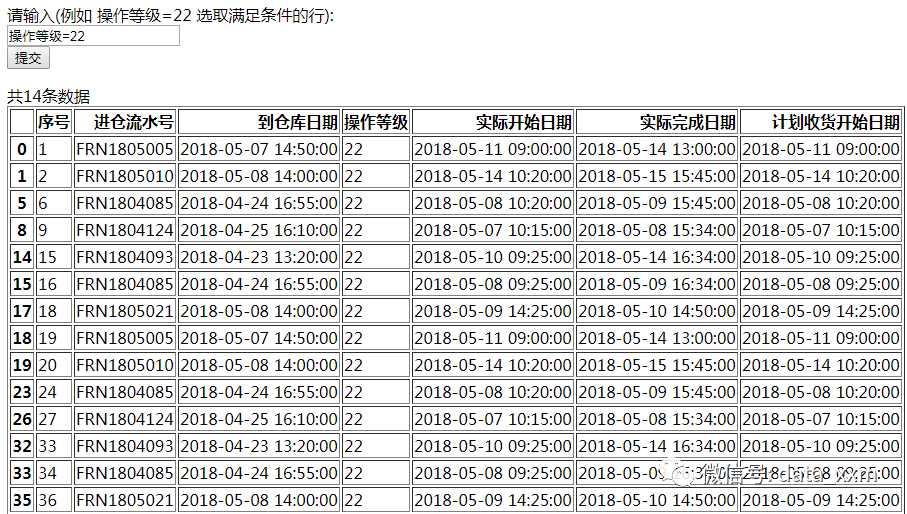
用python启动一个web系统,可以远程查询该表格:
pip install flask
然后编写代码:
from flask import Flask, request, render_templateimport pandas as pdimport numpy as npfrom pandas import DataFrameapp = Flask(__name__)def display_df(df):print("\t".join(df.columns))for line_count, row in df.iterrows():for v in row:print(v, end="\t")print()@app.route('/', methods=['GET'])def index():result = df.head(1000)content = request.args.get('content', "")message = "默认显示全量的前1000条数据"if content:type, value = content.split("=")result = df[df[type].astype(np.str) == value]display_df(result)message = f"共{len(result)}条数据"return render_template('df.html', head=result.columns.tolist(), table=list(result.iterrows()),content=content, message=message)if __name__ == '__main__':df: DataFrame = pd.read_excel(r"data.xlsx")app.run(host="0.0.0.0", port=80)
其中data.xlsx修改为你要读取的excel文件。
将该代码保存为app.py。
在app.py所在目录下创建templates文件夹,在templates文件夹下创建df.html,代码如下:
<html lang="zh"><head><title>DataFrame查询工具</title><meta name="viewport" content="width=device-width, user-scalable=no,initial-scale=1.0, maximum-scale=1.0, minimum-scale=1.0"></head><body><form action="/"><label>请输入(例如 操作等级=22 选取满足条件的行):<br /><input type="text" name="content" value="{{ content }}"></label><br><input type="submit"></form>{{ message }}{% if head %}<table border="1" class="dataframe"><thead><tr style="text-align: right;"><th></th>{% for e in head %}<th>{{ e }}</th>{% endfor %}</tr></thead><tbody>{% for i,row in table %}<tr><th>{{ i }}</th>{% for e in row %}<td>{{ e }}</td>{% endfor %}</tr>{% endfor %}</tbody></table>{% endif %}</body></html>
文件结构为:
|---app.py|---data.xlsx\---templatesdf.html
准备好代码之后就可以运行了:
>python app.py* Serving Flask app "app" (lazy loading)* Environment: productionWARNING: Do not use the development server in a production environment.Use a production WSGI server instead.* Debug mode: off* Running on http://0.0.0.0:80/ (Press CTRL+C to quit)
然后再查询本机在局限网的ip地址(windows下的命令):
ipconfig
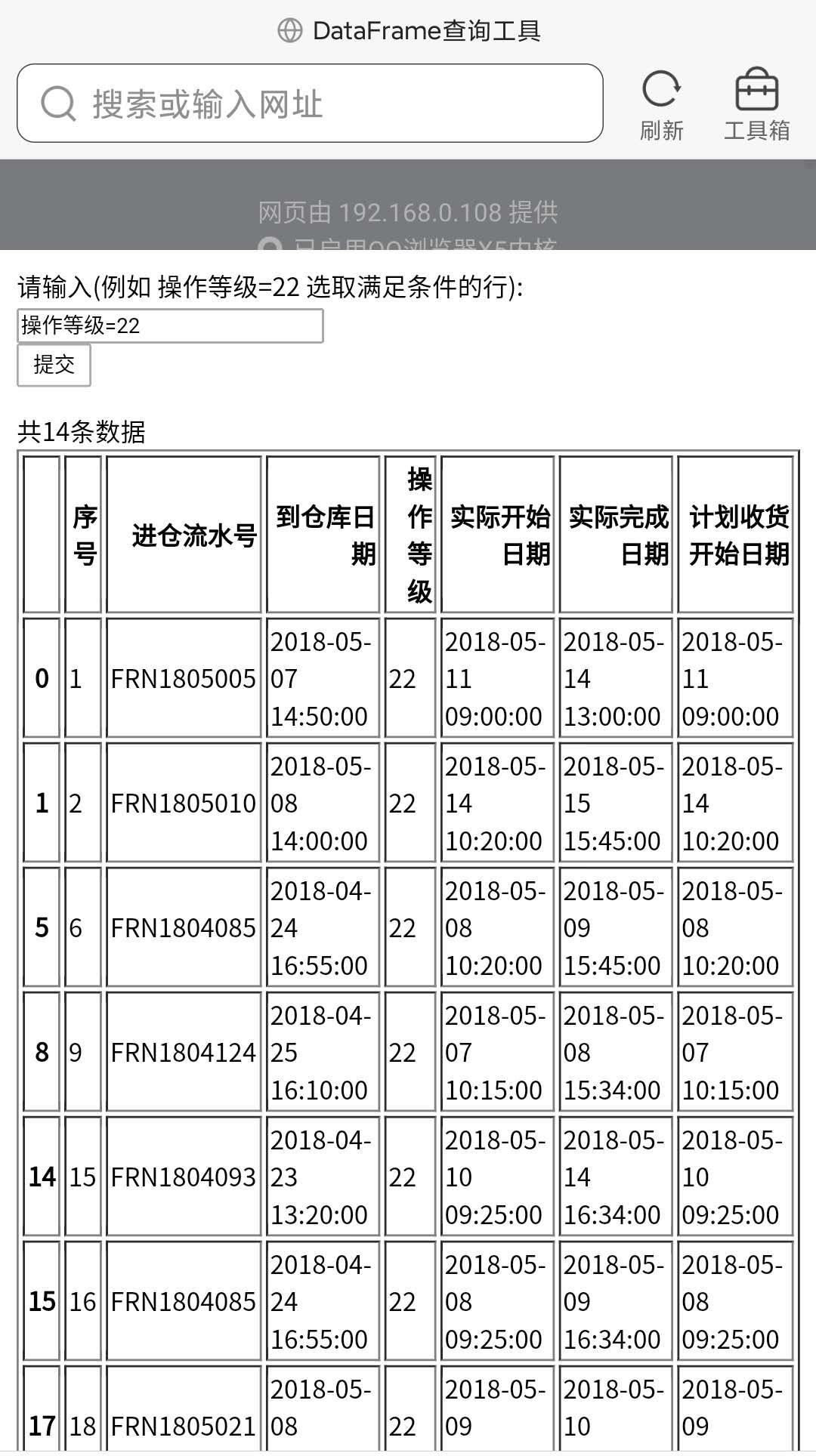
例如,192.168.0.108,那么只需要在游览器中输入http://192.168.0.108/就可以访问拉。
在同一个局限网内的电脑或手机都可以访问:
文章转载自漫谈大数据与数据分析,如果涉嫌侵权,请发送邮件至:contact@modb.pro进行举报,并提供相关证据,一经查实,墨天轮将立刻删除相关内容。
