



1,预约网站地址
2,检查考试券信息(My Exam Wallet)
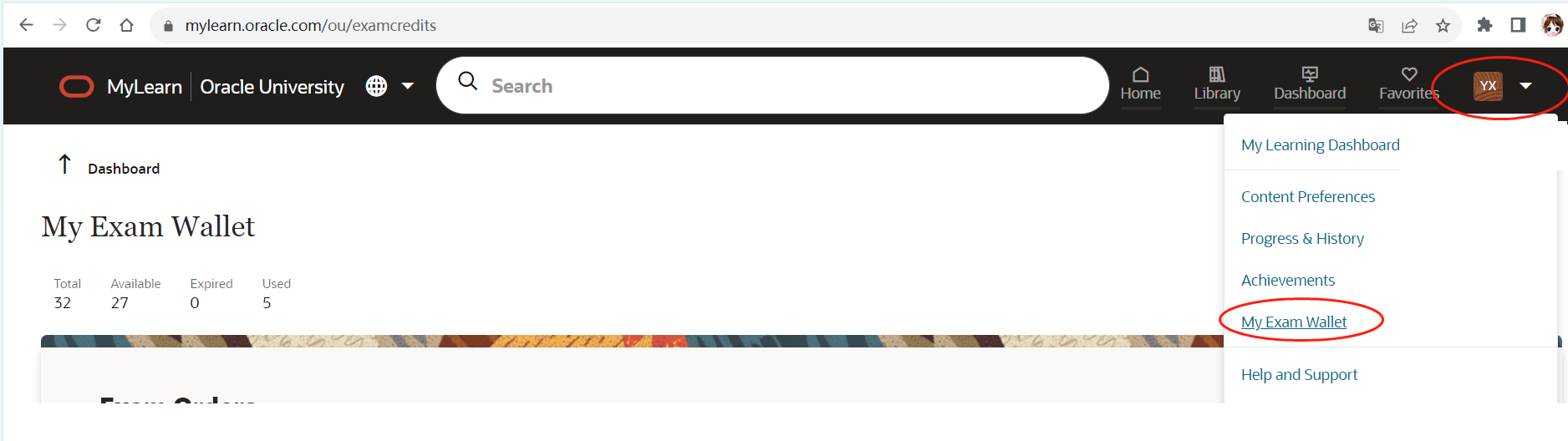
考试券有有效期和考试类别:
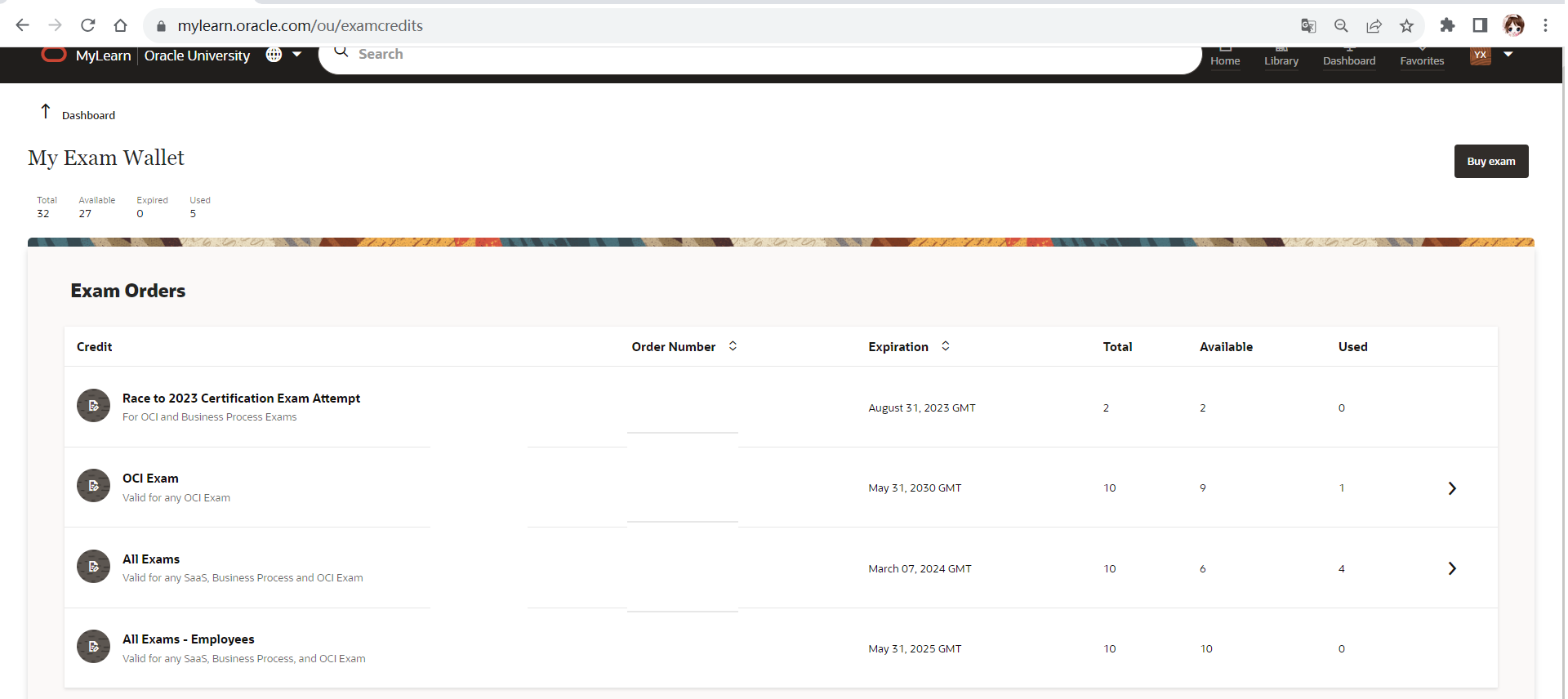
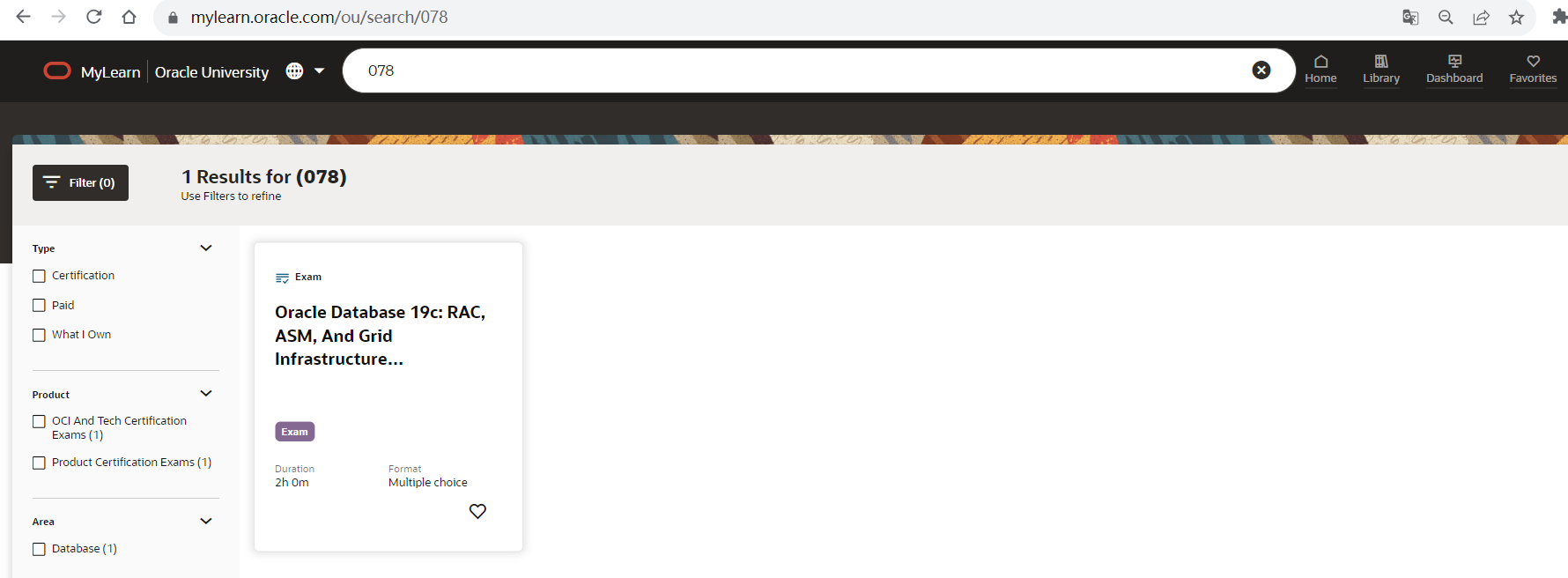
3,根据考试券类型预约在线考试
直接在搜索框输入考试代码:如:1Z0-078
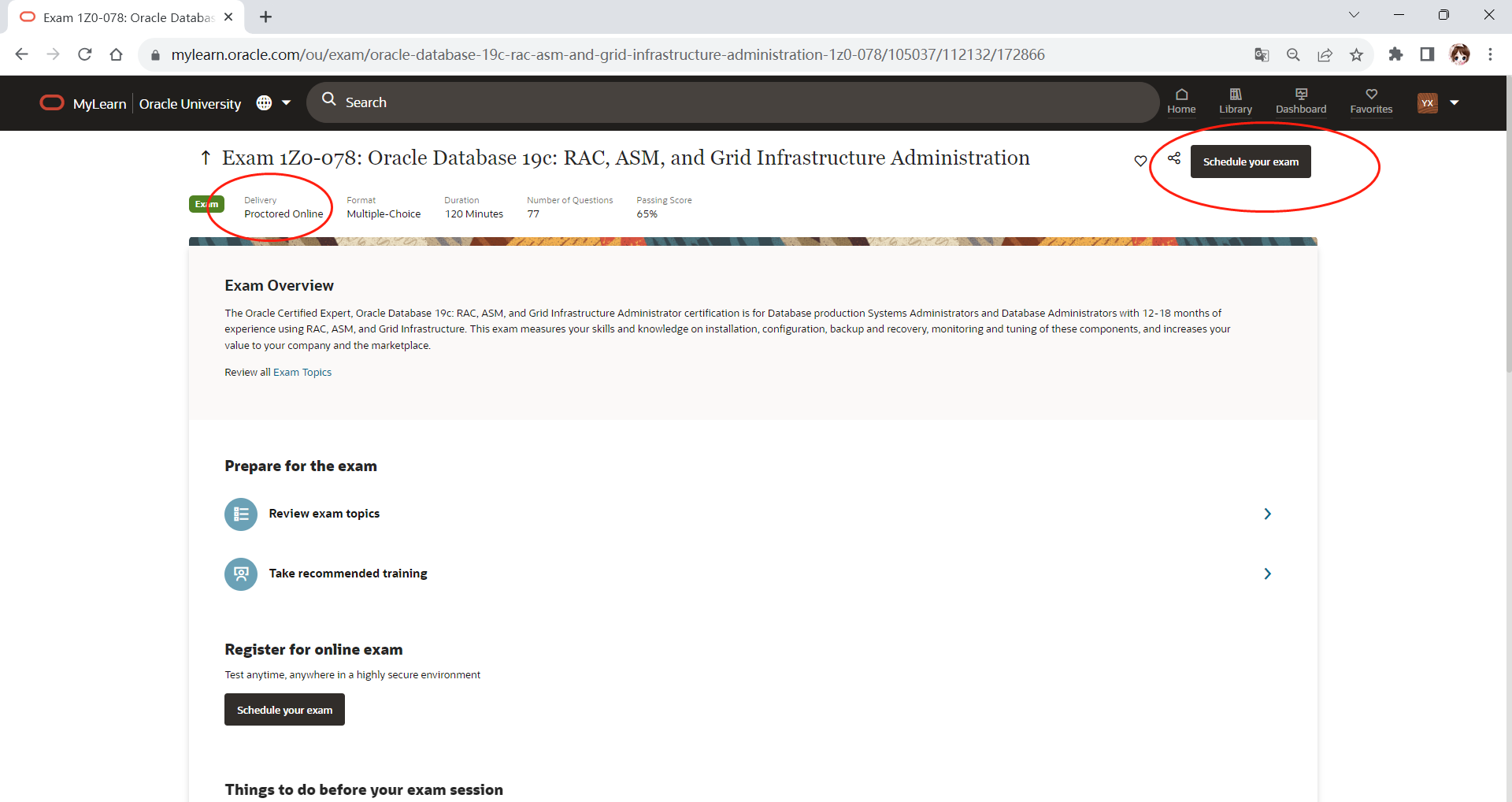
4,预约考试
考试类型为:Proctored Online
Schedule your exam:
5,考试时间选择
Schedule Exam Date and Exam Start Time:
注意时区选择:(UTC+08:00) Beijing, Shanghai
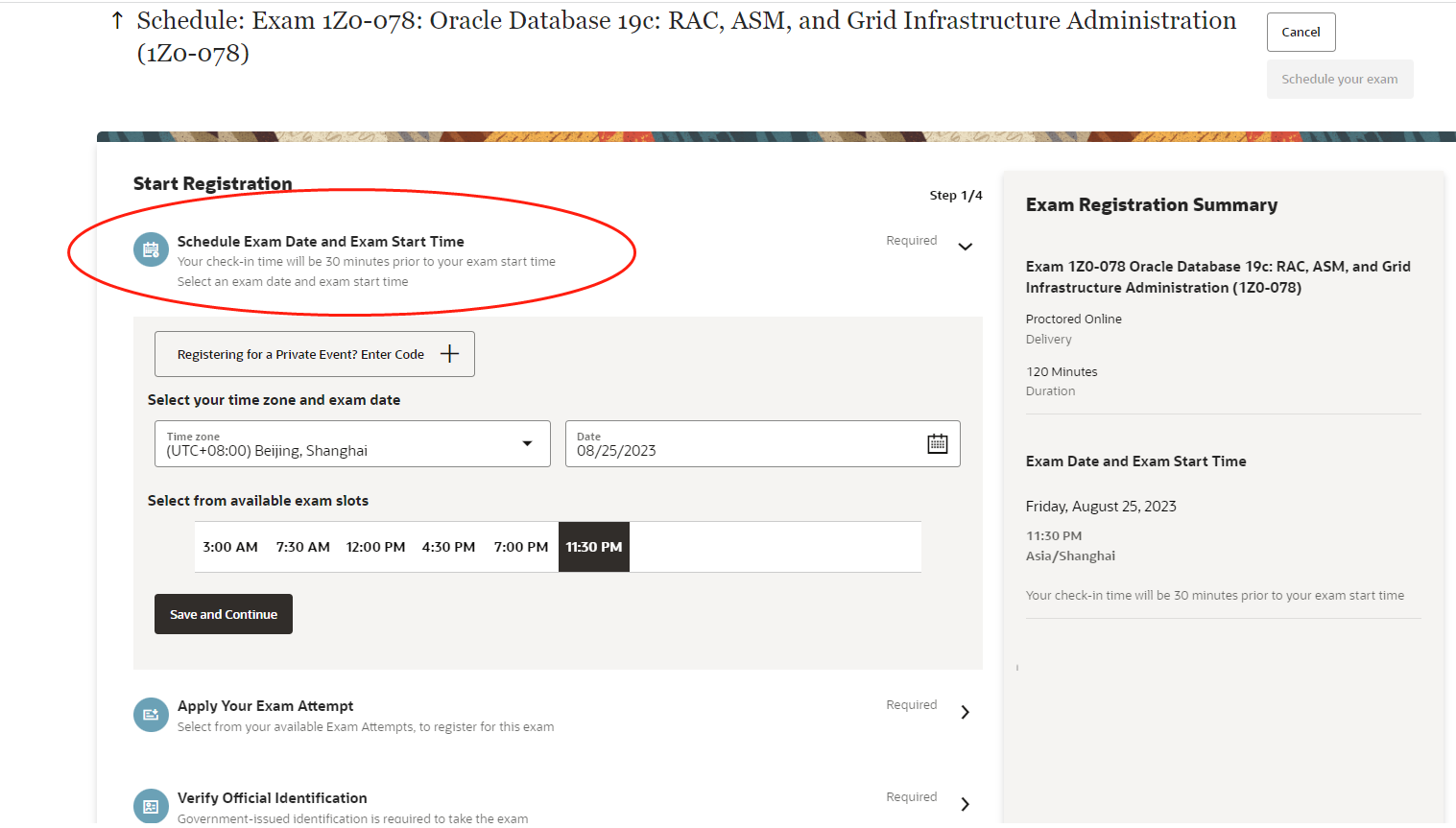
6,考券选择
Select from your available Exam Attempts:
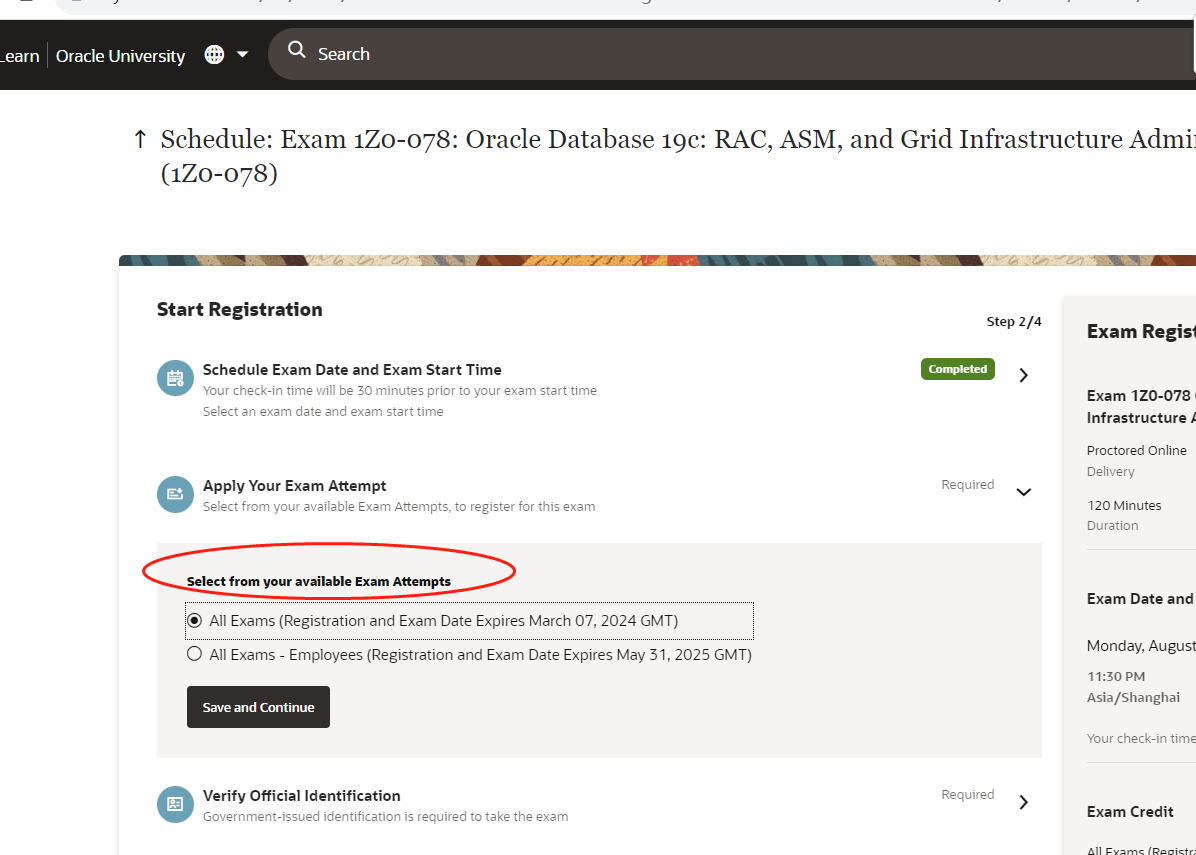
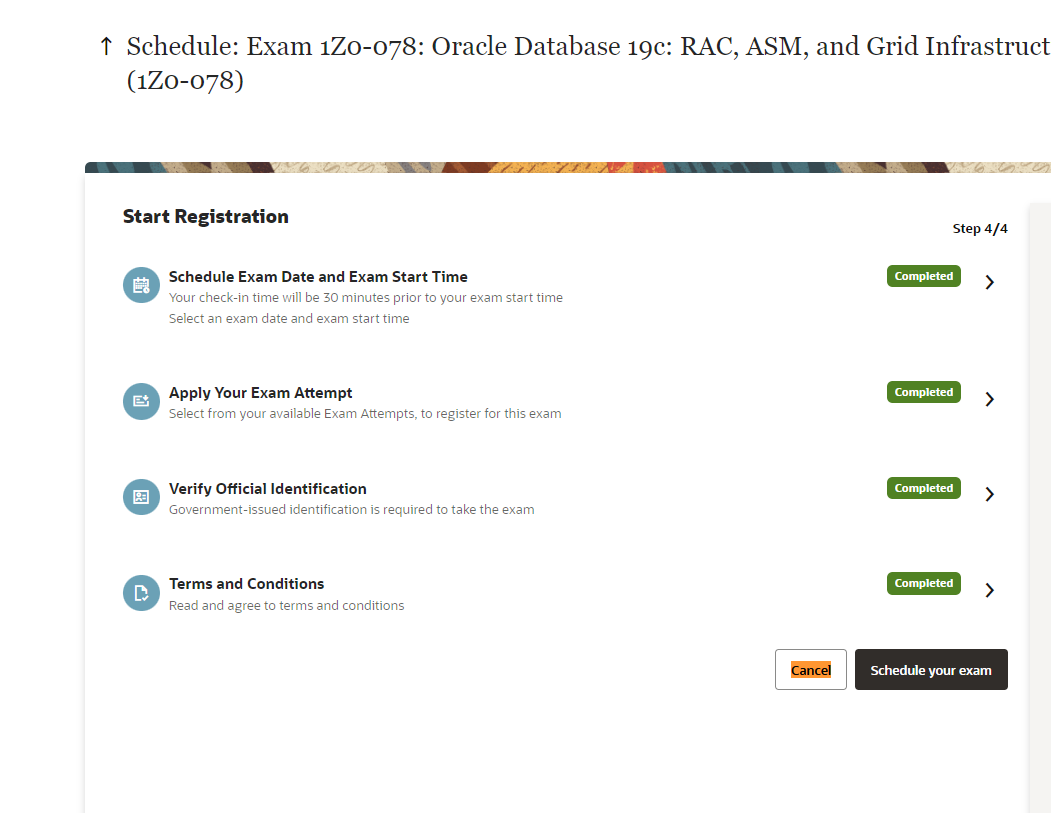
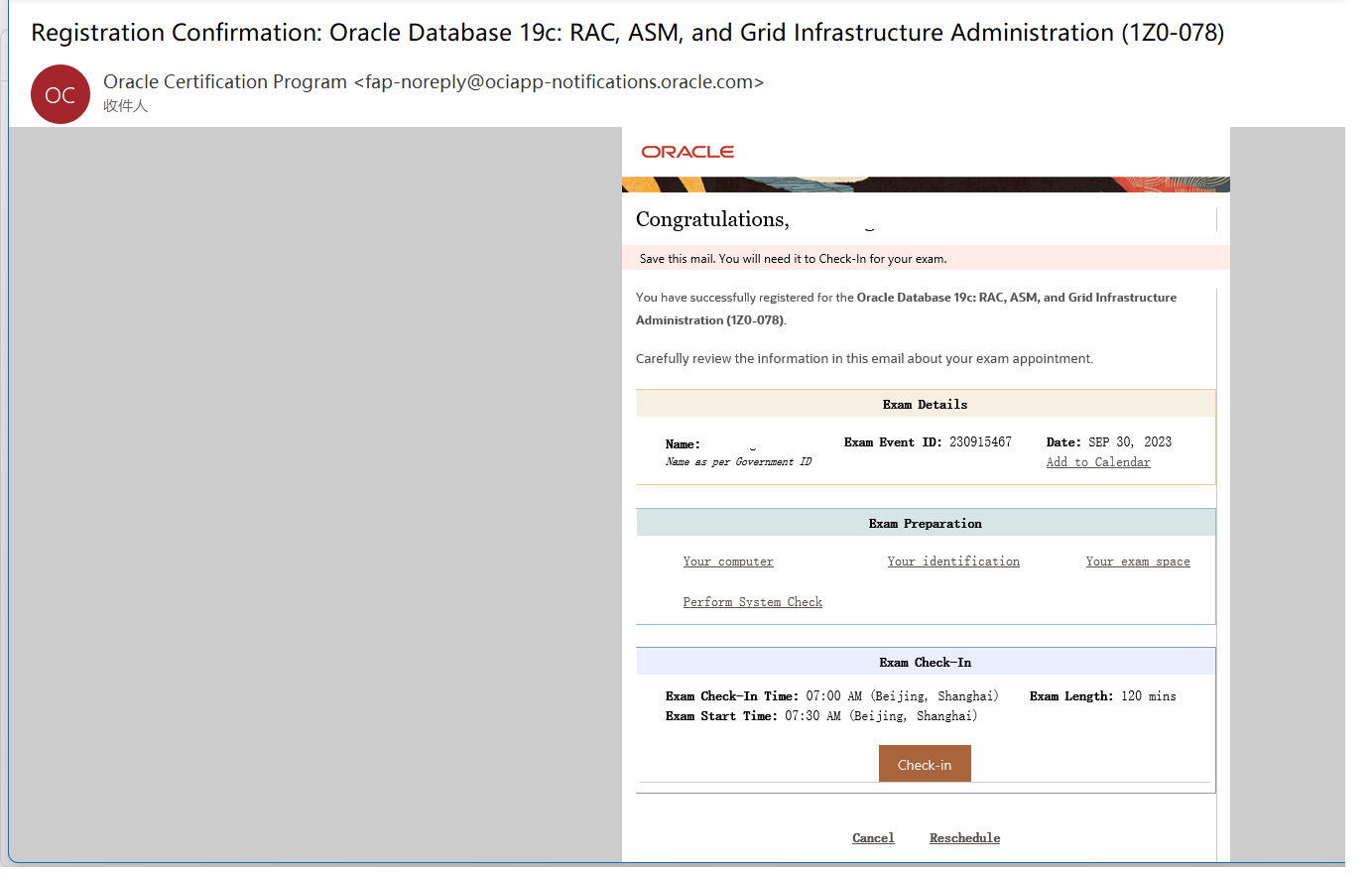
7,确认考试,会收到OU邮件提醒
Schedule your exam:
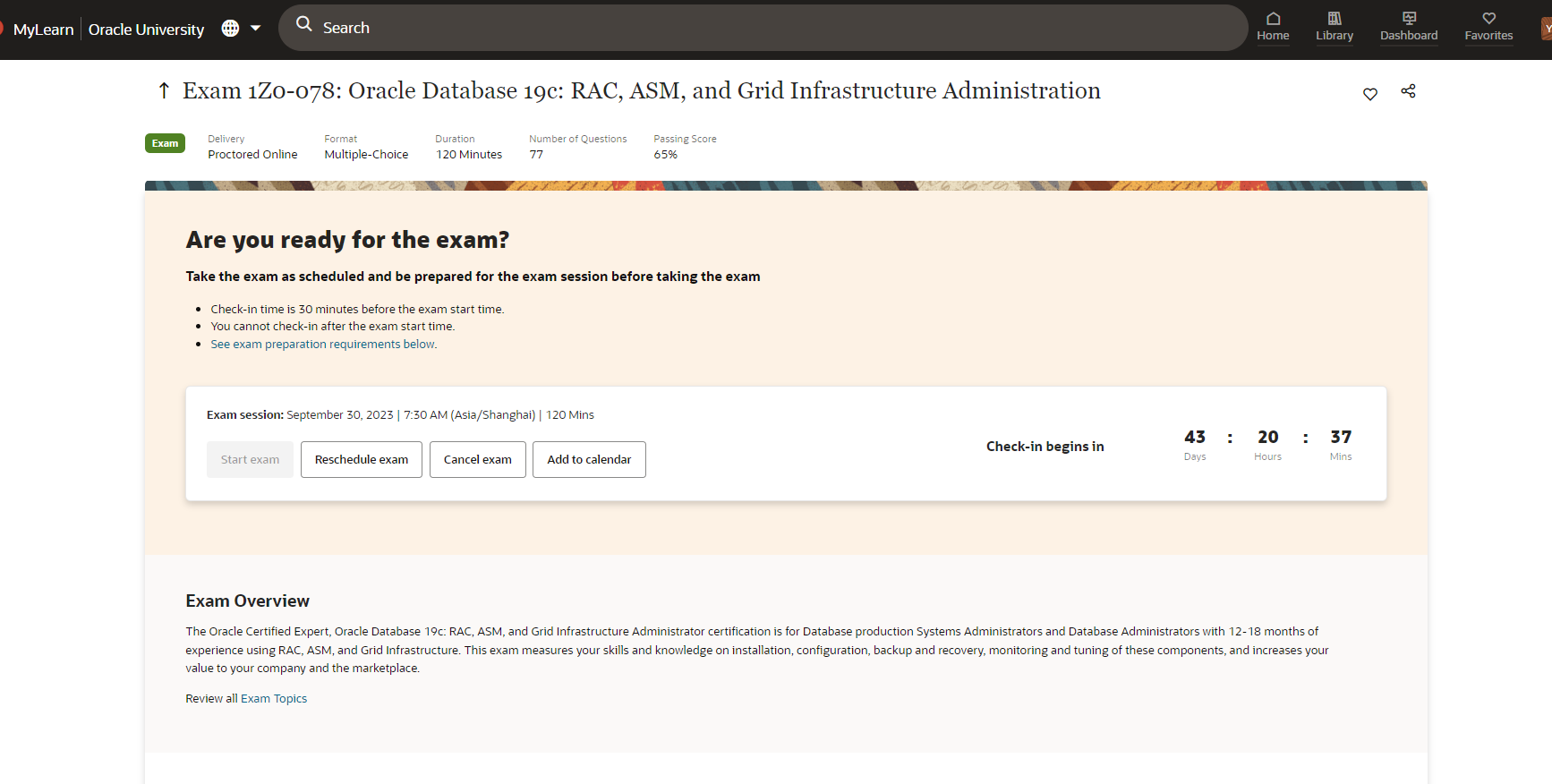
预约成功页面:
邮件信息:
8,取消考试,同时会收到邮件提醒
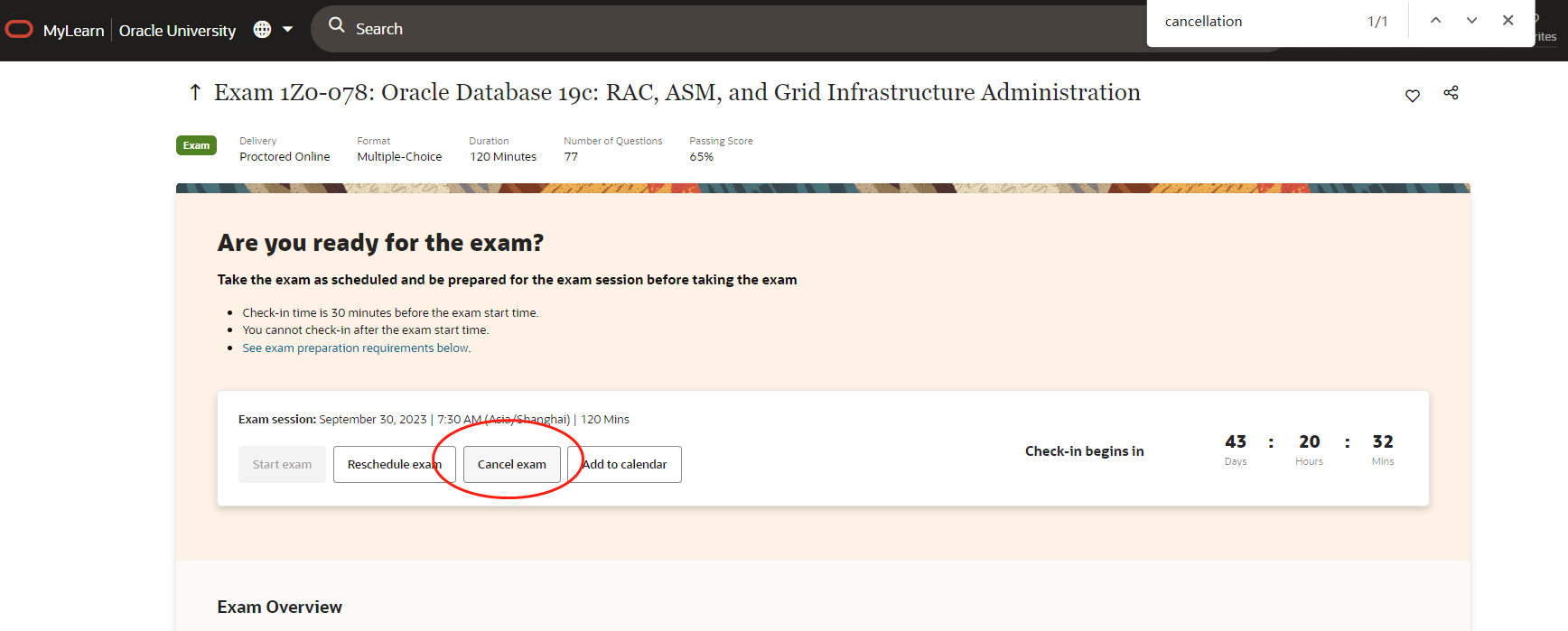
取消政策为开始考试前24小时:
cancellation policy:
If you need to cancel your exam, you must cancel at least 24 hours before your appointment time. If you fail to cancel at least 24 hours before your appointment, you risk forfeiting your exam attempt.
Any expenses incurred beyond the cost of the exam, are the candidate’s sole responsibility. Oracle will not be responsible for any of these costs, including but not limited to travel, equipment, lost wages.

最后修改时间:2023-08-17 10:39:50
「喜欢这篇文章,您的关注和赞赏是给作者最好的鼓励」
关注作者
【版权声明】本文为墨天轮用户原创内容,转载时必须标注文章的来源(墨天轮),文章链接,文章作者等基本信息,否则作者和墨天轮有权追究责任。如果您发现墨天轮中有涉嫌抄袭或者侵权的内容,欢迎发送邮件至:contact@modb.pro进行举报,并提供相关证据,一经查实,墨天轮将立刻删除相关内容。
