



0x00 为root用户设置密码
dora@ubuntu:~$ sudo passwd root
[sudo] password for dora:
Enter new UNIX password:
Retype new UNIX password:
passwd: password updated successfully
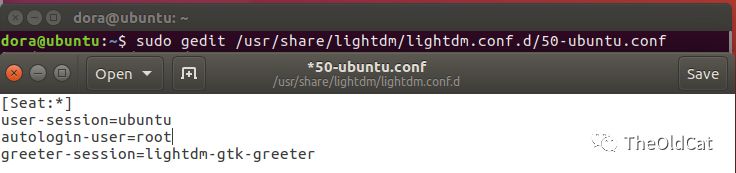
0x01 修改50-ubuntu.conf配置文件
sudo gedit /usr/share/lightdm/lightdm.conf.d/50-ubuntu.conf
在文件中添加如下内容
autologin-user=root
greeter-session=lightdm-gtk-greeter
0x02 修改.profile文件
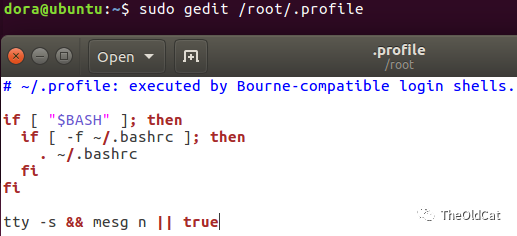
sudo gedit /root/.profile
在原文件的的最后一行的最前面加上tty -s && ,就像这样
# ~/.profile: executed by Bourne-compatible login shells.
if [ "$BASH" ]; then
  if [ -f ~/.bashrc ]; then
    . ~/.bashrc
  fi
fi
tty -s && mesg n || true
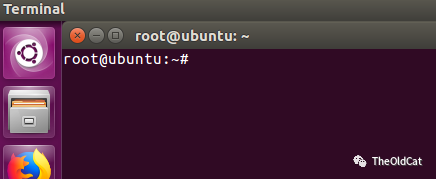
0x03 重启系统
重启之后,便是默认root用户了
往期推荐
笔记记录 | Ubuntu下修改默认python及pip版本
工具使用 | nessus的简单使用--以Metasploitable2为靶机

文章转载自TeamsSix,如果涉嫌侵权,请发送邮件至:contact@modb.pro进行举报,并提供相关证据,一经查实,墨天轮将立刻删除相关内容。
