



安装方式有3种,以下是详细步骤
- rpm包安装步骤
- 源码安装步骤
软硬件要求
| 操作系统 | 配置参数 | 最低配置 | 推荐配置 |
|---|---|---|---|
| CentOS 7、CentOS 8 | CPU | 4核 | 16核 |
| 内存 | 4GB | 64GB | |
| 存储 | 800MB,机械硬盘 | 5GB以上,SSD或NvMe | |
| 网络 | 千兆网络 | 万兆网络 |
环境和配置检查
部署 IvorySQL 数据库前,您需要进行系统环境和配置检查
--查看操作系统信息
cat /etc/redhat-release
返回
CentOS Linux release 7.9.2009 (Core)

--查看内核参数
uname -r
返回
3.10.0-1160.el7.x86_64

--查看内存,清理缓存
free -g
返回
              total        used        free      shared  buff/cache   available
Mem:              1           0           0           0           1           1
Swap:             1           0           1


echo 3 > /proc/sys/vm/drop_caches  疑问:该操作生产上是否敢用?
系统环境配置
--关闭防火墙
systemctl stop firewalld
systemctl disable firewalld

--若开启防火墙
firewall-cmd --zone=public --add-port=1521/tcp --permanent
firewall-cmd --reload
获取安装包
安装包2种
- rpm
- 源码
安装包大小34.46M,非常小。
获取rpm安装包
在线获取
wget https://github.com/IvorySQL/IvorySQL/releases/tag/Ivorysql_3.0_Beta/ivorysql3-3.0-1.rhel7.x86_64.rpm
wget https://github.com/IvorySQL/IvorySQL/releases/tag/Ivorysql_3.0_Beta/ivorysql3-contrib-3.0-1.rhel7.x86_64.rpm
wget https://github.com/IvorySQL/IvorySQL/releases/tag/Ivorysql_3.0_Beta/ivorysql3-libs-3.0-1.rhel7.x86_64.rpm
wget https://github.com/IvorySQL/IvorySQL/releases/tag/Ivorysql_3.0_Beta/ivorysql3-server-3.0-1.rhel7.x86_64.rpm
需安装wget命令
yum install -y wget
注意:示例中的安装包可能不是最新版本,建议您下载最新的安装包。
问题
--在线获取安装包报错
[root@localhost ~]# wget https://github.com/IvorySQL/IvorySQL/releases/tag/Ivorysql_3.0_Beta/ivorysql3-3.0-1.rhel7.x86_64.rpm
--2023-11-01 05:02:22--  https://github.com/IvorySQL/IvorySQL/releases/tag/Ivorysql_3.0_Beta/ivorysql3-3.0-1.rhel7.x86_64.rpm
Resolving github.com (github.com)... 20.205.243.166
Connecting to github.com (github.com)|20.205.243.166|:443... connected.
Unable to establish SSL connection.

--解决办法
离线下载
离线获取
下载地址:https://github.com/IvorySQL/IvorySQL/releases/tag/Ivorysql_3.0_Beta
ivorysql3-libs-3.0-1.rhel7.x86_64.rpm
ivorysql3-3.0-1.rhel7.x86_64.rpm
ivorysql3-contrib-3.0-1.rhel7.x86_64.rpm
ivorysql3-server-3.0-1.rhel7.x86_64.rpm
获取源码安装包
在线获取
--安装git
yum install -y git

--克隆 IvorySQL 数据库源代码到服务器
git clone https://github.com/IvorySQL/IvorySQL.git
如果以上地址不能访问,从代码仓库下载解决, 代码仓库地址https://github.com/IvorySQL/IvorySQL
或https://github.com/IvorySQL/IvorySQL/releases/tag/Ivorysql_3.0_Beta
注意:克隆代码需要先安装配置 Git。
离线获取
从代码仓库https://github.com/IvorySQL/IvorySQL下载IvorySQL-master.zip并上传至服务器/opt目录
--解压
unzip IvorySQL-master.zip
问题
1.克隆代码提示不能访问
--问题描述
服务器能访问外网,但是克隆代码提示不能访问
[root@localhost ~]# git clone https://github.com/IvorySQL/IvorySQL.git
Cloning into 'IvorySQL'...
fatal: unable to access 'https://github.com/IvorySQL/IvorySQL.git/': Failed connect to github.com:443; Connection refused

--问题分析
[root@localhost ~]# ping www.baidu.com
PING www.wshifen.com (103.235.46.40) 56(84) bytes of data.
64 bytes from 103.235.46.40 (103.235.46.40): icmp_seq=1 ttl=128 time=219 ms
64 bytes from 103.235.46.40 (103.235.46.40): icmp_seq=2 ttl=128 time=216 ms
^C
--- www.wshifen.com ping statistics ---
2 packets transmitted, 2 received, 0% packet loss, time 1005ms
rtt min/avg/max/mdev = 216.299/217.857/219.415/1.558 ms

--问题建议
建议能解决
2.访问githup下载超时
问题:
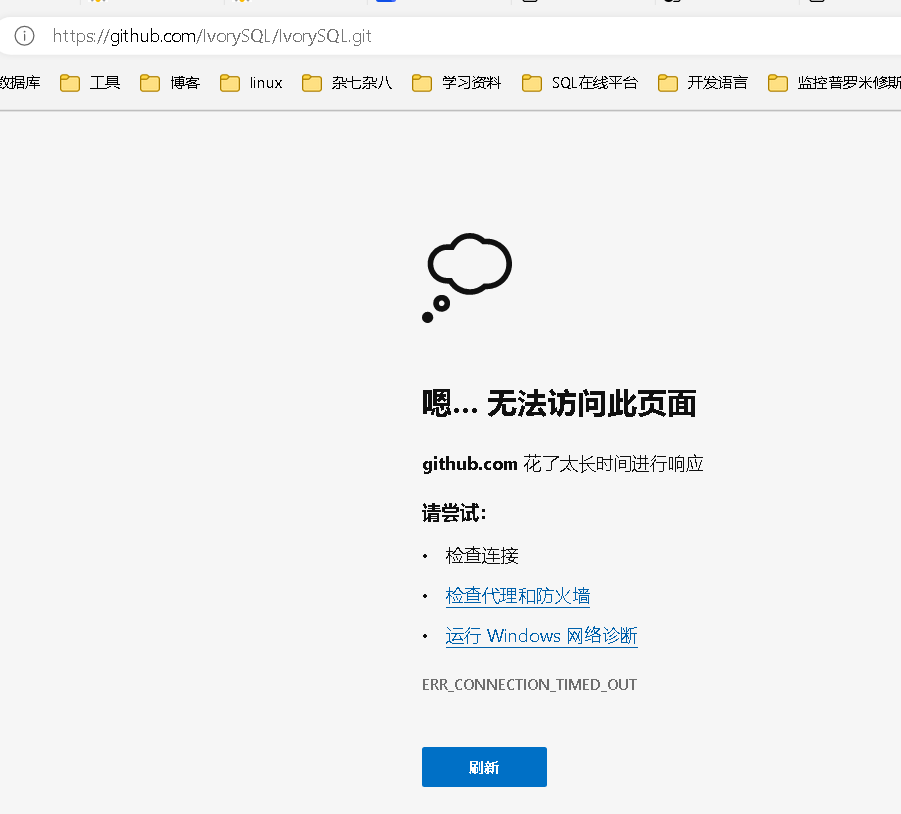
解决办法:从代码仓库下载解决, 代码仓库地址https://github.com/IvorySQL/IvorySQL
建议:能跳转至下载地址
安装步骤
安装方式有以下3种
- yum源安装
- rpm包安装
- 源码安装
yum源安装步骤
下载YUM源
--下载YUM源
wget https://yum.highgo.ca/dists/ivorysql-rpms/repo/ivorysql-release-1.0-1.noarch.rpm

--安装ivorysql-release-1.0-1.noarch.rpm
rpm -ivh ivorysql-release-1.0-1.noarch.rpm

--搜索查看相关安装包
yum search ivorysql
安装后,将创建YUM源配置文件:/etc/yum.repos.d/ivorysql.repo。
补充:YUN源说明
| 序号 | 包名 | 描述 |
|---|---|---|
| 1 | ivorysql1.x86_64 | IvorySQL客户端程序和库文件 |
| 2 | ivorysql1-contrib.x86_64 | 随IvorySQL发布的已贡献的源代码和二进制文件 |
| 3 | ivorysql1-devel.x86_64 | IvorySQL开发头文件和库 |
| 4 | ivorysql1-docs.x86_64 | IvorySQL的额外文档 |
| 5 | ivorysql1-libs.x86_64 | 所有IvorySQL客户端所需的共享库 |
| 6 | ivorysql1-llvmjit.x86_64 | 对IvorySQL的即时编译支持 |
| 7 | ivorysql1-plperl.x86_64 | 用于IvorySQL的过程语言Perl |
| 8 | ivorysql1-plpython3.x86_64 | 用于IvorySQL的过程语言Python3 |
| 9 | ivorysql1-pltcl.x86_64 | 用于IvorySQL的过程语言Tcl |
| 10 | ivorysql1-server.x86_64 | 创建和运行IvorySQL服务器所需的程序 |
| 11 | ivorysql1-test.x86_64 | 随IvorySQL发布的测试套件 |
| 12 | ivorysql-release.noarch | 瀚高基础软件股份有限公司的Yum源配置RPM包 |
问题
1.下载yum源失败
--下载yum源失败
[root@localhost ~]# wget https://yum.highgo.ca/dists/ivorysql-rpms/repo/ivorysql-release-1.0-1.noarch.rpm
--2023-11-01 05:28:32--  https://yum.highgo.ca/dists/ivorysql-rpms/repo/ivorysql-release-1.0-1.noarch.rpm
Resolving yum.highgo.ca (yum.highgo.ca)... 184.107.41.90
Connecting to yum.highgo.ca (yum.highgo.ca)|184.107.41.90|:443... connected.
Unable to establish SSL connection.

--问题分析
[root@localhost ~]# ping www.baidu.com
PING www.a.shifen.com (110.242.68.3) 56(84) bytes of data.
64 bytes from 110.242.68.3 (110.242.68.3): icmp_seq=1 ttl=128 time=20.9 ms
访问外网没问题

--问题建议
建议能像pg那样的下载能直接下载,不存在不能访问
安装IvorySQL
要安装数据库服务,需要安装ivorysql1-server。 在用户root会话下执行以下命令:
yum install -y ivorysql1-server
安装清单:
ivorysql1-server.x86_64 0:1.2-1.rhel7
依赖安装
ivorysql1.x86_64 0:1.2-1.rhel7 ivorysql1-contrib.x86_64 0:1.2-1.rhel7
ivorysql1-libs.x86_64 0:1.2-1.rhel7 libicu.x86_64 0:50.2-4.el7_7
libtirpc.x86_64 0:0.2.4-0.16.el7 libxslt.x86_64 0:1.1.28-6.el7
python3.x86_64 0:3.6.8-18.el7 python3-libs.x86_64 0:3.6.8-18.el7
python3-pip.noarch 0:9.0.3-8.el7 python3-setuptools.noarch 0:39.2.0-10.el7
已安装目录
| 序号 | 文件路径 | 描述 |
|---|---|---|
| 1 | /usr/local/ivorysql/ivorysql-3 | 软件安装目录 |
| 2 | /var/lib/ivorysql/ivorysql-3/data | 数据目录(默认) |
| 3 | /usr/bin/ivorysql-3-setup | 帮助管理员进行基本的数据库集群管理 |
| 4 | /usr/lib/systemd/system/ivorysql-3.service | 守护服务 |
rpm包安装步骤
安装依赖
yum install -y libicu libxslt python3
安装数据库软件
rpm -ivh ivorysql3-libs-3.0-1.rhel7.x86_64.rpm
rpm -ivh ivorysql3-3.0-1.rhel7.x86_64.rpm
rpm -ivh ivorysql3-contrib-3.0-1.rhel7.x86_64.rpm --nodeps
rpm -ivh ivorysql3-server-3.0-1.rhel7.x86_64.rpm
安装后会自动创建操作系统ivorysql用户及用户组
安装目录:/usr/local/ivorysql/ivorysql-3/
环境变量文件:/var/lib/ivorysql/.pgsql_profile
初始化数据库服务
初始化数据库
默认端口1521
创建目录并赋予权限
su - root
mkdir -p /usr/local/ivorysql/ivorysql-3/data
chown -R ivorysql:ivorysql /usr/local/ivorysql/ivorysql-3/data
环境变量
切换到用户ivorysql,修改文件 /var/lib/ivorysql/.pgsql_profile
cat >> /var/lib/ivorysql/.pgsql_profile << "EOF"
umask 022
export LD_LIBRARY_PATH=/usr/local/ivorysql/ivorysql-3/lib:$LD_LIBRARY_PATH
export PATH=/usr/local/ivorysql/ivorysql-3/bin:$PATH
export PGDATA=/usr/local/ivorysql/ivorysql-3/data
EOF
source /var/lib/ivorysql/.pgsql_profile
初始化
在用户ivorysql下,简单执行initdb就可以完成初始化
su - ivorysql
initdb
说明:initdb操作与PostgreSQL一样,可以按照PG的习惯去初始化。
启动数据库
pg_ctl start
查看状态,启动成功
pg_ctl status
配置服务
客户端验证
修改/usr/local/ivorysql/ivorysql-3/data/pg_hba.conf,追加以下内容:
echo 'host all all 0.0.0.0/0 trust' >> /usr/local/ivorysql/ivorysql-3/data/pg_hba.conf
注意:这里是trust,就是说可以免密登录。
执行以下命令加载配置:
pg_ctl reload
基本参数
--通过psql连接数据库
psql

--修改监听地址
alter system set listen_address = '*';
说明:默认是监听在127.0.0.1,主机外是连不上服务的。
问题
默认是postgres数据库,不会创建1个和操作系统用户名一样的数据库
--问题描述
-bash-4.2$ psql
psql: error: connection to server on socket "/tmp/.s.PGSQL.5432" failed: FATAL:  database "ivorysql" does not exist

--问题分析
-bash-4.2$ ss -nlt | grep 1521
LISTEN     0      128    127.0.0.1:1521                     *:*
LISTEN     0      128      [::1]:1521                  [::]:*
-bash-4.2$ ss -nlt | grep 5432
LISTEN     0      128    127.0.0.1:5432                     *:*
LISTEN     0      128      [::1]:5432                  [::]:*

--文件解决
-bash-4.2$ psql -d postgres
psql (16.0)
Type "help" for help.

postgres=#
postgres=# \l
                                                       List of databases
   Name    |  Owner   | Encoding | Locale Provider |   Collate   |    Ctype    | ICU Locale | ICU Rules |   Access privileges
-----------+----------+----------+-----------------+-------------+-------------+------------+-----------+-----------------------
 postgres  | ivorysql | UTF8     | libc            | en_US.UTF-8 | en_US.UTF-8 |            |           |
 template0 | ivorysql | UTF8     | libc            | en_US.UTF-8 | en_US.UTF-8 |            |           | =c/ivorysql          +
           |          |          |                 |             |             |            |           | ivorysql=CTc/ivorysql
 template1 | ivorysql | UTF8     | libc            | en_US.UTF-8 | en_US.UTF-8 |            |           | =c/ivorysql          +
           |          |          |                 |             |             |            |           | ivorysql=CTc/ivorysql
(3 rows)
守护服务
创建service文件
cat >> /usr/lib/systemd/system/ivorysql.service << "EOF"
[Unit]
Description=IvorySQL 3.0 database server
Documentation=https://www.ivorysql.org
Requires=network.target local-fs.target
After=network.target local-fs.target

[Service]
Type=forking

User=ivorysql
Group=ivorysql

Environment=PGDATA=/usr/local/ivorysql/ivorysql-3/data

OOMScoreAdjust=-1000

ExecStart=/usr/local/ivorysql/ivorysql-3/bin/pg_ctl start -D ${PGDATA}
ExecStop=/usr/local/ivorysql/ivorysql-3/bin/pg_ctl stop -D ${PGDATA}
ExecReload=/usr/local/ivorysql/ivorysql-3/bin/pg_ctl reload -D ${PGDATA}

TimeoutSec=0

[Install]
WantedBy=multi-user.target
EOF
说明:service的写法有很多,在生产环境使用时需谨慎,请多次重复测试。
启停命令
systemctl enable --now ivorysql.service     --开机自启
systemctl start ivorysql.service            --启动数据库服务
systemctl stop ivorysql.service             --停止数据库服务
systemctl restart ivorysql.service          --重启数据库
systemctl status ivorysql.service           --查看数据库状态
systemctl reload ivorysql.service           --可以满足部分数据库配置修改完后生效
源码安装步骤
安装依赖包
要从源代码编译 IvorySQL,必须确保系统上有可用的先决条件包。
yum install -y bison-devel readline-devel zlib-devel openssl-devel wget
yum groupinstall -y 'Development Tools'
说明:“Development Tools” 包含了gcc,make,flex,bison。
编译安装
配置
Root用户执行以下命令进行配置
cd /opt/IvorySQL-master
./configure --prefix=/usr/local/ivorysql/ivorysql-3
问题
1.配置提示ICU library not found
--问题描述
checking for icu-uc icu-i18n... no
configure: error: ICU library not found
If you have ICU already installed, see config.log for details on the
failure.  It is possible the compiler isn't looking in the proper directory.
Use --without-icu to disable ICU support.
[root@localhost IvorySQL-master]# cat /etc/redhat-release
CentOS Linux release 7.9.2009 (Core)

--解决办法
增加--without-icu 参数配置成功
./configure --prefix=/usr/local/ivorysql/ivorysql-3 --without-icu

--建议
默认支持,因为其他数据库未出现该情况,是否保持和主流一致
说明: 若没有提供 --prefix,默认安装在 /usr/local/ivorysql,视情况指定路径。
注意:我们要记住指定的目录,因为系统查不出已经编译安装的程序在哪。更多 configure 参数通过 ./configure --help 查看。还可以查看 PostgreSQL 手册。
编译
配置完成后,执行make进行编译,过程会比较耗时,我的配置内存1G,耗时大概8分钟
make
补充:要在安装新编译的服务之前使用回归测试测试一下,以下命令均可:
make check
make all-check-world
编译安装
make install
初始化数据库服务
初始化数据库
默认端口1521
创建操作系统用户并赋予权限
用户root会话下,新建用户 ivorysql
--新建用户 ivorysql
/usr/sbin/groupadd ivorysql
/usr/sbin/useradd -g ivorysql ivorysql -c "IvorySQL3.0 Server"
passwd ivorysql

--修改权限
chown -R ivorysql.ivorysql /usr/local/ivorysql
注意:这里没按RPM安装将数据目录放置到 /var/lib/ivorysql/ivorysql-3/data
环境变量
切换到用户ivorysql,修改文件 /home/ivorysql/.bash_profile
cat >> /home/ivorysql/.bash_profile << "EOF"
umask 022
export LD_LIBRARY_PATH=/usr/local/ivorysql/ivorysql-3/lib:$LD_LIBRARY_PATH
export PATH=/usr/local/ivorysql/ivorysql-3/bin:$PATH
export PGDATA=/usr/local/ivorysql/ivorysql-3/data
EOF
source /home/ivorysql/.bash_profile
初始化
在用户ivorysql下,简单执行initdb就可以完成初始化
su - ivorysql
initdb
说明:initdb操作与PostgreSQL一样,可以按照PG的习惯去初始化。
启动数据库
pg_ctl start
查看状态,启动成功
pg_ctl status
配置服务
客户端验证
修改/usr/local/ivorysql/ivorysql-3/data/pg_hba.conf,追加以下内容:
echo 'host all all 0.0.0.0/0 trust' >> /usr/local/ivorysql/ivorysql-3/data/pg_hba.conf
注意:这里是trust,就是说可以免密登录。
执行以下命令加载配置:
pg_ctl reload
基本参数
--通过psql连接数据库
psql

--修改监听地址
alter system set listen_address = '*';
说明:默认是监听在127.0.0.1,主机外是连不上服务的。
守护服务
创建service文件
cat >> /usr/lib/systemd/system/ivorysql.service << "EOF"
[Unit]
Description=IvorySQL 3.0 database server
Documentation=https://www.ivorysql.org
Requires=network.target local-fs.target
After=network.target local-fs.target

[Service]
Type=forking

User=ivorysql
Group=ivorysql

Environment=PGDATA=/usr/local/ivorysql/ivorysql-3/data

OOMScoreAdjust=-1000

ExecStart=/usr/local/ivorysql/ivorysql-3/bin/pg_ctl start -D ${PGDATA}
ExecStop=/usr/local/ivorysql/ivorysql-3/bin/pg_ctl stop -D ${PGDATA}
ExecReload=/usr/local/ivorysql/ivorysql-3/bin/pg_ctl reload -D ${PGDATA}

TimeoutSec=0

[Install]
WantedBy=multi-user.target
EOF
说明:service的写法有很多,在生产环境使用时需谨慎,请多次重复测试。
启停命令
systemctl enable --now ivorysql.service     --开机自启
systemctl start ivorysql.service            --启动数据库服务
systemctl stop ivorysql.service             --停止数据库服务
systemctl restart ivorysql.service          --重启数据库
systemctl status ivorysql.service           --查看数据库状态
systemctl reload ivorysql.service           --可以满足部分数据库配置修改完后生效
卸载数据库
编译卸载
停止数据库服务
systemctl stop ivorysql.service
备份数据
数据目录在“/var/lib/ivorysql/ivorysql-3/data”下,所以我们将该目录保护好就可以,最好停止数据库服务后做备份。
cp -r /var/lib/ivorysql/ivorysql-3/data /var/lib/ivorysql/ivorysql-3/data_bak
编译卸载
root会话下切到源码目录下,分别执行以下命令:
make uninstall
make clean
删除残余目录和文件
说明:还有用户ivorysql以及对应的环境变量,可以根据情况是否清理。剩下的就是数据目录“/var/lib/ivorysql/ivorysql-3/data”了,请务必做好备份再做处理。还有安装的依赖包,可根据情况决定是否卸载。
systemctl disable ivorysql.servicemake                  --禁用服务
mv /usr/lib/systemd/system/ivorysql.service /tmp/       --服务文件移到/tmp,删除也可以
rm -fr /usr/local/ivorysql/ivorysql-3                                 --删除残留安装目录
YUM卸载
停止数据库服务
systemctl stop ivorysql-3.service
备份数据
数据目录在“/var/lib/ivorysql/ivorysql-3/data”下,所以我们将该目录保护好就可以,最好停止数据库服务后做备份。
cp -r /var/lib/ivorysql/ivorysql-3/data /var/lib/ivorysql/ivorysql-3/data_bak
卸载
但该命令卸载并不彻底,只卸载了2个依赖,还有8个依赖未能卸载。可以根据是否保留这些依赖而决定是否使用这种方式卸载。
先使用“yum history list”确定yum安装的事务ID:
yum history list
可以看到ID为5的是执行安装的事务。执行命令卸载(需将XX替换为“5”):
yum history undo XX
功能测试
测试函数
--创建函数1(只包含函数输入参数,不包含输出参数)
CREATE OR REPLACE FUNCTION add(a INTEGER, b NUMERIC)
RETURNS NUMERIC AS $$
	SELECT a+b;
$$
LANGUAGE SQL;

--创建函数2(同时包含输入参数和输出参数 IN代表输入参数,OUT代表输出参数  )
CREATE OR REPLACE FUNCTION input_and_output(IN a INTEGER, IN b NUMERIC, OUT c NUMERIC, OUT d NUMERIC)
AS $$
	SELECT a+b, a-b;
$$
LANGUAGE SQL;

--调用函数 1
select add(2,3);

--调用函数 2
select input_add_output(5,2);
输出结果
postgres=# CREATE OR REPLACE FUNCTION add(a INTEGER, b NUMERIC)
postgres-# RETURNS NUMERIC AS $$
postgres$# SELECT a+b;
postgres$# $$
postgres-# LANGUAGE SQL;
CREATE FUNCTION
postgres=# CREATE OR REPLACE FUNCTION input_and_output(IN a INTEGER, IN b NUMERIC, OUT c NUMERIC, OUT d NUMERIC)
postgres-# AS $$
postgres$# SELECT a+b, a-b;
postgres$# $$
postgres-# LANGUAGE SQL;
CREATE FUNCTION
postgres=# select add(2,3);
 add
-----
   5
(1 row)

postgres=# select input_add_output(5,2);
2023-11-01 09:29:47.999 CST [2452] ERROR:  function input_add_output(integer, integer) does not exist at character 8
2023-11-01 09:29:47.999 CST [2452] HINT:  No function matches the given name and argument types. You might need to add explicit type casts.
2023-11-01 09:29:47.999 CST [2452] STATEMENT:  select input_add_output(5,2);
ERROR:  function input_add_output(integer, integer) does not exist
LINE 1: select input_add_output(5,2);
               ^
HINT:  No function matches the given name and argument types. You might need to add explicit type casts.
问题
No function matches
--创建函数
postgres=# CREATE OR REPLACE FUNCTION input_and_output(IN a INTEGER, IN b NUMERIC, OUT c NUMERIC, OUT d NUMERIC)
postgres-# AS $$
postgres$# SELECT a+b, a-b;
postgres$# $$
postgres-# LANGUAGE SQL;
CREATE FUNCTION

--调用函数
postgres=# select input_add_output(5,2);
2023-11-01 09:29:47.999 CST [2452] ERROR:  function input_add_output(integer, integer) does not exist at character 8
2023-11-01 09:29:47.999 CST [2452] HINT:  No function matches the given name and argument types. You might need to add explicit type casts.
2023-11-01 09:29:47.999 CST [2452] STATEMENT:  select input_add_output(5,2);
ERROR:  function input_add_output(integer, integer) does not exist
LINE 1: select input_add_output(5,2);
               ^
HINT:  No function matches the given name and argument types. You might need to add explicit type casts.
测试存储过程
无报错
--创建存储过程1
create or replace function calculate (num1 int, num2 int, opr char(1)) returns int as
 $$
declare
  num int;
begin
   --raise notice 'num1:%,num2:%;opr:%', num1, num2, opr;
   if opr = '-' then num := num1 - num2;
   elseif opr = '+' then num := num1 + num2;
   elseif opr = '*' then num := num1 * num2;
   elseif opr = '/' then num := num1 / num2;
   else
      raise exception 'opr参数值只能为(-,+,*,/):当前opr的值:%', opr;
   end if;
   return num;
end
$$
language 'plpgsql';


--创建存储过程2

create or replace function calculate (num1 int, num2 int, opr char(1), out num int) as
$$
begin
   if opr = '-' then num := num1 - num2;
   elseif opr = '+' then num := num1 + num2;
   elseif opr = '*' then num := num1 * num2;
   elseif opr = '/' then num := num1 / num2;
   else
      raise exception 'opr参数值只能为(-,+,*,/):当前opr的值:%', opr;
   end if;
end
$$
language 'plpgsql';

--调用存储过程
select calculate(1, 1, '+');
测试匿名块功能
无报错
--创建数据表
create table learn01(
statistics_dt 	date			-- 数据日期
,cust_id 		varchar(20)		-- 客户号
,cust_name 		varchar(20)		-- 客户名称
,aum_avg 		decimal(16,2)	-- 资产月日均
,age 			int				-- 年龄
,gender 		varchar(1)		-- 性别标志:0男 1女
,PRIMARY KEY(statistics_dt,cust_id)
);-- DISTRIBUTED BY 语句适用于分布式部署的系统,单机版不支持

-- 赋权
ALTER TABLE learn01
    OWNER to postgres;
-- 添加备注信息
comment on table learn01 is 'postgresql技能提升学习表01';
comment on column learn01.statistics_dt is '数据日期';
comment on column learn01.cust_id is '客户号';
comment on column learn01.cust_name is '客户名称';
comment on column learn01.aum_avg is '资产月日均';
comment on column learn01.age is '年龄';
comment on column learn01.gender is '性别标志:0男 1女';

--使用匿名函数——插入一千条数据
DO LANGUAGE 'plpgsql'  -- 指定匿名块的语言,可省略默认为plpgsql
$BODY$
BEGIN
	FOR counter IN 1..10 LOOP   -- 开始循环
		INSERT INTO learn01
			(statistics_dt -- 数据日期
			,cust_id 	   -- 客户号
			,cust_name 	   -- 客户名称
			,aum_avg 	   -- 资产月日均
			,age 		   -- 年龄
			,gender        -- 性别标志:0男 1女
			)
		VALUES(
			date'2021-01-31'                             -- 数据日期
			,RIGHT('000'||counter,4)                     -- 客户号
			,'编号'||RIGHT('000'||counter,4)              -- 客户名称
			,CAST(RANDOM() * 10000  AS decimal(16,2))    -- 资产月日均:随机生成0-10000的数值
			,CAST(RANDOM() * 89  AS INT) + 1             -- 年龄:随机生成1-90的整数
			,CAST(CAST(RANDOM() * 2  AS INT)%2 AS CHAR)  -- 性别:随机生成
		);
	END LOOP;
END
$BODY$;
总结
默认初始化实例后有2个端口,1521和5432。rpm方式安装会创建操作系统用户
参考链接
IvorySQL官网:https://www.ivorysql.org
IvorySQL官方文档:https://docs.ivorysql.org/cn/ivorysql-doc/beta/beta/welcome.html (跳转较慢)
