



原理
@SpringBootApplication 是一个复合注解,包括
@SpringBootConfiguration
@EnableAutoConfiguration
@ComponentScan
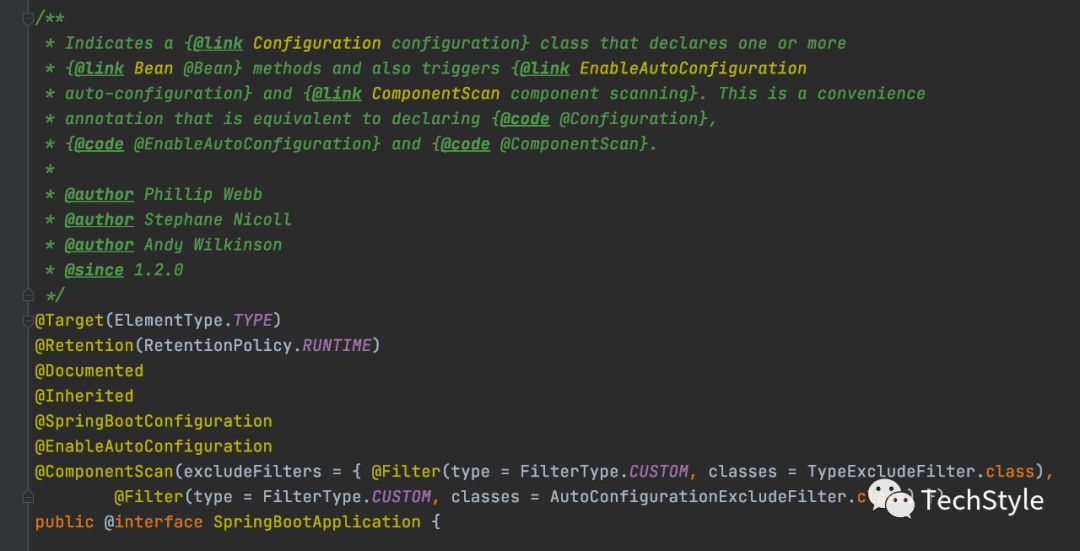
Note:
@ComponentScan(excludeFilters = { @Filter(type = FilterType.CUSTOM, classes = TypeExcludeFilter.class),@Filter(type = FilterType.CUSTOM, classes = AutoConfigurationExcludeFilter.class) })
excludeFilters
Specifies which types are not eligible for component scanning
@Filter
Filter annotation
FilterType.CUSTOM
Filter candidates using a given custom implementation
classes:
Filter specific class,include TypeExcludeFilter, AutoConfigurationExcludeFilter
@ComponentScan 源码
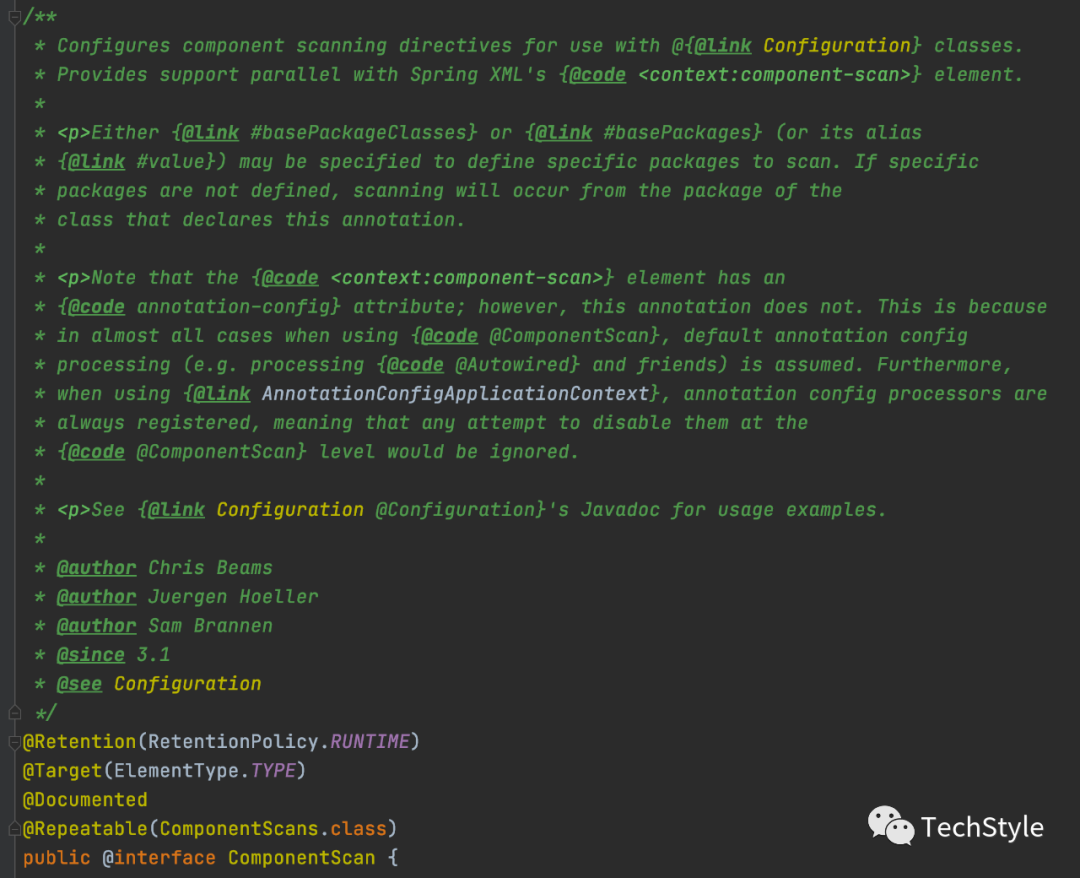
Note:
通常自定义一个Spring Bean,一般在类上加上注解 @Component、@Service、@Controller,定义好后,需要使用@ComponentScan 来告诉Spring IoC 容器去哪里装载自定义的Spring Bean。
@SpringBootApplication 包含了@ComponentScan,所以@SpringBootApplication注解所在包及其子包目录下的Spring Bean都会被扫描并装载到Spring IoC容器。
如果自定义的一个Spring Bean,不在@SpringBootApplication 注解所在包及其子包目录下,需要手动加上@ComponentScan 注解并指定自定义Spring Bean所在的包。
示例
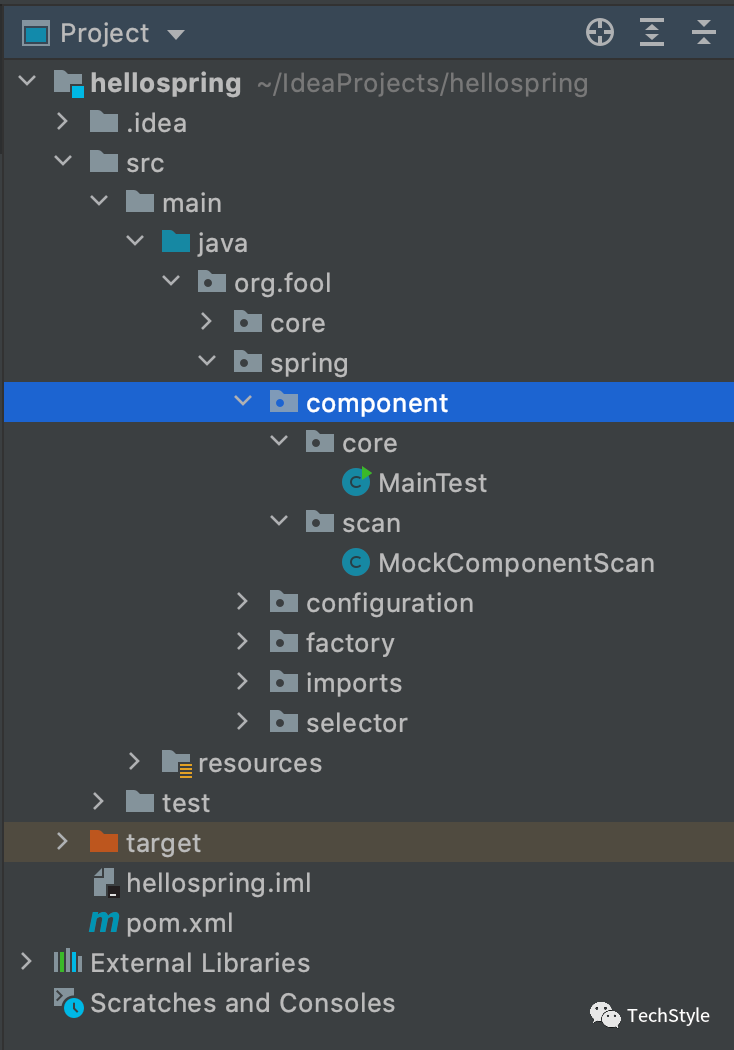
Project Directory
Maven Dependency
<?xml version="1.0" encoding="UTF-8"?><project xmlns="http://maven.apache.org/POM/4.0.0"xmlns:xsi="http://www.w3.org/2001/XMLSchema-instance"xsi:schemaLocation="http://maven.apache.org/POM/4.0.0 http://maven.apache.org/xsd/maven-4.0.0.xsd"><modelVersion>4.0.0</modelVersion><parent><groupId>org.springframework.boot</groupId><artifactId>spring-boot-starter-parent</artifactId><version>2.3.12.RELEASE</version><relativePath/></parent><groupId>org.fool</groupId><artifactId>hellospring</artifactId><version>1.0-SNAPSHOT</version><properties><maven.compiler.source>8</maven.compiler.source><maven.compiler.target>8</maven.compiler.target></properties><dependencies><dependency><groupId>org.springframework.boot</groupId><artifactId>spring-boot-starter-web</artifactId></dependency></dependencies><build><plugins><plugin><groupId>org.springframework.boot</groupId><artifactId>spring-boot-maven-plugin</artifactId></plugin></plugins></build></project>
SRC
MockComponentScan.java
package org.fool.spring.component.scan;import org.springframework.stereotype.Service;@Servicepublic class MockComponentScan {public MockComponentScan() {System.out.println("MockComponentScan init...");}@Overridepublic String toString() {return "MockComponentScan{}";}}
MainTest.java
package org.fool.spring.component.core;import org.fool.spring.component.scan.MockComponentScan;import org.springframework.boot.SpringApplication;import org.springframework.boot.autoconfigure.SpringBootApplication;import org.springframework.context.ConfigurableApplicationContext;import org.springframework.context.annotation.ComponentScan;@SpringBootApplication@ComponentScan("org.fool.spring.component.scan")public class MainTest {public static void main(String[] args) {ConfigurableApplicationContext context = SpringApplication.run(MainTest.class, args);MockComponentScan bean = context.getBean(MockComponentScan.class);System.out.println(bean);}}
Note:
MockComponentScan.java 和 打上@SpringBootApplication 注解的MainTest.java 不在同一个包中
@ComponentScan("org.fool.spring.component.scan")
Run
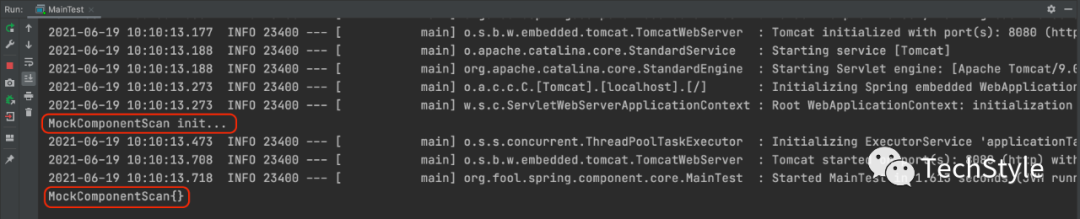
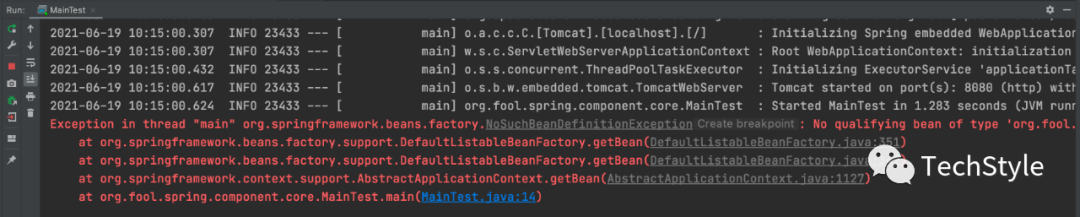
反之如果将 @ComponentScan 注释掉

再次运行MainTest.java,会抛出异常
Exception in thread "main" org.springframework.beans.factory.NoSuchBeanDefinitionException: No qualifying bean of type 'org.fool.spring.component.scan.MockComponentScan' availableat org.springframework.beans.factory.support.DefaultListableBeanFactory.getBean(DefaultListableBeanFactory.java:351)at org.springframework.beans.factory.support.DefaultListableBeanFactory.getBean(DefaultListableBeanFactory.java:342)at org.springframework.context.support.AbstractApplicationContext.getBean(AbstractApplicationContext.java:1127)at org.fool.spring.component.core.MainTest.main(MainTest.java:14)
泰克风格 只讲干货 不弄玄虚
