



环境部署
如下几步可快速体验:
 1docker rm -f lhryashandb
 2docker run -itd --name lhryashandb -h lhryashandb \
 3  -p 1688:1688 -p 33389:3389 \
 4  -v /sys/fs/cgroup:/sys/fs/cgroup \
 5  --privileged=true  lhrbest/yashandb:23.1.1 \
 6  /usr/sbin/init
 7
 8docker exec -it lhryashandb bash
 9
10su - yashan
11
12
13sh start_yashan.sh
14
15
16yasql / as sysdba
17
18
19select open_mode from v$database;
20
21
22-- 密码:lhr
日志:
 1[root@lhrdb ~]# docker run -itd --name lhryashandb -h lhryashandb \
 2>   -p 1688:1688 -p 33389:3389 \
 3>   -v /sys/fs/cgroup:/sys/fs/cgroup \
 4>   --privileged=true  lhrbest/yashandb:23.1.1 \
 5>   /usr/sbin/init
 6b751899f4e0b34405eebde3aab5f9fc1b0d452fd5aea3d5b756ca763ad432556
 7[root@lhrdb ~]#
 8[root@lhrdb ~]# docker exec -it lhryashandb bash
 9
10su - yashan
11
12[root@lhryashandb /]#
13[root@lhryashandb /]# su - yashan
14Last login: Wed Nov 22 10:15:14 CST 2023 on pts/1
15[yashan@lhryashandb ~]$
16[yashan@lhryashandb ~]$
17[yashan@lhryashandb ~]$ sh start_yashan.sh
18start yasom successfully
19start local agent successfully!
20 type | uuid             | name              | hostid | index    | status  | return_code | progress | cost
21-----------------------------------------------------------------------------------------------------------
22 task | b7981804a9b5367f | StartYasdbCluster | -      | yashandb | SUCCESS | 0           | 100      | 4
23------+------------------+-------------------+--------+----------+---------+-------------+----------+------
24task completed, status: SUCCESS
25 host_id  | node_type | nodeid | pid
26-------------------------------------
27 host0001 | db        | 1-1:1  | 660
28----------+-----------+--------+-----
29[yashan@lhryashandb ~]$ netstat -tulnp
30(Not all processes could be identified, non-owned process info
31 will not be shown, you would have to be root to see it all.)
32Active Internet connections (only servers)
33Proto Recv-Q Send-Q Local Address           Foreign Address         State       PID/Program name
34tcp        0      0 0.0.0.0:1688            0.0.0.0:*               LISTEN      660/yasdb
35tcp        0      0 127.0.0.1:1689          0.0.0.0:*               LISTEN      660/yasdb
36tcp        0      0 127.0.0.1:1675          0.0.0.0:*               LISTEN      599/yasom
37tcp        0      0 127.0.0.1:1676          0.0.0.0:*               LISTEN      632/yasagent
38tcp        0      0 0.0.0.0:22              0.0.0.0:*               LISTEN      -
39tcp6       0      0 :::3389                 :::*                    LISTEN      -
40tcp6       0      0 :::22                   :::*                    LISTEN      -
41tcp6       0      0 127.0.0.1:3350          :::*                    LISTEN      -
42[yashan@lhryashandb ~]$ yasql / as sysdba
43
44YashanDB SQL Personal Edition Release 23.1.1.100 x86_64
45
46Connected to:
47YashanDB Server Personal Edition Release 23.1.1.100 x86_64 - X86 64bit Linux
48
49SQL>
50SQL> select open_mode from v$database;
51
52OPEN_MODE
53-----------------
54READ_WRITE
55
561 row fetched.
57
58SQL>
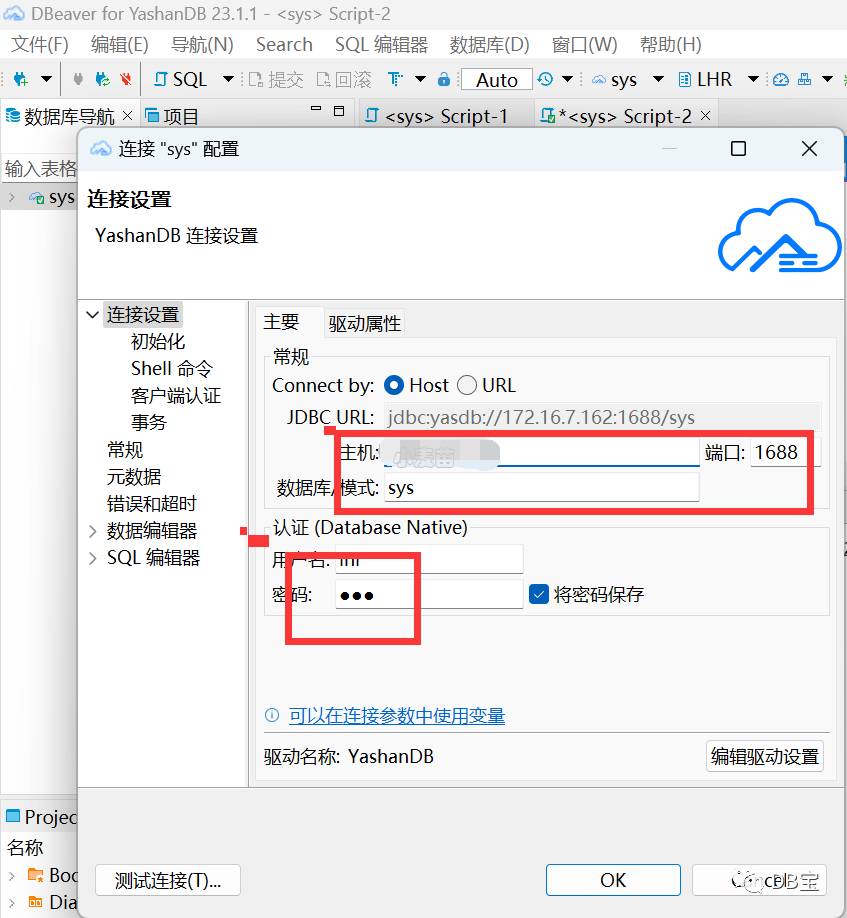
客户端软件DBeaver for YashanDB
巡检脚本
参考:https://www.xmmup.com/yashanyashandbshujukuxunjianjiaoben.html
崖山YashanDB数据库运行方式
需要有yasql客户端,运行方式如下:
1yasql / as sysdba -f DB_YashanDB_HC_lhr_v7.0.0.sql > /dev/null
输入密码,回车即可。
注意:
1、该脚本的字符集为utf8,请使用utf8格式打开该文件。
html巡检结果
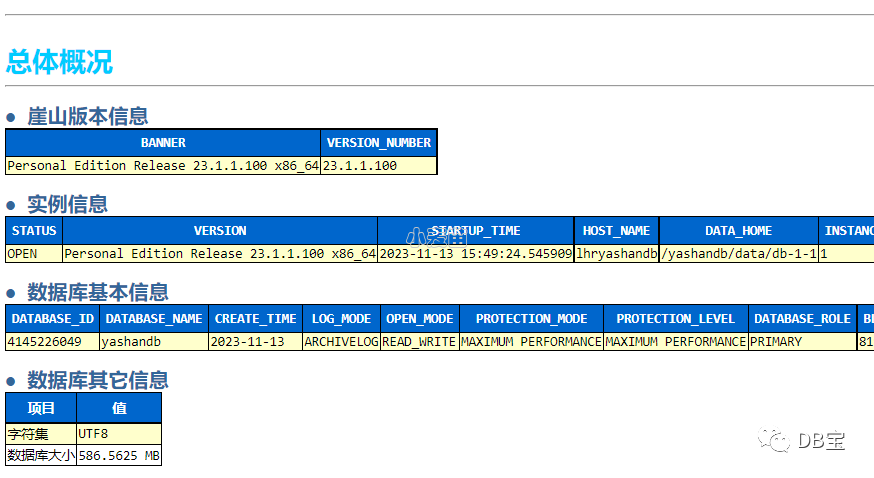
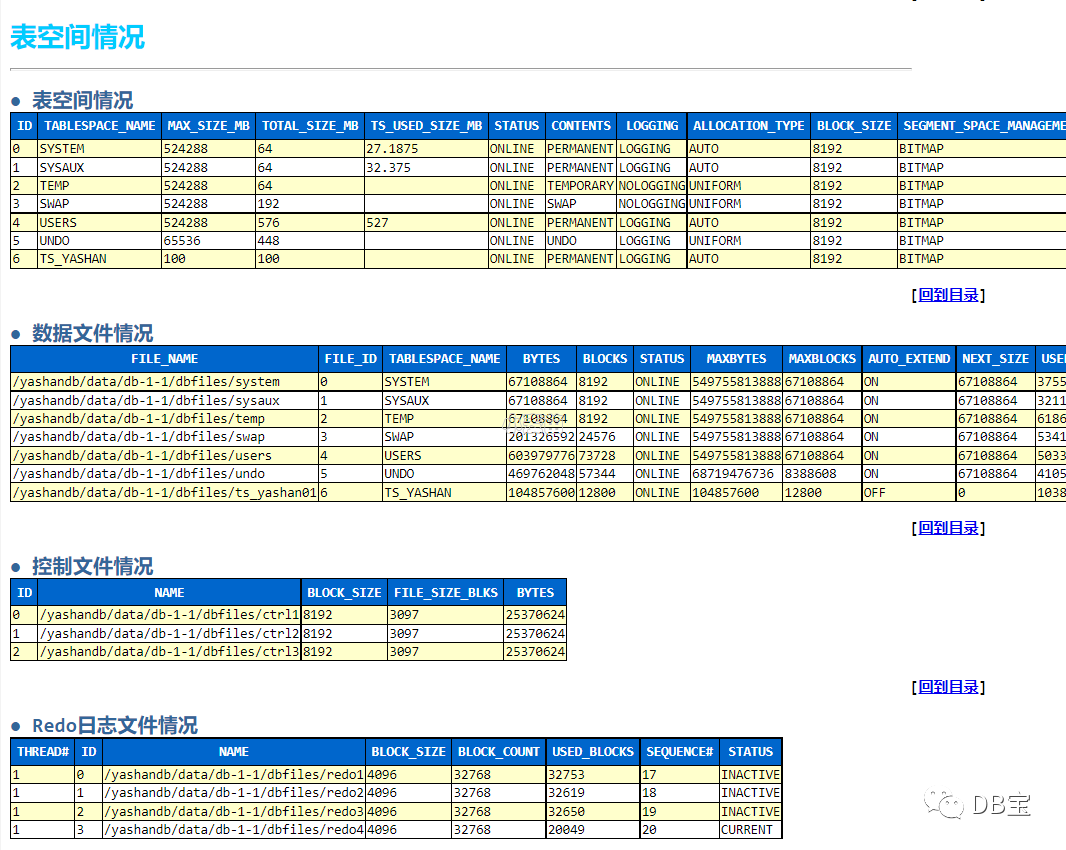
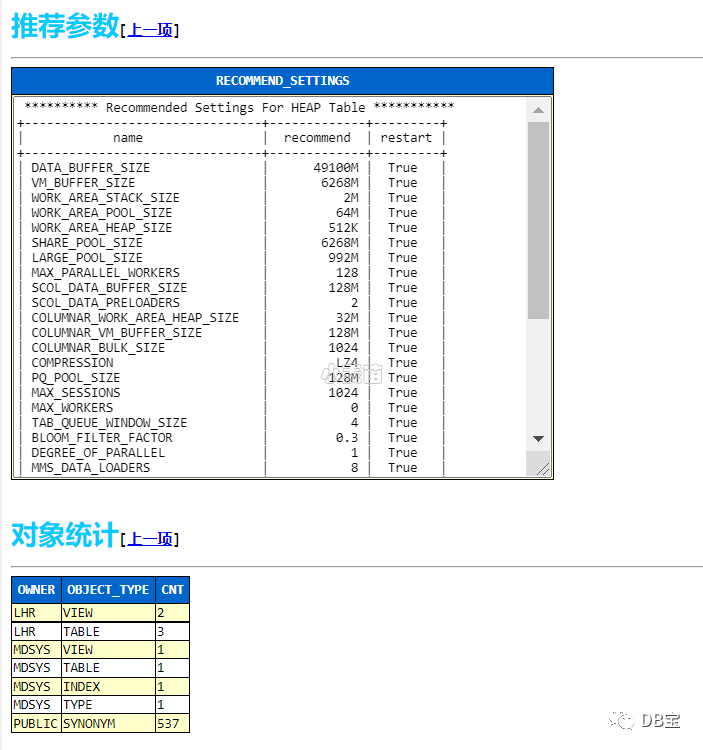
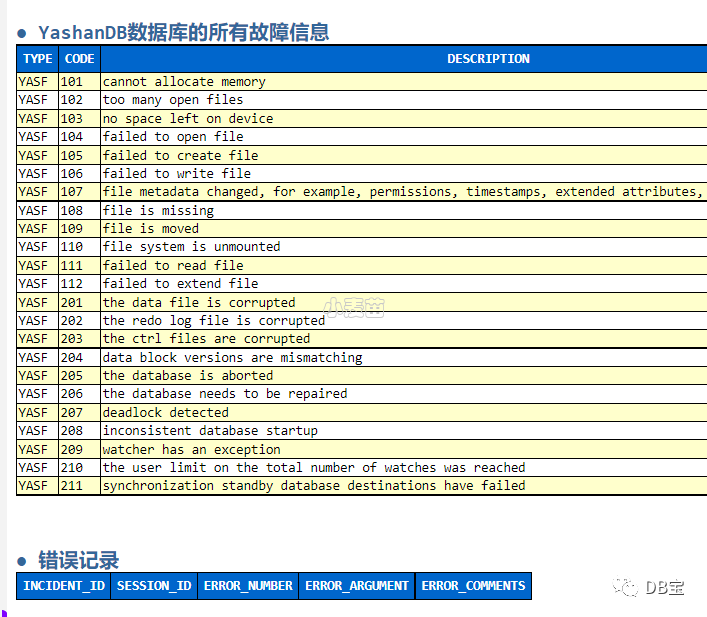
其它不再截图。
文章转载自DB宝,如果涉嫌侵权,请发送邮件至:contact@modb.pro进行举报,并提供相关证据,一经查实,墨天轮将立刻删除相关内容。
