





Cocos2d-x在ubuntu上的开发环境搭建,请参考《Ubuntu18.04搭建Cocos2d开发环境》
(https://blog.csdn.net/weixin_40763897/article/details/104307638)

格式:
$ cocos new MyGame -p com.your_company.mygame -l cpp -d NEW_PROJECTS_DIR
实例:
~/Desktop/Games$ cocos new OkGame -p com.wong.game -l cpp -d game
结果:
~/Desktop/Games$ tree -L 2.├── game│ └── OkGame14 directories, 1 file
1.运行cmake,生成makefile文件
/home/kyun/Desktop/Games/game/OkGame$ mkdir -p build/linux-build/home/kyun/Desktop/Games/game/OkGame$ cd build/linux-build/home/kyun/Desktop/Games/game/OkGame$ cmake ../..

2.当cmake结束后,/home/kyun/Desktop/Games/game/
OkGame目录就会有相应生成的文件有目录
~/Desktop/Games/game/OkGame/build/linux-build$ tree -L 1.├── bin├── CMakeCache.txt├── CMakeFiles├── cmake_install.cmake├── engine├── lib└── Makefile4 directories, 3 files
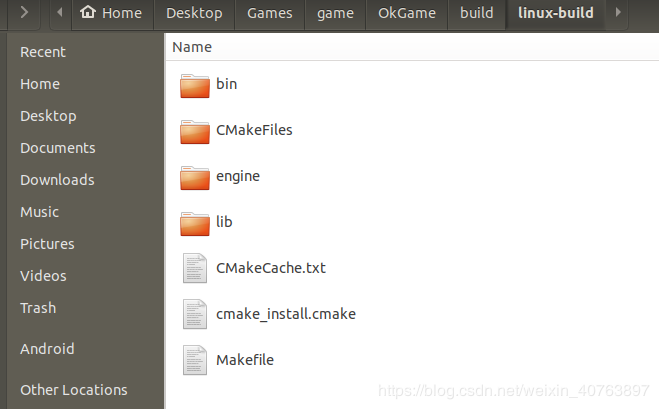
3.运行make命令编译,编译时间会稍微长一点
~/Desktop/Games/game/OkGame/build/linux-build$ make -j 4
make编译完成后,所有的东西都会生成在~/Desktop/Games/game/OkGame/build/linux-build/bin目录里:
~/Desktop/Games/game/OkGame/build/linux-build$ cd bin~/Desktop/Games/game/OkGame/build/linux-build/bin$ tree -L 2.└── OkGame├── OkGame└── Resources2 directories, 1 file
4.运行OkGame游戏
~/Desktop/Games/game/OkGame/build/linux-build/bin$ ./OkGame/OkGameReady for GLSLReady for OpenGL 2.0libpng warning: iCCP: known incorrect sRGB profile
运行效果如下
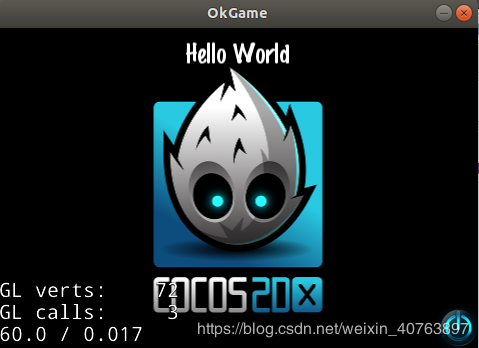

以上就是在ubuntu18.04操作系统上,编译运行Cocos2d-x项目的全过程。
在运行以下命令时,可能会遇到异常信息:
~/Desktop/coco2dx/cocos2d-x-4.0/build/linux-build/bin/cpp-tests$ ./cpp-tests
异常信息:
./cpp-tests: error while loading shared libraries: /home/kyun/Desktop/coco2dx/cocos2d-x-4.0/external/linux-specific/fmod/prebuilt/64-bit/libfmod.so.6: file too short
请参考《Cocos2d-x异常external/linux-specific/fmod/prebuilt/64-bit/libfmod.so.6: file too short》(https://blog.csdn.net/weixin_40763897/article/details/104900586)

文章转载自WTech,如果涉嫌侵权,请发送邮件至:contact@modb.pro进行举报,并提供相关证据,一经查实,墨天轮将立刻删除相关内容。
