



金仓数据库KingbaseES comment on语句的使用
关键字:
Comment on、人大金仓、KingbaseES
用途
COMMENT 存储关于一个数据库对象的注释。 对每一个对象只保存一个注释字符串,因此为了修改一段注释,对同一个对象发出一个新的 COMMENT 命令。要移除一段注释,可在文本字符串的位置上写上NULL。当对象被删除时, 其注释也会被自动删除。
使用
comment on table 语句
(1)语法:
|
Comment on table object_name is ‘comment text’; |
(2)例子:
|
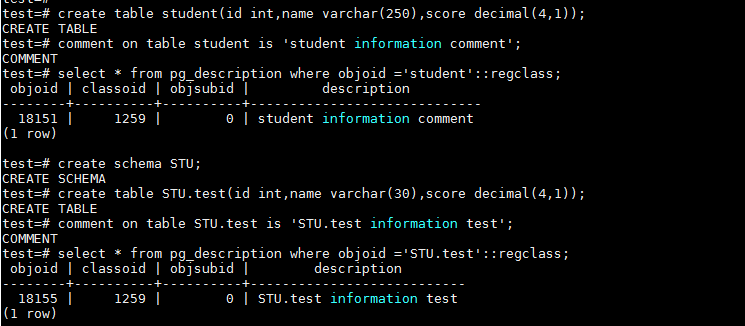
create table student(id int,name varchar(250),score decimal(4,1)); comment on table student is 'student information comment'; --指定模式创建表 create schema STU; create table STU.test(id int,name varchar(30),score decimal(4,1)); comment on table STU.test is 'STU.test information test'; select * from pg_description where objoid ='STU.test'::regclass; |
 comment on view 语句
(1)语法:
|
Comment on view object_name is ‘comment text’; |
(2)例子:
|
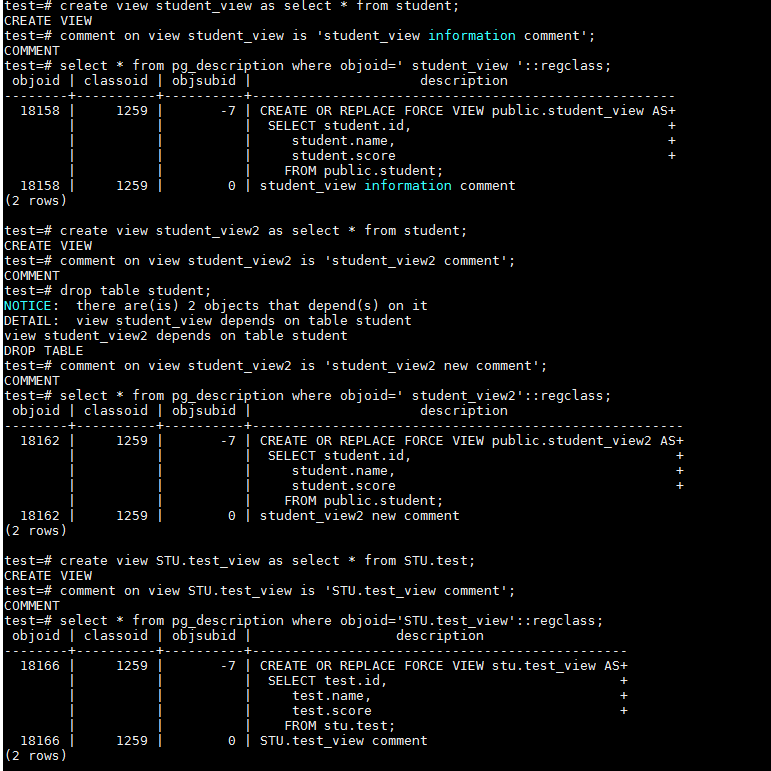
create view student_view as select * from student; comment on view student_view is 'student_view information comment'; select * from pg_description where objoid=' student_view '::regclass; --创建视图,然后删除,添加注释 create view student_view2 as select * from student; comment on view student_view2 is 'student_view2 comment'; drop table student; comment on view student_view2 is 'student_view2 new comment'; select * from pg_description where objoid=' student_view2'::regclass; --指定模式创建视图 create view STU.test_view as select * from STU.test; comment on view STU.test_view is 'STU.test_view comment'; select * from pg_description where objoid='STU.test_view'::regclass; |
comment on column语句
(1)语法:
|
Comment on column my_table.my_column is ‘comment text’; |
(2)例子:
|
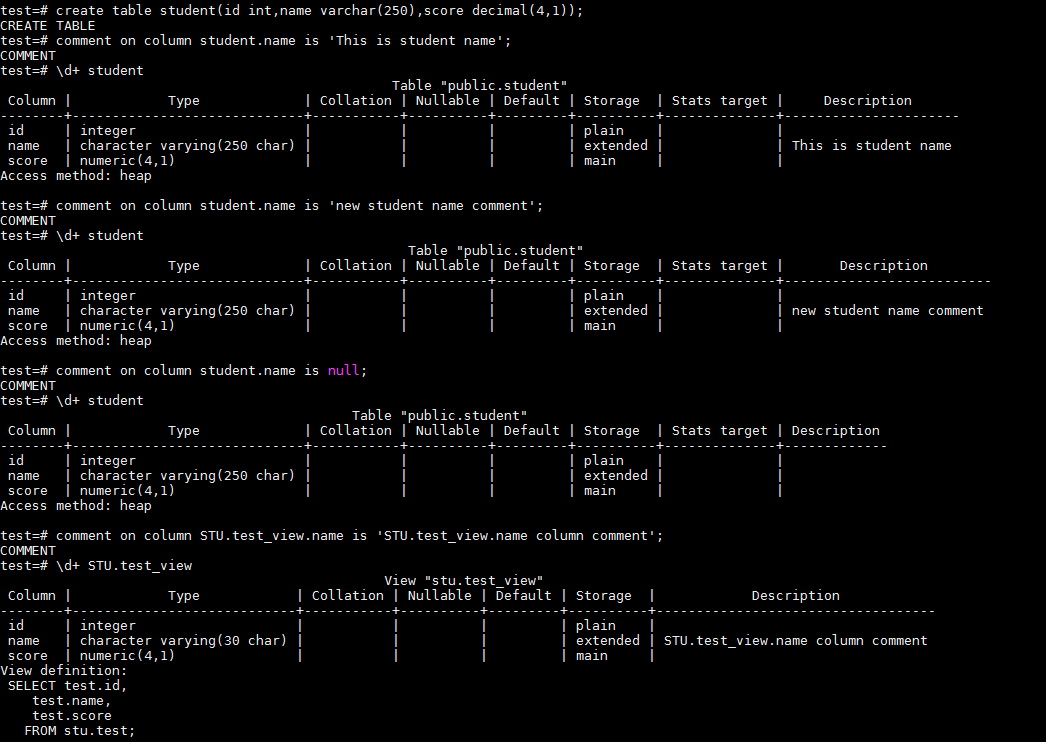
create table student(id int,name varchar(250),score decimal(4,1)); comment on column student.name is 'This is student name'; \d+ student --修改列注释 comment on column student.name is 'new student name comment'; \d+ student --删除列注释 comment on column student.name is null; \d+ student --指定模式为表上的列增加注释 comment on column STU.test_view.name is 'STU.test_view.name column comment'; \d+ STU.test_view |
comment on operator语句
(1)语法:
|
Comment on operator operator_name(left_type,right_type); |
(2)例子:
|
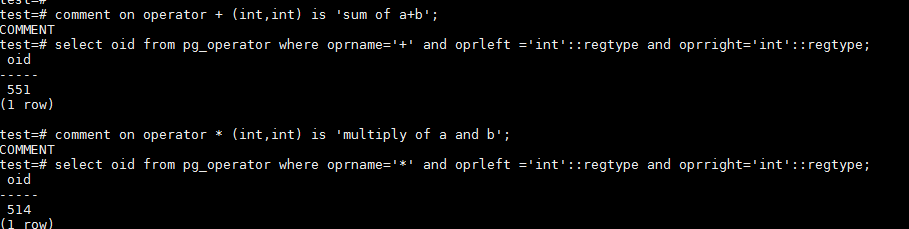
comment on operator + (int,int) is 'sum of a+b'; select oid from pg_operator where oprname='+' and oprleft ='int'::regtype and oprright='int'::regtype; comment on operator * (int,int) is 'multiply of a and b'; select oid from pg_operator where oprname='*' and oprleft ='int'::regtype and oprright='int'::regtype; |
comment on materialized view语句
(1)语法:
|
Comment on materialized view object_name is ‘comment text’; |
(2)例子:
|
create materialized view student_mv as select * from student; comment on materialized view student_mv is 'this is student_mv comment'; select * from pg_description where objoid='student_mv'::regclass; |

comment on index语句
(1)语法:
|
Comment on index object_name is ‘comment text’; |
(2)例子:
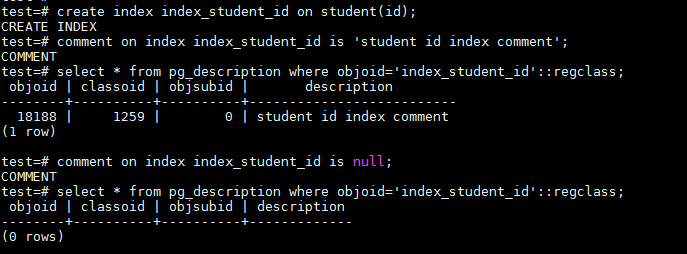
|
create index index_student_id on student(id); comment on index index_student_id is 'student id index comment'; select * from pg_description where objoid='index_student_id'::regclass; --删除索引注释 comment on index index_student_id is null; select * from pg_description where objoid='index_student_id'::regclass; |
新兼容oracle的comment子句,comment on table view_name
(1)语法:
|
Comment on table view_name is ‘comment text’; |
(2)例子:
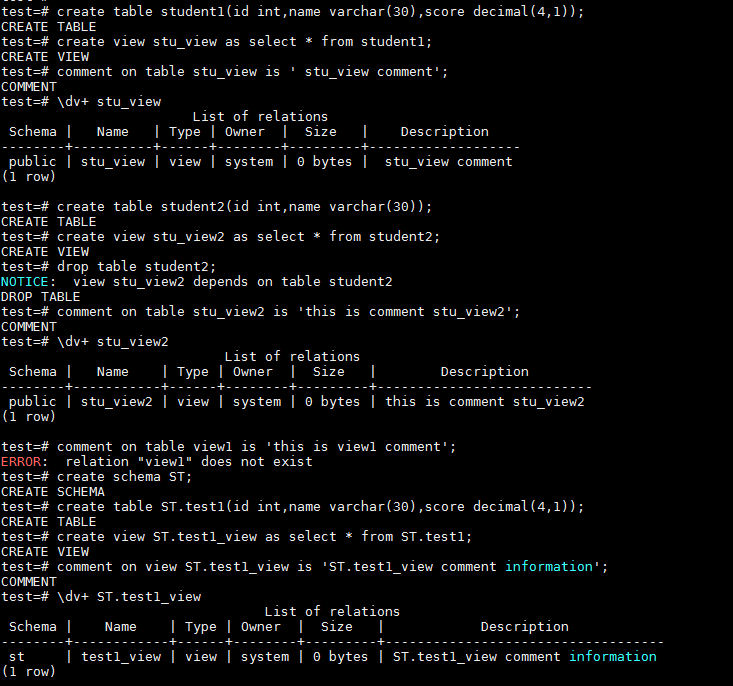
|
create table student1(id int,name varchar(30),score decimal(4,1)); create view stu_view as select * from student1; comment on table stu_view is ' stu_view comment'; \dv+ stu_view --失效的视图添加注释 create table student2(id int,name varchar(30)); create view stu_view2 as select * from student2; drop table student2; comment on table stu_view2 is 'this is comment stu_view2'; \dv+ stu_view2 --给不存在的视图名添加注释 comment on table view1 is 'this is view1 comment'; --指定模式创建视图,并添加注释 create schema ST; create table ST.test1(id int,name varchar(30),score decimal(4,1)); create view ST.test1_view as select * from ST.test1; comment on view ST.test1_view is 'ST.test1_view comment information'; \dv+ ST.test1_view |
参考资料
