



问题背景
最近,在平台上发现很多图片无法展示,显示此图片来自微信公众平台,未经允许不可引用,分析原因后,发现是在发布文章时,富文本编辑器get图片,有跨域问题。

解决方案
在网上搜了很多方案,例如img.setAttribute(‘crossOrigin’, ‘anonymous’),发现无效,于是想到代理服务器。
思路:传递图片地址过去 让后端给转成buffer返回给前端,前端再上传二进制图片,到oss,获得链接
代理服务器非常简单,实现代码如下:
新建一个node项目
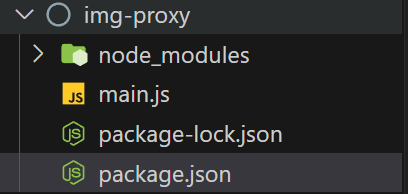
main.js
const express = require('express')
const fetch = require('node-fetch')

const app = express();

app.use('/proxy',  async (req, res) => {
    const imageUrl = req.query.url;
    try {
        const response = await fetch(imageUrl)
        const body = await response.buffer();
        res.set('Content-Type', 'image/jpeg')
        res.send(body)
    } catch(e) {
        res.status(500).send('error')
    }
})

app.listen(3333, () => {
    console.log('server is running on port 3333')
})
package.json
{
  "name": "img-proxy",
  "version": "1.0.0",
  "description": "",
  "main": "index.js",
  "type": "commonjs",
  "scripts": {
    "dev": "node main.js"
  },
  "keywords": [],
  "author": "",
  "license": "ISC",
  "dependencies": {
    "express": "^4.18.2",
    "node-fetch": "^2.0.0"
  }
}
然后在nuxt.config.js中配置代码
'/proxy': {
   target: 'http://localhost:3333/',
   changeOrigin: true
},
在前端富文本中进行配置
<template>
  <div class="w-editor-box">
    <div class="wEditor" id="wEditor"></div>
    <input class="hide" type="file" id="wordFile" @change="getWordFile" accept=".docx" />
  </div>
</template>
<script>
import { attachNoticesApi } from "@/apis";
export default {
  data() {
    return {
      editor: null,
      isHTML: false,
      loading: false,
    };
  },
  methods: {
    initEditor() {
      let _this = this;
      const E = window.wangEditor;
      const { $, BtnMenu } = E;
      class AlertMenu extends BtnMenu {
        constructor(editor) {
          const $elem = E.$(
            `<div class="w-e-menu">
              <i class="cs-html"></i>
            </div>`
          );
          super($elem, editor);
        }
        clickHandler() {
          this.tryChangeActive();
        }
        tryChangeActive() {
          if (_this.isHTML) this.active();
          else this.unActive();
        }
      }

      this.editor = new E("#wEditor");
      const editor = this.editor;
      editor.config.focus = false;
      editor.config.menus = [
        "bold",
        "head",
        "italic",
        "underline",
        "strikeThrough",
        "list",
        "justify",
        "link",
        "quote",
        "image",
        "table",
        "code",
      ];
      editor.highlight = hljs;
      editor.config.languageType = [
        "SQL",
        "Shell Session",
        "Java",
        "JavaScript",
        "JSON",
        "Markdown",
        "TypeScript",
        "Plain text",
        "Html",
        "CSS",
        "Python",
        "XML",
        "Go",
        "Bash",
        "C",
        "C#",
        "C++",
        "Kotlin",
        "Lua",
        "PHP",
        "Ruby",
      ];
      // 注册菜单
      const menuKey = "alertMenuKey"; // 菜单 key ,各个菜单不能重复
      editor.menus.extend("alertMenuKey", AlertMenu);
      editor.config.menus = editor.config.menus.concat(menuKey);

      editor.config.zIndex = 8;
      editor.config.customUploadImg = function (resultFiles, insertImgFn) {
        resultFiles.forEach((file) => {
          let formdata = new FormData();
          formdata.append("file", file);
          attachNoticesApi(formdata).then((res) => {
            let imgUrl = res.data.operateCallBackObj;
            insertImgFn(imgUrl);
          });
        });
      };
      editor.config.pasteTextHandle = function (pasteStr) {
        // 需要判断是否是纯文本,不是纯文本执行函数,是纯文本返回
        // 验证图片中是否包含img标签,具有得到true否则得到false
        let containsImage = pasteStr.search(/<img /i) >= 0;
        // 存在图片就执行
        if (containsImage) {
          // 打开loading
          _this.pasteTextFulfill = true;
          _this.disposePasteImg(pasteStr).then((res) => {
            // 将内容追加上
            pasteStr = res
            editor.cmd.do('insertHTML', res)
            // 关闭loading
            _this.pasteTextFulfill = false;
          })
          return '';
        }else {
          return pasteStr;
        }
      };
      editor.config.onchange = function (newHtml) {
        let _text = editor.txt.text();
        if (_this.isHTML) {
          newHtml = _text
        _this.$emit("setValue", newHtml, _text, "richtxt");
      };
      editor.create();
    },
    displayResult(result) {
      let _editor = this.editor;
      let _source = _editor.txt.html() + result.value;
      _editor.txt.html(_source);
      wordFile.value = "";
      this.loading = false;
    },
    async uploadBase64Image(base64Image, mime) {
      const formdata = new FormData();
      const _file = this.base64ToBlob(base64Image, mime);
      formdata.append("file", _file);
      let { data } = await attachNoticesApi(formdata);
      return data.operateCallBackObj;
    },
    base64ToBlob(base64, mime) {
      mime = mime || "";
      const sliceSize = 1024;
      const byteChars = window.atob(base64);
      const byteArrays = [];
      for (
        let offset = 0, len = byteChars.length;
        offset < len;
        offset += sliceSize
      ) {
        const slice = byteChars.slice(offset, offset + sliceSize);
        const byteNumbers = new Array(slice.length);
        for (let i = 0; i < slice.length; i++) {
          byteNumbers[i] = slice.charCodeAt(i);
        }
        const byteArray = new Uint8Array(byteNumbers);
        byteArrays.push(byteArray);
      }
      return new Blob(byteArrays, { type: mime });
    },
    // 处理粘贴的图片,传递的参数是粘贴来的数据
    disposePasteImg(pasteStr) {
      let _this = this;
      return new Promise(function (resolve) {
        // 用于计数图片数量
        let imgNum = 0;
        //匹配图片
        let imgReg = /<img.*?(?:>|\/>)/gi;
        //匹配src属性
        // eslint-disable-next-line no-useless-escape
        let srcReg = /src=[\'\"]?([^\'\"]*)[\'\"]?/i;
        // 提取图片连接
        if (pasteStr.match(imgReg)) {
          pasteStr.replace(imgReg, function (txt) {
            return txt.replace(srcReg, function (src) {
              let img_src = src.match(srcReg)[1];
              //正则把?x-oss-process后面的都去掉
              img_src = img_src.replace(/\?.*/i, "");
              // 查找到一个图片地址就讲图片数量加1
              imgNum++;
              // 将图片转成图片文件对象并上传得到图片地址,传递的参数是图片地址
              _this.imgUrlSwitchBlob(img_src).then((res) => {
                /**
                 * 得到图片地址进行替换并将替换之后的文本返回渲染
                 */
                pasteStr = pasteStr.replace(img_src, res);
                // 替换之后将图片数量减1
                imgNum--;
                // 只有图片数量变成0的时候才会进行返回
                if (imgNum == 0) {
                  resolve(pasteStr);
                }
              });
            });
          });
        } else {
          resolve(pasteStr);
        }
      });
    },
    /**
     * @函数名称: 将图片地址转成文件对象
     * @返回值:图片地址
     * @描述: 接受的参数是图片的全地址路径,在函数中调用upPasteImg函数上传图片得到图片路径并返回
     * @其它: 使用Promise处理异步问题
     * @param {String} param 图片地址
     */
    imgUrlSwitchBlob(param) {
      let _this = this;
      return new Promise(function (resolve) {
        fetch(`/proxy?url=${param}`)
          .then((res) => {
            if (res.ok) return res.blob();
          })
          .then((blob) => {
            let suffix = param.substring(param.lastIndexOf(".") + 1); //获取后缀
            // 设置图片名称及后缀
            const crypto =
              window.crypto ||
              window.webkitCrypto ||
              window.mozCrypto ||
              window.oCrypto ||
              window.msCrypto;
            let _Math = crypto.getRandomValues(new Uint32Array(1));
            const key =
              new Date().getTime() +
              _Math.toString().substr(0, 5) +
              "." +
              suffix;
              // 创建图片对象
            let image = new Image();
            image.src = param;
            image.onload = () => {
              _this.upPasteImg(key, blob).then((res) => {
                resolve(res);
              });
            }
          });
      });
    },
    /**
     * @函数名称: 上传粘贴的图片
     * @返回值: 上传得到的图片地址
     * @其它: 使用Promise处理异步问题
     * @param {String} key  文件名称
     * @param {Object} file  文件对象
     */
    upPasteImg(key, file) {
      let _this = this;
      let formdata = new FormData();
      formdata.append("file", file);
      return new Promise(function (resolve) {
        attachNoticesApi(formdata).then((res) => {
          let imgUrl = res.data.operateCallBackObj;
          resolve(imgUrl);
        });
      });
    },
  },
  mounted() {
    this.initEditor();
  },
};
</script>
效果展示
传过去图片地址,前端根据后端返回的blob,上传图片,最终完美解决

上传二进制
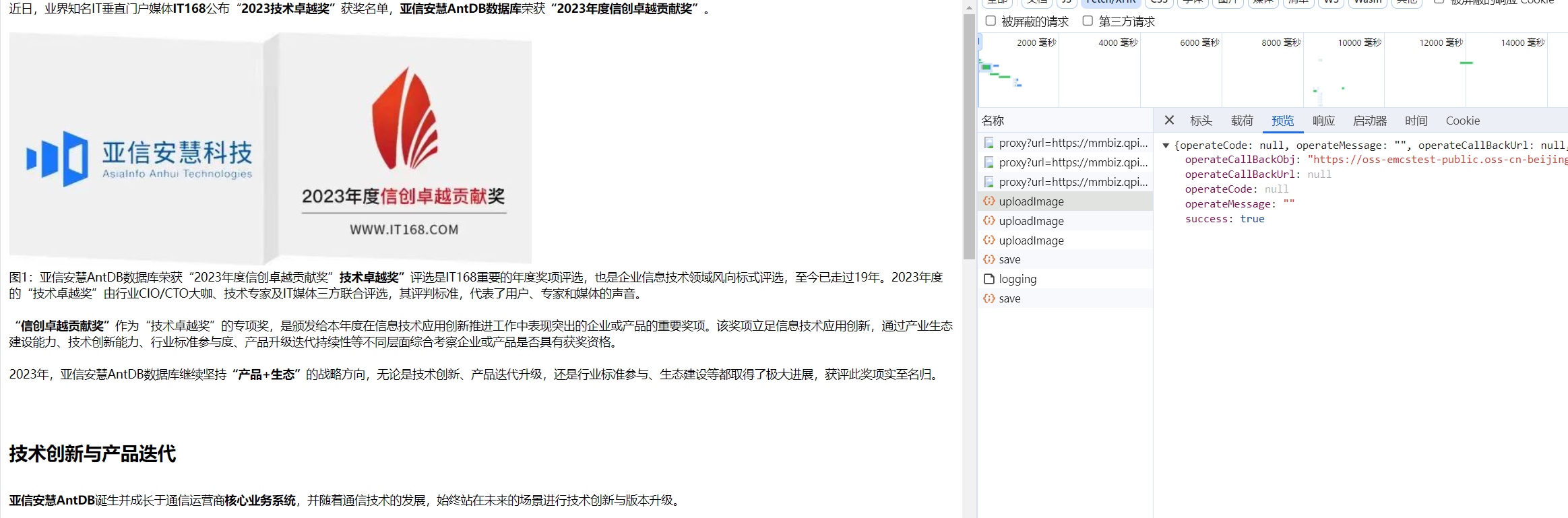
返回图片地址
最后修改时间:2024-01-15 16:43:51
「喜欢这篇文章,您的关注和赞赏是给作者最好的鼓励」
关注作者
【版权声明】本文为墨天轮用户原创内容,转载时必须标注文章的来源(墨天轮),文章链接,文章作者等基本信息,否则作者和墨天轮有权追究责任。如果您发现墨天轮中有涉嫌抄袭或者侵权的内容,欢迎发送邮件至:contact@modb.pro进行举报,并提供相关证据,一经查实,墨天轮将立刻删除相关内容。
