



在本文中,我将把几个常用的监控部分给梳理一下。前面我们提到过,在性能监控图谱中,有操作系统、应用服务器、中间件、队列、缓存、数据库、网络、前端、负载均衡、Web 服务器、存储、代码等很多需要监控的点。显然这些监控点不能在一个专栏中全部覆盖并一一细化,我只能找最常用的几个,做些逻辑思路的说明,同时也把具体的实现描述出来。如果你遇到了其他的组件,也需要一一实现这些监控。
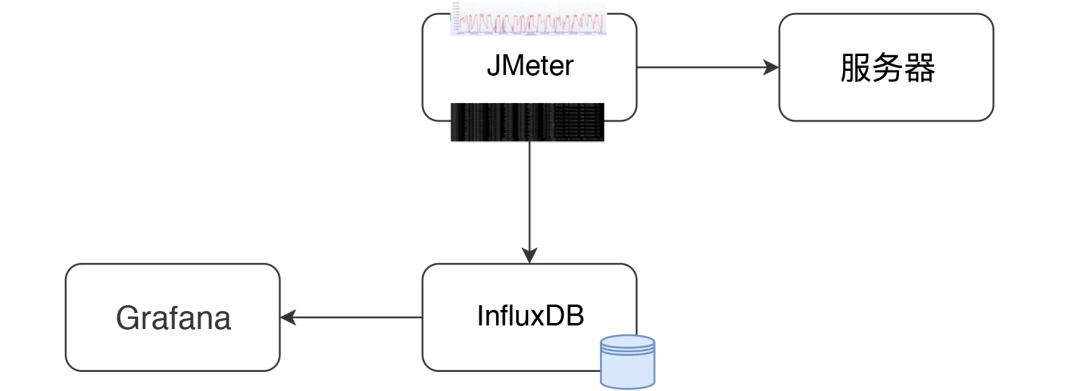
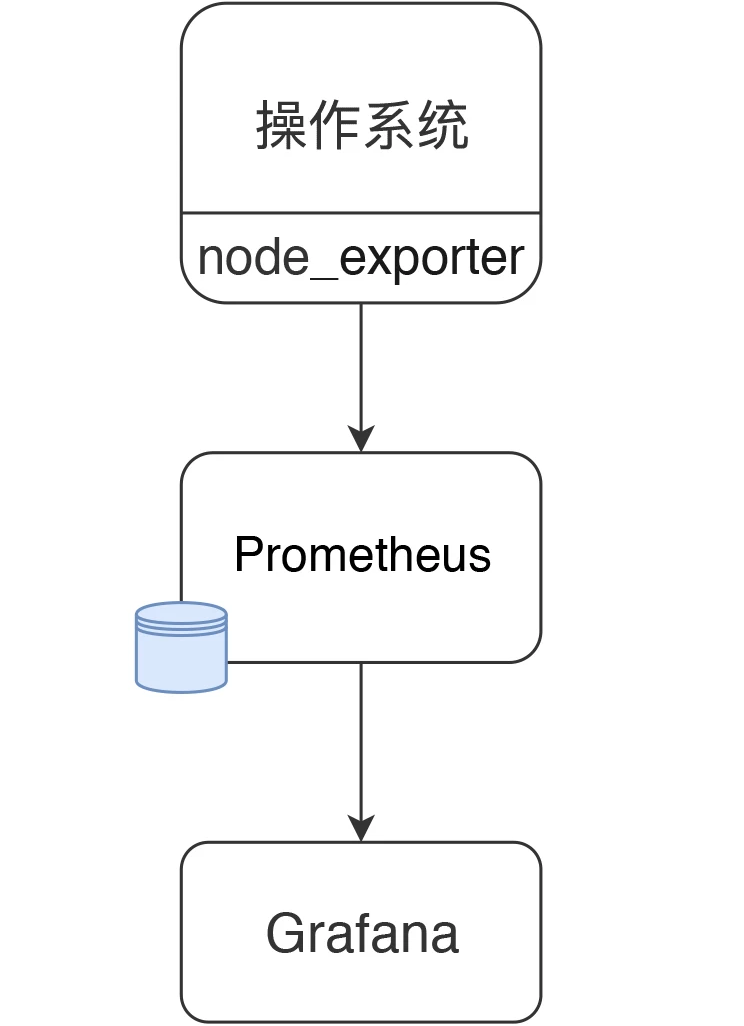
在本篇中,主要想说明白下图的这个监控逻辑。
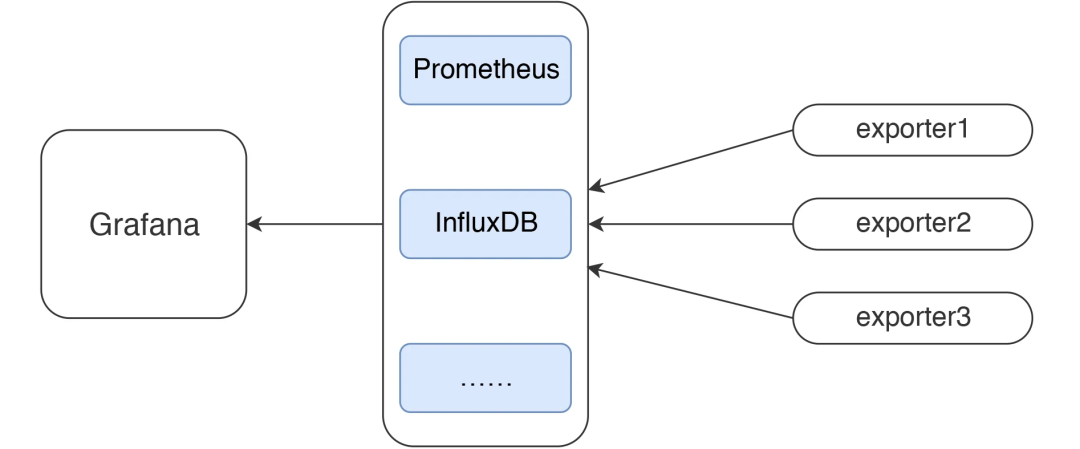
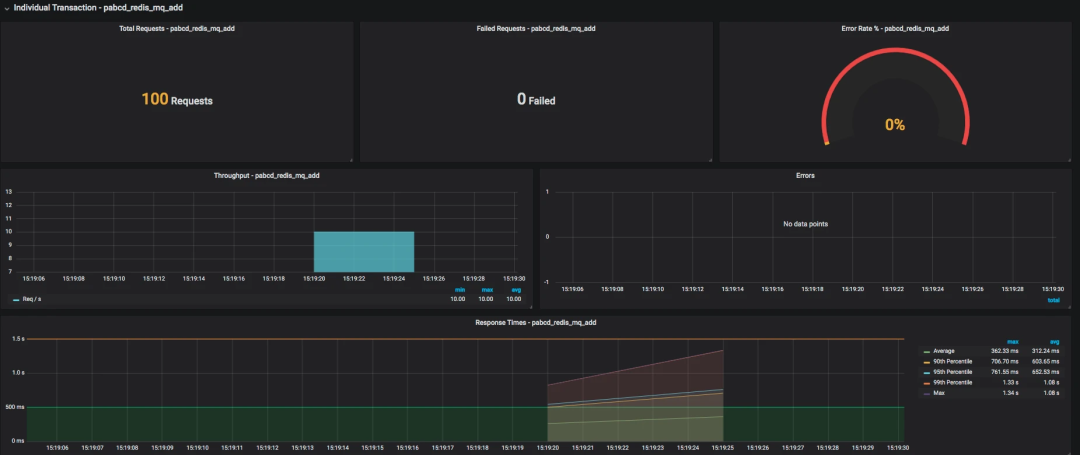
这应该是现在最流行的一套监控逻辑了吧。我今天把常见的使用 Grafana、Prometheus、InfluxDB、Exporters 的数据展示方式说一下,如果你刚进入性能测试领域,也能有一个感性的认识。
有测试工具,有监控工具,才能做后续的性能分析和瓶颈定位,所以有必要把这些工具的逻辑跟你摆一摆。
所有做性能的人都应该知道一点,不管数据以什么样的形式展示,最要紧的还是看数据的来源和含义,以便做出正确的判断。
我先说明一下 JMeter 和 node_exporter 到 Grafana 的数据展示逻辑。至于其他的 Exporter,我就不再解释这个逻辑了,只说监控分析的部分。

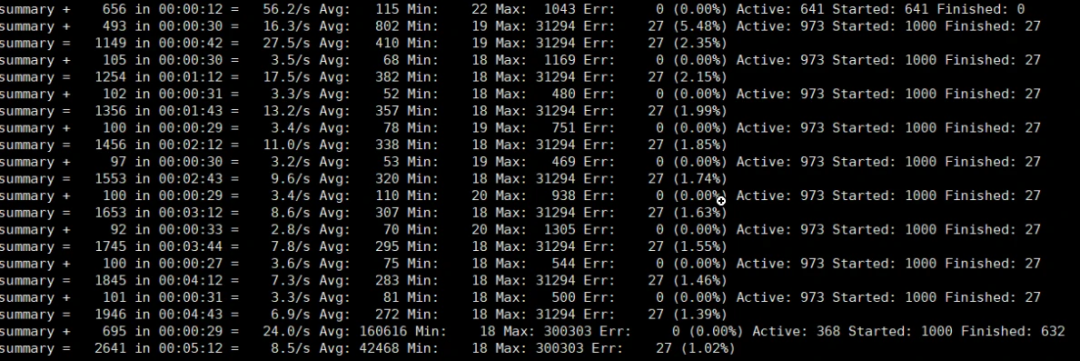
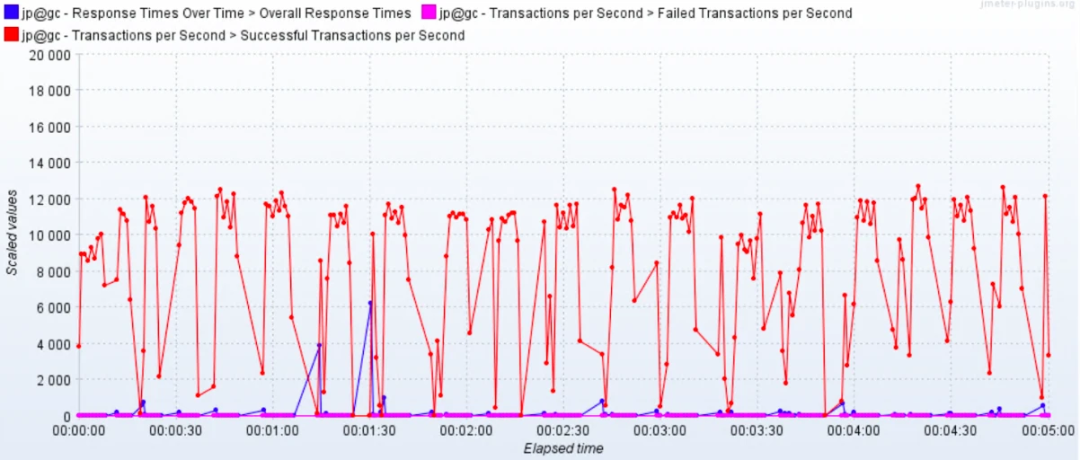
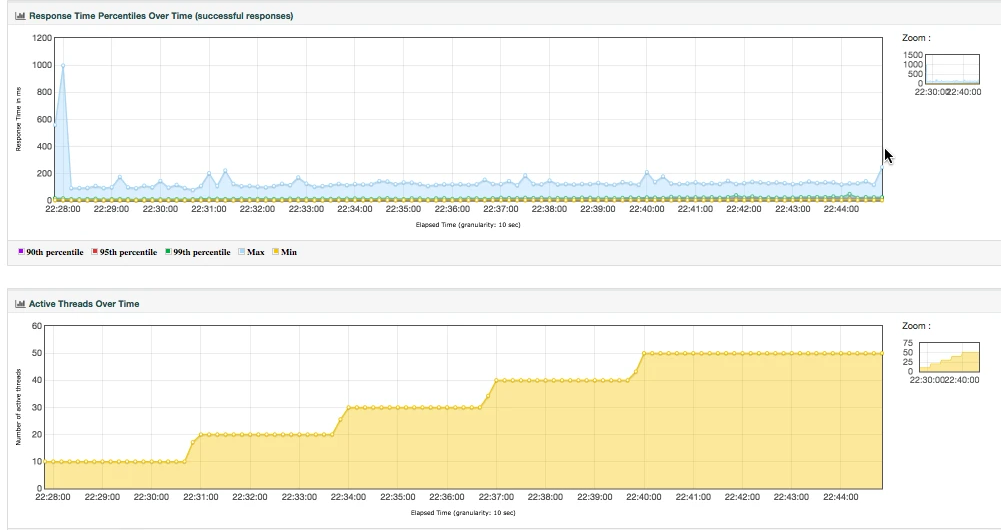
整理结果时比较浪费时间。
在 GUI 用插件看曲线,做高并发时并不现实。
在场景运行时间比较长的时候,采用生成 HTML 的方式,会出现消耗内存过大的情况,而实际上,在生成的结果图中,有很多生成的图我们并不是那么关注。
生成的结果保存之后再查看比较麻烦,还要一个个去找。
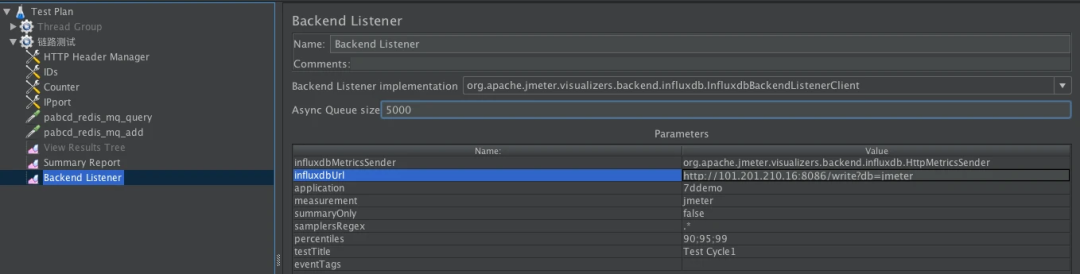
private void addMetrics(String transaction, SamplerMetric metric) {
        // FOR ALL STATUS
        addMetric(transaction, metric.getTotal(), metric.getSentBytes(), metric.getReceivedBytes(), TAG_ALL, metric.getAllMean(), metric.getAllMinTime(),
                metric.getAllMaxTime(), allPercentiles.values(), metric::getAllPercentile);
        // FOR OK STATUS
        addMetric(transaction, metric.getSuccesses(), null, null, TAG_OK, metric.getOkMean(), metric.getOkMinTime(),
                metric.getOkMaxTime(), okPercentiles.values(), metric::getOkPercentile);
        // FOR KO STATUS
        addMetric(transaction, metric.getFailures(), null, null, TAG_KO, metric.getKoMean(), metric.getKoMinTime(),
                metric.getKoMaxTime(), koPercentiles.values(), metric::getKoPercentile);


        metric.getErrors().forEach((error, count) -> addErrorMetric(transaction, error.getResponseCode(),
                    error.getResponseMessage(), count));
    }
@Override public void writeAndSendMetrics() {
 ........ if (!copyMetrics.isEmpty()) { try { if(httpRequest == null) {
                    httpRequest = createRequest(url);
                }
                StringBuilder sb = new StringBuilder(copyMetrics.size()*35); for (MetricTuple metric : copyMetrics) { // Add TimeStamp in nanosecond from epoch ( default in InfluxDB )
 sb.append(metric.measurement)
                        .append(metric.tag)
                        .append(" ") //$NON-NLS-1$
 .append(metric.field)
                        .append(" ")
                        .append(metric.timestamp+"000000")
                        .append("\n"); //$NON-NLS-1$
 }


                StringEntity entity = new StringEntity(sb.toString(), StandardCharsets.UTF_8);

                httpRequest.setEntity(entity);
                lastRequest = httpClient.execute(httpRequest, new FutureCallback<HttpResponse>() {
                    @Override public void completed(final HttpResponse response) { int code = response.getStatusLine().getStatusCode(); /* * HTTP response summary 2xx: If your write request received
                         * HTTP 204 No Content, it was a success! 4xx: InfluxDB
                         * could not understand the request. 5xx: The system is
                         * overloaded or significantly impaired. */
                        if (MetricUtils.isSuccessCode(code)) { if(log.isDebugEnabled()) {
                                log.debug("Success, number of metrics written: {}", copyMetrics.size());
                            }
                        } else {
                            log.error("Error writing metrics to influxDB Url: {}, responseCode: {}, responseBody: {}", url, code, getBody(response));
                        }
                    }
                    @Override public void failed(final Exception ex) {
                        log.error("failed to send data to influxDB server : {}", ex.getMessage());
                    }
                    @Override public void cancelled() {
                        log.warn("Request to influxDB server was cancelled");
                    }
                });
 ........
            }
        }
    }
> show databases
name: databases
name
----
_internal
jmeter
> use jmeter
Using database jmeter
>
> show MEASUREMENTS
name: measurements
name
----
events
jmeter
> select * from events where application='7ddemo'
name: events
time application text title
---- ----------- ---- -----
1575255462806000000 7ddemo Test Cycle1 started ApacheJMeter
1575256463820000000 7ddemo Test Cycle1 ended ApacheJMeter
..............
n> select * from jmeter where application='7ddemo' limit 10
name: jmeter
time application avg count countError endedT hit max maxAT meanAT min minAT pct90.0 pct95.0 pct99.0 rb responseCode responseMessage sb startedT statut transaction
---- ----------- --- ----- ---------- ------ --- --- ----- ------ --- ----- ------- ------- ------- -- ------------ --------------- -- -------- ------ -----------
1575255462821000000 7ddemo 0 0 0 0 0 internal
1575255467818000000 7ddemo 232.82352941176472 17 0 17 849 122 384.9999999999996 849 849 0 0 all all
1575255467824000000 7ddemo 232.82352941176472 17 849 122 384.9999999999996 849 849 0 0 all 0_openIndexPage
1575255467826000000 7ddemo 232.82352941176472 17 849 122 384.9999999999996 849 849 ok 0_openIndexPage
1575255467829000000 7ddemo 0 1 1 1 1 internal
1575255472811000000 7ddemo 205.4418604651163 26 0 26 849 122 252.6 271.4 849 0 0 all all
1575255472812000000 7ddemo 0 1 1 1 1 internal
1575255472812000000 7ddemo 205.4418604651163 26 849 122 252.6 271.4 849 ok 0_openIndexPage
1575255472812000000 7ddemo 205.4418604651163 26 849 122 252.6 271.4 849 0 0 all 0_openIndexPage
1575255477811000000 7ddemo 198.2142857142857 27 0 27 849 117 263.79999999999995 292.3500000000001 849 0 0 all all
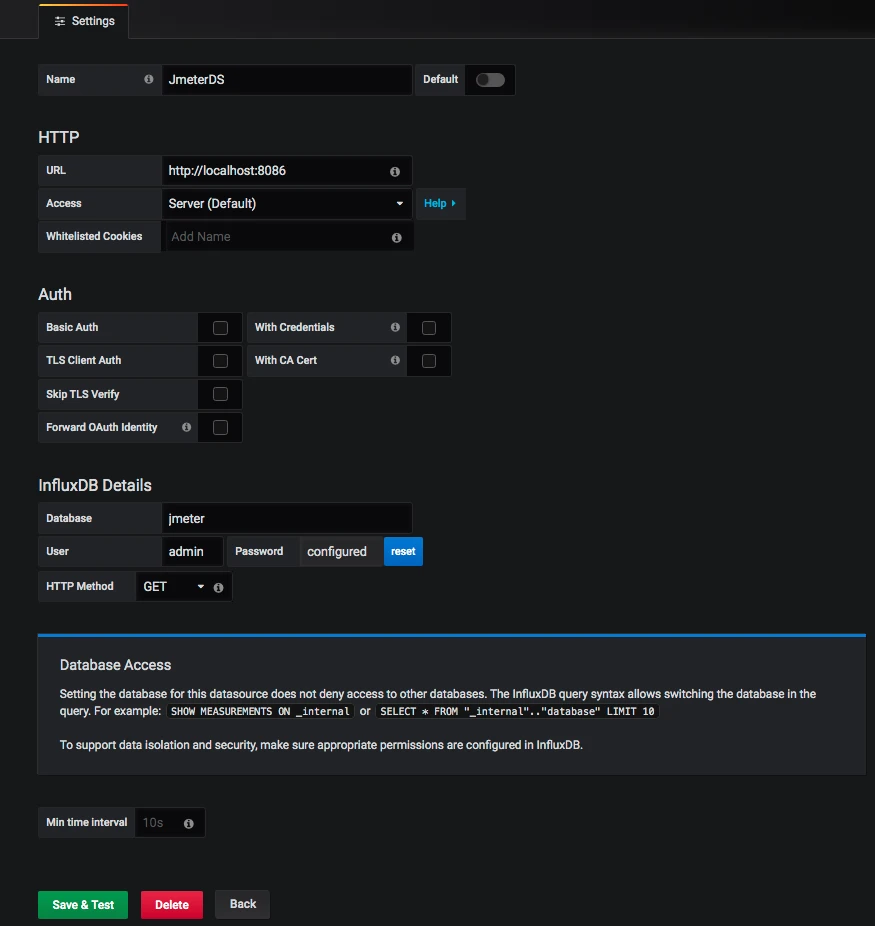
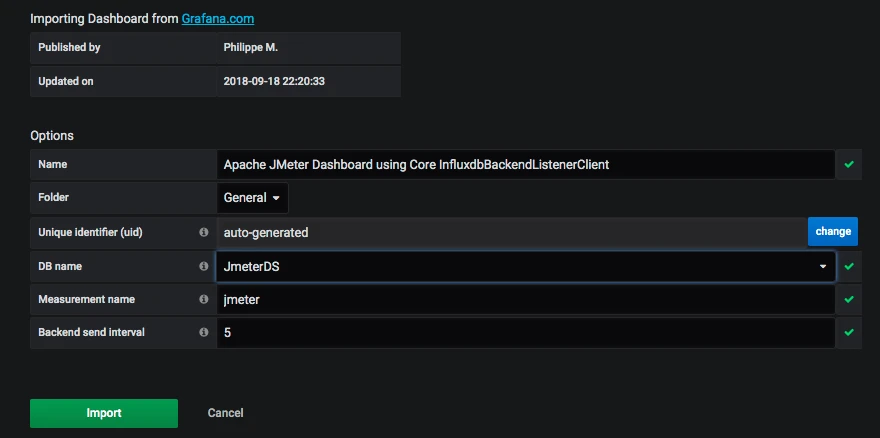
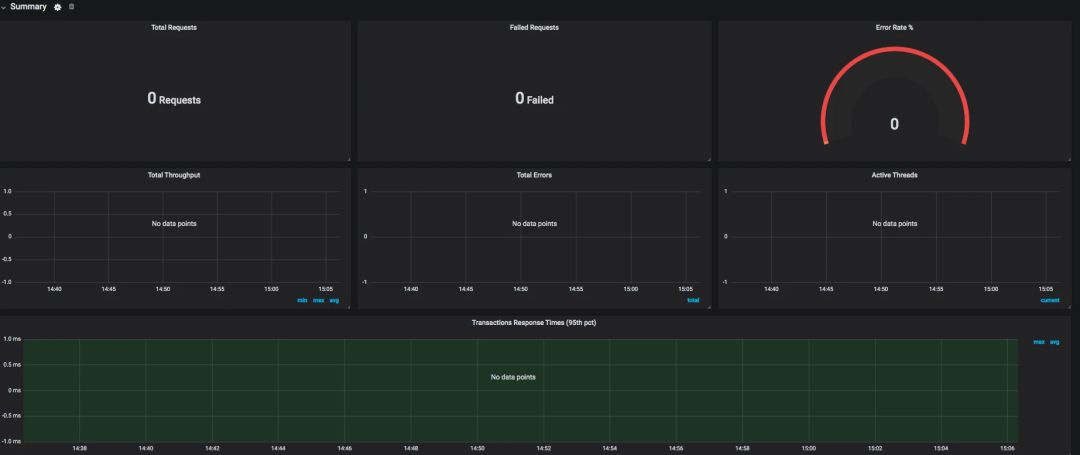
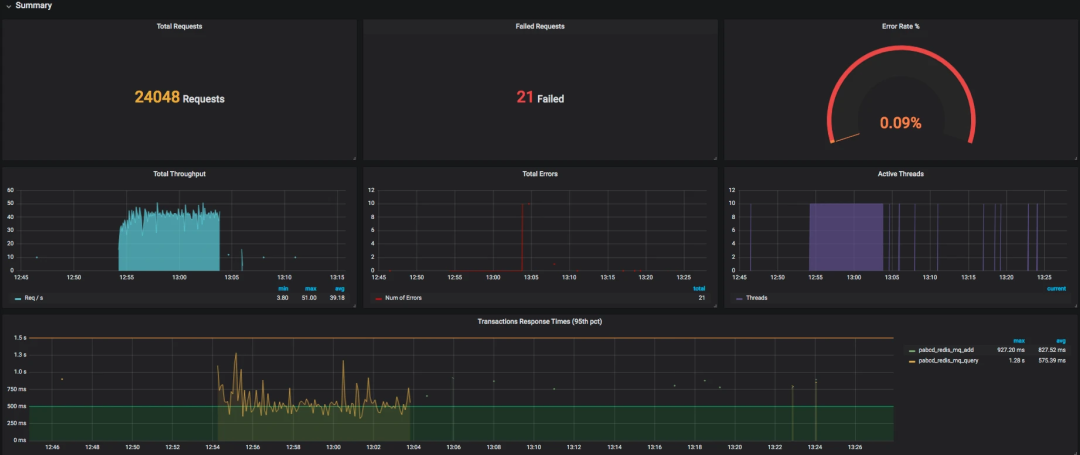
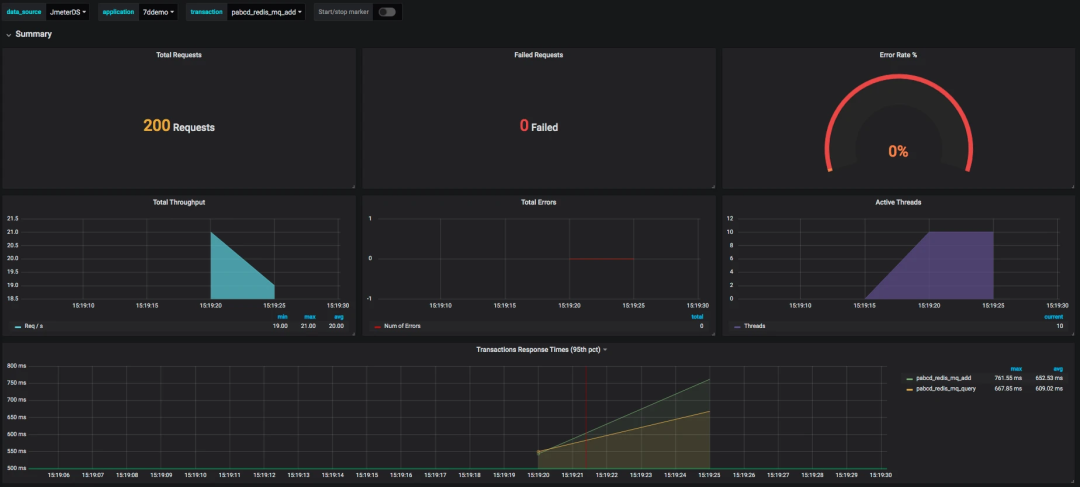
SELECT last("count") / $send_interval FROM "$measurement_name" WHERE ("transaction" =~ /^$transaction$/ AND "statut" = 'ok') AND $timeFilter GROUP BY time($__interval)
SELECT mean("pct95.0") FROM "$measurement_name" WHERE ("application" =~ /^$application$/) AND $timeFilter GROUP BY "transaction", time($__interval) fill(null)

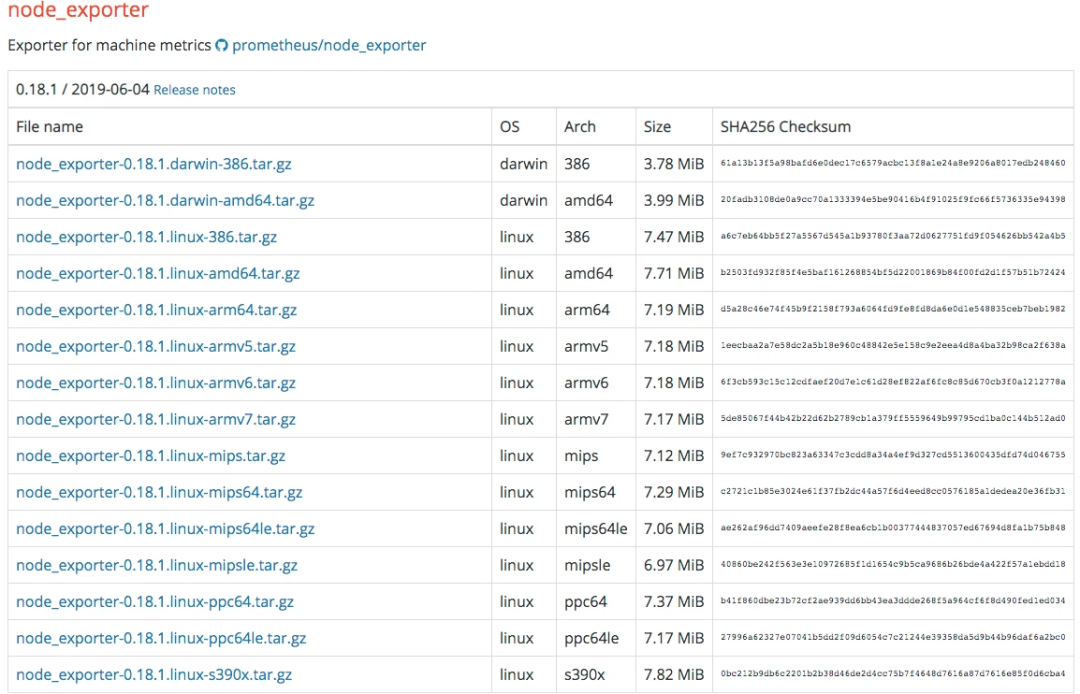
[root@7dgroup2 node_exporter-0.18.1.linux-amd64]# ll
total 16524
-rw-r--r-- 1 3434 3434 11357 Jun 5 00:50 LICENSE
-rwxr-xr-x 1 3434 3434 16878582 Jun 5 00:41 node_exporter
-rw-r--r-- 1 3434 3434 463 Jun 5 00:50 NOTICE}
[root@7dgroup2 node_exporter-0.18.1.linux-amd64]#./node_exporter --web.listen-address=:9200 &
[root@7dgroup2 data]# wget -c https://github.com/prometheus/prometheus/releases/download/v2.14.0/prometheus-2.14.0.linux-amd64.tar.gz
..........
100%[=============================================================================================>] 58,625,125 465KB/s in 6m 4s


2019-11-29 15:40:16 (157 KB/s) - ‘prometheus-2.14.0.linux-amd64.tar.gz’ saved [58625125/58625125]


[root@7dgroup2 data]
[root@7dgroup2 prometheus-2.11.1.linux-amd64]# ll
total 120288
drwxr-xr-x. 2 3434 3434 4096 Jul 10 23:26 console_libraries
drwxr-xr-x. 2 3434 3434 4096 Jul 10 23:26 consoles
drwxr-xr-x. 3 root root 4096 Nov 30 12:55 data
-rw-r--r--. 1 3434 3434 11357 Jul 10 23:26 LICENSE
-rw-r--r--. 1 root root 35 Aug 7 23:19 node.yml
-rw-r--r--. 1 3434 3434 2770 Jul 10 23:26 NOTICE
-rwxr-xr-x. 1 3434 3434 76328852 Jul 10 21:53 prometheus
-rw-r--r-- 1 3434 3434 1864 Sep 21 09:36 prometheus.yml
-rwxr-xr-x. 1 3434 3434 46672881 Jul 10 21:54 promtool
[root@7dgroup2 prometheus-2.11.1.linux-amd64]#
- job_name: 's1'
static_configs:
- targets: ['172.17.211.143:9200']
[root@7dgroup2 data]# ./prometheus --config.file=prometheus.yml &
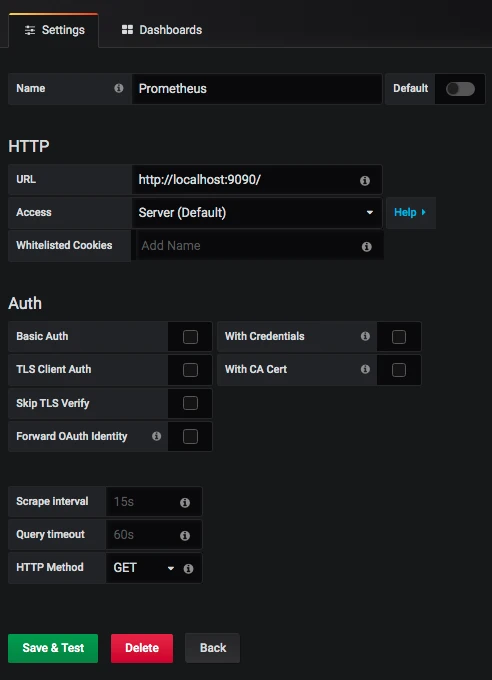
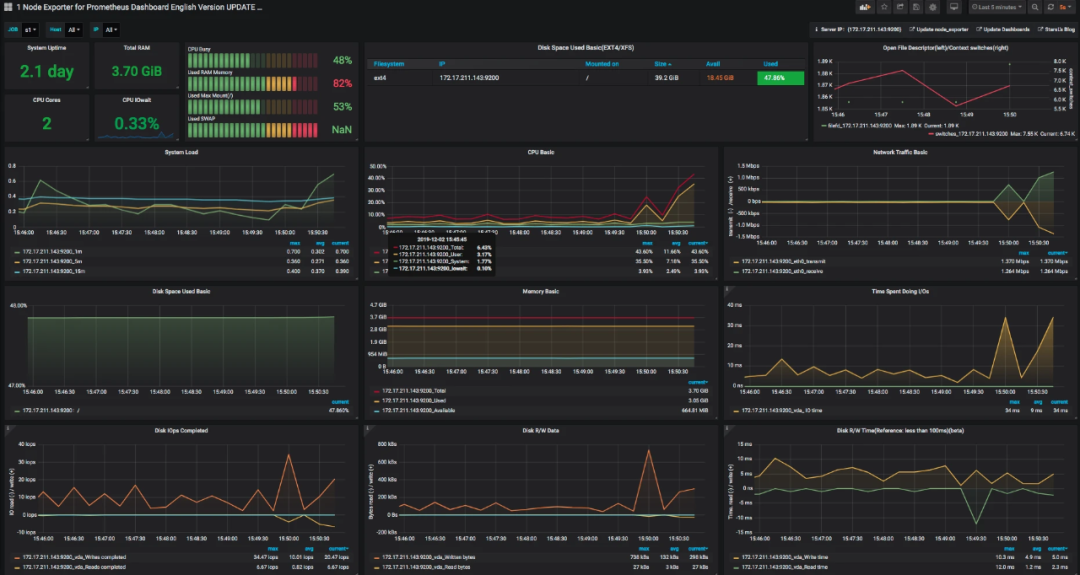
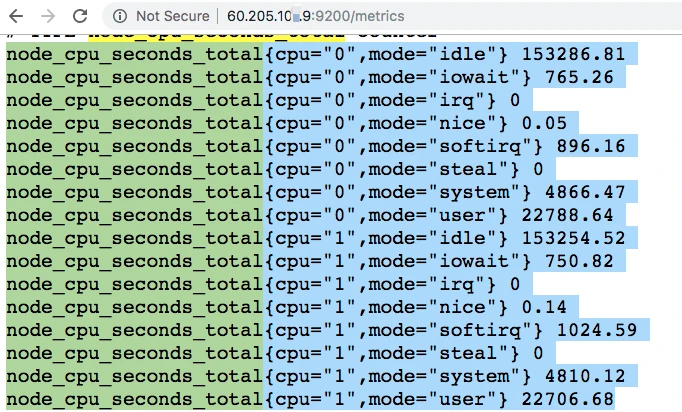
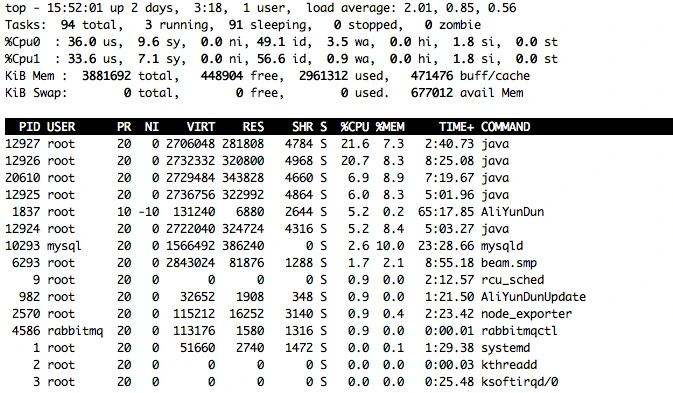
avg(irate(node_cpu_seconds_total{instance=~"$node",mode="system"}[30m])) by (instance) avg(irate(node_cpu_seconds_total{instance=~"$node",mode="user"}[30m])) by (instance) avg(irate(node_cpu_seconds_total{instance=~"$node",mode="iowait"}[30m])) by (instance) 1 - avg(irate(node_cpu_seconds_total{instance=~"$node",mode="idle"}[30m])) by (instance)

文章转载自爪哇笔记,如果涉嫌侵权,请发送邮件至:contact@modb.pro进行举报,并提供相关证据,一经查实,墨天轮将立刻删除相关内容。
