



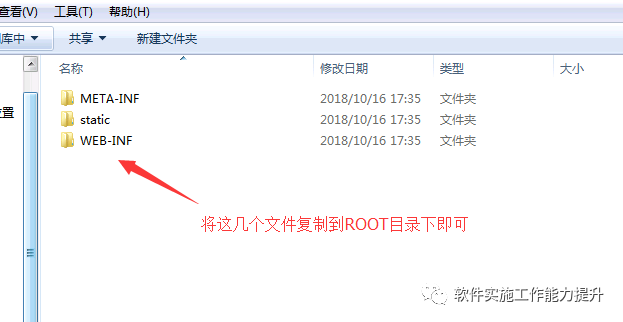
下面我们举一个具体的例子帮助大家理解:
首先,修改$tomcat/conf/server.xml文件。
在server.xml文件中,有一段如下:
……<engine name="Catalina" defaultHost="localhost"><host name="localhost" appBase="webapps"unpackWARs="true" autoDeploy="true"xmlValidation="false" xmlNamespaceAware="false">……<host></engine>……
在<host></host>标签之间添加上:
<Context path="" docBase="myproject" debug="0" reloadable="true" />
docBase是虚拟目录的路径,它默认的是$tomcat/webapps/ROOT目录,现在我在webapps目录下建了一个myproject目录,让该目录作为我的默认目录。
debug和reloadable一般都分别设置成0和true。
然后,修改$tomcat/conf/web.xml文件。
<welcome-file-list><welcome-file>index.html</welcome-file><welcome-file>index.htm</welcome-file><welcome-file>index.jsp</welcome-file></welcome-file-list>
<welcome-file>a.jsp</welcome-file>
文章转载自软件实施干货分享,如果涉嫌侵权,请发送邮件至:contact@modb.pro进行举报,并提供相关证据,一经查实,墨天轮将立刻删除相关内容。
