



大家好,今天和大家分享日常工作的一个真实案例。
最近公司的去O项目进行吐火如荼,很多国外遗留的项目或者产品都采用了相对复杂的ORACLE的存储过程和函数。
开发小伙伴正在寻找技术方案: 1.自己重构成JAVA代码 2. 或者1:1翻译oracle的PLSQL成PG的PLPGSQL
在寻找光明的道路上,难免荆棘遍布,但是我们也要花费一些代价来趟趟路和踩踩坑(UAT环境)。
开发小伙伴之前用的都是ORACLE的PLSQL developer, 里面的debug 功能可以提高技术人员debug的效率。
于是有的开发小伙伴咨询DBA也要类似的功能:
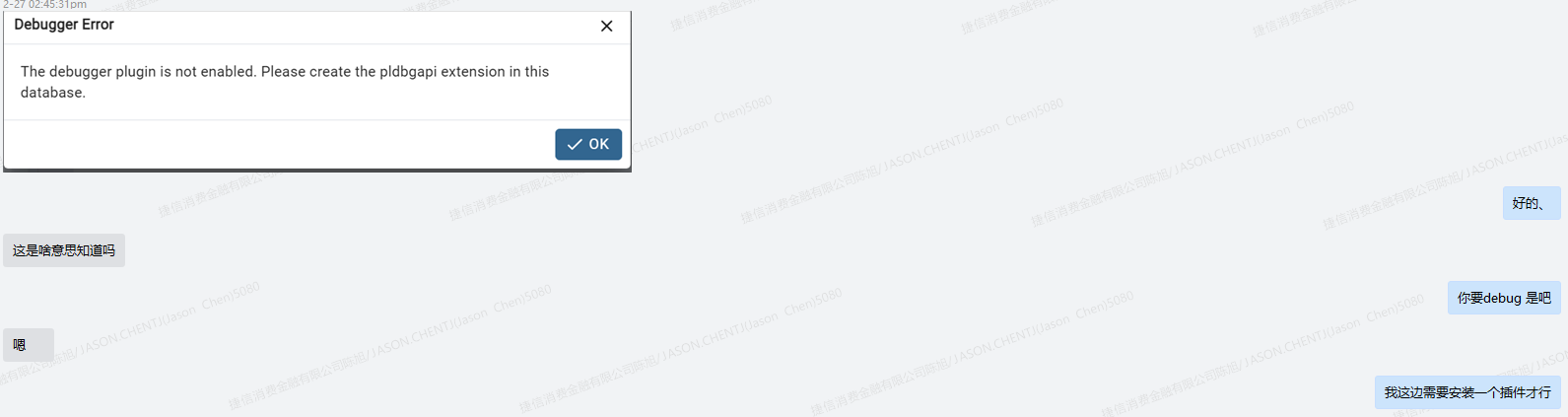
Extension pldebugger 这个项目是PG业界著名厂商EDB的一个开源产品。
主要用于debugger PLPGSQL: https://github.com/EnterpriseDB/pldebugger
主流的数据库客户端都有基于这个插件的集成:
PGADMIN 官网参考: https://www.pgadmin.org/docs/pgadmin4/development/debugger.html
DBEAVER 官网参考: https://dbeaver.com/docs/dbeaver/PGDebugger/7.3/#prerequisites-for-debugging
插件安装依旧是PG插件的老套路:
1.下载并copy到contrib 下,2 make && make install
git clone https://github.com/EnterpriseDB/pldebugger.git
make
make install
设置shared_preload_libraries参数:追加plugin_debugger
postgres=# show shared_preload_libraries ;
                                        shared_preload_libraries
--------------------------------------------------------------------------------------------------------
 pg_stat_statements,pg_cron,pg_partman_bgw,pgaudit,repmgr,auto_explain,pg_wait_sampling,plugin_debugger
(1 row)
重启数据库实例:
/opt/pgsql-16/bin/pg_ctl restart -D /data/pgdata/16/data
接下来我们在业务数据中创建插件,来验证一下吧
db_plum=# create extension pldbgapi;
CREATE EXTENSION
db_plum=# \dx
                              List of installed extensions
   Name   | Version |   Schema   |                     Description
----------+---------+------------+------------------------------------------------------
 pldbgapi | 1.1     | public     | server-side support for debugging PL/pgSQL functions
 plpgsql  | 1.0     | pg_catalog | PL/pgSQL procedural language
(2 rows)
我这里用的是DBEAVER小海豹客户端:

当我点击debug的时候,发现连接断了:
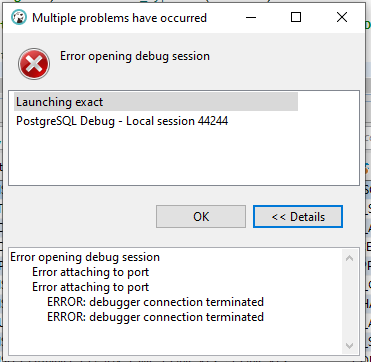
这个时候我发现服务端之前的session 全部断掉了:
db_plumc=> \l
FATAL:  terminating connection due to administrator command
server closed the connection unexpectedly
	This probably means the server terminated abnormally
	before or while processing the request.
The connection to the server was lost. Attempting reset: Succeeded.
查询PG的日志: received fast shutdown request && aborting any active transactions
2024-02-27 16:53:09.157 CST [36007] LOG: received fast shutdown request
2024-02-27 16:53:09.158 CST [36007] LOG: aborting any active transactions
2024-02-27 16:53:09.158 CST [38691] app_plumc@db_plumc-[local]/psqlFATAL: terminating connection due to administrator command
2024-02-27 16:53:09.158 CST [38474] app_plumc@db_plumc-10.64.44.159/DBeaver 21.1.3 - SQLEditor <Script-9.sql>FATAL: terminating connection due to administrator command
2024-02-27 16:53:09.158 CST [38461] app_eds_cdc@db_plumc-10.70.98.16/DBeaver 22.2.0 - SQLEditor <Script-25.sql>FATAL: terminating connection due to administrator command
2024-02-27 16:53:09.158 CST [38476] app_plumc@db_plumc-10.64.44.159/DBeaver 21.1.3 - Main <db_plumc>FATAL: terminating connection due to administrator command
2024-02-27 16:53:09.158 CST [38159] app_plum@db_plum-10.67.39.144/PostgreSQL JDBC DriverFATAL: terminating connection due to administrator command
2024-02-27 16:53:09.158 CST [38150] app_plum@db_plum-10.67.39.144/PostgreSQL JDBC DriverFATAL: terminating connection due to administrator command
2024-02-27 16:53:09.158 CST [38155] app_plum@db_plum-10.67.39.144/PostgreSQL JDBC DriverFATAL: terminating connection due to administrator command
2024-02-27 16:53:09.158 CST [38149] app_plum@db_plum-10.67.39.144/PostgreSQL JDBC DriverFATAL: terminating connection due to administrator command
再一次复现插件引起的PG实例内存的crash 问题。 (上一次是 https://www.modb.pro/db/1751838751907205120 )
我们检查linux OS日志,发现果然PG实例的crash和插件pldebugger 有关: segfault at 4 ip 00007f859678f21c sp 00007ffe8e2d6dd8 error 4 in plugin_debugger.so[7f859678c000+b000]
Feb 27 16:56:57 wqdcsrv3086 kernel: postgres[39423]: segfault at 4 ip 00007f859678f21c sp 00007ffe8e2d6dd8 error 4 in plugin_debugger.so[7f859678c000+b000]
接下来,老的套路大家都熟悉,给EDB再github 开个issue:
https://github.com/EnterpriseDB/pldebugger/issues/22
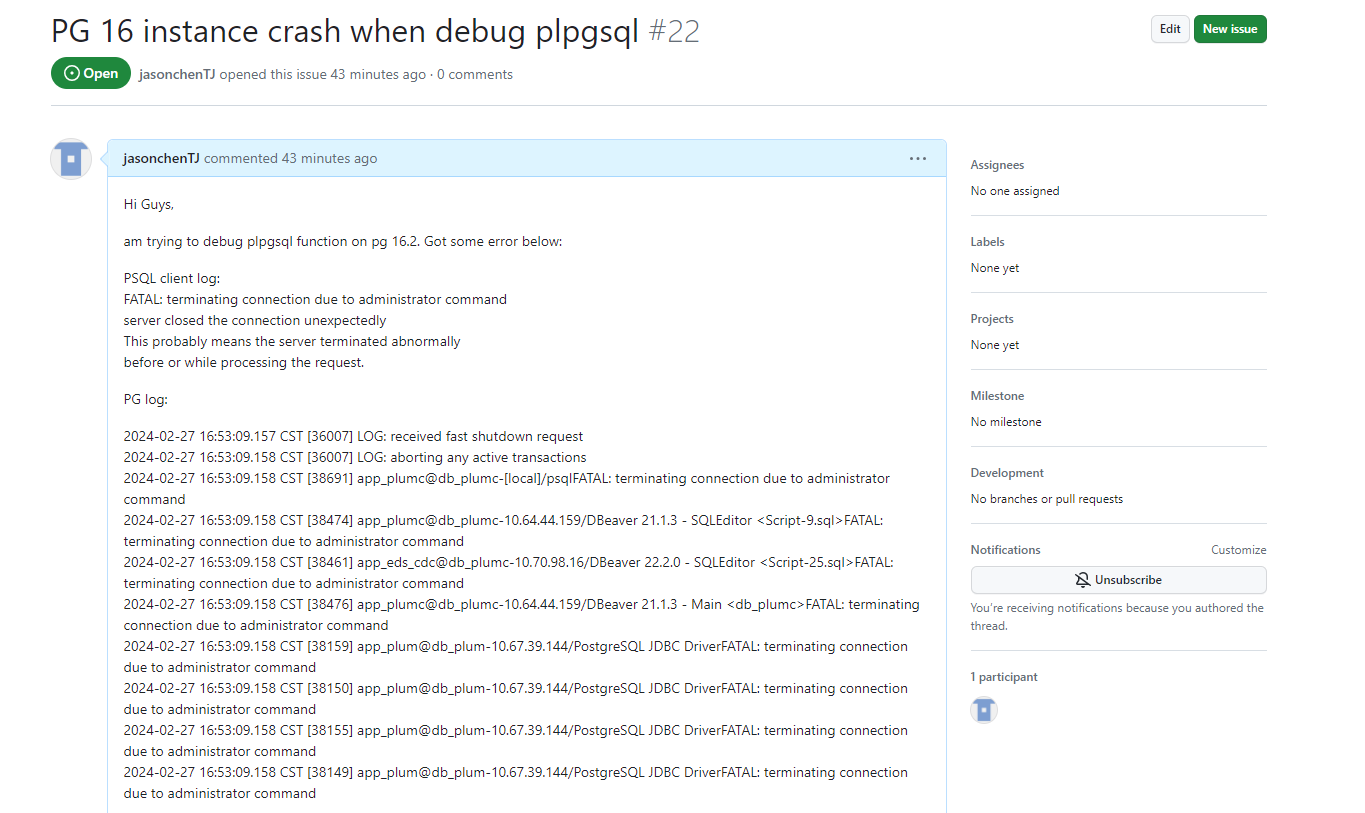
等EDB有了对这个issue后续的回复,再分享给大家!
后续此问题已解决: 插件源码版本的问题(之前没有大概是忽视了),下载1.5版本(对应PG15)安装之后一切正常。
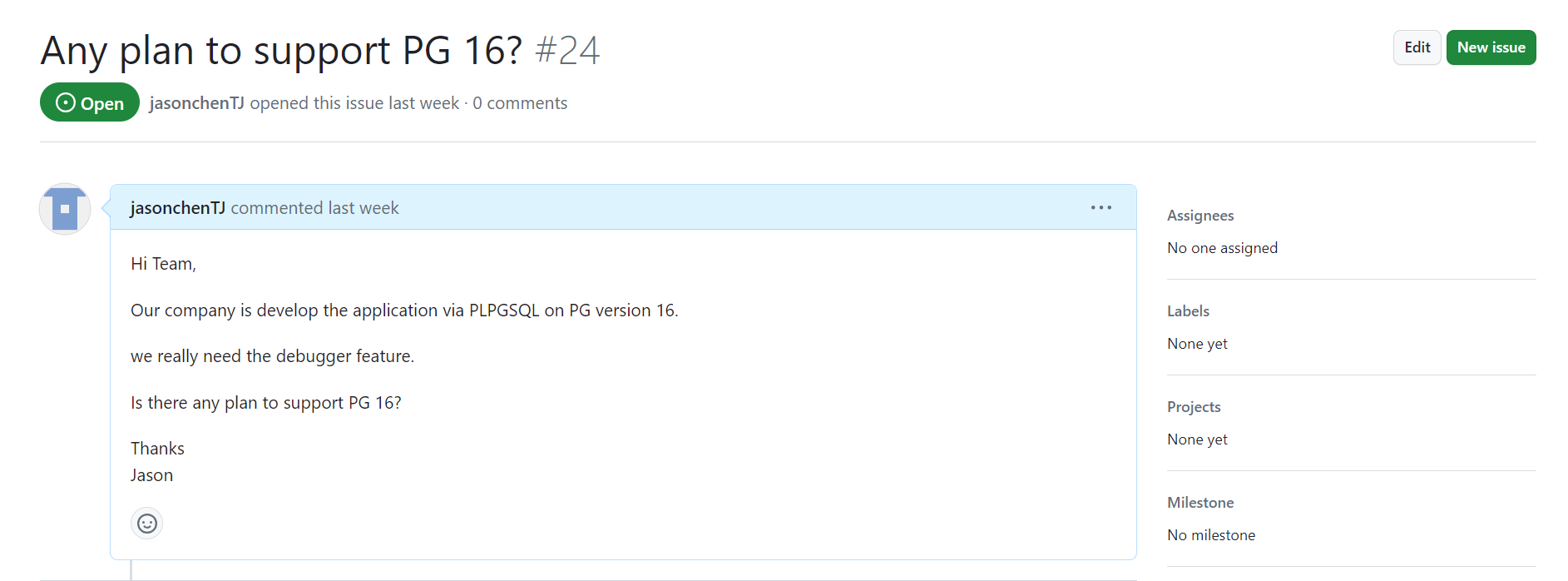
由于官方并没有给出正面支持PG的版本(应该是v1.6),所以大家使用还是慎重为好!!!!
EDB 貌似已经放养了这个插件了,官方issue 一概不答复!!不知道后续是否还会更新。。。。 开源产品的通用问题!!!!
Have a fun 😃 !
