暂无图片
暂无图片
暂无图片
暂无图片
暂无图片

PostgreSQL安装部署

原创 Hello world 2024-03-12
3997

1、安装前的准备

1.1 安装介质获取

1.2 安装方式

在linux操作系统上,安装PostgreSQL的方式有三种:
  1. 二进制安装包安装
  2. 通过yum安装
  3. 通过源码编译安装

1.3 二进制与源码安装的区别

1、二进制包里面包括了已经编译完成可以直接运行的程序,下载安装了就可以直接使用了。简单方便,适合无需改动的程序。
2、源代码包里是程序的原始代码,在计算机上必须经过编译,生成可执行的二进制文件,才能运行。一些个人开发的程序、第三方修改或者你希望修改的程序都应当通过源代码包来编译安装。

2、操作系统环境检查及配置

2.1 修改主机名:

 [root@localhost ~]# hostnamectl set-hostname pgdatabase

2.2 操作系统版本检查:

 
[root@pgdatabase ~]# cat /etc/redhat-release 
Red Hat Enterprise Linux Server release 7.6 (Maipo)

2.3 文件系统检查

 
[root@pgdatabase ~]# df -h
Filesystem             Size  Used Avail Use% Mounted on
/dev/mapper/rhel-root   29G 1001M   29G   4% /
devtmpfs               3.8G     0  3.8G   0% /dev
tmpfs                  3.9G     0  3.9G   0% /dev/shm
tmpfs                  3.9G   12M  3.8G   1% /run
tmpfs                  3.9G     0  3.9G   0% /sys/fs/cgroup
/dev/sda1             1014M  146M  869M  15% /boot
/dev/mapper/rhel-home 1014M   33M  982M   4% /home
/dev/mapper/rhel-var  1014M   89M  926M   9% /var
tmpfs                  781M     0  781M   0% /run/user/0


这里分少了一个目录在/tmp目录下应该再分配

2.4 操作系统架构检查

uname -r 命令检查是否是 x86_64 位系统
 
[root@pgdatabase ~]# uname -r
3.10.0-957.el7.x86_64

2.5 关闭selinux

关闭 SELinux:修改/etc/selinux/config 文件,将 SELINUX=后面的值改为 disabled。

 [root@pgdatabase ~]# vi /etc/selinux/config


2.6 配置本地yum源

 
#########yum源配置
[root@pgdatabase ~]# cd /etc/yum.repos.d/
[root@pgdatabase yum.repos.d]# vi yum.repo
[base]
name=base
baseurl=file:///mnt
enabled=1
gpgcheck=0
gpgkey=file:///etc/pki/rpm-gpg/RPM-GPG-KEY-redhat-release
[root@pgdatabase yum.repos.d]# mount /dev/sr0 /mnt
mount: /dev/sr0 is write-protected, mounting read-only
[root@pgdatabase yum.repos.d]# yum clean all
Loaded plugins: product-id, search-disabled-repos, subscription-manager
This system is not registered with an entitlement server. You can use subscription-manager to register.
Cleaning repos: base
[root@pgdatabase yum.repos.d]# yum makecache
Loaded plugins: product-id, search-disabled-repos, subscription-manager
This system is not registered with an entitlement server. You can use subscription-manager to register.
base                                                                                                                                                           | 4.3 kB  00:00:00     
(1/5): base/group_gz                                                                                                                                           | 146 kB  00:00:00     
(2/5): base/filelists_db                                                                                                                                       | 3.4 MB  00:00:00     
(3/5): base/primary_db                                                                                                                                         | 4.2 MB  00:00:00     
(4/5): base/productid                                                                                                                                          | 1.6 kB  00:00:00     
(5/5): base/other_db                                                                                                                                           | 1.6 MB  00:00:00     
Metadata Cache Created
[root@pgdatabase yum.repos.d]# 


2.7 安装必要的依赖包

 
yum -y install readline readline-devel zlib zlib-develgettext gettext-devel openssl openssl-devel pam pam-devel libxml2 libxml2-devellibxslt libxslt-devel perl perl-devel tcl-devel uuid-devel gcc gcc-c++ makeflex bison perl-ExtUtils* libicu libicu-devel

2.8 编辑/etc/hosts文件

 [root@pgdatabase ~]# cat /etc/hosts
127.0.0.1   localhost localhost.localdomain localhost4 localhost4.localdomain4
::1         localhost localhost.localdomain localhost6 localhost6.localdomain6
192.168.127.10 pgdatabase


2.9 内核参数调整

 [root@pgdatabase ~]# vi /etc/sysctl.conf
fs.file-max = 76724200
kernel.sem = 10000 10240000 10000 1024 
kernel.shmmni = 4096
kernel.shmall = 253702 
kernel.shmmax = 1039163392
net.ipv4.ip_local_port_range = 9000 65500 
net.core.rmem_default = 262144
net.core.wmem_default = 262144 
net.core.rmem_max = 4194304 
net.core.wmem_max = 1048576
fs.aio-max-nr = 40960000 
vm.dirty_ratio=20
vm.dirty_background_ratio=3 
vm.dirty_writeback_centisecs=100
vm.dirty_expire_centisecs=500 
vm.swappiness=10
vm.min_free_kbytes=524288 
vm.swappiness=0 
vm.overcommit_memory=2 
vm.overcommit_ratio=75
net.ipv4.ip_local_port_range = 10000 65535
 
#生效
sysctl -p 


2.10 创建用户和组

 
[root@pgdatabase ~]# groupadd dba -g 2000  
[root@pgdatabase ~]# useradd postgres -g 2000 -u 2000 
[root@pgdatabase ~]# id postgres
uid=2000(postgres) gid=2000(dba) groups=2000(dba)


2.11 修改密码

 
[root@pgdatabase ~]# passwd postgres
Changing password for user postgres.
New password: 
Retype new password: 
passwd: all authentication tokens updated successfully.


2.12 创建目录

[root@pgdatabase ~]# mkdir /soft    #安装包存放目录
[root@pgdatabase ~]# mkdir -p /opt/pg16   #软件安装目录
[root@pgdatabase ~]# mkdir -p /opt/pgwal  #WAL目录
[root@pgdatabase ~]# mkdir -p /opt/pgdata   #数据目录
[root@pgdatabase ~]# mkdir -p /opt/pgarchive #归档目录
[root@pgdatabase ~]# chown -R postgres:dba /soft /opt 
[root@pgdatabase ~]# chmod 755 /opt/pgdata /opt/pgwal /opt/pgarchive  


2.13 修改用户资源限制

 
vi /etc/security/limits.conf
postgres soft nofile 1048576
postgres hard nofile 1048576
postgres soft nproc 131072
postgres hard nproc 131072
postgres soft stack 10240
postgres hard stack 32768
postgres soft core 6291456
postgres hard core 6291456


2.14 时间和时间同步

 
查看时区
# timedatectl status
确认时区,并且时间同步。
 Local time: Sun 2020-08-30 20:16:16 CST
  Universal time: Sun 2020-08-30 12:16:16 UTC
        RTC time: Sun 2020-08-30 12:16:16
       Time zone: Asia/Shanghai (CST, +0800)
     NTP enabled: no
NTP synchronized: no
 RTC in local TZ: no
      DST active: n/a
建议:生产中需要设置时间同步。
如果需要,修改时区命令:
# timedatectl set-timezone Asia/Shanghai


3 开始安装

[root@pgdatabase ~]# su - postgres
Last login: Fri Mar  8 11:01:04 CST 2024 on pts/0
[postgres@pgdatabase ~]$ cd /soft
[postgres@pgdatabase soft]$ 


3.1 上传安装包

 
sftp> pwd
/soft
sftp> put -r "C:\Users\Lenovo\Desktop\postgresql-16.2(1).tar.gz"
Uploading postgresql-16.2(1).tar.gz to /soft/postgresql-16.2(1).tar.gz
  100% 31795KB  31795KB/s 00:00:00     
C:\Users\Lenovo\Desktop\postgresql-16.2(1).tar.gz: 32558575 bytes transferred in 0 seconds (31795 KB/s)
sftp> 


3.2 解压安装

 [postgres@pgdatabase soft]$ tar -zxvf postgresql-16.2.tar.gz #解压安装包
[postgres@pgdatabase soft]$ cd /soft/postgresql-16.2         #进入目录
[postgres@pgdatabase postgresql-16.2]$   ./configure --prefix=/opt/pg16 --with-pgport=5432    #编译 还可以接 --enable-dtrace  --enable-debug
[postgres@pgdatabase postgresql-16.2]$ make install-world   #进行安装 包含扩展包和文档


3.3 安装完成查看版本

 
[postgres@pgdatabase postgresql-16.2]$ /opt/pg16/bin/postgres --version
postgres (PostgreSQL) 16.2


3.4 设置软链接

 
[postgres@pgdatabase postgresql-16.2]$ cd /opt 
[postgres@pgdatabase opt]$  ln -s /opt/pg16 /opt/pgsql


3.5 初始化数据目录

 
[postgres@pgdatabase ~]$  /opt/pgsql/bin/initdb -D/opt/pgdata -X/opt/pgwal -EUTF8 -Upostgres -W
The files belonging to this database system will be owned by user "postgres".
This user must also own the server process.
The database cluster will be initialized with locale "en_US.UTF-8".
The default text search configuration will be set to "english".
Data page checksums are disabled.
Enter new superuser password: 
#设置密码
fixing permissions on existing directory /opt/pgdata ... ok
fixing permissions on existing directory /opt/pgwal ... ok
creating subdirectories ... ok
selecting dynamic shared memory implementation ... posix
selecting default max_connections ... 100
selecting default shared_buffers ... 128MB
selecting default time zone ... PRC
creating configuration files ... ok
running bootstrap script ... ok
performing post-bootstrap initialization ... ok
syncing data to disk ... ok
initdb: warning: enabling "trust" authentication for local connections
initdb: hint: You can change this by editing pg_hba.conf or using the option -A, or --auth-local and --auth-host, the next time you run initdb.
Success. You can now start the database server using:
    /opt/pg16/bin/pg_ctl -D /opt/pgdata -l logfile start


3.6 配置环境变量

 vi .bash_profile
PATH=$PATH:$HOME/.local/bin:$HOME/bin
export PATH
export PGPORT=5432
export PGUSER=postgres
export PGHOME=/opt/pgsql
export PGDATA=/opt/pgdata
export PATH=$PGHOME/bin:$PATH


3.7 环境变量生效

 
[postgres@pgdatabase ~]$ source ~/.bash_profile


3.8 启动和停止数据库

  • 查看数据库运行状态
 
[postgres@pgdatabase opt]$ pg_ctl -D /opt/pgdata status
pg_ctl: no server running


  • 启动数据库
 
[postgres@pgdatabase opt]$  pg_ctl -D /opt/pgdata start &
[1] 28573
[postgres@pgdatabase opt]$ waiting for server to start....2024-03-13 11:21:12.080 CST [28575] LOG:  starting PostgreSQL 16.2 on x86_64-pc-linux-gnu, compiled by gcc (GCC) 4.8.5 20150623 (Red Hat 4.8.5-36), 64-bit
2024-03-13 11:21:12.080 CST [28575] LOG:  listening on IPv6 address "::1", port 5432
2024-03-13 11:21:12.080 CST [28575] LOG:  listening on IPv4 address "127.0.0.1", port 5432
2024-03-13 11:21:12.082 CST [28575] LOG:  listening on Unix socket "/tmp/.s.PGSQL.5432"
2024-03-13 11:21:12.085 CST [28578] LOG:  database system was shut down at 2024-03-13 11:17:45 CST
2024-03-13 11:21:12.089 CST [28575] LOG:  database system is ready to accept connections
 done
server started


  • 查看数据库运行状态
 
[postgres@pgdatabase opt]$  /opt/pgsql/bin/pg_ctl -D /opt/pgdata status
pg_ctl: server is running (PID: 28575)
/opt/pg16/bin/postgres "-D" "/opt/pgdata"
  • 登录数据库
 
[postgres@pgdatabase ~]$ psql


  • 停止数据库
 
[postgres@pgdatabase ~]$  /opt/pgsql/bin/pg_ctl -D /opt/pgdata stop
waiting for server to shut down....2024-03-13 11:32:10.044 CST [28575] LOG:  received fast shutdown request
2024-03-13 11:32:10.045 CST [28575] LOG:  aborting any active transactions
2024-03-13 11:32:10.045 CST [28575] LOG:  background worker "logical replication launcher" (PID 28581) exited with exit code 1
2024-03-13 11:32:10.045 CST [28576] LOG:  shutting down
2024-03-13 11:32:10.046 CST [28576] LOG:  checkpoint starting: shutdown immediate
2024-03-13 11:32:10.047 CST [28576] LOG:  checkpoint complete: wrote 0 buffers (0.0%); 0 WAL file(s) added, 0 removed, 0 recycled; write=0.001 s, sync=0.001 s, total=0.002 s; sync files=0, longest=0.000 s, average=0.000 s; distance=0 kB, estimate=252 kB; lsn=0/156ABB0, redo lsn=0/156ABB0
2024-03-13 11:32:10.049 CST [28575] LOG:  database system is shut down
 done
server stopped


4 建议调整

 
[postgres@pgdatabase ~]$ cd /opt/pgdata
[postgres@pgdatabase pgdata]$ vi postgresql.conf
listen_addresses = '*' 
[postgres@pgdatabase pgdata]$ vi pg_hba.conf
host    all             all             0.0.0.0/0            md5


5 插件

 
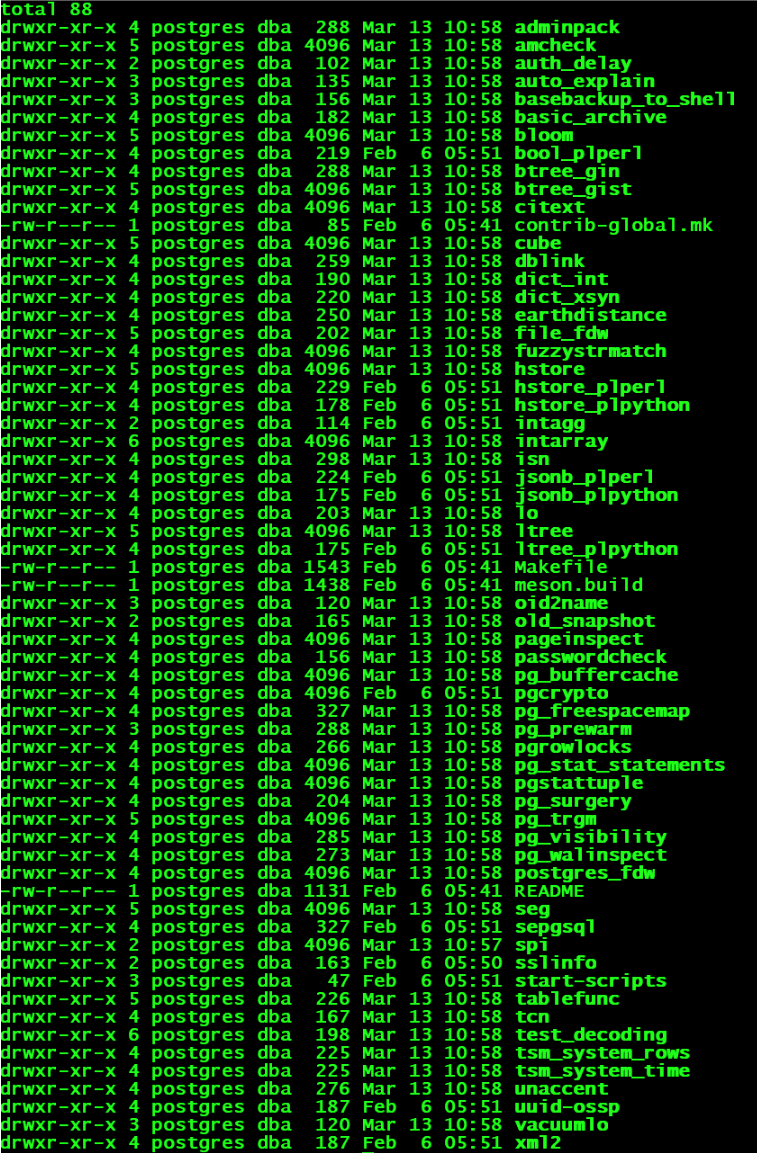
[postgres@pgdatabase pgdata]$ cd /soft/postgresql-16.2/contrib
[postgres@pgdatabase contrib]$ ls -l
 
[postgres@pgdatabase contrib]$ psql
psql (16.2)
Type "help" for help.
postgres=#  create extension pg_buffercache;
CREATE EXTENSION
postgres=# create extension pg_stat_statements;
CREATE EXTENSION
postgres=# \d


6 卸载

 
[postgres@pgdatabase ~]$ userdel -r postgres
[postgres@pgdatabase ~]$ rm  -rf pgdata
最后修改时间:2024-03-13 09:46:32
「喜欢这篇文章,您的关注和赞赏是给作者最好的鼓励」
关注作者
【版权声明】本文为墨天轮用户原创内容,转载时必须标注文章的来源(墨天轮),文章链接,文章作者等基本信息,否则作者和墨天轮有权追究责任。如果您发现墨天轮中有涉嫌抄袭或者侵权的内容,欢迎发送邮件至:contact@modb.pro进行举报,并提供相关证据,一经查实,墨天轮将立刻删除相关内容。

评论