



前言
推荐安装PostgreSQL 9.6.21及以上版本
1. 新建pgdbgrp用户组和postgres用户

groupadd pgdbgrp
useradd -g pgdbgrp postgres
2.下载postgresql-9.6.21-1-linux-x64.run安装包
https://get.enterprisedb.com/postgresql/postgresql-9.6.21-1-linux-x64.run
3.为postgresql-9.6.21-1-linux-x64.run赋予可执行权限

chmod a+x postgresql-9.6.21-1-linux-x64.run
4.软链接下安装PostgreSQL需要的libsasl2.so.2包
cd /usr/lib64
ln -s libsasl2.so.3 libsasl2.so.2
5.正式安装postgresql
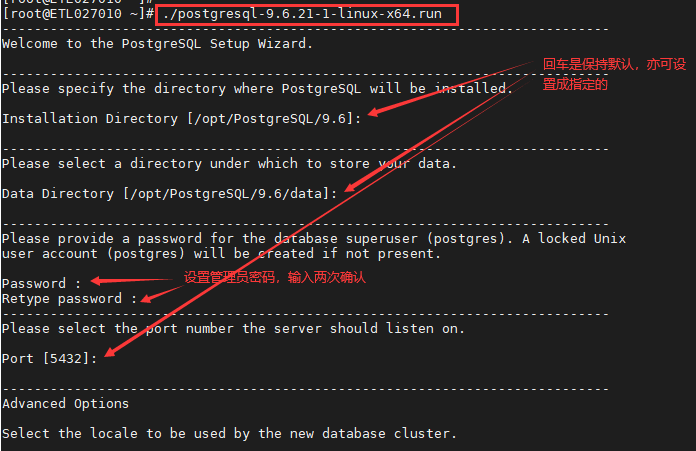
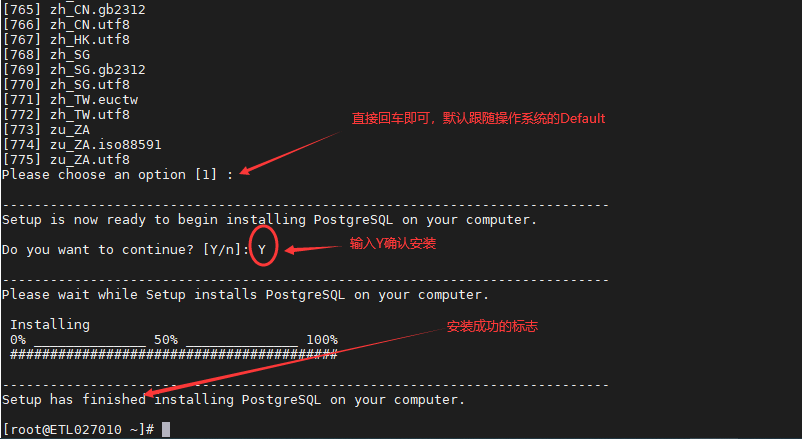
./postgresql-9.6.21-1-linux-x64.run
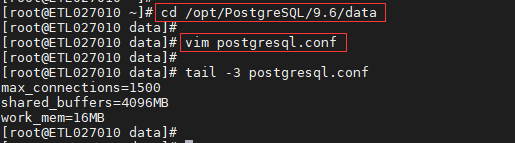
6.编辑postgresql.conf配置文件,调整以下三个参数(优化连接数和性能的)
max_connections值建议设置成1000以上
shared_buffers值建议设置成操作系统总内存的1/4
work_mem值建议设置成16MB
cd /opt/PostgreSQL/9.6/data
vim postgresql.conf
编辑postgresql.conf文件,追加下面三个参数(根据实际追加):
max_connections=1500
shared_buffers=4096MB
work_mem=16MB
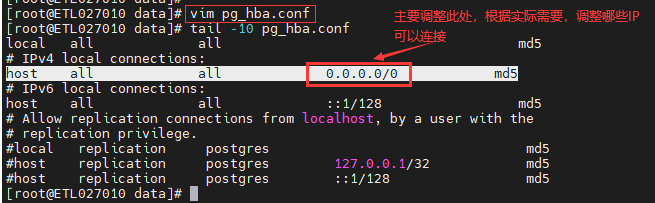
7.编辑pg_hba.conf文件,开启IP访问白名单
8.重启Postgresql服务,以使上述调整生效
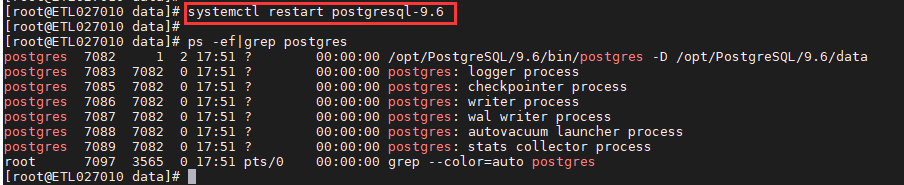
systemctl restart postgresql-9.6
PS.上面是Postgresql数据库服务重启命令,关闭、启动、查看状态,命令参考如下:
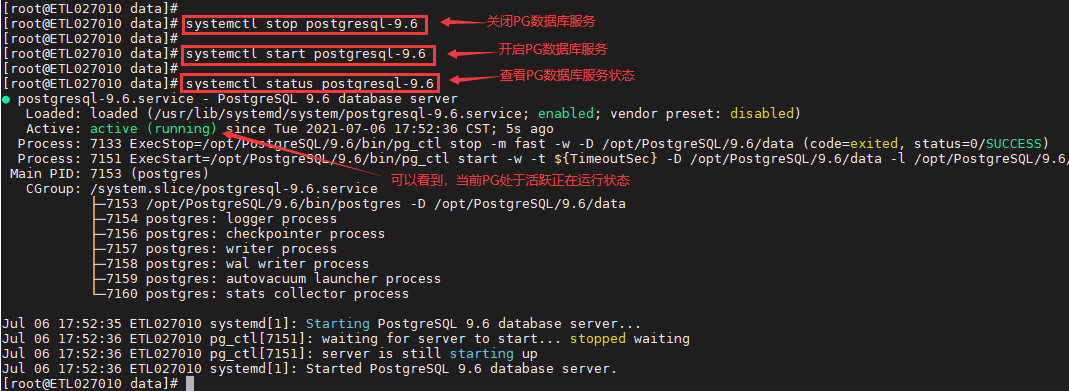
systemctl stop postgresql-9.6
systemctl start postgresql-9.6
systemctl status postgresql-9.6
9. 设置Postgresql数据库服务开机自启

systemctl enable postgresql-9.6.service
systemctl list-unit-files|grep postgres
