



PG安装
配置PostgreSQL的yum仓库源
#配置PostgreSQL的yum仓库源
rpm -qa | grep postgres
rpm -Uvh https://mirrors.aliyun.com/postgresql/repos/yum/reporpms/EL-7-x86_64/pgdg-redhat-repo-latest.noarch.rpm
sed -i "s@https://download.postgresql.org/pub@https://mirrors.aliyun.com/postgresql@g" /etc/yum.repos.d/pgdg-redhat-all.repo
生成缓存
yum clean cache
yum makecache
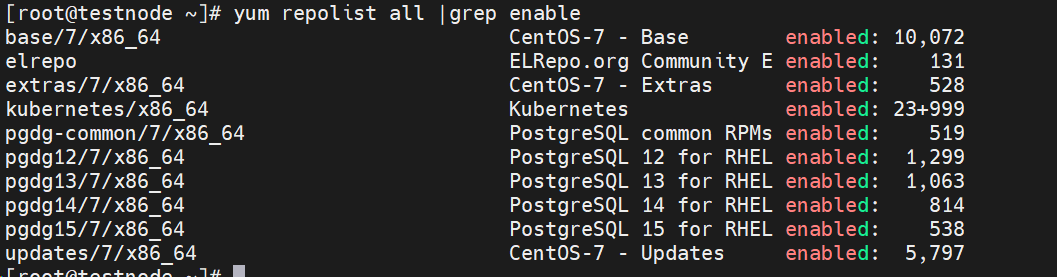
检查yum仓库镜像源状态
yum repolist all |grep enable

安装初始化
安装依赖包
wget https://dl.fedoraproject.org/pub/epel/7/x86_64/Packages/l/libzstd-1.5.5-1.el7.x86_64.rpm
wget https://dl.fedoraproject.org/pub/epel/7/x86_64/Packages/l/llvm5.0-devel-5.0.1-7.el7.x86_64.rpm
wget https://dl.fedoraproject.org/pub/epel/7/x86_64/Packages/l/llvm5.0-5.0.1-7.el7.x86_64.rpm
wget https://dl.fedoraproject.org/pub/epel/7/x86_64/Packages/l/llvm5.0-libs-5.0.1-7.el7.x86_64.rpm


yum install -y ./libzstd-1.5.5-1.el7.x86_64.rpm
yum install -y centos-release-scl-rh llvm5*
安装
yum install -y postgresql15-server
查看版本
psql --version
psql -V
初始化
/usr/pgsql-15/bin/postgresql-15-setup initdb
开机启动
#开机启动
systemctl enable postgresql-15
#启动
systemctl start postgresql-15
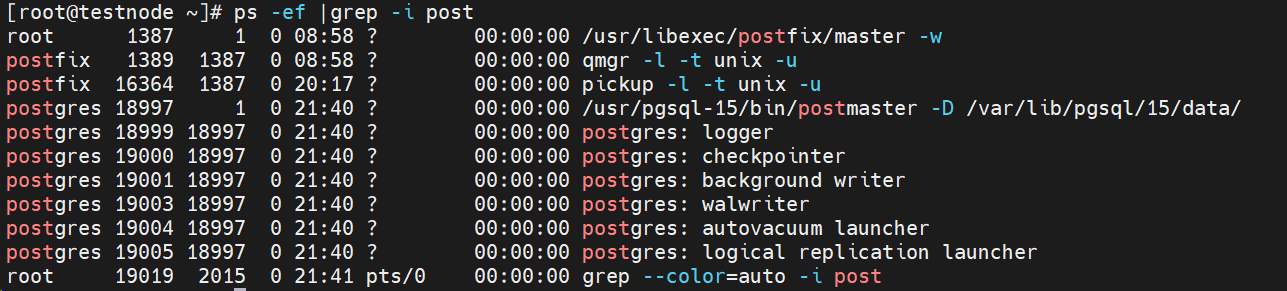
ps -ef |grep -i post

「喜欢这篇文章,您的关注和赞赏是给作者最好的鼓励」
关注作者
【版权声明】本文为墨天轮用户原创内容,转载时必须标注文章的来源(墨天轮),文章链接,文章作者等基本信息,否则作者和墨天轮有权追究责任。如果您发现墨天轮中有涉嫌抄袭或者侵权的内容,欢迎发送邮件至:contact@modb.pro进行举报,并提供相关证据,一经查实,墨天轮将立刻删除相关内容。
