



背景:
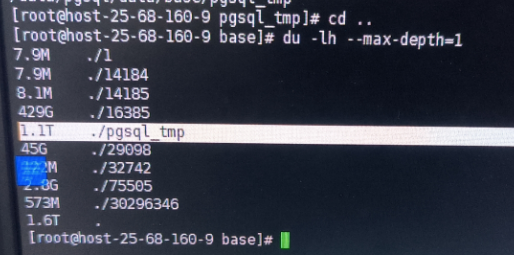
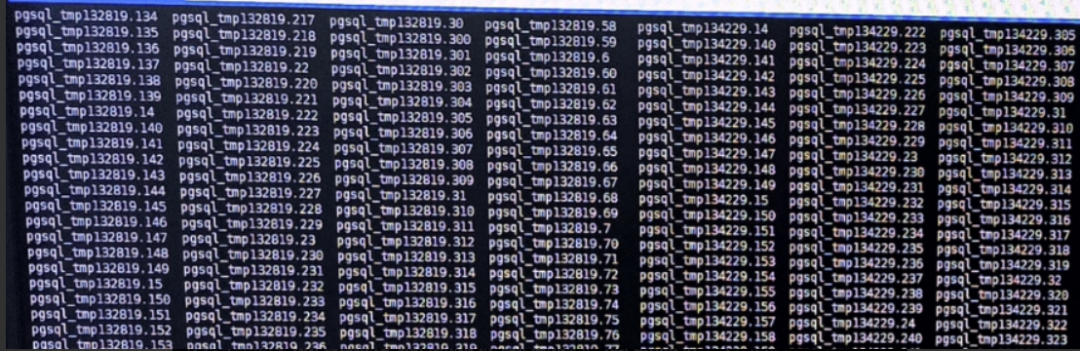
数据库目录的base目录中堆积了大量的temp文件, 需要紧急处理,否则数据库目录有撑爆风险。
问题诊断:
官方文档中有一句话:
https://www.postgresql.org/docs/15/storage-file-layout.html Temporary files (for operations such as sorting more data than can fit in memory) are created within PGDATA/base/pgsql_tmp, or within a pgsql_tmp subdirectory of a tablespace directory if a tablespace other than pg_default is specified for them. The name of a temporary file has the form pgsql_tmpPPP.NNN, where PPP is the PID of the owning backend and NNN distinguishes different temporary files of that backend. |
我们可以知道temp文件是由会话ID:PId组成, 是SQL执行期间产生的临时性质的文件, 比如用于超大数据集排序等....一般在会话结束后会自动消除。
select * from pg_stat_activity order by order by query_start desc;
重点寻找Pid = 134229执行的具体SQL。导出数据并没有发现Pid = 134229 的会话。 按照道理说临时文件会随着pid的消失而消失。 此时pid消失了但是临时文件被保留了。 无法找到执行的SQL, 继续在log中扣出问题SQL。
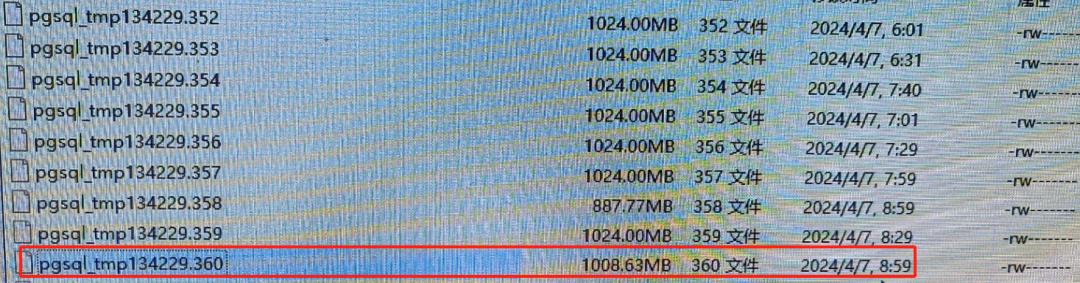
结合tmp文件分析:

log日志分析:
日志中查询Pid = 134229 的会话发现。SQL发现异常结束的时间,和temp文件停止增长的日期吻合。
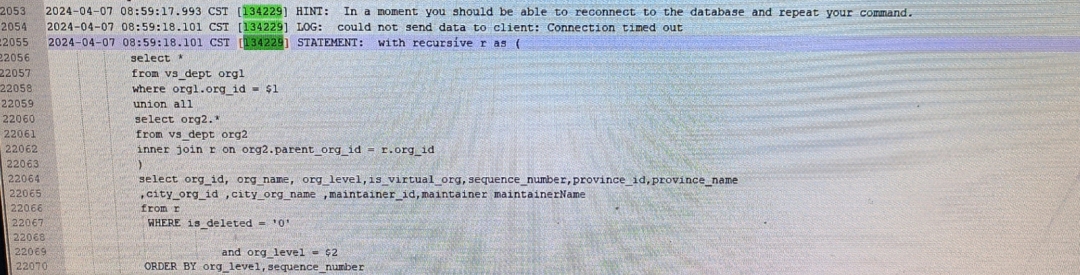
其他多个session也能找到正好对应次SQL:如 session :134254 ,132819
2024-04-07 08:59:17.945 CST [134254] WARNING: terminating connection because of crash of another server process2024-04-07 08:59:17.945 CST [134254] DETAIL: The postmaster has commanded this server process to roll back the current transaction and exit, because another server process exited abnormally and possibly corrupted shared memory.2024-04-07 08:59:17.945 CST [134254] HINT: In a moment you should be able to reconnect to the database and repeat your command.2024-04-07 08:59:17.945 CST [134254] LOG: could not send data to client: Connection timed out2024-04-07 08:59:17.945 CST [134254] STATEMENT: with recursive r as (select *from vs_dept org1where org1.org_id = $1union allselect org2.*from vs_dept org2inner join r on org2.parent_org_id = r.org_id)select org_id, org_name, org_level,is_virtual_org,sequence_number,province_id,province_name,city_org_id ,city_org_name ,maintainer_id,maintainer maintainerNamefrom rWHERE is_deleted = '0'and org_level = $2ORDER BY org_level,sequence_number
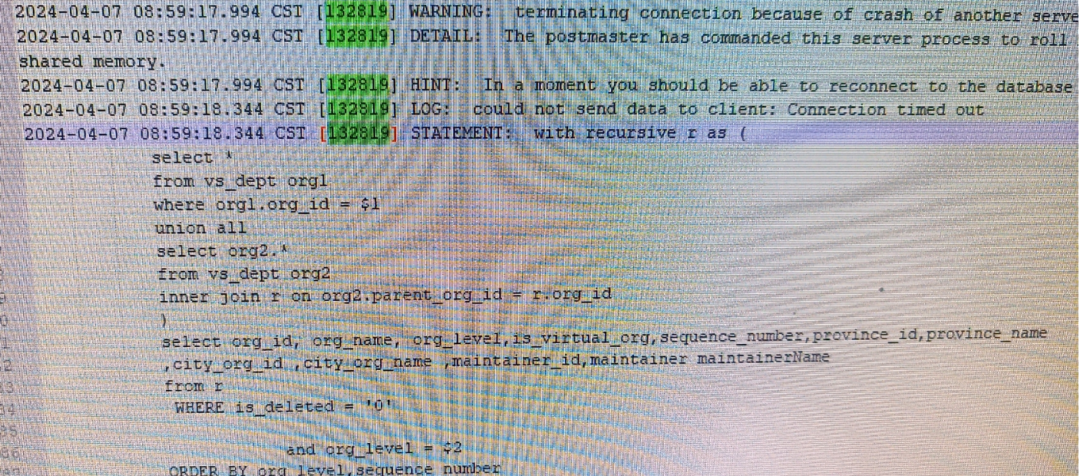
确定到SQL:
1 session 异常中断的时间正是和temp停止异常增长的时间吻合
2 多个session 在日志中都是指向同一个SQL, SQL执行时间以异常的长
with recursive r as (select *from vs_dept org1where org1.org_id = $1union allselect org2.*from vs_dept org2inner join r on org2.parent_org_id = r.org_id)select org_id, org_name, org_level,is_virtual_org,sequence_number,province_id,province_name,city_org_id ,city_org_name ,maintainer_id,maintainer maintainerNamefrom rWHERE is_deleted = '0'and org_level = $2ORDER BY org_level,sequence_number
分析根本原因
with recursive r as (select org_id , parent_org_id, org_name, array[org_name::text] path, false cycle1 from vs_dept_test2 org1where org_id = '02DC9D99******************FC25' --- 顶级部门union allselect org2.org_id, org2.parent_org_id, org2.org_name, r.path||org2.org_name::text, org2.org_name::text = any(path)from vs_dept_test2 org2inner join r on org2.parent_org_id = r.org_id)select org_id, parent_org_id ,org_name ,array_to_string(path, '-->') as path , cycle1from rwhere cycle1 limit 10 ;

果然cycle1 = true标记数据存在死循环。 数据也显示 配*运*室的父级部门 也是配*运*室,死循环就产生于此处。 建议现场合理配置数据,总不能“自己是自己的父级”吧?
根本原因:由于出现不合理的父子级关系导致 递归SQL出现死循环,循环出大量的数据,最终导致temp文件积压。 目前积压到1.1T。 那么此类问题找到并且抛出给数据运维, 看数据是删除,还是更正数据。
再设定一道防线:
temp_file_limit (integer) Specifies the maximum amount of disk space that a process can use for temporary files, such as sort and hash temporary files, or the storage file for a held cursor. A transaction attempting to exceed this limit will be canceled. If this value is specified without units, it is taken as kilobytes. -1 (the default) means no limit. Only superusers and users with the appropriate SET privilege can change this setting. This setting constrains the total space used at any instant by all temporary files used by a given PostgreSQL process. It should be noted that disk space used for explicit temporary tables, as opposed to temporary files used behind-the-scenes in query execution, does not count against this limit. |
根据官方文档设定:在postgresql.conf 设定 temp_file_limit = 10GB。reload 生效。 其意义把单个进程的临时空间限制到 10G。
总结:
本次故障诊断通过tmp文件堆积现象, 通过文件本身 + log 日志定位到问题SQL。 分析到问题表的数据问题。 并找到数据 + 递归SQL一起联手把tmp 搞暴增。 从问题现象到根本原因----思路递进,有理有据,最终在参数层面设置一道防线把单个进程的temp数据限定到10G
