



点击上方蓝字关注我们

点击上方蓝字关注我们


MySQL 版本:MySQL 8.0.34 IP:192.168.0.155 端口:3306 Linux:Ubuntu 20.04.2
root@kunlun3:~# mysql -h 192.168.0.155 -P 3306 -u root -pmysql> SET @@GLOBAL.ENFORCE_GTID_CONSISTENCY = WARN;mysql> SET @@GLOBAL.ENFORCE_GTID_CONSISTENCY = ON;mysql> SET @@GLOBAL.GTID_MODE = OFF_PERMISSIVE;mysql> SET @@GLOBAL.GTID_MODE = ON_PERMISSIVE;mysql> SET @@GLOBAL.GTID_MODE = ON;mysql> SET PERSIST GTID_MODE = on ;mysql> SET PERSIST ENFORCE_GTID_CONSISTENCY = on ;mysql> SET PERSIST binlog_row_metadata='FULL';mysql> SET PERSIST binlog_row_image='FULL';
systemctl restart mysqld
XPanel: http://192.168.0.152:40180/KunlunXPanel/#/cluster 计算节点:192.168.0.155 ,端口: 47001 存储节点(shard1):192.168.0.153,端口:57005 (主) 存储节点(shard2):192.168.0.152,端口:57003 (主) Klustron安装在kl用户下
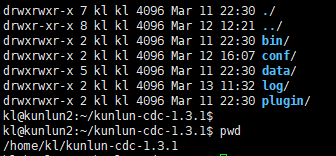
cd /home/kl/kunlun-cdc-1.3.1/confvi kunlun_cdc.cnf
local_ip = 192.168.0.153 #3台机各自的IPhttp_port = 18012 #3台机取一致的端口,实际可以不一致,按需定义ha_group_member = 192.168.0.152:18081,192.168.0.153:18081,192.168.0.155:18081 #3台机组成一个CDC的高可用集群,端口自定义,本例取18081server_id = 2 #3台机各自定义一个自已的ID号,不唯一即可
start_kunlun_cdc.sh stop_kunlun_cdc.sh
cd /home/kl/kunlun-cdc-1.3.1/bin./start_kunlun_cdc.shps -ef |grep cdc


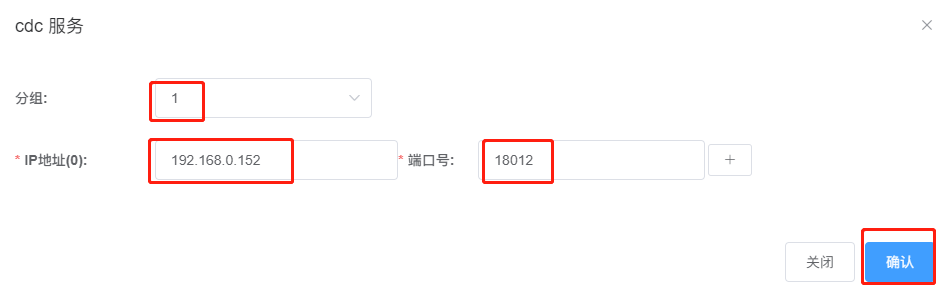
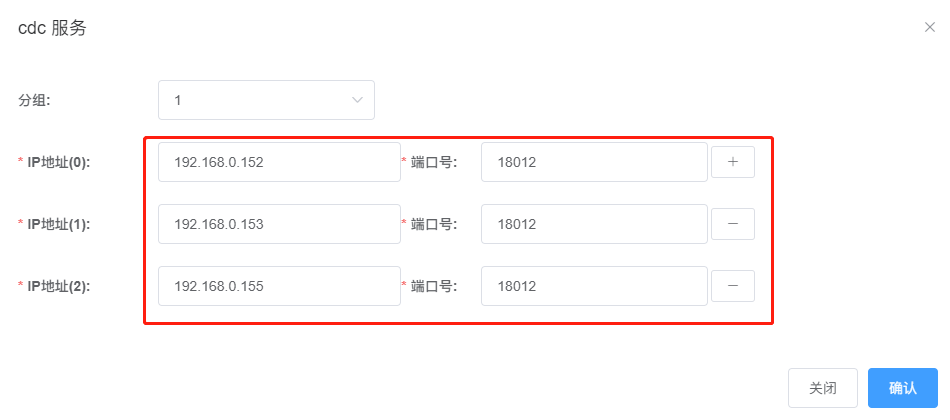

root@kunlun3:~# mysql -h 192.168.0.155 -P 3306 -u root -pmysql> CREATE USER 'repl'@'%' IDENTIFIED WITH mysql_native_password BY 'repl';mysql> GRANT REPLICATION SLAVE ON *.* TO 'repl'@'%';mysql> create database test ;mysql> create user 'test'@'%' identified by 'test';mysql> grant all on test.* to 'test'@'%';mysql> flush privileges;mysql> exit;root@kunlun3:~# mysql -h 192.168.0.155 -P 3306 -u test -p testmysql>create table target1 (pk int primary key, dt datetime(3), txt1 text , txt2 text ,txt3 text ) ;mysql>create table target2 (pk int primary key, dt datetime(3), txt1 text , txt2 text ,txt3 text ) ;mysql>create table source (pk int primary key, txt1 text , txt2 text ,txt3 text ) ;mysql>CREATE TEMPORARY TABLE IF NOT EXISTS series (n INT);mysql> DELIMITERmysql>CREATE PROCEDURE fill_series()BEGINDECLARE i INT DEFAULT 1;-- 生成5000条记录WHILE i <= 5000 DOINSERT INTO series VALUES (i);SET i = i + 1;END WHILE;ENDmysql>DELIMITER ;-- 调用过程来生成序列mysql>CALL fill_series();mysql>truncate table source ;mysql>INSERT INTO source SELECT n, RPAD('a', 4000, 'a'),RPAD('b', 4000, 'b'),RPAD('c', 4000, 'c') FROM series;mysql>DROP TEMPORARY TABLE IF EXISTS series;mysql>DROP PROCEDURE IF EXISTS fill_series;
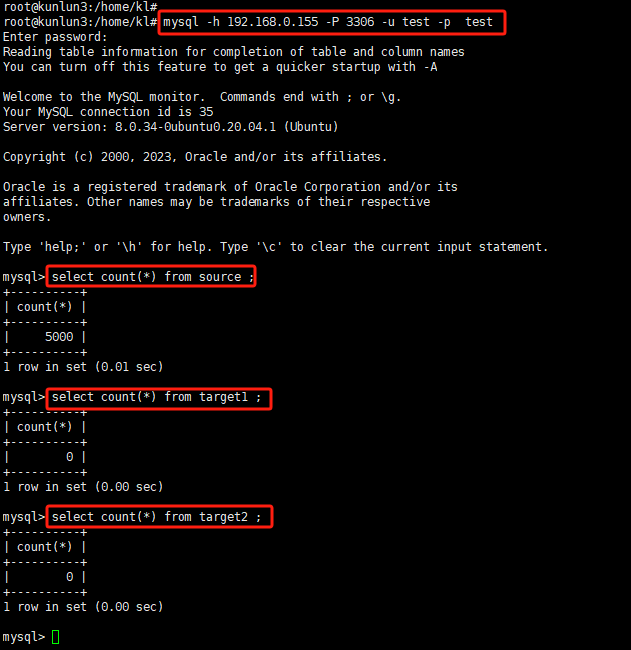
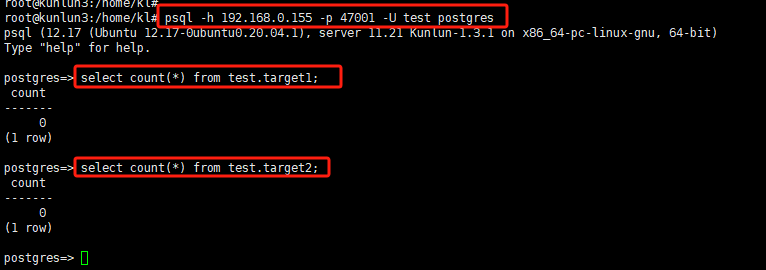
kl@kunlun3:~$ psql -h 192.168.0.155 -p 47001 -U adc postgrescreate user test with password 'test';grant create on database postgres to test ;exitkl@kunlun3:~$ psql -h 192.168.0.155 -p 47001 -U test postgrescreate schema test ;create table test.target1 (pk int primary key, dt datetime(3), txt1 text , txt2 text ,txt3 text ) ;create table test.target2 (pk int primary key, dt datetime(3), txt1 text , txt2 text ,txt3 text ) ;

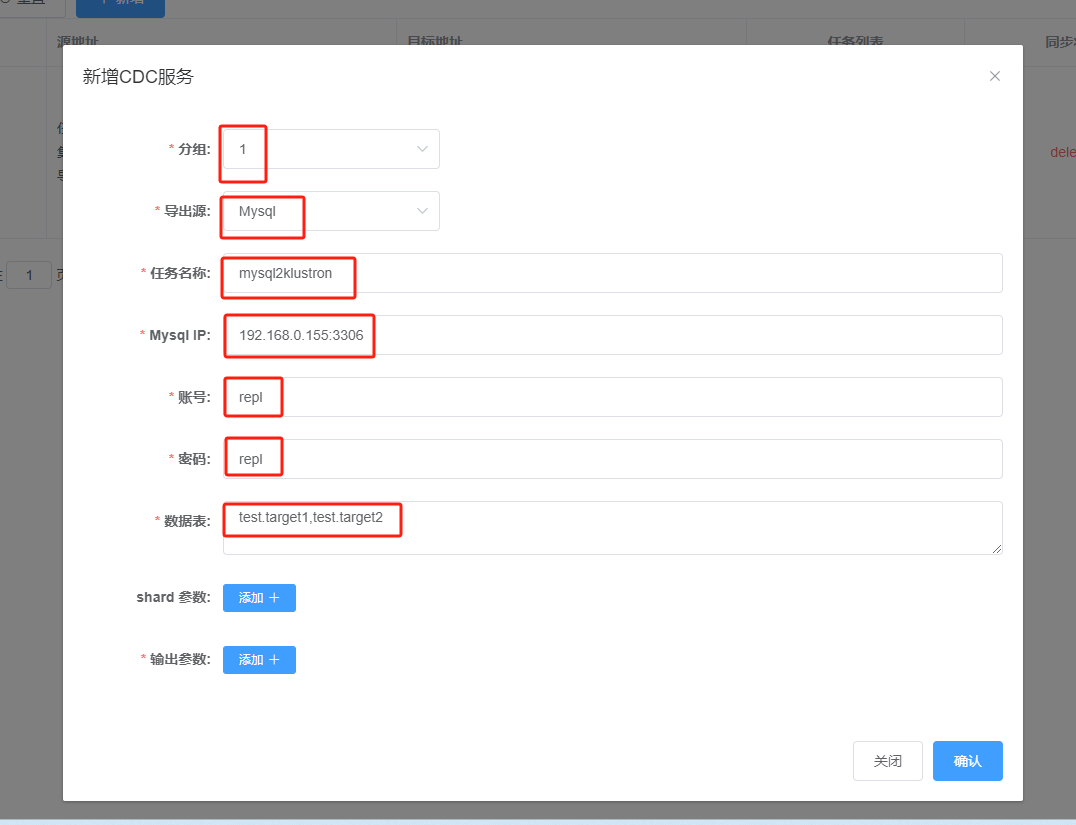
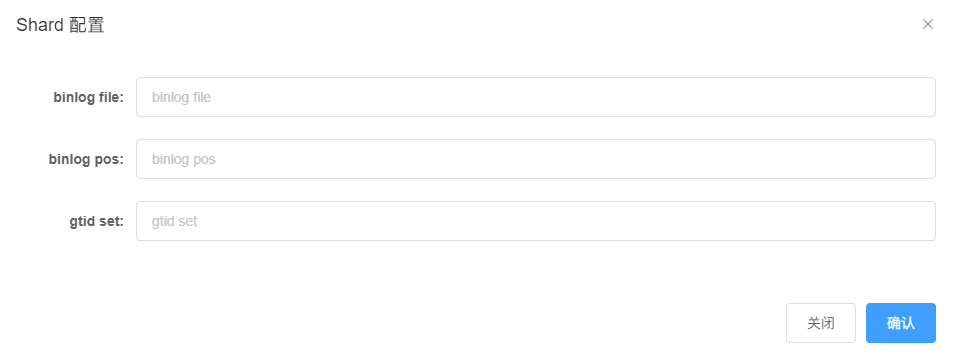
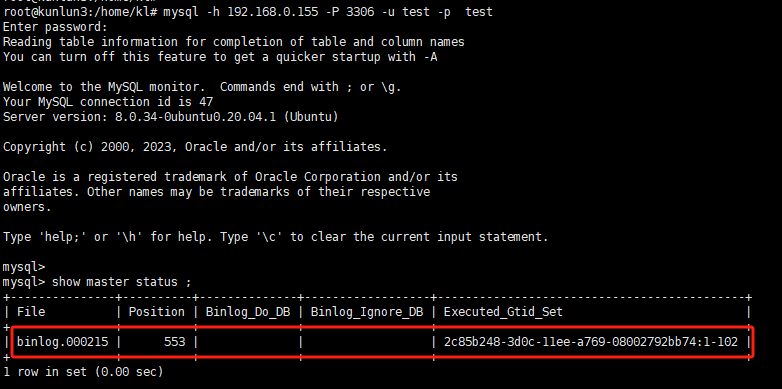
root@kunlun3:~#mysql -h 127.0.0.1 -P 3306 -u root -pmysql>show master status ;
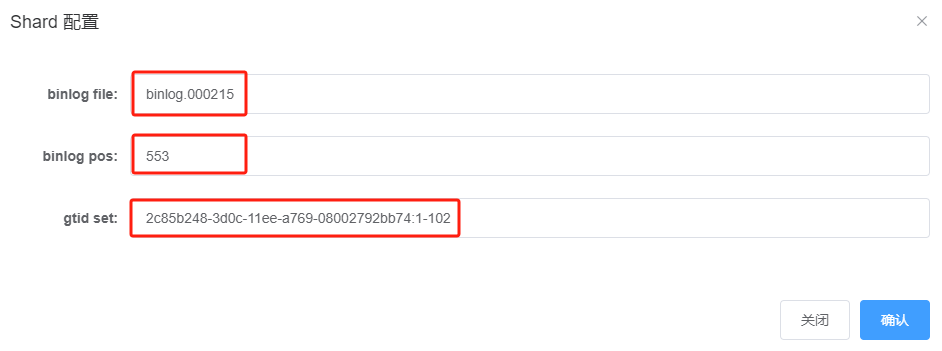
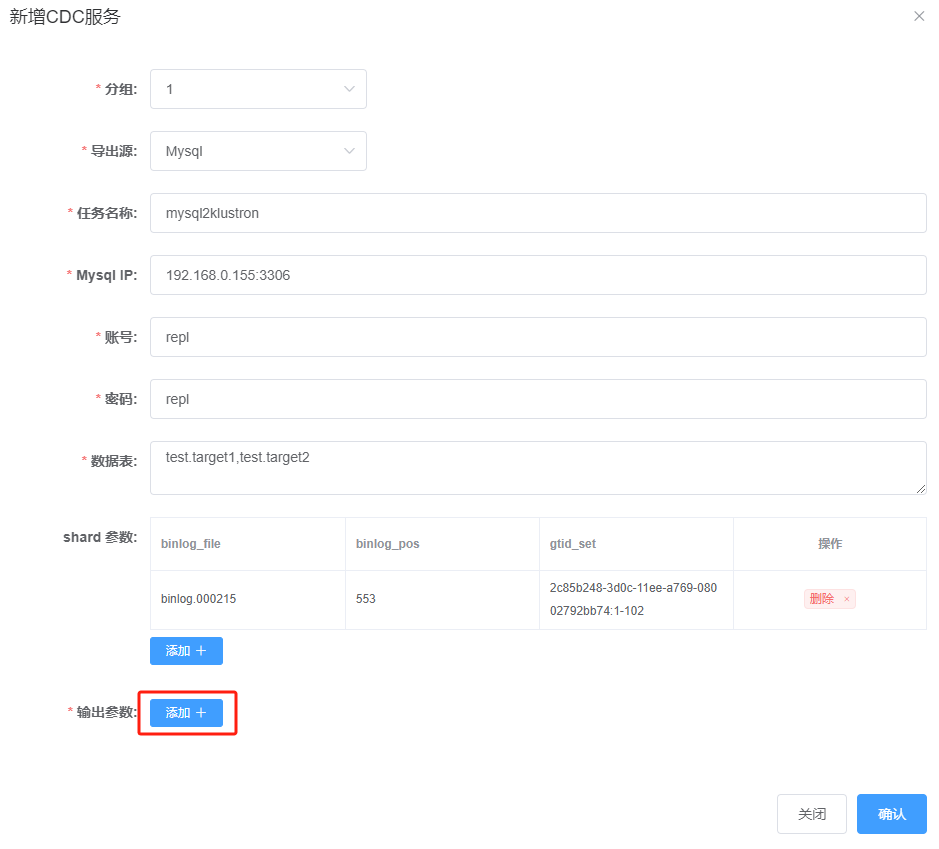
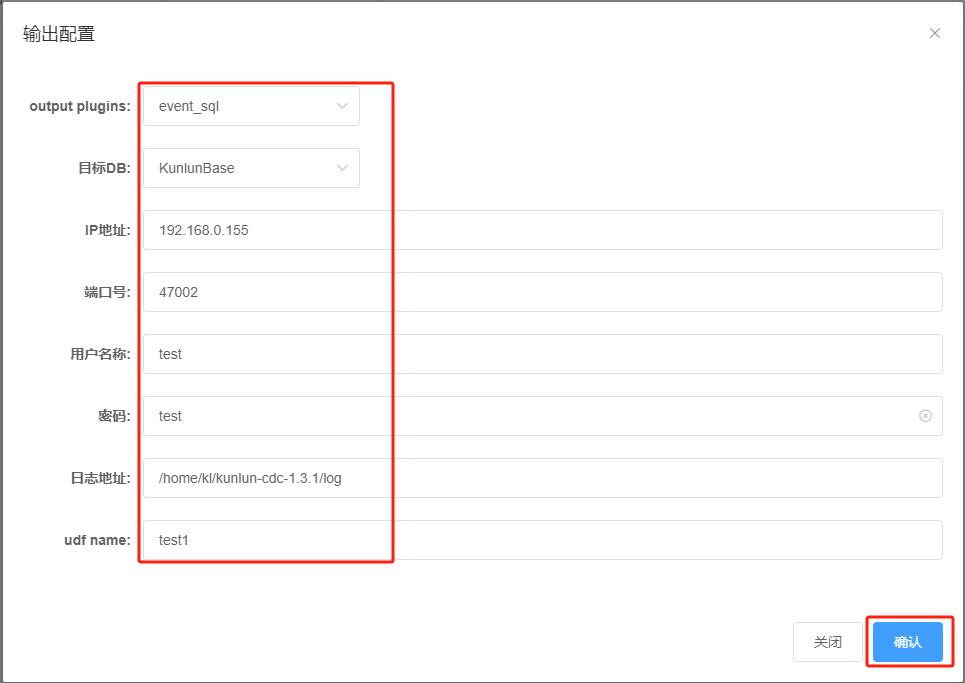
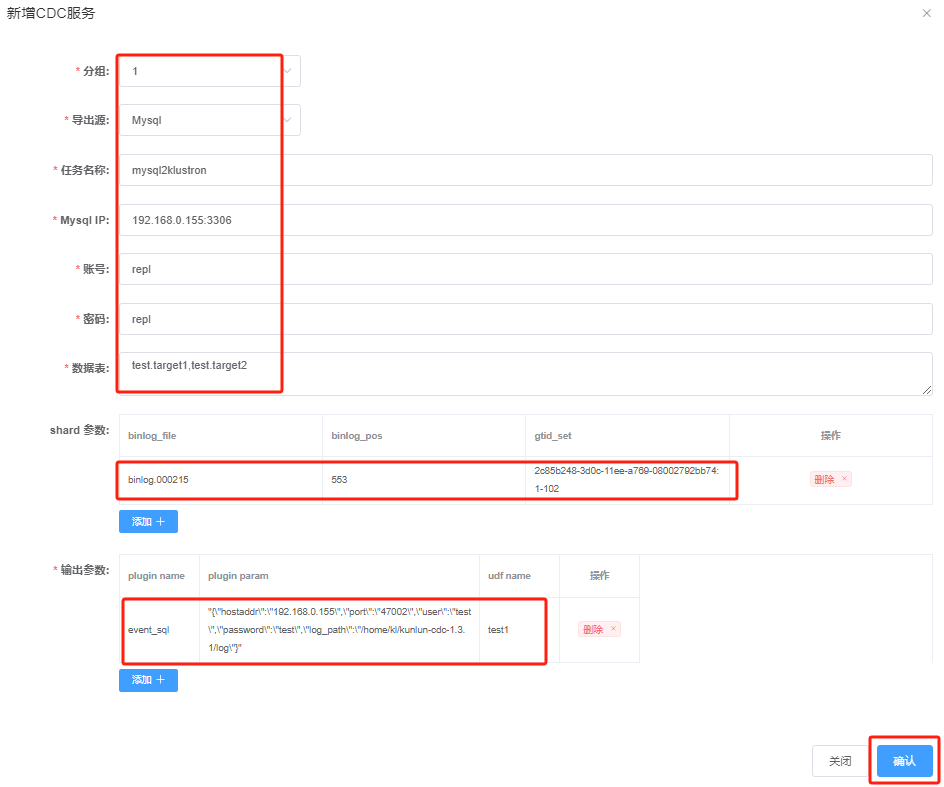

准备目标端(Klustron侧)数据检测程序; 准备源端(MySQL侧)数据变更程序; 准备好杀除192.168.0.152上CDC进程的指令; 启动目标端数据检测程序; 启动源端数据变更程序; 执行192.168.0.152上的CDC进程杀除指令; 查看目标端检测程序是否正常,确认数据同步的结果
check_data.py (python2 代码格式)-------------------------------------------------import threadingimport timefrom datetime import datetimeimport mysql.connectorconfig = {'host': '127.0.0.1','port': '47002','user': 'test','password': 'test','database': 'postgres'}def check_table(table_name):connection = mysql.connector.connect(**config)cursor = connection.cursor()try:while True:query = "SELECT dt FROM %s LIMIT 1" % table_namecursor.execute(query)result = cursor.fetchone()if result:record_time = result[0]now = datetime.now()time_diff = (now - record_time).total_seconds() * 1000.0print "Table: %s, Time Difference: %d ms" % (table_name, time_diff)breakelse:time.sleep(0.005)except mysql.connector.Error as err:print "Error:", errfinally:cursor.close()connection.close()print "Thread for %s has finished execution" % table_namethread1 = threading.Thread(target=check_table, args=('target1',))thread2 = threading.Thread(target=check_table, args=('target2',))thread1.start()thread2.start()thread1.join()thread2.join()
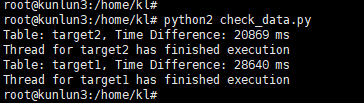
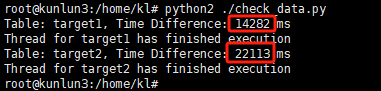
连接到Klustron,启动两个线程,不断轮询各自的表中是否有记录; 如有记录,说明CDC同步成功,则拿记录中的时间字段的值与当前时间比对,得出该同步过程花费的时间,打印该同步时长。
run_load.py (python2代码格式)---------------------------------------------import threadingimport mysql.connectorfrom datetime import datetimeconfig = {'host': '192.168.0.155','port': '3306','user': 'test','password': 'test','database': 'test'}def insert_data(source_table, target_table):try:db_connection = mysql.connector.connect(**config)cursor = db_connection.cursor()now = datetime.now().strftime('%Y-%m-%d %H:%M:%S.%f')[:-3]insert_query = "INSERT INTO %s SELECT pk, '%s', txt1, txt2, txt3 FROM %s ;" % (target_table, now, source_table)cursor.execute(insert_query)db_connection.commit()print "Data inserted into %s from %s" % (target_table, source_table)except mysql.connector.Error as error:print "Error: %s" % str(error)finally:if db_connection.is_connected():cursor.close()db_connection.close()print "MySQL connection is closed for %s" % target_tablethread1 = threading.Thread(target=insert_data, args=('source', 'target1',))thread2 = threading.Thread(target=insert_data, args=('source', 'target2',))thread1.start()thread2.start()thread1.join()thread2.join()root@kunlun3:~#mysql -h 192.168.0.155 -P 3306 -u test -p testinsert into mysql2kl values(1,'aaa');
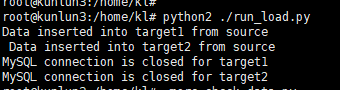
连接到MySQL,启动两个线程,同时以insert into select 方式分别向各自的表(target1,target2)插入5000行记录。 为了有足够的时间观察同步过程及同步过程中执行CDC进程杀除的行为,target1,target2设计了多个宽列,并将单个事务的记录增加到5000行。
root@kunlun3:/home/kl# python2 ./run_load.py
root@kunlun3:/home/kl# python2 check_data.py
root@kunlun3:/home/kl# python2 ./run_load.py


root@kunlun3:/home/kl# psql -h 192.168.0.155 -p 47001 -U test postgrespostgres=> truncate table test.target1;postgres=> truncate table test.target2;
root@kunlun3:/home/kl# mysql -h 192.168.0.155 -P 3306 -u test -p testmysql> truncate table target1;mysql> truncate table target2;
root@kunlun3:/home/kl# python2 check_data.py
root@kunlun3:/home/kl# python2 ./run_load.py
root@kunlun3:/home/kl# psql -h 192.168.0.155 -p 47001 -U test postgrespostgres=> truncate table test.target1;postgres=> truncate table test.target2;postgres=> exit;root@kunlun3:/home/kl# mysql -h 192.168.0.155 -P 3306 -u test -p testmysql> truncate table target1;mysql> truncate table target2;mysql> exit;

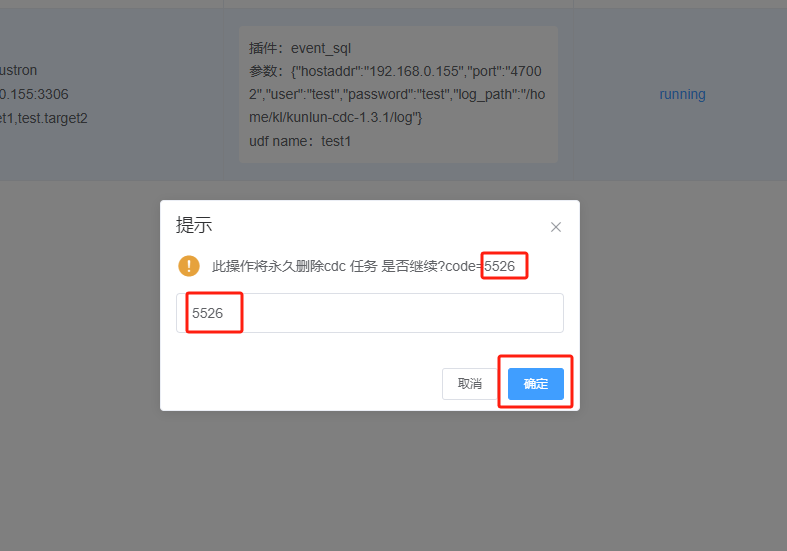
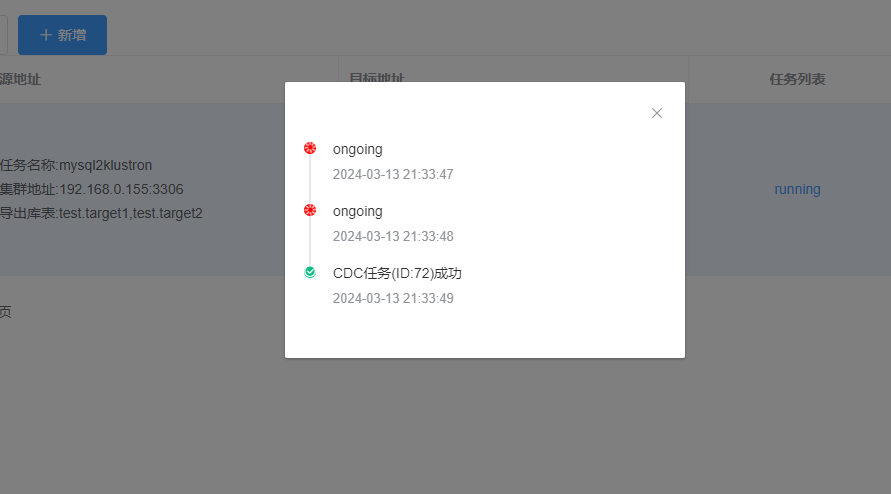

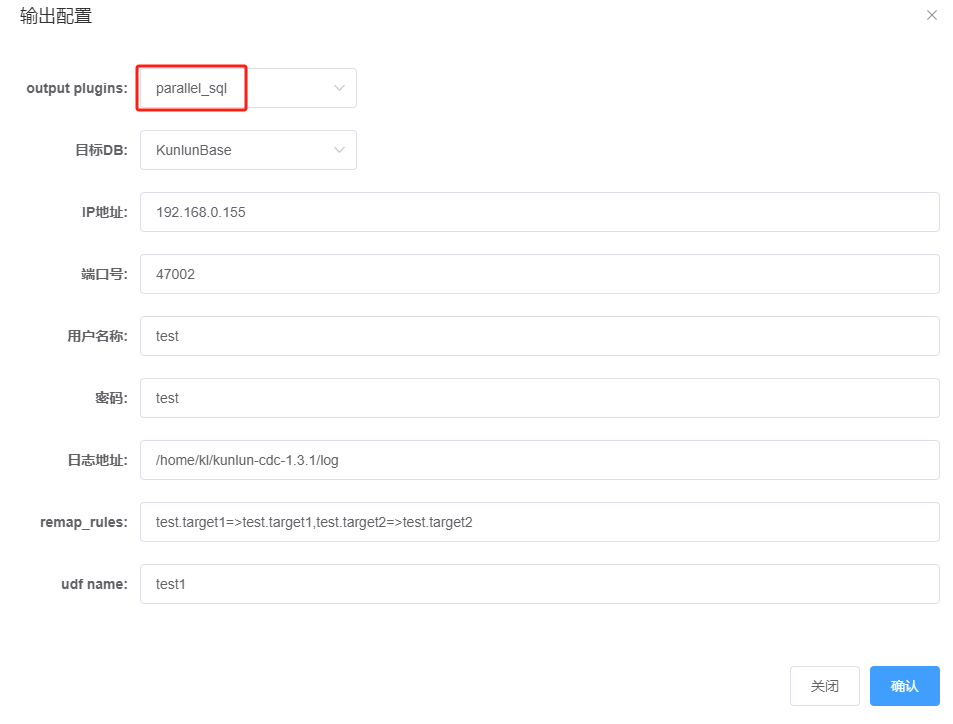

root@kunlun3:/home/kl# python2 check_data.py
root@kunlun3:/home/kl# python2 ./run_load.py
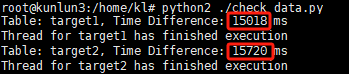

文章转载自KunlunBase 昆仑数据库,如果涉嫌侵权,请发送邮件至:contact@modb.pro进行举报,并提供相关证据,一经查实,墨天轮将立刻删除相关内容。
