



关注我们
导读:SeaTunnel提供了一种运行Zeta引擎(local-mode模式)的方法,可以让Kubernetes在本地运行Zeta引擎,实现更高效的应用程序部署和管理。在本文中,我们将探索SeaTunnel k8s运行zeta引擎(local-mode模式)的更多信息,了解如何更好地利用Zeta引擎的优势。
运行

tar -zxvf apache-seatunnel-2.3.3-bin.tar.gz
sh apache-seatunnel-2.3.3/bin/install-plugin.sh
tar -czvf  apache-seatunnel-2.3.3-bin.tar.gz  apache-seatunnel-2.3.3
FROM openjdk:8

ENV SEATUNNEL_VERSION="2.3.3"
COPY apache-seatunnel-${SEATUNNEL_VERSION}-bin.tar.gz opt/apache-seatunnel-${SEATUNNEL_VERSION}-bin.tar.gz
WORKDIR opt
RUN tar -xzvf apache-seatunnel-${SEATUNNEL_VERSION}-bin.tar.gz
RUN mv apache-seatunnel-${SEATUNNEL_VERSION} seatunnel
RUN rm -f opt/apache-seatunnel-${SEATUNNEL_VERSION}-bin.tar.gz
WORKDIR opt/seatunnel
docker build -t seatunnel:2.3.3 -f Dockerfile.
查看镜像
docker images

将镜像load进k8s,这里用的minikube做演示
minikube image load seatunnel:2.3.3
minikube image ls

创建seatunnel.streaming.conf
如下所示
env {
  execution.parallelism = 1
  job.mode = "STREAMING"
  checkpoint.interval = 2000
}

source {
    FakeSource {
      result_table_name = "fake"
      row.num = 160000
      schema = {
        fields {
          name = "string"
          age = "int"
        }
      }
    }
}

transform {

}

sink {
  Console {}
}
创建configmap
kubectl create cm seatunnel-config \
--from-file=seatunnel.streaming.conf=seatunnel.streaming.conf
1
2
8.创建seatunnel.yaml如下示例

apiVersion: v1
kind: Pod
metadata:
  name: seatunneltest
spec:
  containers:
  - name: seatunnel
    image: seatunnel:2.3.3
    command: ["/bin/sh","-c","/opt/seatunnel/bin/seatunnel.sh --config data/seatunnel.streaming.conf -e local"]
    volumeMounts:
      - name: seatunnel-config
        mountPath: data/seatunnel.streaming.conf
        subPath: seatunnel.streaming.conf
  volumes:
        - name: seatunnel-config
          configMap:
            name: seatunnel-config
            items:
            - key: seatunnel.streaming.conf
              path: seatunnel.streaming.conf
~
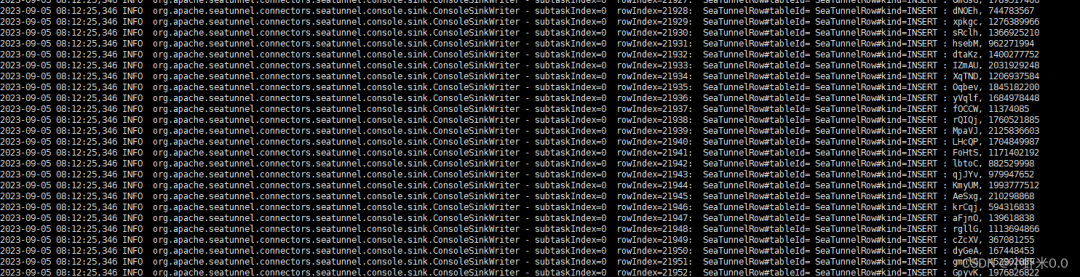
kubectl apply -f seatunnel.yaml


Apache SeaTunnel
精彩推荐
点击阅读原文了解更多⭐️!

文章转载自SeaTunnel,如果涉嫌侵权,请发送邮件至:contact@modb.pro进行举报,并提供相关证据,一经查实,墨天轮将立刻删除相关内容。
