



MySQL Slow Query Log and MySQL 8.0.19
1、需求概述
今天有个客户想访问慢查询日志来寻找查询性能低下的SQL语句,但是他无法访问慢查询日志文件,想从performance_schema中去找,虽然可以找到一些有用的信息,但不如慢查询日志的效率高。所以建议使用慢查询日志表来完成。在调整参数之后,发现sql_text的内容是16进制的,如下:
mysql> select sql_text from mysql.slow_log limit 1;
+--------------------------------------------------------------------------------------------------------------------------------------------------------+
| sql_text                                                                                                                                               |
+--------------------------------------------------------------------------------------------------------------------------------------------------------+
| 0x73656C656374202A2066726F6D20736274657374312077686572652063206C696B6520272531383532323835363333382D36303732303534383837312D37343337393631323538382527 |
+--------------------------------------------------------------------------------------------------------------------------------------------------------+
1 row in set (0.00 sec)
影响中应该是明文的,也觉得很奇怪,不知道哪个版本变更了于是检查了下Release Notes。
2、Check MySQL 8.0.19 Release Notes
链接:https://dev.mysql.com/doc/relnotes/mysql/8.0/en/news-8-0-19.html
-
When the mysql client operates in interactive mode, the
--binary-as-hexoption now is enabled by default. In addition, output from thestatus(or\s) command includes this line when the option is enabled implicitly or explicitly:Binary data as: HexadecimalTo disable hexadecimal notation, use
--skip-binary-as-hex(Bug #24432545, WL #13038)
3、MySQL Cli访问
[root@mydb01 ~]# mysql -e 'select sql_text from mysql.slow_log limit 1'
+--------------------------------------------------------------------------------------------------------------------------------------------------------+
| sql_text                                                                                                                                               |
+--------------------------------------------------------------------------------------------------------------------------------------------------------+
| 0x73656C656374202A2066726F6D20736274657374312077686572652063206C696B6520272531383532323835363333382D36303732303534383837312D37343337393631323538382527 |
+--------------------------------------------------------------------------------------------------------------------------------------------------------+

[root@mydb01 ~]# mysql --skip-binary-as-hex  -e 'select sql_text from mysql.slow_log limit 1'
+----------------------------------------------------------------------------+
| sql_text                                                                   |
+----------------------------------------------------------------------------+
| select * from sbtest1 where c like '%18522856338-60720548871-74379612588%' |
+----------------------------------------------------------------------------+
不使用**–skip-binary-as-hex**,我们会发现Binary data as:Hexadecimal
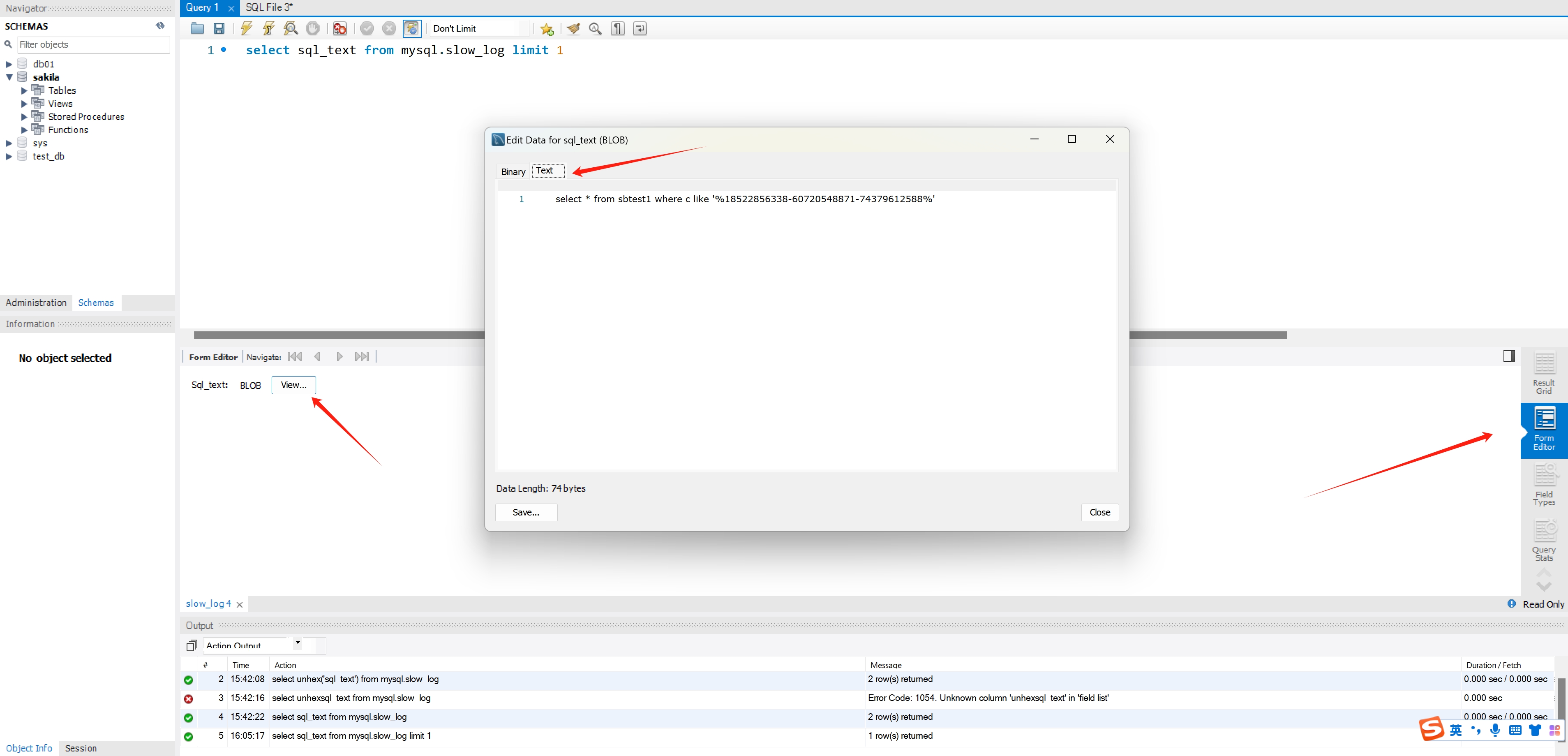
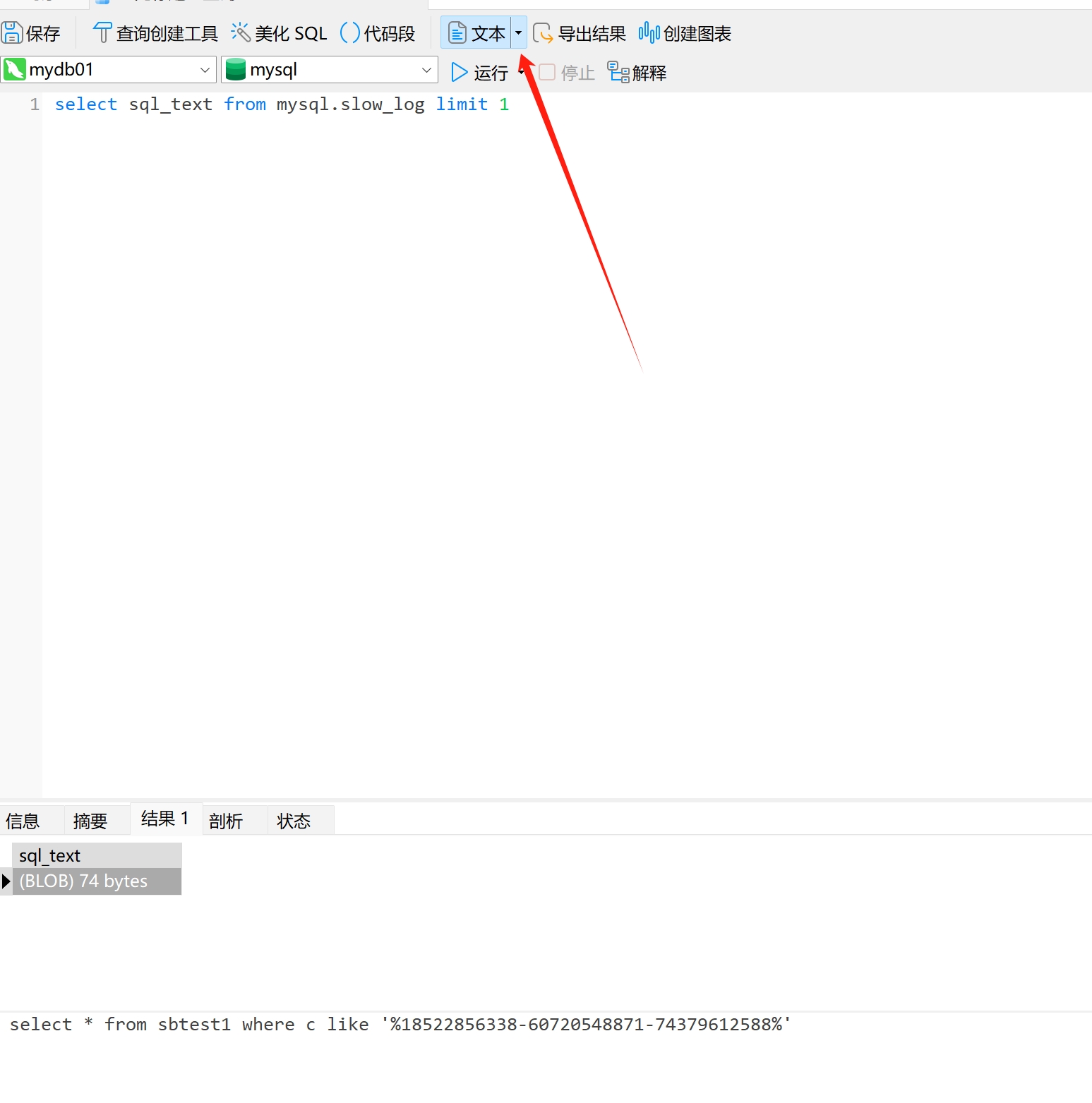
4、MySQL 客户端工具访问
看图示
4.1、MySQL Workbench
4.2、Navicat
5、总结
又是从官网学习的一天。收钱
「喜欢这篇文章,您的关注和赞赏是给作者最好的鼓励」
关注作者
【版权声明】本文为墨天轮用户原创内容,转载时必须标注文章的来源(墨天轮),文章链接,文章作者等基本信息,否则作者和墨天轮有权追究责任。如果您发现墨天轮中有涉嫌抄袭或者侵权的内容,欢迎发送邮件至:contact@modb.pro进行举报,并提供相关证据,一经查实,墨天轮将立刻删除相关内容。
