




介绍
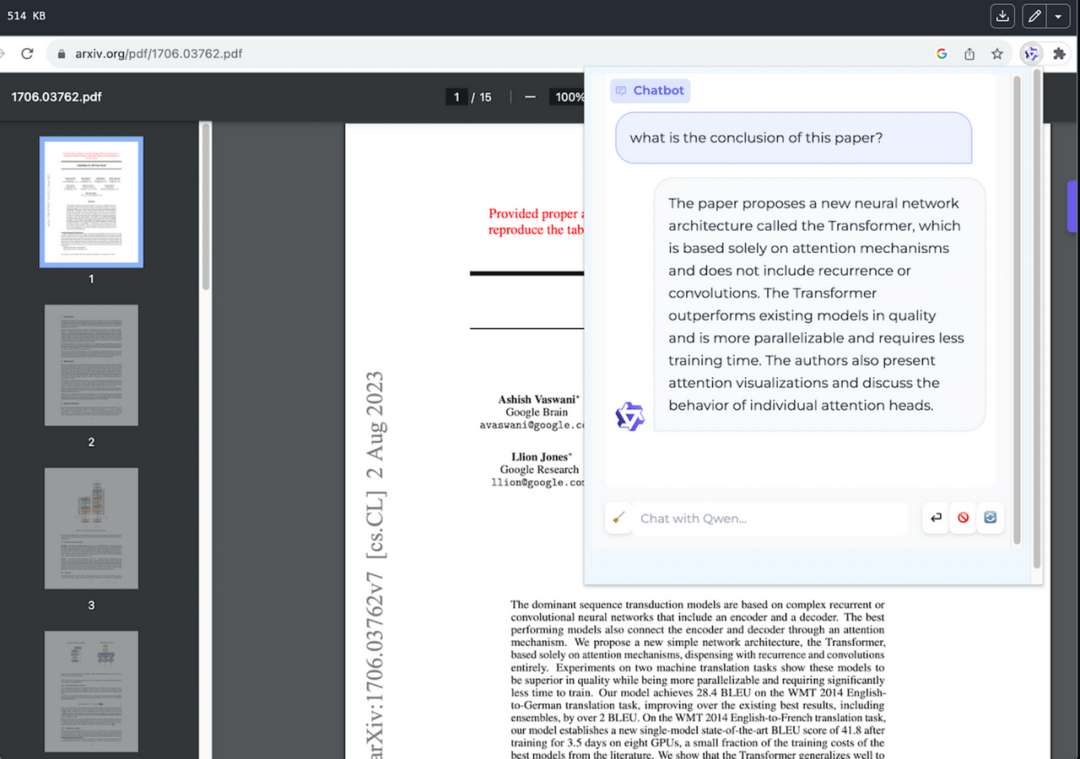
借助 Qwen-Agent 踏上创新和生产力之旅,这是一个旨在提升大型语言模型 (LLM) 功能的突破性框架。Qwen-Agent 使开发人员能够创建智能应用程序,无缝集成 Qwen 的指令跟踪、工具使用、规划和内存功能。在本文中,我们深入研究 Qwen-Agent 的世界,探索其功能、优点和实际应用程序,特别关注革命性的 BrowserQwen 扩展。
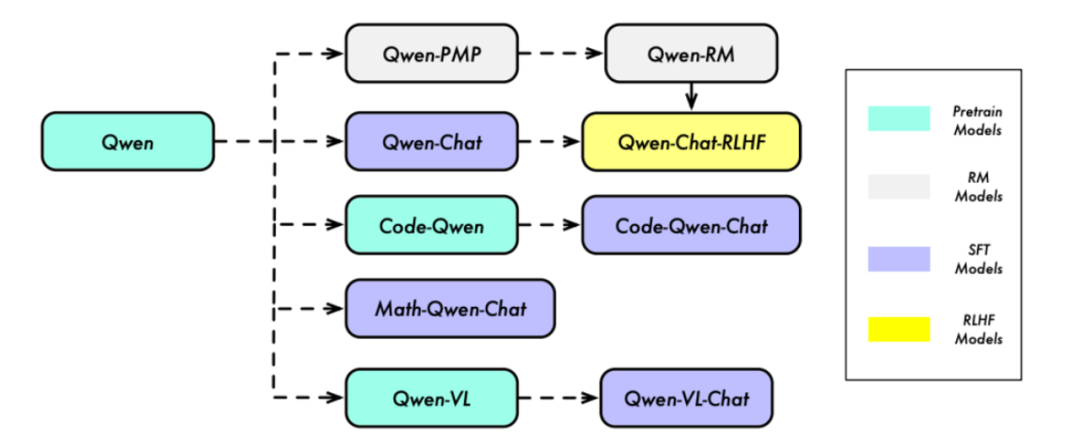
定义
Qwen-Agent 是 LLM 应用程序的多功能框架,提供 LLM 和提示等原子组件,以及 Agent 等高级组件。该框架促进了浏览器助手、代码解释器和自定义助手等应用程序的开发,展示了其适应性和潜力。

优点和应用:
多功能性和定制性:Qwen-Agent 的模块化设计允许开发人员创建具有特定功能的定制代理。无论是浏览器助手、代码解释器还是自定义助手,该框架都为各种应用程序提供了坚实的基础。
智能代理开发:开发人员可以利用 Qwen-Agent 的原子组件(例如 LLM 和提示)来构建能够理解和响应用户查询的智能代理。包含自定义工具(例如示例中展示的“my_image_gen”工具)扩展了框架的功能。
代码实现
使用 Qwen-Agent 开发您自己的代理是一个无缝的过程。提供的代码片段演示了如何创建自定义助手,并结合“my_image_gen”和“code_interpreter”等工具。
git clone <https://github.com/QwenLM/Qwen-Agent.git>cd Qwen-Agentpip install -e ./
第二步:创建代理
import jsonimport osimport json5import urllib.parsefrom qwen_agent.agents import Assistantfrom qwen_agent.tools.base import BaseTool, register_toolllm_cfg = {# Use the model service provided by DashScope:'model': 'qwen-max','model_server': 'dashscope',# 'api_key': 'YOUR_DASHSCOPE_API_KEY',# It will use the `DASHSCOPE_API_KEY' environment variable if 'api_key' is not set here.# Use your own model service compatible with OpenAI API:# 'model': 'Qwen/Qwen1.5-72B-Chat',# 'model_server': '<http://localhost:8000/v1>', # api_base# 'api_key': 'EMPTY',# (Optional) LLM hyperparameters for generation:'generate_cfg': {'top_p': 0.8}}system = 'According to the user\\'s request, you first draw a picture and then automatically run code to download the picture ' + \\'and select an image operation from the given document to process the image'# Add a custom tool named my_image_gen:@register_tool('my_image_gen')class MyImageGen(BaseTool):description = 'AI painting (image generation) service, input text description, and return the image URL drawn based on text information.'parameters = [{'name': 'prompt','type': 'string','description': 'Detailed description of the desired image content, in English','required': True}]def call(self, params: str, **kwargs) -> str:prompt = json5.loads(params)['prompt']prompt = urllib.parse.quote(prompt)return json.dumps({'image_url': f'<https://image.pollinations.ai/prompt/{prompt}>'},ensure_ascii=False)tools = ['my_image_gen', 'code_interpreter'] # code_interpreter is a built-in tool in Qwen-Agentbot = Assistant(llm=llm_cfg,system_message=system,function_list=tools,files=[os.path.abspath('doc.pdf')])messages = []while True:query = input('user question: ')messages.append({'role': 'user', 'content': query})response = []for response in bot.run(messages=messages):print('bot response:', response)messages.extend(response)
结论
Qwen-Agent 成为人工智能辅助领域的游戏规则改变者,为应用程序开发提供了无与伦比的灵活性和智能。通过结合 LLM、自定义工具和 BrowserQwen 等现实世界示例的力量,开发人员可以在创建直观、鼓舞人心和个性化的用户体验方面释放新的可能性。使用 Qwen-Agent 彻底改变您的应用程序,让创新与灵感相遇。
资源
Qwen-Agent:https://github.com/QwenLM/Qwen-Agent
Qwen-Doc:https://qwen.readthedocs.io/en/latest/
