




点击蓝字,关注我

Nested KVM是指基于虚拟化技术的虚拟机管理系统。
Nested KVM在Intel处理器上,KVM使用Intel的vmx(virtualmachine eXtensions)来提高虚拟机性能,即硬件辅助虚拟化技术。如果一台虚拟机能够和物理机一样支持vmx,那么就可以在这台虚拟机上再次安装虚拟机。Nested KVM是一个可通过内核参数来启用的功能,它能够使一台虚拟机具有物理CPU特性,支持vmx或者svm(AMD)硬件虚拟化。
hypervisor-kvm
How to Enable Nested KVM Virtualization
Nested KVM Hypervisor Support
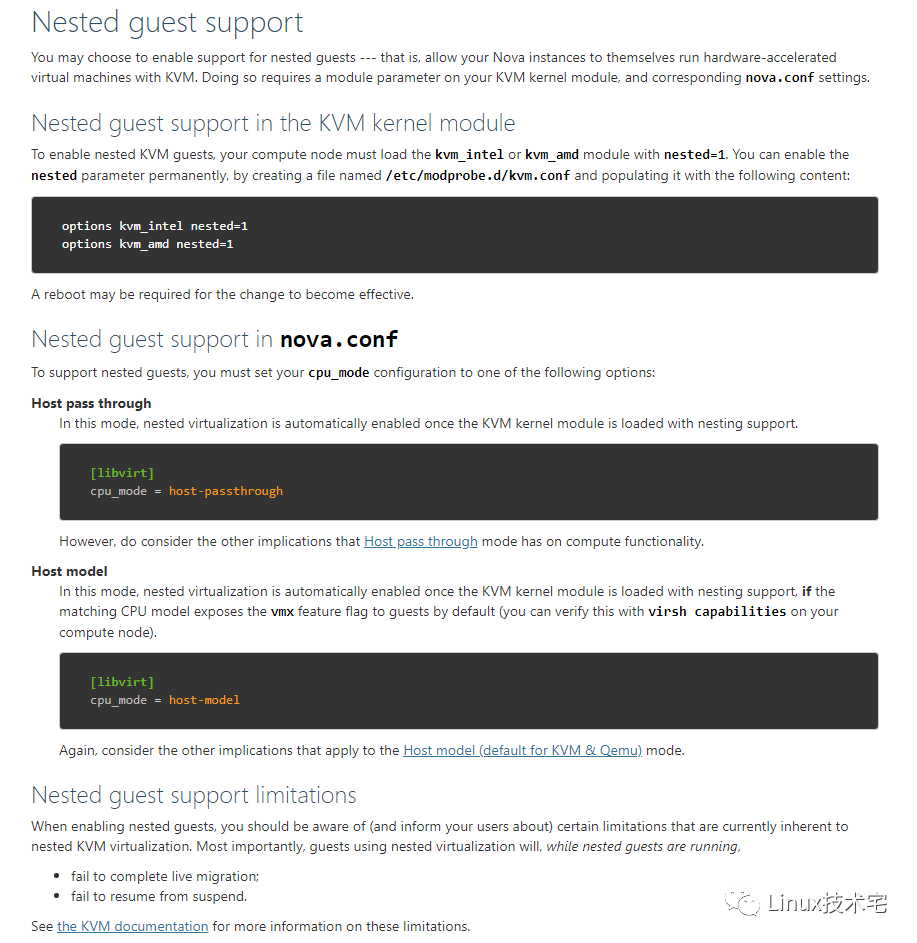
Support nested:Kernel version at least 3.X
modinfo kvm_intel | grep nestedparm: nested:boolsystool -m kvm_intel -v | grep -i nestednested = "N"# orcat /sys/module/kvm_intel/parameters/nestedY (Y for yes) or N (N for no)
Tested
# cat etc/modprobe.d/kvm.conf# To enable nesting, simply add or change the nested parameter so it has 1 as its value# For Inteloptions kvm_intel nested=1# For AMD# options kvm_amd nested=1# Unload and reload kvm-intel kernel module with nested support.# Unload the module$ sudo modprobe -r kvm_intel# Reload the module with new settings$ sudo modprobe kvm_intel# command settingmodprobe kvm-intel nested=1
Not Test
# Modify grub.cfg# Add kvm-intel.nested=1 to the end of the row of quiet in the kernel parameter# grep quiet boot/grub2/grub.cfglinux16 vmlinuz-3.10.0-862.el7.x86_64 root=UUID=8c936eea-af89-48bd-83cb-b5d9cdb440e8 ro crashkernel=auto rhgb quiet kvm-intel.nested=1 LANG=zh_CN.UTF-8
Tested
# virsh edit virtualhost-name# Define the CPU mode :"core2duo", And add the "vmx" feature to the virtual machine<cpu mode='custom' match='exact'><model fallback='allow'>core2duo</model><feature policy='require' name='vmx'/></cpu>
Not Test
<cpu mode='host-model'><model fallback='allow'/></cpu># or# host-passthrough:# Advantages: The vcpu of the virtual machine is the same as that of the physical machine# Disadvantages: The cpus of the two servers must be the same during VM migration; otherwise, the migration fails.<cpu mode='host-passthrough'><topology sockets='2' cores='2' threads='2'/></cpu><cpu><topology sockets='8' cores='1' threads='1'/></cpu># command start virtualhost, Add Option.-enable-kvm -cpu qemu64,+vmx
# start virtualhostlscpu | grep -P "vmx"

分享、在看与点赞
只要你点,我们就是胖友
文章转载自Linux技术宅,如果涉嫌侵权,请发送邮件至:contact@modb.pro进行举报,并提供相关证据,一经查实,墨天轮将立刻删除相关内容。
