



一、安装ansible
yum install ansible
二、然后更改配置
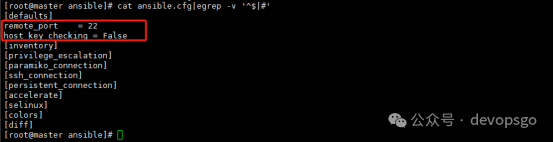
/etc/ansible/ansible.cfg,将里面的host_key_checking = False前的#去掉,ssh在首次连接出现检查keys 的提示,通过设置,不会有这些提示
[root@master ansible]# cat ansible.cfg|egrep -v '^$|#'
三、配置hosts文件
在最后加入以下配置,192.168.20.26是要远程的服务器IP,ansible_ssh_user登录服务器的用户,ansible_ssh_pass登录服务器的密码
[test]
192.168.20.26 ansible_ssh_user=root ansible_ssh_pass='xxxxxx'
192.168.20.53 ansible_ssh_user=root ansible_ssh_pass='xxxxxx'
四、测试ansible是否可用
[root@master ansible]# ansible test -m shell -a 'uptime'
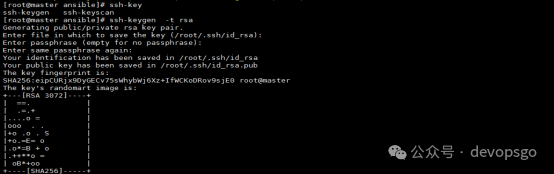
五、生成管理主机的私钥和公钥
[root@master ansible]# ssh-keygen
六、下发公钥、私钥
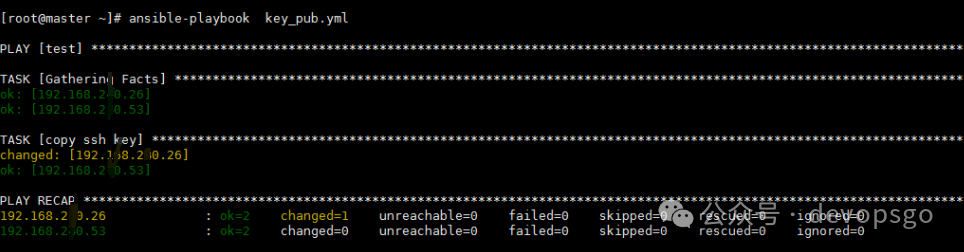
[root@master ~]# more key_pub.yml
- hosts: test
remote_user: root
tasks:
- name: copy ssh key
authorized_key: user=root key="{{ lookup('file', '/root/.ssh/id_rsa.pub') }}" state=present mode=0600
root@master ~]# ansible-playbook key_pub.yml
测试免密登录
[root@master ~]# ssh 192.168.20.26
----------------------end---------------------
推荐阅读
5.MySQL8.0 DBA存储架构+存储引擎+SQL优化+InnoDB的存储架构
6.企业级Elasticsearch 8.X技术来临!性能优化与集群部署 基础与进阶全面实战
10.企业级微服务API网关架构实战Nginx+Lua+Openresty
11.高级运维工程师的打怪升级之路 Docker+Jenkins+Kubernetes
12.下载链接-Docker+K8S的高可用集群+自建集群实战
13.Kubernetes持久化实战 K8S集群部署+Jenkins自动化构建
14.企业级Redis入门到精通 Redis基础+进阶+实战应用+项目实战

如果本文对你有帮助的话,欢迎点赞&在看&转发,这对我继续分享&创作优质文章非常重要。感谢🙏🏻,需要学习资料的私信留言!
请点赞→点亮“在看”→分享
↓↓↓
