



oci 数据库连接方式:
1.通过SQLcl ( with a Wallet (mTLS)
sql /nolog
SQL> set cloudconfig directory/client_credentials.zip
SQL> connect username@servicename
password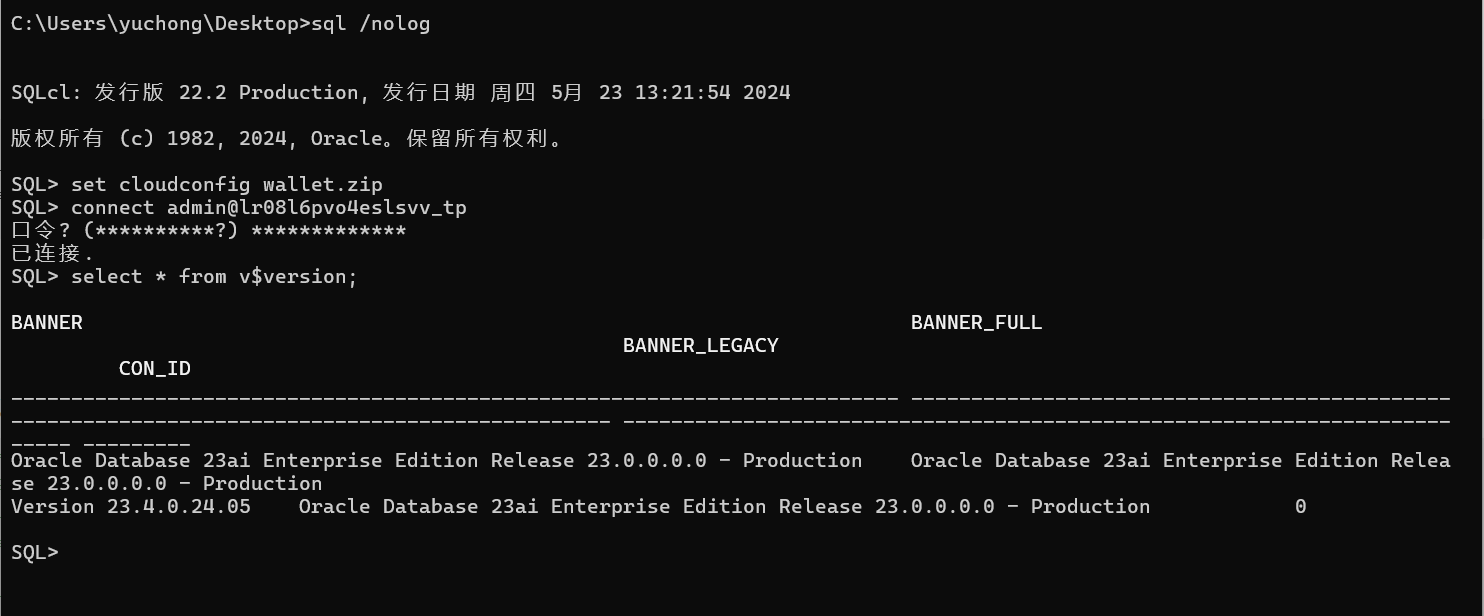
2,通过SQLcl (Without a Wallet)
sql admin/password@'(description= (retry_count=20)(retry_delay=3)
(address=(protocol=tcps)(port=1521)(host=adb.region.oraclecloud.com))
(connect_data=(service_name=u9adutfb2ba8x4d_database_medium.adb.oraclecloud.com))
(security=(ssl_server_dn_match=yes)))'

SQLcl: Release 21.2 Production on Thu Sep 16 10:43:00 2021
Copyright (c) 1982, 2021, Oracle. All rights reserved.

Last Successful login time: Thu Sep 16 2021 10:43:01 -07:00

Connected to:
Oracle Database 19c Enterprise Edition Release 19.0.0.0.0 - Production
Version 19.12.0.1.0

SQL>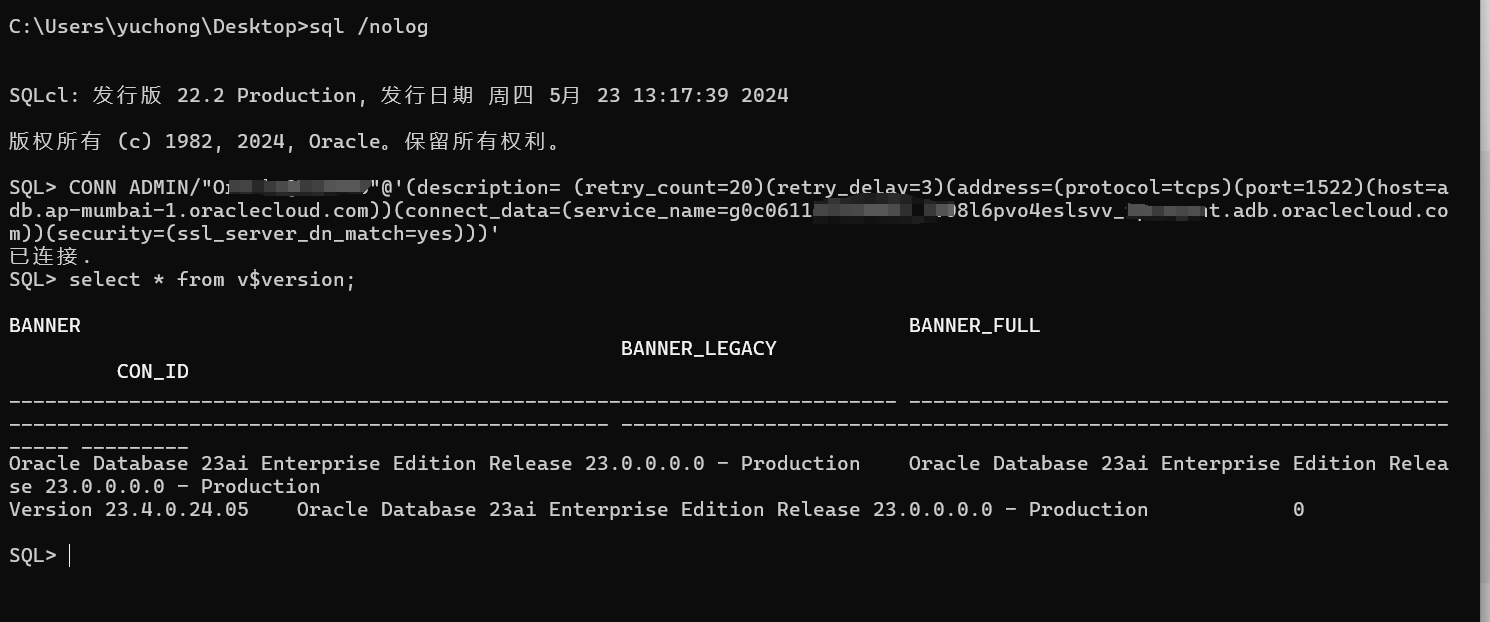
3,SQL Developer with a Wallet (mTLS)
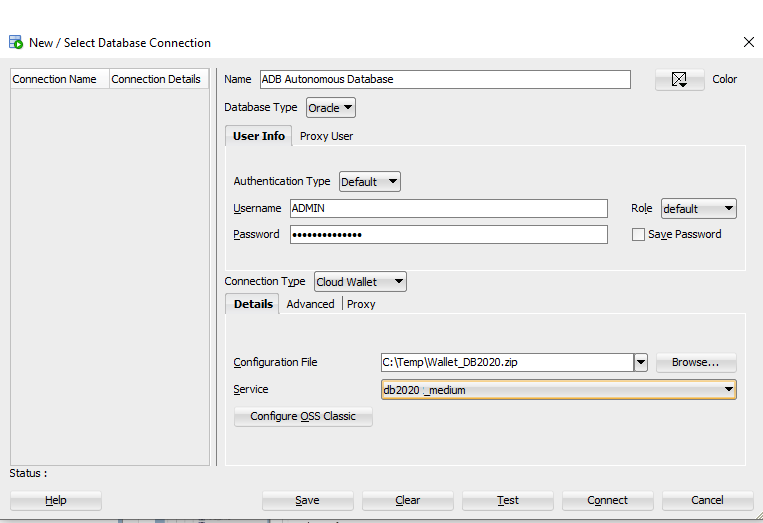
Connection Name: Enter the name for this connection.
Username: Enter the database username. You can either use the default administrator database account (
ADMIN) provided as part of the service or create a new schema, and use it.Password: Enter the password for the database user.
Connection Type: Select Cloud Wallet (if you are using SQL Developer 18.2, this is Cloud PDB)
Configuration File : Click Browse, and select the client credentials zip file.
Service: Enter the database TNS name. The client credentials file includes a
tnsnames.orafile that provides database TNS names with corresponding services.
4,Connect Oracle SQL Developer Without a Wallet
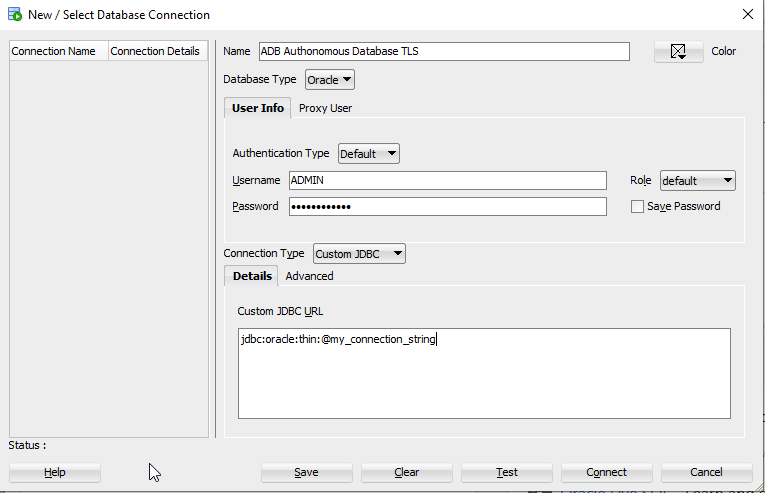
Name: Enter the name for this connection.
Username: Enter the database username. You can either use the default administrator database account
ADMINprovided as part of the service or create a new schema, and use it.Password: Enter the password for the database user.
Connection Type: Select Custom JDBC.
Custom JDBC URL: Enter the following:
jdbc:oracle:thin:@followed by the connection string you copied in step one.jdbc:oracle:thin:@(description= (retry_count=20)(retry_delay=3)(address=(protocol=tcps)
(port=1521)(host=adb-preprod.us-phoenix-1.oraclecloud.com))(connect_data=(service_name=u9adutfb2_fmexample1_medium.adb.oraclecloud.com))
(security=(ssl_server_dn_match=yes)))
