




点击:Linux技术宅,关注我!!!
Mainline version(主线版本)
该版本包含最新的功能和bug修复,被视为开发版,即正在活跃开发中的版本。其版本号通常为单数,例如1.25.5。这个版本的更新较快,可能会引入新的功能和修复,但也可能存在尚未解决的bug。
Stable version(稳定版本)
最新稳定版适合生产环境使用。其版本号通常为双数,例如1.26。这个版本经过充分测试和验证,bug较少,适合用于承载实际业务。因此,通常建议在生产环境中使用此版本。
Legacy versions(历史版本)
只读存储库 code: http://hg.nginx.org/nginx website: http://hg.nginx.org/nginx.org (mirror of GitHub repository) GitHub库
code: https://github.com/nginx/nginx (mirror of Mercurial repository) website: https://github.com/nginx/nginx.org 源URL
URL:https://trac.nginx.org/nginx/browser Linux包
稳定版本和主线版本的相关Linux软件包。 URL:https://nginx.org/en/linux_packages.html
检查当前系统可安装列表
[root@RockyLinux9 ~]# dnf list nginxAvailable Packagesnginx.x86_64 1:1.20.1-14.el9_2.1 appstream
配置官方YUM仓库
[root@RockyLinux9 ~]# cat etc/yum.repos.d/nginx.repo[nginx-stable]name=nginx stable repobaseurl=http://nginx.org/packages/centos/$releasever/$basearch/gpgcheck=1enabled=1gpgkey=https://nginx.org/keys/nginx_signing.keymodule_hotfixes=true[root@RockyLinux9 ~]# dnf list nginxAvailable Packagesnginx.x86_64 1:1.26.0-1.el9.ngx nginx-stable
安装
[root@RockyLinux9 ~]# dnf install -y nginx
服务启动并配置开机自启
[root@RockyLinux9 ~]# systemctl enable nginx --now
查看服务状态
[root@RockyLinux9 ~]# systemctl status nginx
查看版本及默认编译依赖项
[root@RockyLinux9 ~]# nginx -Vnginx version: nginx/1.26.0built by gcc 11.3.1 20221121 (Red Hat 11.3.1-4) (GCC)built with OpenSSL 3.0.7 1 Nov 2022TLS SNI support enabledconfigure arguments: --prefix=/etc/nginx --sbin-path=/usr/sbin/nginx --modules-path=/usr/lib64/nginx/modules --conf-path=/etc/nginx/nginx.conf --error-log-path=/var/log/nginx/error.log --http-log-path=/var/log/nginx/access.log --pid-path=/var/run/nginx.pid --lock-path=/var/run/nginx.lock --http-client-body-temp-path=/var/cache/nginx/client_temp --http-proxy-temp-path=/var/cache/nginx/proxy_temp --http-fastcgi-temp-path=/var/cache/nginx/fastcgi_temp --http-uwsgi-temp-path=/var/cache/nginx/uwsgi_temp --http-scgi-temp-path=/var/cache/nginx/scgi_temp --user=nginx --group=nginx --with-compat --with-file-aio --with-threads --with-http_addition_module --with-http_auth_request_module --with-http_dav_module --with-http_flv_module --with-http_gunzip_module --with-http_gzip_static_module --with-http_mp4_module --with-http_random_index_module --with-http_realip_module --with-http_secure_link_module --with-http_slice_module --with-http_ssl_module --with-http_stub_status_module --with-http_sub_module --with-http_v2_module --with-http_v3_module --with-mail --with-mail_ssl_module --with-stream --with-stream_realip_module --with-stream_ssl_module --with-stream_ssl_preread_module --with-cc-opt='-O2 -flto=auto -ffat-lto-objects -fexceptions -g -grecord-gcc-switches -pipe -Wall -Werror=format-security -Wp,-D_FORTIFY_SOURCE=2 -Wp,-D_GLIBCXX_ASSERTIONS -specs=/usr/lib/rpm/redhat/redhat-hardened-cc1 -fstack-protector-strong -specs=/usr/lib/rpm/redhat/redhat-annobin-cc1 -m64 -march=x86-64-v2 -mtune=generic -fasynchronous-unwind-tables -fstack-clash-protection -fcf-protection -fPIC' --with-ld-opt='-Wl,-z,relro -Wl,-z,now -pie'
二进制包安装的默认位置
[root@RockyLinux9 ~]# rpm -ql nginx/etc/nginx # 配置文件目录....../usr/lib64/nginx/modules # 模块安装目录/usr/sbin/nginx # 二进制程序/usr/share/nginx/html # 网站根目录/var/cache/nginx # 缓存目录/var/log/nginx # 日志目录
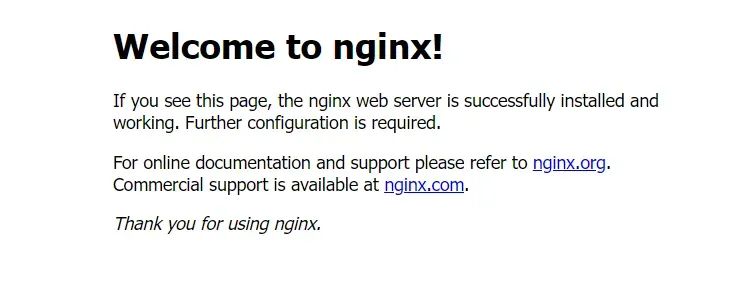
查看Web页面
安装相关编译工具
[root@RockyLinux9 ~]# dnf update[root@RockyLinux9 ~]# dnf install -y gcc make pcre pcre-devel zlib zlib-devel openssl openssl-devel
创建运行用户
[root@RockyLinux9 ~]# useradd -r -s /usr/sbin/nologin nginx
下载源码包并解压
[root@RockyLinux9 ~]# curl -O https://nginx.org/download/nginx-1.26.0.tar.gz[root@RockyLinux9 ~]# tar xf nginx-1.26.0.tar.gz[root@RockyLinux9 ~]# cd nginx-1.26.0/
编译安装
[root@RockyLinux9 nginx-1.26.0]# mkdir /usr/local/nginx[root@RockyLinux9 nginx-1.26.0]# ./configure --prefix=/usr/local/nginx --user=nginx --group=nginx --with-http_ssl_module --with-http_v2_module --with-http_realip_module --with-http_stub_status_module --with-http_gzip_static_module --with-pcre --with-stream --with-stream_ssl_module --with-stream_realip_module[root@RockyLinux9 nginx-1.26.0]# make && make install
修改配置目录用户及属组
[root@RockyLinux9 nginx-1.26.0]# chown -R nginx:nginx /usr/local/nginx/[root@RockyLinux9 nginx-1.26.0]# ll /usr/local/nginx/total 4drwxr-xr-x. 2 nginx nginx 4096 May 9 22:32 conf # 配置文件目录drwxr-xr-x. 2 nginx nginx 40 May 9 22:32 html # 网站根目录drwxr-xr-x. 2 nginx nginx 6 May 9 22:32 logs # 日志目录drwxr-xr-x. 2 nginx nginx 19 May 9 22:32 sbin # 二进制程序目录
创建程序软链接
[root@RockyLinux9 nginx-1.26.0]# ln -sv /usr/local/nginx/sbin/nginx /usr/sbin/nginx'/usr/sbin/nginx' -> '/usr/local/nginx/sbin/nginx'
查看版本及编译属性
[root@RockyLinux9 nginx-1.26.0]# nginx -Vnginx version: nginx/1.26.0built by gcc 11.4.1 20230605 (Red Hat 11.4.1-2) (GCC)built with OpenSSL 3.0.7 1 Nov 2022TLS SNI support enabledconfigure arguments: --prefix=/usr/local/nginx --user=nginx --group=nginx --with-http_ssl_module --with-http_v2_module --with-http_realip_module --with-http_stub_status_module --with-http_gzip_static_module --with-pcre --with-stream --with-stream_ssl_module --with-stream_realip_module
启动程序
[root@RockyLinux9 ~]# nginx[root@RockyLinux9 ~]# ps -ef|grep nginxroot 44079 1 0 22:40 ? 00:00:00 nginx: master process nginxnginx 44080 44079 0 22:40 ? 00:00:00 nginx: worker processroot 44082 38412 0 22:40 pts/0 00:00:00 grep --color=auto nginx
查看Web页面 URL:http://ip
停止程序
[root@RockyLinux9 ~]# nginx -s stop
编写nginx服务文件
[root@RockyLinux9 ~]# cat /usr/lib/systemd/system/nginx.service[Unit]Description=nginxDocumentation=https://nginx.org/en/docs/After=network-online.target remote-fs.target nss-lookup.targetWants=network-online.target[Service]Type=forkingPIDFile=/usr/local/nginx/logs/nginx.pidExecStart=/usr/local/nginx/sbin/nginx -c /usr/local/nginx/conf/nginx.confExecReload=/bin/kill -s HUP $MAINPIDExecStop=/bin/kill -s TERM $MAINPIDLimitNOFILE=100000[Install]WantedBy=multi-user.target
修改配置文件nginx.conf,删除pid注释
[root@RockyLinux9 ~]# vim /usr/local/nginx/conf/nginx.confpid logs/nginx.pid;# 校验文件[root@RockyLinux9 ~]# nginx -tnginx: the configuration file /usr/local/nginx/conf/nginx.conf syntax is oknginx: configuration file /usr/local/nginx/conf/nginx.conf test is successful
启动服务
# 加载服务脚本[root@RockyLinux9 ~]# systemctl daemon-reload# 启动服务[root@RockyLinux9 ~]# systemctl start nginx# 查看服务状态[root@RockyLinux9 ~]# systemctl status nginx
导入man手册
# 拷贝文件[root@RockyLinux9 ~]# cp nginx-1.26.0/man/nginx.8 /usr/share/man/man8/# 更新man db库[root@RockyLinux9 ~]# mandb# 查看nginx确认[root@RockyLinux9 ~]# whereis nginxnginx: /usr/sbin/nginx /usr/local/nginx /usr/share/man/man8/nginx.8

分享、在看与点赞
只要你点,我们就是胖友
文章转载自Linux技术宅,如果涉嫌侵权,请发送邮件至:contact@modb.pro进行举报,并提供相关证据,一经查实,墨天轮将立刻删除相关内容。
