




本文为 Bytebase 用户 Chai Yingchao 原创,原文地址 https://blog.csdn.net/qq_31977125/article/details/139829760

# 先运行llama3,我这里使用 ollama 运行llama3docker run -d -p 11434:11434 --name ollama --restart always ollama/ollama# ollama 容器启动后,进入到容器内docker exec -it ollama bash# 下载 llama3 模型( 如果中文问答建议使用llama3-Chinese:8B-instruct 模型,需要自己下载并导入 )ollama pull llama3# 目前 Bytebase 发送 API 请求默认的 model 使用的是 gpt-3.5-turbo 无法修改,所以我们需要将模型改名为 gpt-3.5-turbo。也可以在 One-API 中做映射。ollama cp llama3 gpt-3.5-turbo# 运行模型ollama run gpt-3.5-turbo
curl http://localhost:11434/api/generate -d '{"model": "gpt-3.5-turbo","prompt":"Why is the sky blue?"}'

# docker运行# 使用 SQLite 的部署命令:docker run --name one-api -d --restart always -p 3000:3000 -e TZ=Asia/Shanghai -v home/ubuntu/data/one-api:/data justsong/one-api
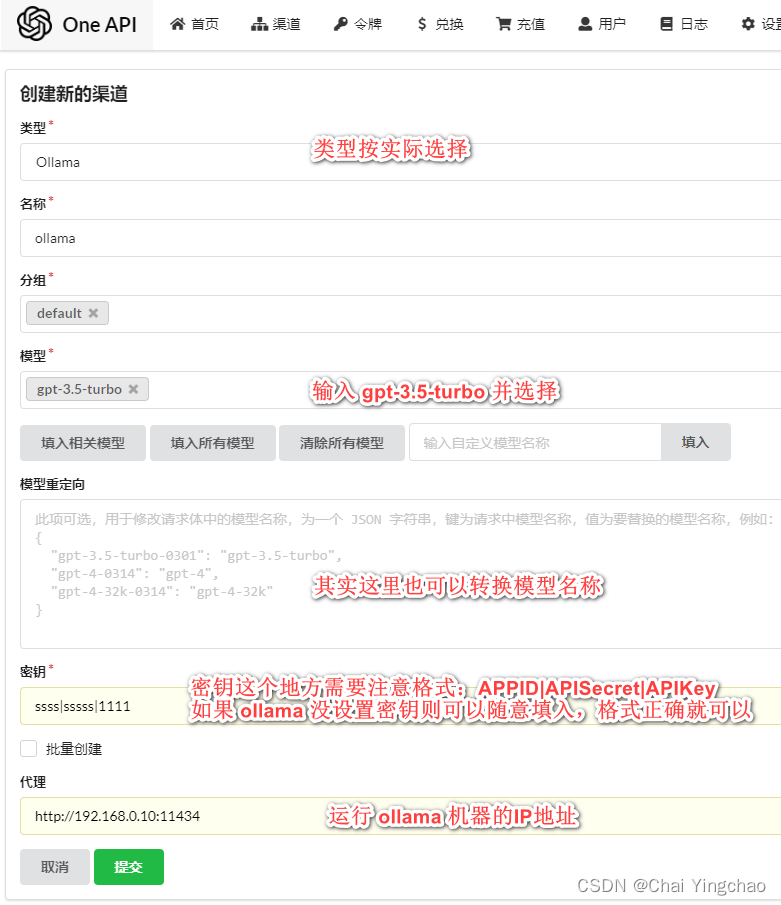
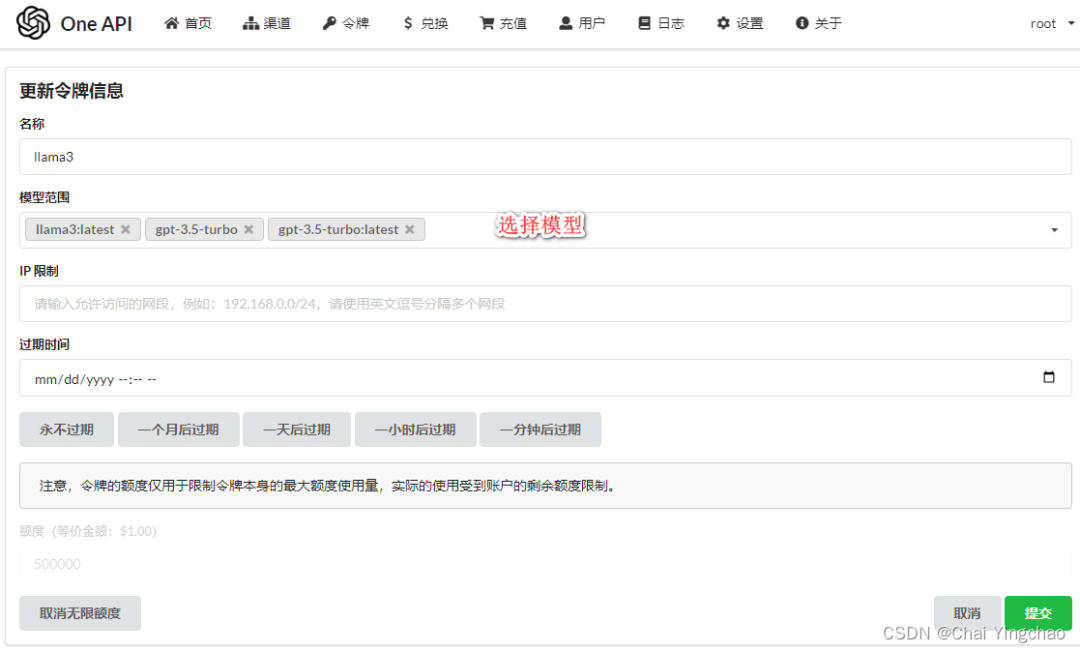
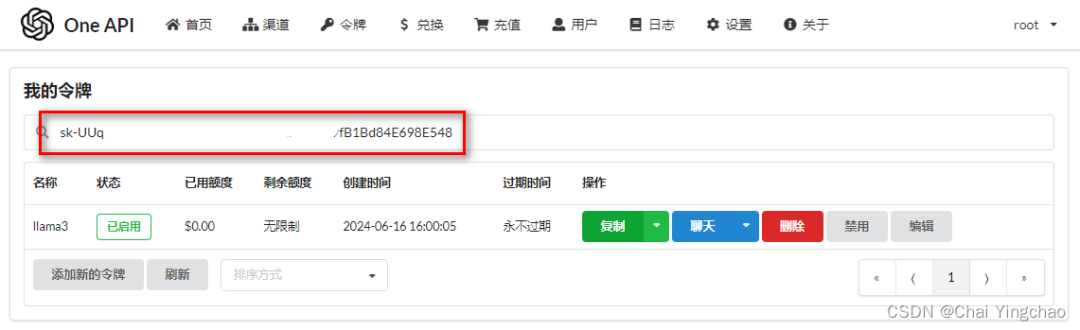
curl http://192.168.0.10:3000/v1/chat/completions \-H "Content-Type: application/json" \-H "Authorization: Bearer sk-UUqssfusufisfisifwefjfjmwvwlmi3292923m84E698E548" \-d '{"model": "gpt-3.5-turbo","messages": [{"role": "user","content": "给我讲个笑话吧。"}],"temperature": 0.7}'



Bytebase 签约中欧财富,提升财富管理平台数据安全,保障业务合规
Bytebase 签约美宜佳,助力便利店连锁巨头规范化数据库变更及访问流程,确保安全及合规

文章转载自Bytebase,如果涉嫌侵权,请发送邮件至:contact@modb.pro进行举报,并提供相关证据,一经查实,墨天轮将立刻删除相关内容。
