





1)变更表结构:
-- For deploy model cluster of DB-GPT(StorageModelRegistry)CREATE TABLE IF NOT EXISTS `dbgpt_cluster_registry_instance` (`id` int(11) NOT NULL AUTO_INCREMENT COMMENT 'Auto increment id',`model_name` varchar(128) NOT NULL COMMENT 'Model name',`host` varchar(128) NOT NULL COMMENT 'Host of the model',`port` int(11) NOT NULL COMMENT 'Port of the model',`weight` float DEFAULT 1.0 COMMENT 'Weight of the model',`check_healthy` tinyint(1) DEFAULT 1 COMMENT 'Whether to check the health of the model',`healthy` tinyint(1) DEFAULT 0 COMMENT 'Whether the model is healthy',`enabled` tinyint(1) DEFAULT 1 COMMENT 'Whether the model is enabled',`prompt_template` varchar(128) DEFAULT NULL COMMENT 'Prompt template for the model instance',`last_heartbeat` datetime DEFAULT NULL COMMENT 'Last heartbeat time of the model instance',`user_name` varchar(128) DEFAULT NULL COMMENT 'User name',`sys_code` varchar(128) DEFAULT NULL COMMENT 'System code',`gmt_created` datetime DEFAULT CURRENT_TIMESTAMP COMMENT 'Record creation time',`gmt_modified` datetime DEFAULT CURRENT_TIMESTAMP ON UPDATE CURRENT_TIMESTAMP COMMENT 'Record update time',PRIMARY KEY (`id`),UNIQUE KEY `uk_model_instance` (`model_name`, `host`, `port`, `sys_code`)) ENGINE=InnoDB AUTO_INCREMENT=1 DEFAULT CHARSET=utf8mb4 COMMENT='Cluster model instance table, for registering and managing model instances';
dbgpt start controller \--port 8000 \--registry_type database \--registry_db_type mysql \--registry_db_name dbgpt \--registry_db_host 127.0.0.1 \--registry_db_port 3306 \--registry_db_user root \--registry_db_password aa123456
server2 上启动模型控制器:
dbgpt start controller \--port 8000 \--registry_type database \--registry_db_type mysql \--registry_db_name dbgpt \--registry_db_host 127.0.0.1 \--registry_db_port 3306 \--registry_db_user root \--registry_db_password aa123456
Model Workerdbgpt start worker --model_name glm-4-9b-chat \--model_path app/models/glm-4-9b-chat \--port 8001 \--controller_addr "http://server1:8000,http://server2:8000"
Embedding Model Workerdbgpt start worker --model_name text2vec \--model_path app/models/text2vec-large-chinese \--worker_type text2vec \--port 8003 \--controller_addr "http://server1:8000,http://server2:8000"
Web ServerLLM_MODEL=glm-4-9b-chat EMBEDDING_MODEL=text2vec \dbgpt start webserver \--light \--remote_embedding \--controller_addr "http://server1:8000,http://server2:8000"
更多细节可以查看文档:
https://docs.dbgpt.site/docs/latest/installation/model_service/cluster_ha/
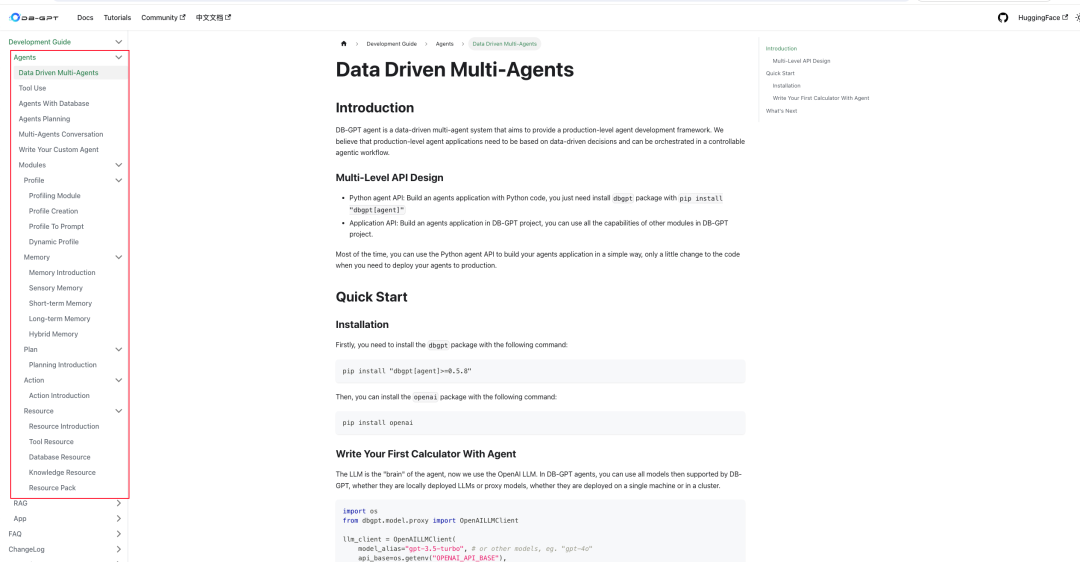
Agent模块开发文档
文档地址:
https://docs.dbgpt.site/docs/latest/agents/introduction/
🌟 支持谷歌新开源 gemma-2 模型
需要升级 transformers 库到最新版
pip install -U "transformers>=4.42.1"
.env
LLM_MODEL=gemma-2-9b-it# LLM_MODEL=gemma-2-27b-it## 下面配置开启量化# QUANTIZE_8bit=False# QUANTIZE_4bit=False
.env
LLM_MODEL=deepseek-coder-v2-lite-instruct# LLM_MODEL=deepseek-coder-v2-instruct
.env
EMBEDDING_MODEL=proxy_tongyiproxy_tongyi_proxy_backend=text-embedding-v1proxy_tongyi_proxy_api_key={your-api-key}
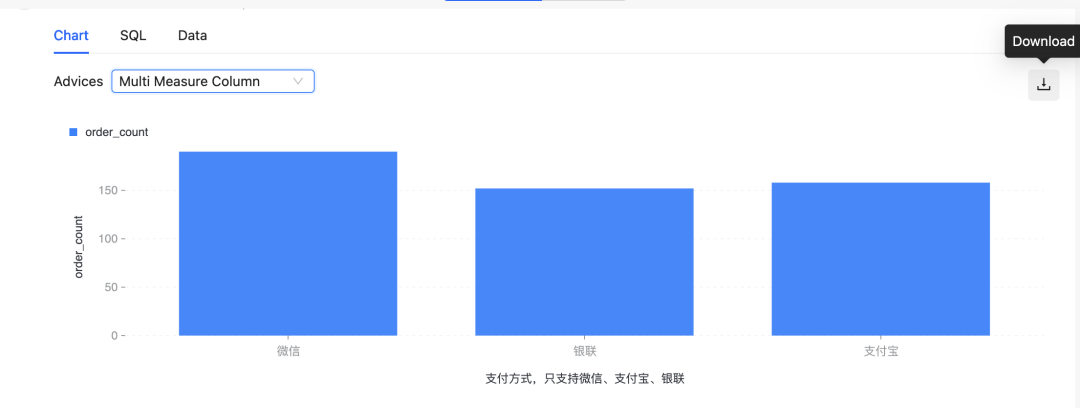
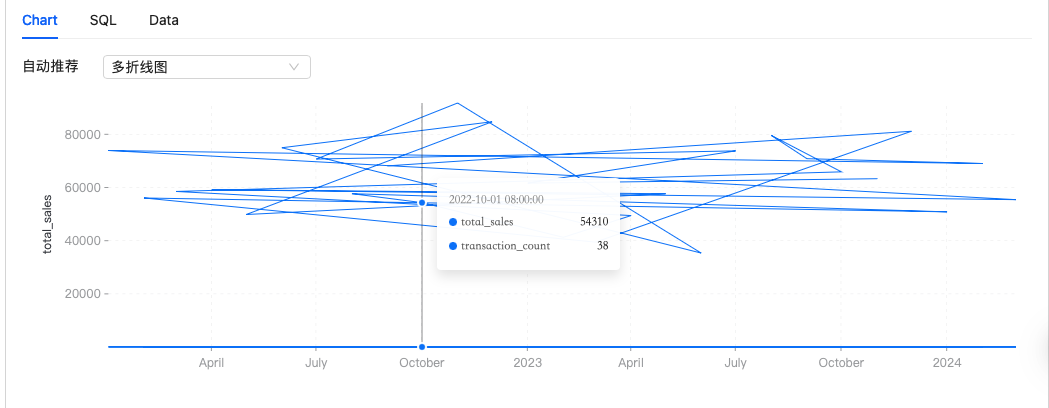
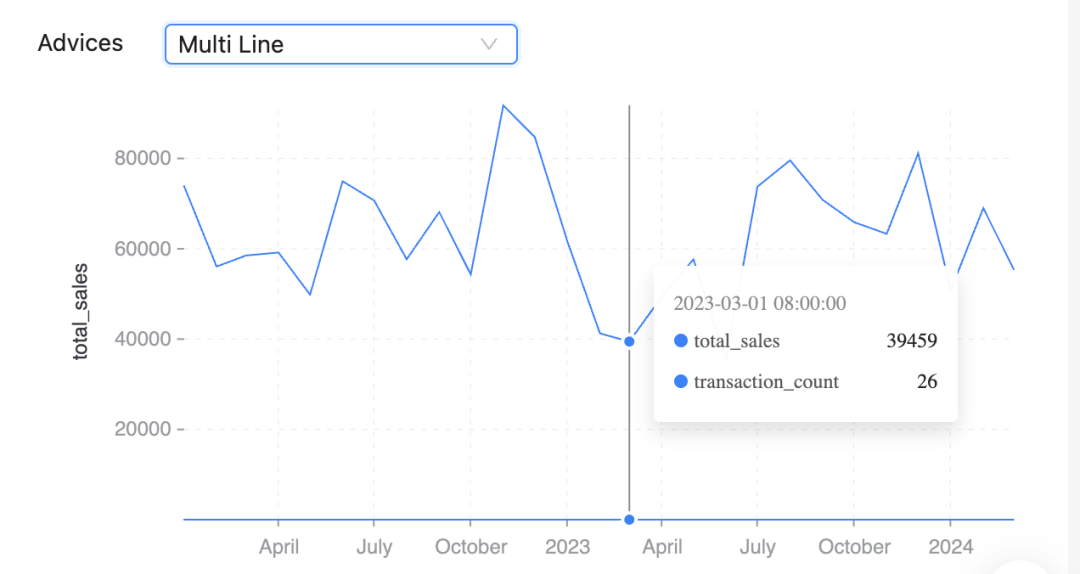
🌟 折线图显示优化
修复chroma db 打分问题
修复AWEL branch分支问题
修复scheme linking error问题
@Aries-ckt, @Armandwt, @aagnone3, @chenluli, @fangyinc and @zhenchaozhu
文章转载自EosphorosAI,如果涉嫌侵权,请发送邮件至:contact@modb.pro进行举报,并提供相关证据,一经查实,墨天轮将立刻删除相关内容。
