



GreptimeDB 从诞生的第一天起就定义为面向云时代基础设施的分布式时序数据库,可以将数据保存在 AWS S3 或者阿里云 OSS 等等这样的廉价对象存储上。
本篇文章将详细介绍如何做到这一点。


首先,你需要下载一个 GreptimeDB 实例,可以根据你的运行平台从 Greptime 资源页面[1] 下载打包好的二进制文件,也可以使用 docker 镜像。
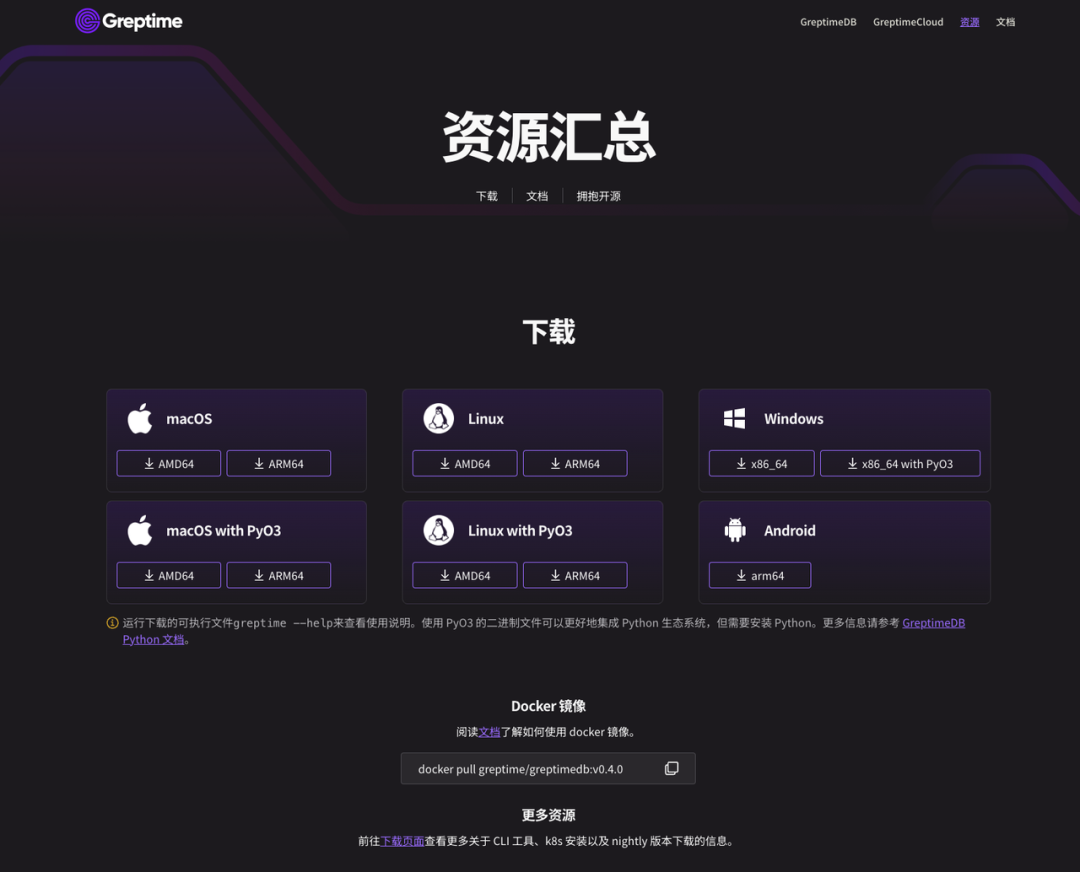
更多安装方式请参考安装文档[2]。
本文将以我们提供的安装脚本来演示。首先打开命令行,进入一个临时工作目录,执行下列脚本将会自动下载并安装一个 greptime 实例到本地:
curl -fsSL \
  https://raw.githubusercontent.com/greptimeteam/greptimedb/develop/scripts/install.sh | sh
这里下载的是 nightly 构建版本,仅用于测试,如果需要生产稳定运行,还请下载正式发布的版本(截止本文编写时间是 v0.4.0)。
如果一切顺利的话,你应该可以看到类似下列的输出:
x greptime-darwin-arm64-v0.4.0-nightly-20231002/
x greptime-darwin-arm64-v0.4.0-nightly-20231002/greptime
Run './greptime --help' to get started
在当前目录可以看到 greptime 这个二进制文件:
-rwxr-xr-x 1 dennis staff 134M Oct 2 10:08 greptime
执行 ./greptime --help 命令,查看帮助信息:
greptimedb
branch: develop
commit: 201acd152db2a961d804b367e23d2224b4397de8
dirty: false
version: 0.4.0-nightly

USAGE:
    greptime [OPTIONS] <SUBCOMMAND>

OPTIONS:
    -h, --help                     Print help information
        --log-dir <LOG_DIR>
        --log-level <LOG_LEVEL>
    -V, --version                  Print version information

SUBCOMMANDS:
    cli
    datanode
    frontend
    help          Print this message or the help of the given subcommand(s)
    metasrv
    standalone
假设你已经创建了一个阿里云 OSS 的 bucket ,并且已经有对应的 Access Key ID/Secret 等鉴权信息,接下来就进入配置环节。
首先,可以从我们的 GitHub 仓库下载 standalone 单机模式的样例配置文件 standalone.example.toml[3],假设我们保存为 config.toml:
curl https://raw.githubusercontent.com/GreptimeTeam/greptimedb/develop/config/standalone.example.toml > config.toml
接下来编辑 config.toml,重点是其中的 [storage] 部分,样例展示如下:
[storage]
# The working home directory.
data_home = "/tmp/greptimedb/"
# Storage type.
type = "File"
# TTL for all tables. Disabled by default.
# global_ttl = "7d"
# Cache configuration for object storage such as 'S3' etc.
# cache_path = "/path/local_cache"
# The local file cache capacity in bytes.
# cache_capacity = "256Mib"
配置本地磁盘模式,数据库根目录设置为 /tmp/greptimedb/(如果是生产环境,请修改为非临时目录)。
参照配置文档[4],可以修改成将数据保存在阿里云 OSS 上:
[storage]
# The working home directory.
data_home = "/tmp/greptimedb/"
# Storage type.
type = "Oss"
bucket = "greptimedb-test"
root = "/oss-test"
region = "cn-hangzhou"
access_key_id = "***********"
secret_access_key = "*********************"
# endpoint = ""
这里有一些关键参数,可以根据你的具体使用替换成你的 OSS bucket 信息:
bucket:创建的 bucket 名称;
root:数据库数据的存储目录,这里设定为 oss-test,相对于 bucket 的根目录开始;
access_key_id: OSS 的访问 Secret Access ID;
secret_access_key: OSS 的访问 Secret Access key;
必要的话设置 region 或者 endpoint,我们测试的 bucket 创建在杭州,所以 region 设置为 cn-hangzhou,endpoint 设置为 https://oss-cn-hangzhou.aliyuncs.com/。
正确配置之后,就可以启动测试了。执行下列命令启动单机版 GreptimeDB:
./greptime standalone start -c config.toml
我们通过 -c 选项指定了配置文件。如果正常启动可以在最后看到类似如下的日志:
2023-10-11T07:33:34.832355Z  INFO frontend::server: Starting HTTP_SERVER at 127.0.0.1:4000
2023-10-11T07:33:34.855511Z  INFO servers::http: Enable dashboard service at '/dashboard'
2023-10-11T07:33:34.856408Z  INFO servers::http: HTTP server is bound to 127.0.0.1:4000
2023-10-11T07:33:34.856742Z  INFO frontend::server: Starting GRPC_SERVER at 127.0.0.1:4001
2023-10-11T07:33:34.857168Z  INFO servers::grpc: gRPC server is bound to 127.0.0.1:4001
2023-10-11T07:33:34.859433Z  INFO frontend::server: Starting MYSQL_SERVER at 127.0.0.1:4002
2023-10-11T07:33:34.859453Z  INFO servers::server: MySQL server started at 127.0.0.1:4002
2023-10-11T07:33:34.859465Z  INFO frontend::server: Starting OPENTSDB_SERVER at 127.0.0.1:4242
2023-10-11T07:33:34.859485Z  INFO servers::server: OpenTSDB server started at 127.0.0.1:4242
2023-10-11T07:33:34.859490Z  INFO frontend::server: Starting POSTGRES_SERVER at 127.0.0.1:4003
2023-10-11T07:33:34.859500Z  INFO servers::server: Postgres server started at 127.0.0.1:4003
GreptimeDB 支持各类协议端口将正常绑定并监听。我们可以通过浏览器地址 http://localhost:4000/dashboard/ 访问 GreptimeDB 自身携带的 Dashboard,如下所示。
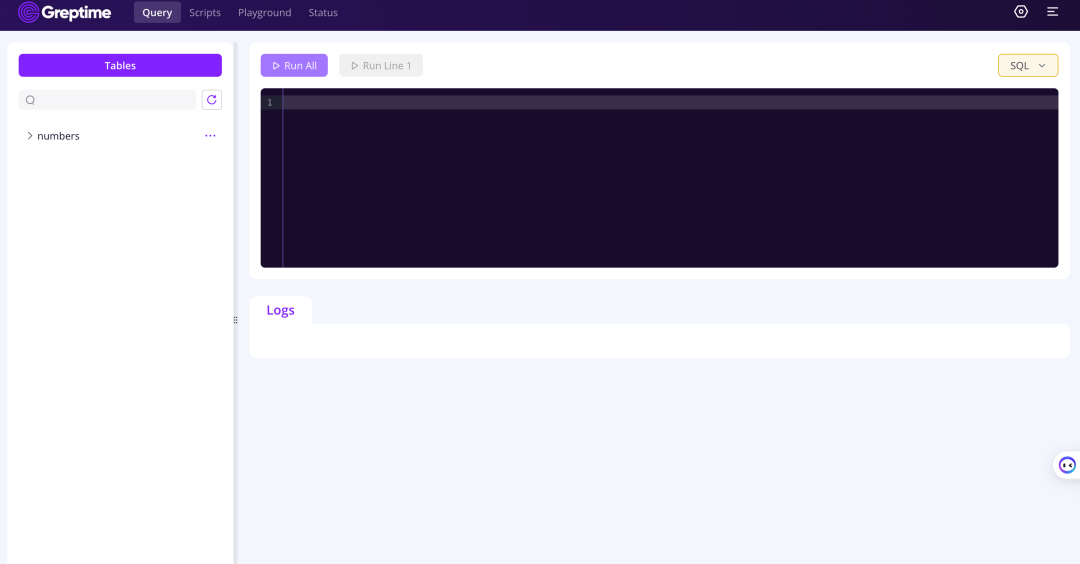
也可以在这里执行 SQL/Python/PromQL 等查询语句。
接下来我们尝试创建表,再写入数据并查询。你可以直接在 dashboard 里窗口执行这些 SQL 语句:
CREATE TABLE IF NOT EXISTS system_metrics (
    host STRING,
    idc STRING,
    cpu_util DOUBLE,
    memory_util DOUBLE,
    disk_util DOUBLE,
    ts TIMESTAMP DEFAULT CURRENT_TIMESTAMP,
    PRIMARY KEY(host, idc),
    TIME INDEX(ts)
);

INSERT INTO system_metrics
VALUES
    ("host1", "idc_a", 11.8, 10.3, 10.3, 1667446797450),
    ("host1", "idc_a", 80.1, 70.3, 90.0, 1667446797550),
    ("host1", "idc_b", 50.0, 66.7, 40.6, 1667446797650),
    ("host1", "idc_b", 51.0, 66.5, 39.6, 1667446797750),
    ("host1", "idc_b", 52.0, 66.9, 70.6, 1667446797850),
    ("host1", "idc_b", 53.0, 63.0, 50.6, 1667446797950),
    ("host1", "idc_b", 78.0, 66.7, 20.6, 1667446798050),
    ("host1", "idc_b", 68.0, 63.9, 50.6, 1667446798150),
    ("host1", "idc_b", 90.0, 39.9, 60.6, 1667446798250);

SELECT * FROM system_metrics;
一切正常的话,你将可以看到查询的结果,示例如下:
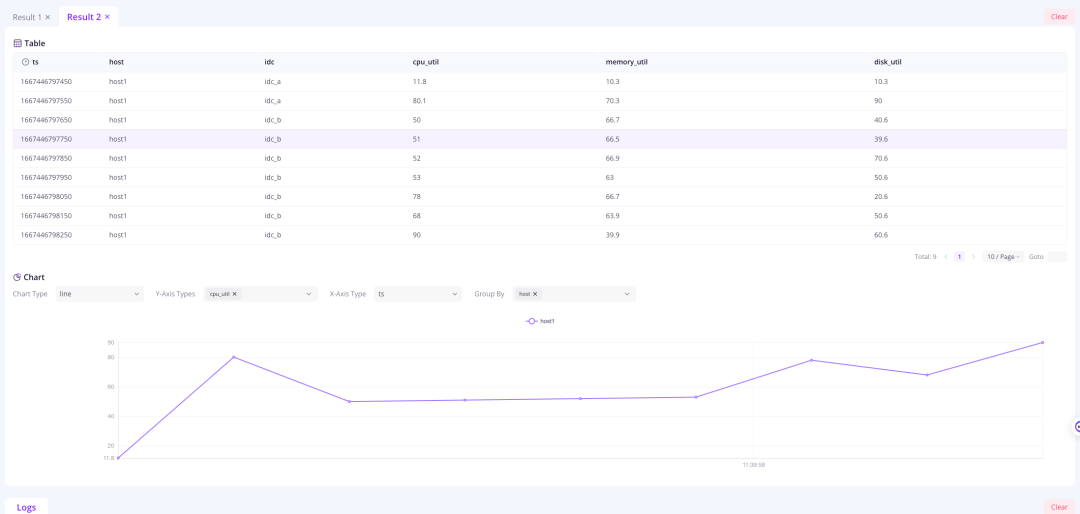
我们可以登录阿里云 OSS 的控制台查看写入的数据:
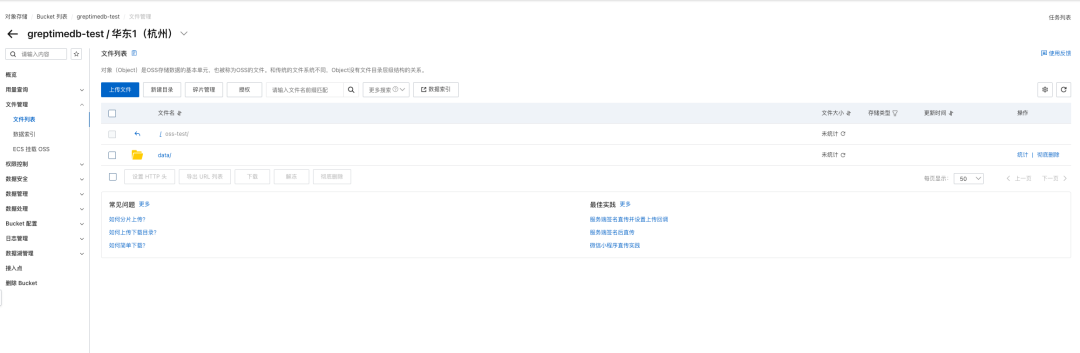
为了提升查询性能,建议将本地文件缓存打开:
[storage]

cache_path = "/path/local_cache"
cache_capacity = "256MiB"
cache_path 指定本地缓存的目录,cache_capacity 指定本地缓存使用的最大大小。
Have fun! ◔.̮◔✧
References:
[1] https://greptime.cn/resources
[2] https://docs.greptime.cn/getting-started/try-out-greptimedb
[3] https://github.com/GreptimeTeam/greptimedb/blob/develop/config/standalone.example.toml
[4] https://docs.greptime.cn/user-guide/operations/configuration


点击下方链接🔗关注 GreptimeDB,了解更多技术干货👇
关于 Greptime
Greptime 格睿科技于 2022 年创立,目前正在完善和打造时序数据库GreptimeDB 和格睿云 GreptimeCloud 这两款产品。
GreptimeDB 是一款用 Rust 语言编写的时序数据库,具有分布式、开源、云原生、兼容性强等特点,帮助企业实时读写、处理和分析时序数据的同时,降低长期存储的成本。
GreptimeCloud 基于开源的 GreptimeDB,为用户提供全托管的 DBaaS,能够与可观测性、物联网等领域结合的应用产品结合。利用云提供软件和服务,可以达到快速的自助开通和交付,标准化的运维支持,和更好的资源弹性。GreptimeCloud 已正式公测,欢迎关注公众号或官网了解最新动态!
官网:https://greptime.com/
GitHub: https://github.com/GreptimeTeam/greptimedb
文档:https://docs.greptime.com/
Twitter: https://twitter.com/Greptime
Slack: https://greptime.com/slack
LinkedIn: https://www.linkedin.com/company/greptime/
往期精彩文章:


GreptimeDB 提供 Enpterprise 企业版服务,如有需要请联系 info@greptime.com 或添加小助手微信(微信号:greptime).
👇 点击下方阅读原文,立即体验 GreptimeDB!
