



高可用方式部署方法
高可用性部署,即使用多台主机部署多个ADM-Server,并将它们连接到同一个元信息数据库(Metadata Repository),保证数据库具备高可用条件即可。高可用部署情况下,当少数主机或主机上的服务不可用时,整个系统仍然可用。
修改配置文件
A)场景1:当ADM高可用部署的主机的密码均相同时,使用统一pasword验证方式安装
1.1、修改adm_install.sh 配置文件如下:
#! /usr/bin/env bash
# 部署平台的主机ip,多个主机用空格隔开 示例:(IP1 IP2 IP3)
# 主机ip不能是 127.0.0.1 或 localhost
ADM_IP_ARRAY=(172.17.140.14 172.17.140.27)
ADM_WEB_PORT=9999
ADM_PACKAGE_VERSION=GreatADM-cdbc-5.1.9-RC5-ea1064d
# 主机连接信息,如果用户不是root,需要是sudo免密的用户,sudo免密配置示例:
# vi /etc/sudoers
# add
# admin ALL=(ALL) NOPASSWD:ALL
SSH_USER=root
SSH_PORT=22
SSH_AUTH=password # password or pubkey
SSH_PASSWORD=abc123 # password for passowrd auth, when use pubkey auth, is passphrase
SSH_KEY_FILE=/root/.ssh/id_rsa # pubkey auth
# ADM 元数据数据库地址. 格式: <IP>:<PORT>
# ip地址不能是 127.0.0.1 或 localhost.
# 示例: 172.16.50.210:13336
# 如果不提供,将会使用sqlite
# !!! 高可用部署,必须指定数据库信息,不能使用默认内置的sqlite数据库
# !!! Don't use '' or "" quotation marks, password may contains special char.
ADM_METADB_HOST=172.17.140.14:3306
ADM_METADB_USER=root
ADM_METADB_PASSWORD=Aa111111..
ADM_METADB_DBNAME=adm_cdbc_rc5_shuangji
B)场景2:当ADM高可用部署的主机用户米、密码不同时使用ssh互信认证配置安装
1.2、配置主机间ssh互信认证
示例如下:配置172.17.140.14 和172.17.140.27 的互信认证
在172.17.140.14生产公钥私钥
[root@localhost ~]# ssh-keygen
Generating public/private rsa key pair.
Enter file in which to save the key (/root/.ssh/id_rsa):
/root/.ssh/id_rsa already exists.
Overwrite (y/n)? y
Enter passphrase (empty for no passphrase):
Enter same passphrase again:
Your identification has been saved in /root/.ssh/id_rsa.
Your public key has been saved in /root/.ssh/id_rsa.pub.
The key fingerprint is:
SHA256:+uZU1TLUgOF7VIBLEI5D5+j4QzCEWRB6Gn31OWPUE/A root@localhost
The key's randomart image is:
+---[RSA 2048]----+
| o*o o *=o=++. |
| oo. o O +*. o. |
|o o + + O.Eo= . |
| + . = o o.+ o |
|. . o S o . |
| o . . . |
| + . |
| +. |
| oo |
+----[SHA256]-----+
[root@localhost ~]# ssh-copy-id -i .ssh/id_rsa.pub 172.17.140.27
/usr/bin/ssh-copy-id: INFO: Source of key(s) to be installed: ".ssh/id_rsa.pub"
/usr/bin/ssh-copy-id: INFO: attempting to log in with the new key(s), to filter out any that are already installed
/usr/bin/ssh-copy-id: INFO: 1 key(s) remain to be installed -- if you are prompted now it is to install the new keys
root@172.17.140.27's password:
Number of key(s) added: 1
Now try logging into the machine, with: "ssh '172.17.140.27'"
and check to make sure that only the key(s) you wanted were added.
[root@localhost ~]# ssh-copy-id -i .ssh/id_rsa.pub 172.17.140.14
/usr/bin/ssh-copy-id: INFO: Source of key(s) to be installed: ".ssh/id_rsa.pub"
/usr/bin/ssh-copy-id: INFO: attempting to log in with the new key(s), to filter out any that are already installed
/usr/bin/ssh-copy-id: INFO: 1 key(s) remain to be installed -- if you are prompted now it is to install the new keys
root@172.17.140.14's password:
Number of key(s) added: 1
Now try logging into the machine, with: "ssh '172.17.140.14'"
and check to make sure that only the key(s) you wanted were added.
同样在172.17.140.27产生公钥和私钥
[root@localhost~]# ssh-keygen
Generating public/private rsa key pair.
Enter file in which to save the key (/root/.ssh/id_rsa):
Enter passphrase (empty for no passphrase):
Enter same passphrase again:
Your identification has been saved in /root/.ssh/id_rsa.
Your public key has been saved in /root/.ssh/id_rsa.pub.
The key fingerprint is:
SHA256:3NVwEVCU0UvL4t4JEh2/M5isvp+qhQ9pT54J+TrGFV4 root@gip
The key's randomart image is:
+---[RSA 2048]----+
| o+B* |
| =...|
| o * o|
| . . + E = |
| S o * + .|
| ++ * + |
| .B.o+ o +|
| .+X.o..o |
| .o=@+o |
+----[SHA256]-----+
[root@localhost~]# ssh-copy-id -i .ssh/id_rsa.pub 172.17.140.14
/usr/bin/ssh-copy-id: INFO: Source of key(s) to be installed: ".ssh/id_rsa.pub"
/usr/bin/ssh-copy-id: INFO: attempting to log in with the new key(s), to filter out any that are already installed
/usr/bin/ssh-copy-id: INFO: 1 key(s) remain to be installed -- if you are prompted now it is to install the new keys
root@172.17.140.14's password:
Number of key(s) added: 1
Now try logging into the machine, with: "ssh '172.17.140.14'"
and check to make sure that only the key(s) you wanted were added.
[root@localhost~]# ssh-copy-id -i .ssh/id_rsa.pub 172.17.140.27
/usr/bin/ssh-copy-id: INFO: Source of key(s) to be installed: ".ssh/id_rsa.pub"
/usr/bin/ssh-copy-id: INFO: attempting to log in with the new key(s), to filter out any that are already installed
/usr/bin/ssh-copy-id: INFO: 1 key(s) remain to be installed -- if you are prompted now it is to install the new keys
root@172.17.140.27's password:
Number of key(s) added: 1
Now try logging into the machine, with: "ssh '172.17.140.27'"
and check to make sure that only the key(s) you wanted were added.
1.3、修改adm_install.sh 配置文件
#! /usr/bin/env bash
# 部署平台的主机ip,多个主机用空格隔开 示例:(IP1 IP2 IP3)
# 主机ip不能是 127.0.0.1 或 localhost
ADM_IP_ARRAY=(172.17.140.14 172.17.140.27)
ADM_WEB_PORT=9999
ADM_PACKAGE_VERSION=GreatADM-cdbc-5.1.9-RC5-ea1064d
# 主机连接信息,如果用户不是root,需要是sudo免密的用户,sudo免密配置示例:
# vi /etc/sudoers
# add
# admin ALL=(ALL) NOPASSWD:ALL
SSH_USER=root
SSH_PORT=22
SSH_AUTH=pubkey # password or pubkey
SSH_PASSWORD= # password for passowrd auth, when use pubkey auth, is passphrase
SSH_KEY_FILE=/root/.ssh/id_rsa # pubkey auth #填写互信认证的私钥路径
# ADM 元数据数据库地址. 格式: <IP>:<PORT>
# ip地址不能是 127.0.0.1 或 localhost.
# 示例: 172.16.50.210:13336
# 如果不提供,将会使用sqlite
# !!! 高可用部署,必须指定数据库信息,不能使用默认内置的sqlite数据库
# !!! Don't use '' or "" quotation marks, password may contains special char.
ADM_METADB_HOST=172.17.140.14:3306
ADM_METADB_USER=root
ADM_METADB_PASSWORD=Aa111111..
ADM_METADB_DBNAME=adm_cdbc_rc5_shuangji
2 安装ADM高可用配置
在172.17.140.14上执行安装脚本
[root@localhost~]#sh adm_install.sh install
安装过程日志省略。。。。
最终输出提示信息如下,默认在172.17.140.14上执行安装,最后的输出提示也是172.17.140.14的登录地址信息,不过高可用安装的主机均可以通过切换IP的方式登录
Please use the the following url ( http://172.17.140.14:9999 ) to access adm console through a browser:
The default username and password refer to the configuration of FIRST_SUPERUSER and FIRST_SUPERUSER_PASSWORD in adm.conf when you installed
done
3 登录不同IP的ADM管理平台
首次登录 http://172.17.140.14:9999
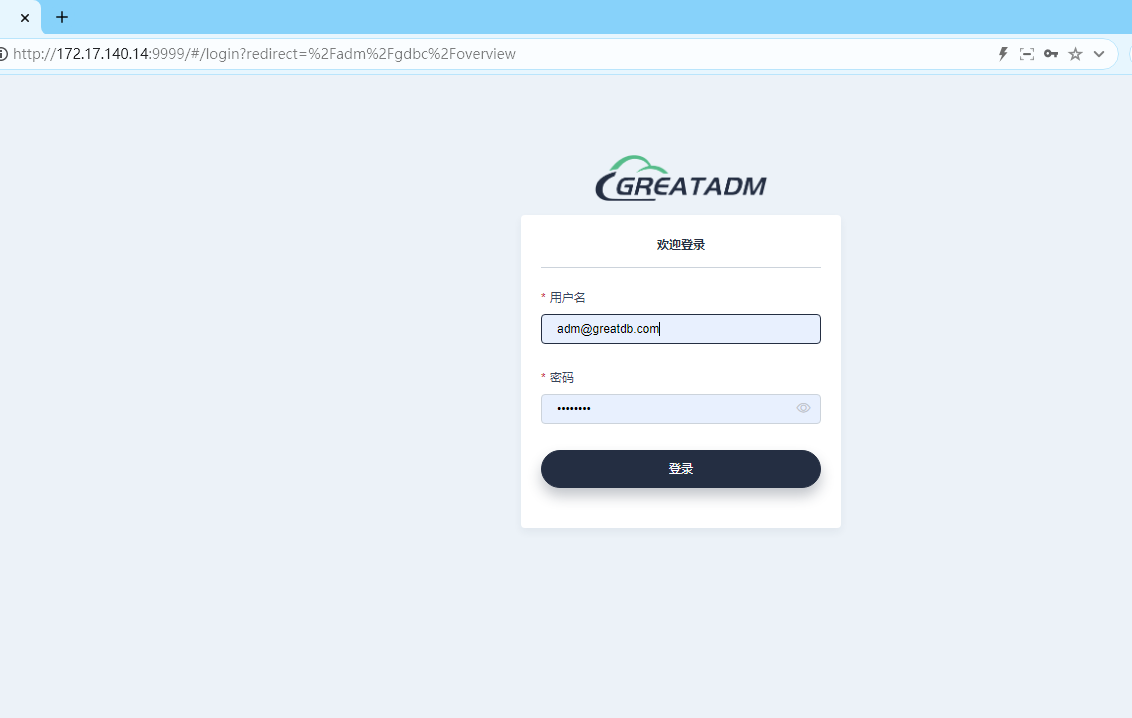
首次登录,修改初始密码
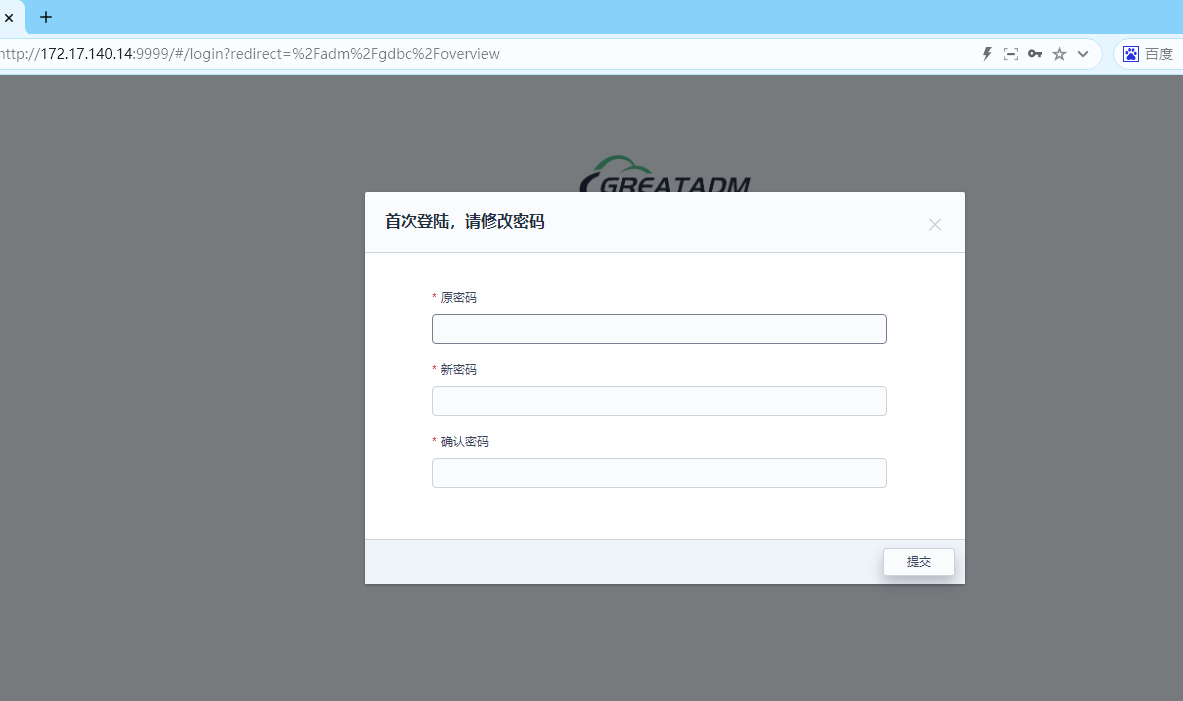
修改成功后可以http://172.17.140.14:9999,也可切换IP为http://172.17.140.27:9999登录ADM平台
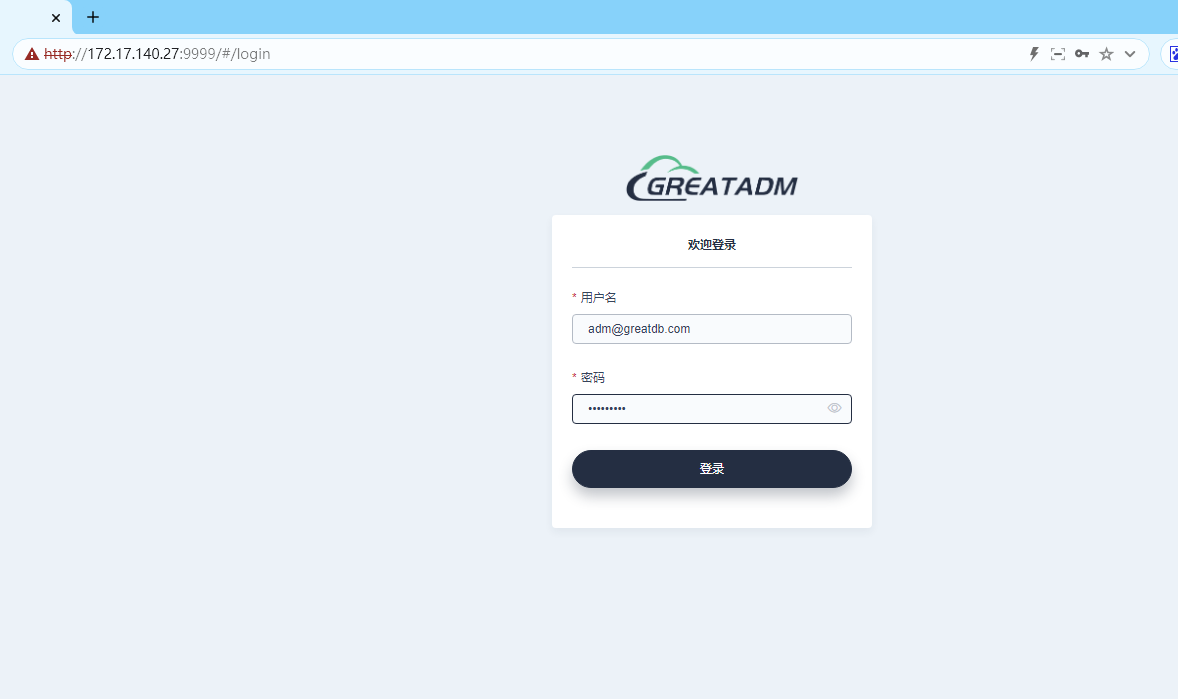
密码为修改之后的新密码
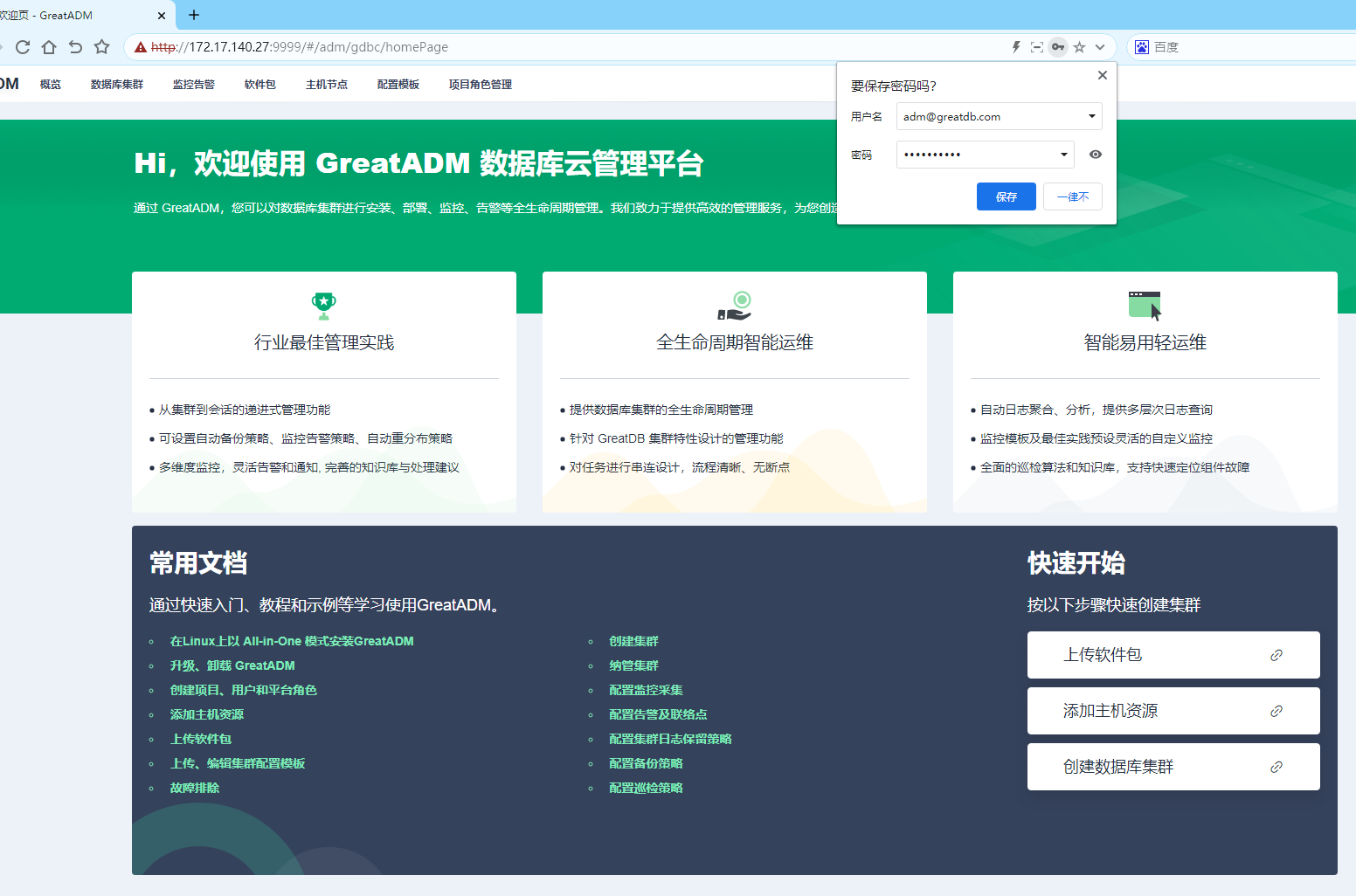
4 模拟故障切换
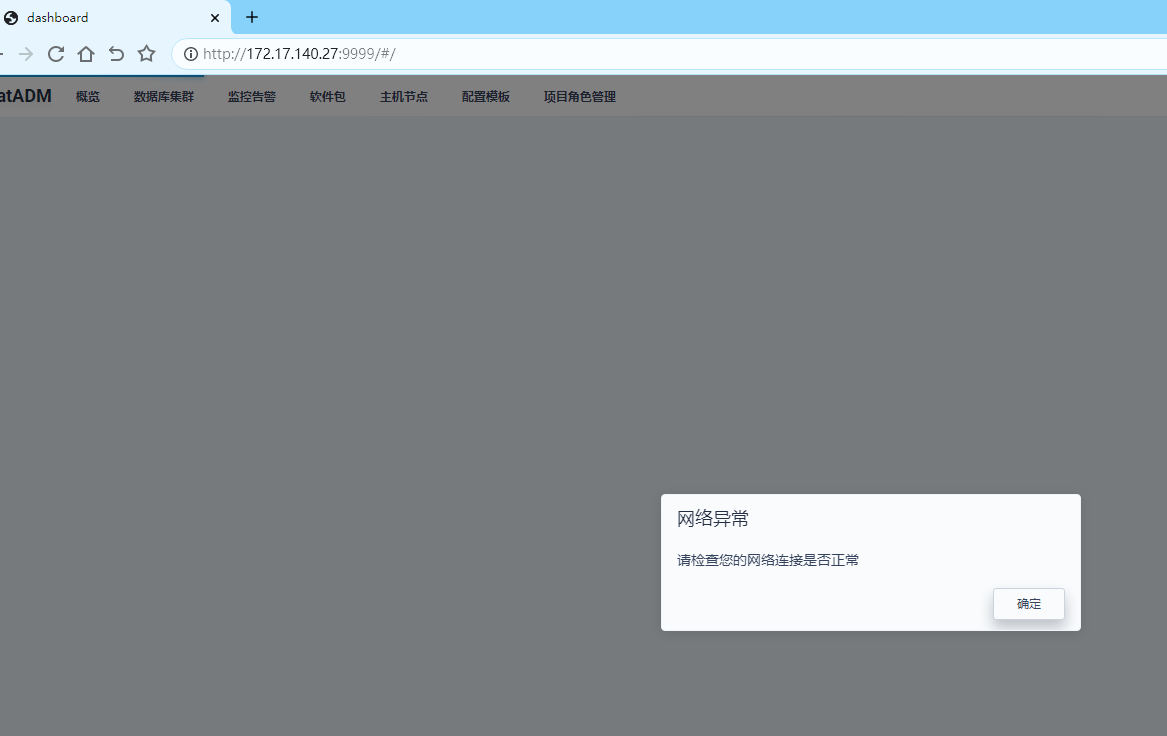
模拟172.17.140.27主机发生重启
[root@localhost ~]# reboot
Connection closing...Socket close.
Connection closed by foreign host.
Disconnected from remote host(172.17.140.27) at 11:06:10.
Type `help' to learn how to use Xshell prompt.
[C:\~]$
刷新ADM平台WEB页面,提示网络故障
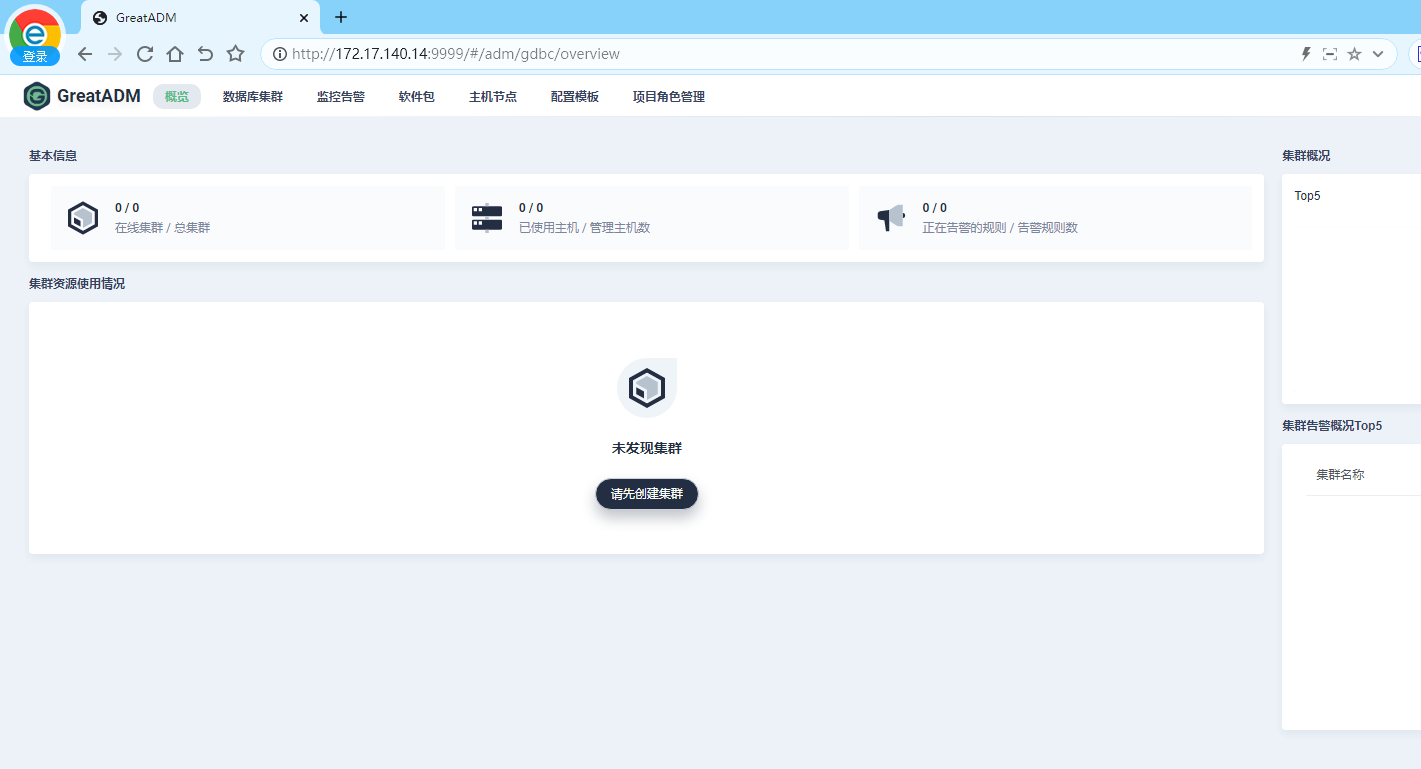
切换为172.17.140.14主机,可正常使用ADM平台
总结:高可用方式部署ADM管理平台前提条件:
1、ADM高可用部署不允许使用默认的sqlite,需要配置外接数据库如greatdb或者mysql均可。
2、ADM部署时的主机密码未统一时,需要考虑配置互信认证。
3、默认情况下登录url结果为执行安装adm_install.sh主机
4、高可用切换需要手动切换IP地址,目前无自动切换IP功能。
