



一、需求背景
docker容器拉取镜像时提示missing signature key.
[root@XSW data]# docker run --name redis --restart=always -p 16379:6379 -d redisUnable to find image 'redis:latest' locallyTrying to pull repository docker.io/library/redis .../usr/bin/docker-current: missing signature key.See '/usr/bin/docker-current run --help'.
且存在运行中的容器重启后丢失。
初步判断可能是由于docker版本过低导致,遂安装最新版本。
二、重新安装docker
1、处理依赖并添加镜像源
# yum install -y yum-utils device-mapper-persistent-data lvm2

# yum-config-manager --add-repo http://mirrors.aliyun.com/docker-ce/linux/centos/docker-ce.repo
2、查看可按照的版本并执行安装
yum list docker-ce --showduplicates | sort -r
yum -y install docker-ce-26.1.2-1.el7
3、查看版本号并配置国内镜像仓库
[root@XSW yum.repos.d]# docker -vDocker version 26.1.2, build 211e74b[root@XSW bin]# cat etc/docker/daemon.json{"registry-mirrors": ["https://docker.mirrors.ustc.edu.cn/","https://hub-mirror.c.163.com","https://registry.docker-cn.com"],"insecure-registries": ["10.0.0.12:5000"]}[root@XSW yum.repos.d]# systemctl start docker[root@XSW yum.repos.d]# systemctl enable dockerCreated symlink from etc/systemd/system/multi-user.target.wants/docker.service to usr/lib/systemd/system/docker.service.
4、处理拉取容器报错:unknown or invalid runtime name: docker-runc
[root@XSW yum.repos.d]# docker start 1c695a7763e0Error response from daemon: unknown or invalid runtime name: docker-runc
解决方案:
# grep -rl 'docker-runc' /var/lib/docker/containers/ | xargs sed -i 's/docker-runc/runc/g'
# systemctl restart docker
5、再次拉取,可以发现恢复正常
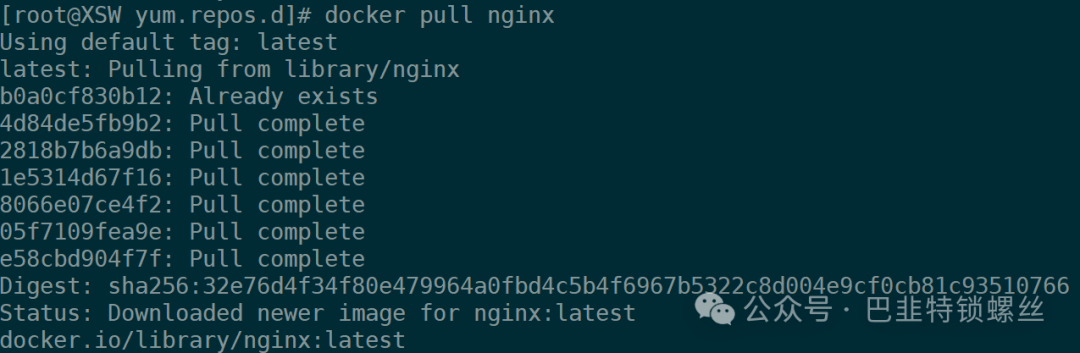
[root@XSW yum.repos.d]# docker pull nginxUsing default tag: latestlatest: Pulling from library/nginxb0a0cf830b12: Already exists4d84de5fb9b2: Pull complete2818b7b6a9db: Pull complete1e5314d67f16: Pull complete8066e07ce4f2: Pull complete05f7109fea9e: Pull completee58cbd904f7f: Pull completeDigest: sha256:32e76d4f34f80e479964a0fbd4c5b4f6967b5322c8d004e9cf0cb81c93510766Status: Downloaded newer image for nginx:latestdocker.io/library/nginx:latest

文章转载自巴韭特锁螺丝,如果涉嫌侵权,请发送邮件至:contact@modb.pro进行举报,并提供相关证据,一经查实,墨天轮将立刻删除相关内容。
