



一、需求背景
项目需要在国产化操作系统部署,且数据库版本为MySQL5.7,不支持MySQL 8.0,同时官方yum源没有5.7版本,docker镜像也没有适配的arm架构5.7版本。
二、系统基础信息
cat etc/lsb-release
[root@host-192-168-3-48 conf]# cat etc/lsb-releaseDISTRIB_ID=KylinDISTRIB_RELEASE=V10DISTRIB_CODENAME=LanceDISTRIB_DESCRIPTION="Kylin V10"DISTRIB_KYLIN_RELEASE=V10DISTRIB_VERSION_TYPE=enterpriseDISTRIB_VERSION_MODE=normal
cat etc/kylin-release
[root@host-192-168-3-48 conf]# cat etc/kylin-releaseKylin Linux Advanced Server release V10 (Lance)
nkvers
[root@host-192-168-3-48 conf]# nkvers############## Kylin Linux Version #################Release:Kylin Linux Advanced Server release V10 (Lance)Kernel:4.19.90-52.22.v2207.ky10.aarch64Build:Kylin Linux Advanced Serverrelease V10 (SP3) (Lance)-aarch64-Build23/20230324#################################################
aarch64 表示为arm架构
三、下载arm版本安装包
wget https://mirrors.huaweicloud.com/kunpeng/yum/el/7/aarch64/Packages/database/mysql-5.7.36-1.el7.aarch64.rpm
四、安装前的准备工作
检查是否安装MySql # rpm -qa | grep mysql
卸载已安装包:rpm -e --nodeps
rpm -e --nodeps mysql80-community-release-el7-7.noarch
查询卸载是否成功:rpm -qa | grep mysql
查询残留文件夹:whereis mysql
删除上面查询出来的文件夹,再次查询验证
四、执行安装
上传rpm安装包,执行
rpm -ivh mysql-5.7.27-1.el7.aarch64.rpm
五、配置文件、授权
chown -R mysql:mysql /usr/local/mysql/
添加环境变量:
vim /etc/profile
export MYSQL_HOME=/usr/local/mysqlexport PATH=$PATH:$MYSQL_HOME/bin
source /etc/profile
vim /etc/my.cnf
[mysqld]datadir=/usr/local/mysql/databasedir=/usr/local/mysqlsocket=/usr/local/mysql/data/mysql.sockuser=mysqlport=3357character-set-server = utf8symbolic-links=0[mysqld_safe]log-error=/var/log/mysqld.logpid-file=/var/run/mysqld/mysqld.pid[client]port=3357socket=/usr/local/mysql/data/mysql.sock
六、数据库初始化设置
mysqld --initialize --user=mysql --datadir=/usr/local/mysql/data
[root@host-192-168-3-48 mysql]# mysqld --initialize --user=mysql --datadir=/usr/local/mysql/data2023-09-06T05:14:15.494229Z 0 [Warning] TIMESTAMP with implicit DEFAULT value is deprecated. Please use --explicit_defaults_for_timestamp server option (see documentation for more details).2023-09-06T05:14:18.781564Z 0 [Warning] InnoDB: New log files created, LSN=457902023-09-06T05:14:19.330706Z 0 [Warning] InnoDB: Creating foreign key constraint system tables.2023-09-06T05:14:19.520537Z 0 [Warning] No existing UUID has been found, so we assume that this is the first time that this server has been started. Generating a new UUID: 3b9e3410-4c74-11ee-a6eb-fa163e7bbce9.2023-09-06T05:14:19.526198Z 0 [Warning] Gtid table is not ready to be used. Table 'mysql.gtid_executed' cannot be opened.2023-09-06T05:14:19.527504Z 1 [Note] A temporary password is generated for root@localhost: meFCx2E00g;j
七、启动MySQL服务、授权远程访问
service mysql start
mysql -u root -p输入初始化密码 meFCx2E00g;j 进入后修改新密码
授权远程访问
ALTER USER 'root'@'localhost' IDENTIFIED BY '新密码';use mysql;update user set host='%' where user='root';GRANT ALL PRIVILEGES ON *.* TO 'root'@'%';CREATE USER 'zp4WG'@'%' IDENTIFIED BY '@sHwjTleXj';GRANT ALL PRIVILEGES ON *.* TO 'ylcloud'@'%';FLUSH PRIVILEGES;
八、建库与导入数据
例如:创建名称为dingtalk_database的数据库,字符集为utf8,排序规则为utf8_general_ci
CREATE DATABASE dingtalk_database CHARACTER SET utf8 COLLATE utf8_general_ci;
导入:
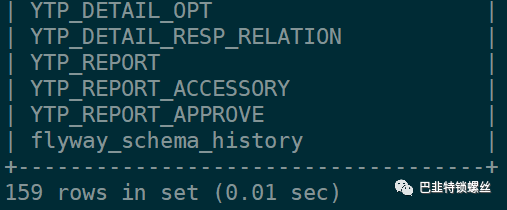
use dingtalk_databasesource /sqlbak/mysql-dingtalk_database-20230905162417.sql

文章转载自巴韭特锁螺丝,如果涉嫌侵权,请发送邮件至:contact@modb.pro进行举报,并提供相关证据,一经查实,墨天轮将立刻删除相关内容。
