



mysql> select @@version,@@default_storage_engine;+-----------+--------------------------+| @@version | @@default_storage_engine |+-----------+--------------------------+| 8.0.29 | InnoDB |+-----------+--------------------------+1 row in set (0.00 sec)mysql> show databases;+--------------------+| Database |+--------------------+| information_schema || mysql || performance_schema || sbtest || sys |+--------------------+5 rows in set (0.01 sec)--使用大写的database name,报错mysql> use SBTESTERROR 1049 (42000): Unknown database 'SBTEST'--使用小写的database name,可以正常访问mysql> use sbtestReading table information for completion of table and column namesYou can turn off this feature to get a quicker startup with -ADatabase changed
mysql> select @@lower_case_table_names;+--------------------------+| @@lower_case_table_names |+--------------------------+| 0 |+--------------------------+1 row in set (0.00 sec)mysql>
#my.cnf配置中增加如下配置lower-case-table-names=1
root@mysql:~# docker restart mysql8.0.29mysql8.0.29root@mysql:~# docker logs -f mysql8.0.292022-07-29 02:28:48+00:00 [Note] [Entrypoint]: Entrypoint script for MySQL Server 8.0.29-1debian10 started.2022-07-29 02:28:48+00:00 [Note] [Entrypoint]: Switching to dedicated user 'mysql'2022-07-29 02:28:48+00:00 [Note] [Entrypoint]: Entrypoint script for MySQL Server 8.0.29-1debian10 started.2022-07-29T02:28:48.532695-00:00 0 [Warning] [MY-011068] [Server] The syntax 'log_slave_updates' is deprecated and will be removed in a future release. Please use log_replica_updates instead.2022-07-29T02:28:48.532736-00:00 0 [Warning] [MY-010097] [Server] Insecure configuration for --secure-file-priv: Current value does not restrict location of generated files. Consider setting it to a valid, non-empty path.2022-07-29T02:28:48.532776-00:00 0 [Warning] [MY-010918] [Server] 'default_authentication_plugin' is deprecated and will be removed in a future release. Please use authentication_policy instead.2022-07-29T02:28:48.532794-00:00 0 [System] [MY-010116] [Server] usr/sbin/mysqld (mysqld 8.0.29) starting as process 12022-07-29T02:28:48.541090-00:00 1 [System] [MY-013576] [InnoDB] InnoDB initialization has started.2022-07-29T02:28:50.875623-00:00 1 [System] [MY-013577] [InnoDB] InnoDB initialization has ended.2022-07-29T02:28:50.896028-00:00 1 [ERROR] [MY-011087] [Server] Different lower_case_table_names settings for server ('1') and data dictionary ('0').2022-07-29T02:28:50.896513-00:00 0 [ERROR] [MY-010020] [Server] Data Dictionary initialization failed.2022-07-29T02:28:50.897228-00:00 0 [ERROR] [MY-010119] [Server] Aborting2022-07-29T02:28:51.615910-00:00 0 [System] [MY-010910] [Server] /usr/sbin/mysqld: Shutdown complete (mysqld 8.0.29) MySQL Community Server - GPL.2022-07-29 02:28:53+00:00 [Note] [Entrypoint]: Entrypoint script for MySQL Server 8.0.29-1debian10 started.2022-07-29 02:28:53+00:00 [Note] [Entrypoint]: Switching to dedicated user 'mysql'2022-07-29 02:28:53+00:00 [Note] [Entrypoint]: Entrypoint script for MySQL Server 8.0.29-1debian10 started.2022-07-29T02:28:54.151877-00:00 0 [Warning] [MY-011068] [Server] The syntax 'log_slave_updates' is deprecated and will be removed in a future release. Please use log_replica_updates instead.2022-07-29T02:28:54.151918-00:00 0 [Warning] [MY-010097] [Server] Insecure configuration for --secure-file-priv: Current value does not restrict location of generated files. Consider setting it to a valid, non-empty path.2022-07-29T02:28:54.151954-00:00 0 [Warning] [MY-010918] [Server] 'default_authentication_plugin' is deprecated and will be removed in a future release. Please use authentication_policy instead.2022-07-29T02:28:54.151972-00:00 0 [System] [MY-010116] [Server] /usr/sbin/mysqld (mysqld 8.0.29) starting as process 12022-07-29T02:28:54.401739-00:00 1 [System] [MY-013576] [InnoDB] InnoDB initialization has started.2022-07-29T02:28:56.161607-00:00 1 [System] [MY-013577] [InnoDB] InnoDB initialization has ended.2022-07-29T02:28:56.166187-00:00 1 [ERROR] [MY-011087] [Server] Different lower_case_table_names settings for server ('1') and data dictionary ('0').2022-07-29T02:28:56.166354-00:00 0 [ERROR] [MY-010020] [Server] Data Dictionary initialization failed.2022-07-29T02:28:56.166517-00:00 0 [ERROR] [MY-010119] [Server] Aborting2022-07-29T02:28:56.800121-00:00 0 [System] [MY-010910] [Server] /usr/sbin/mysqld: Shutdown complete (mysqld 8.0.29) MySQL Community Server - GPL.
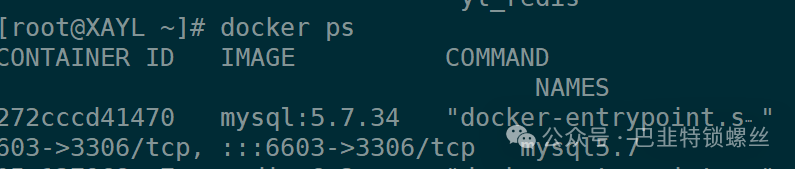
确实mysql5.7是支持修改的,mysql8.0不支持修改,于是查了mysql8.0的官网解释:
https://dev.mysql.com/doc/refman/8.0/en/server-system-variables.html#sysvar_lower_case_table_names
– linux未设置默认是0
The default value of this variable is platform-dependent (see lower_case_file_system). On Linux and other Unix-like systems, the default is 0. On Windows the default value is 1. On macOS, the default value is 2. On Linux (and other Unix-like systems), setting the value to 2 is not supported; the server forces the value to 0 instead.
参数说明
总结

版权声明:本文内容来自CSDN:GreatSQL社区,遵循CC 4.0 BY-SA版权协议上原文接及本声明。本作品采用知识共享署名-非商业性使用-禁止演绎 2.5 中国大陆许可协议进行可。原文链接:https://blog.csdn.net/GreatSQL2021/article/details/126577836如有涉及到侵权,请联系,将立即予以删除处理。在此特别鸣谢原作者的创作。此篇文章的所有版权归原作者所有,与本公众号无关,商业转载建议请联系原作者,非商业转载请注明出处。
文章转载自巴韭特锁螺丝,如果涉嫌侵权,请发送邮件至:contact@modb.pro进行举报,并提供相关证据,一经查实,墨天轮将立刻删除相关内容。
